Some deliveries may take a little longer than usual due to regional shipping conditions.

DOWNLOAD THE APP


Customer Services
Copyright © 2025 Desertcart Holdings Limited
DOWNLOAD THE APP


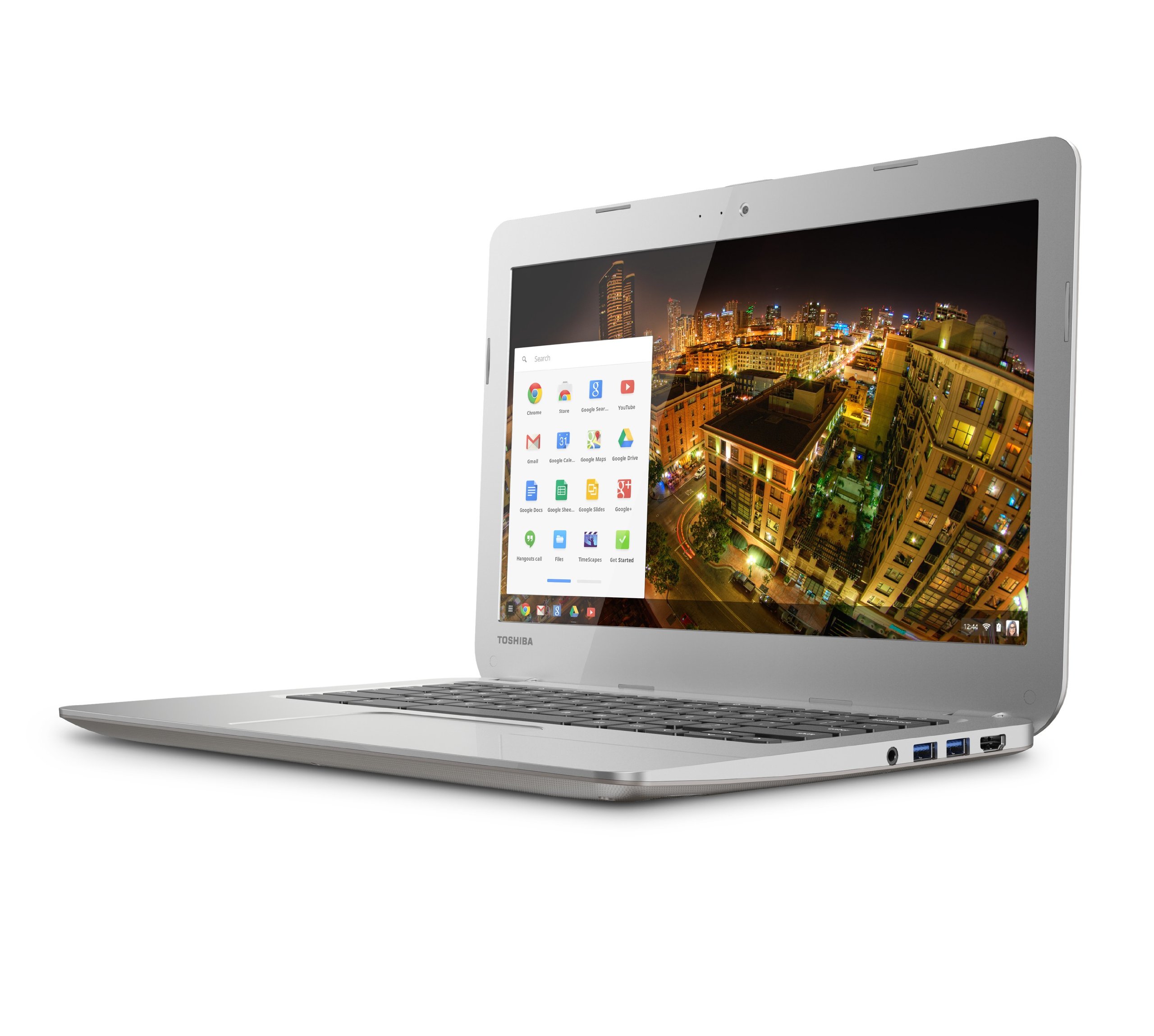
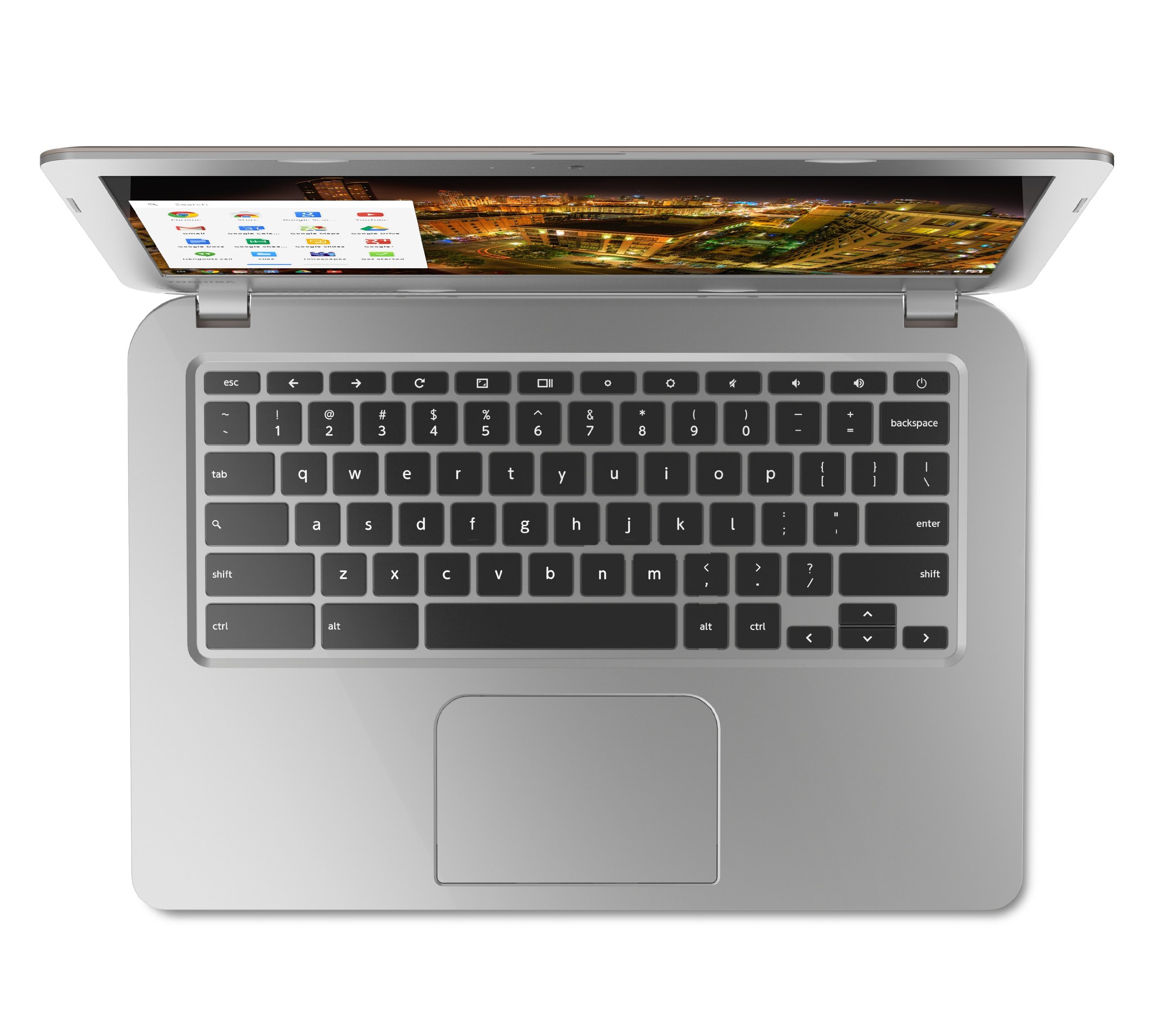
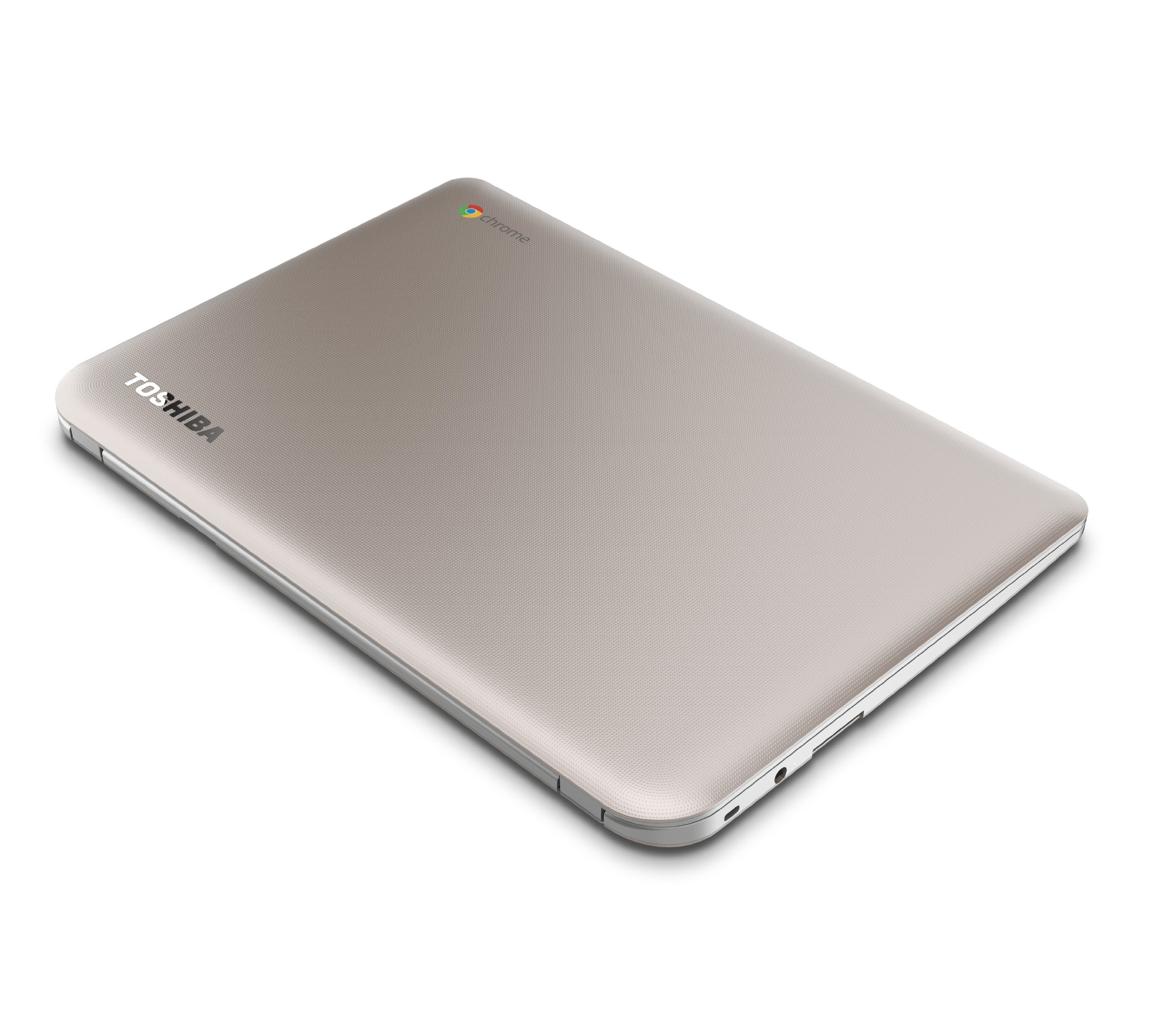
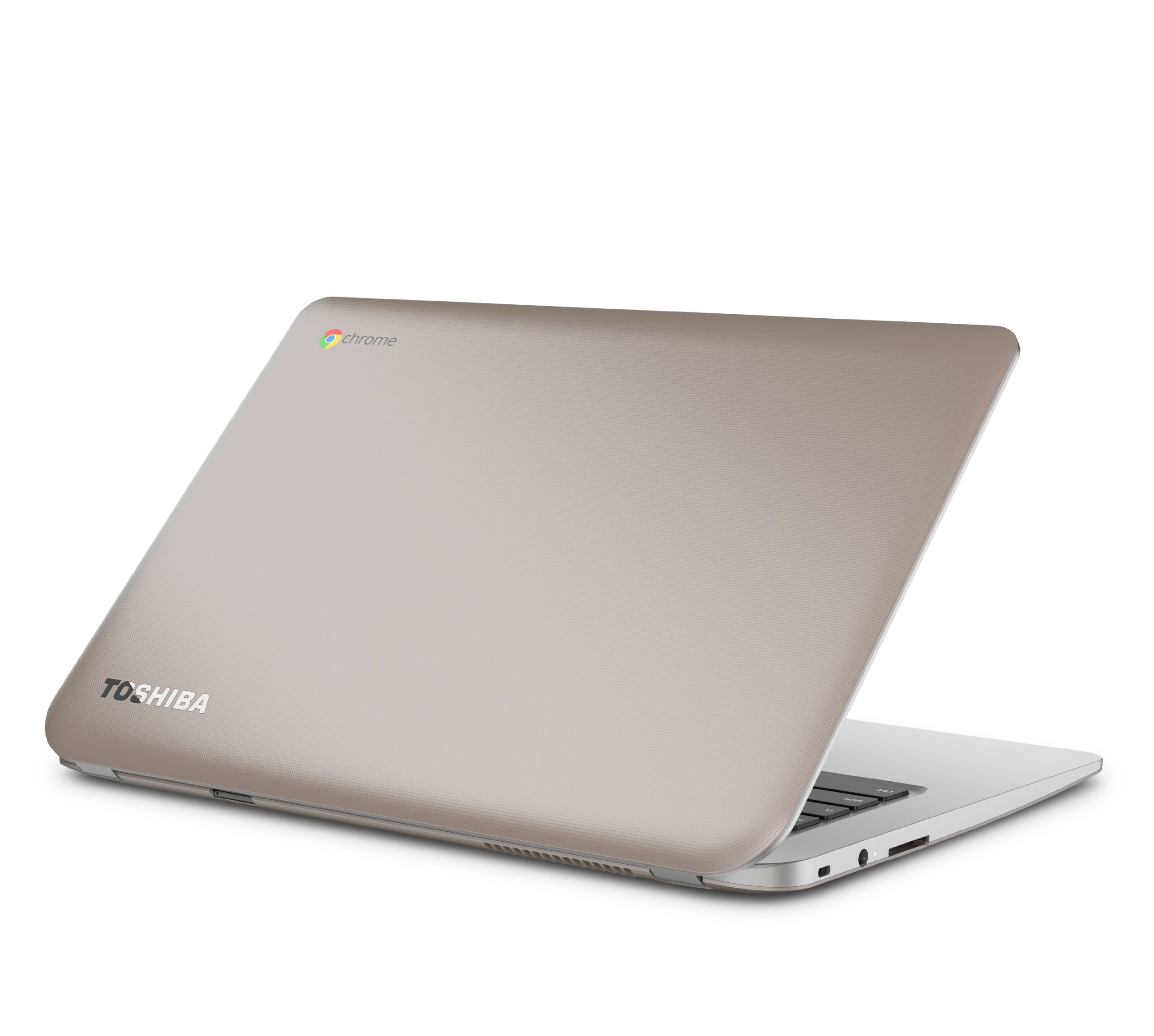
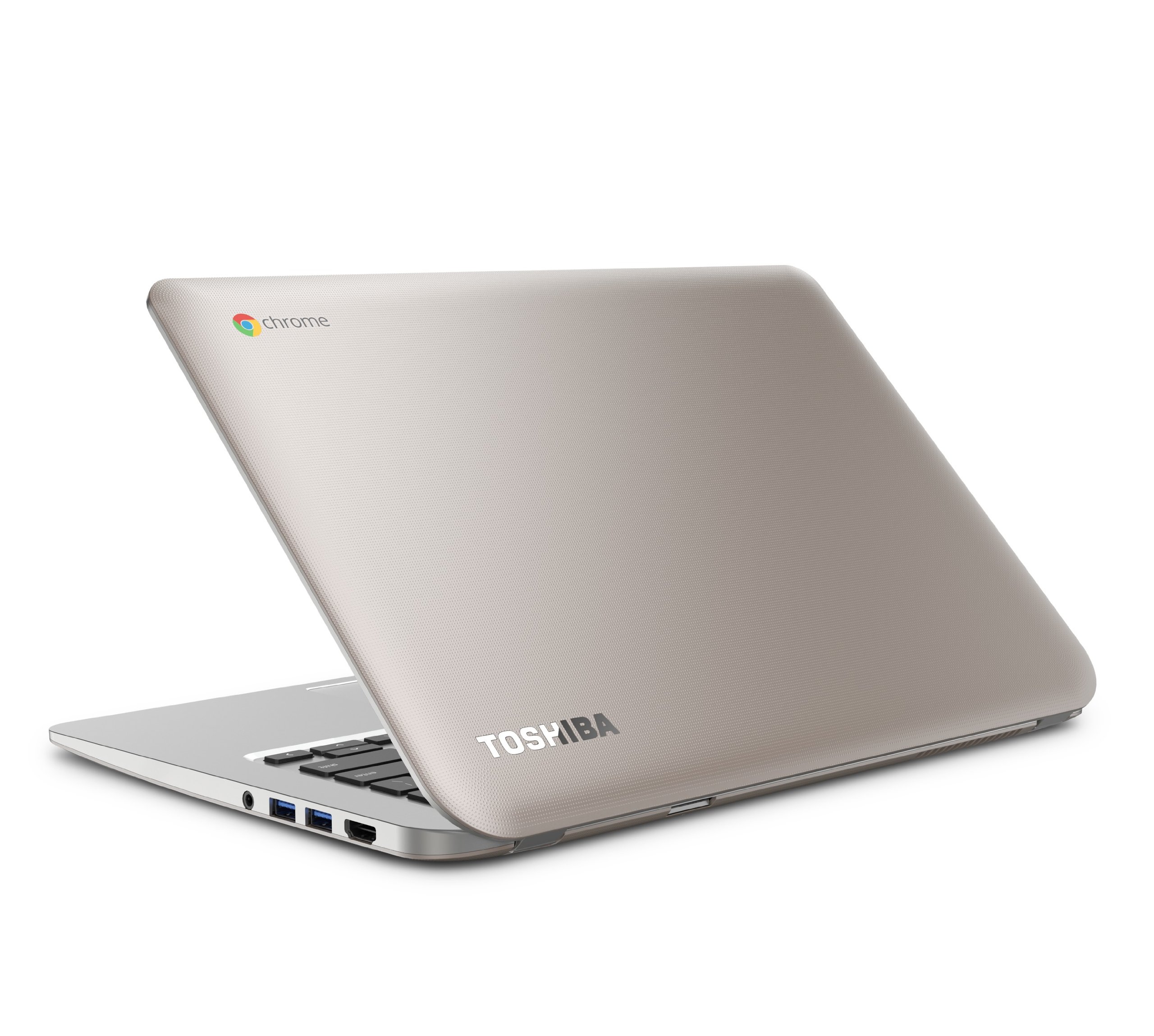
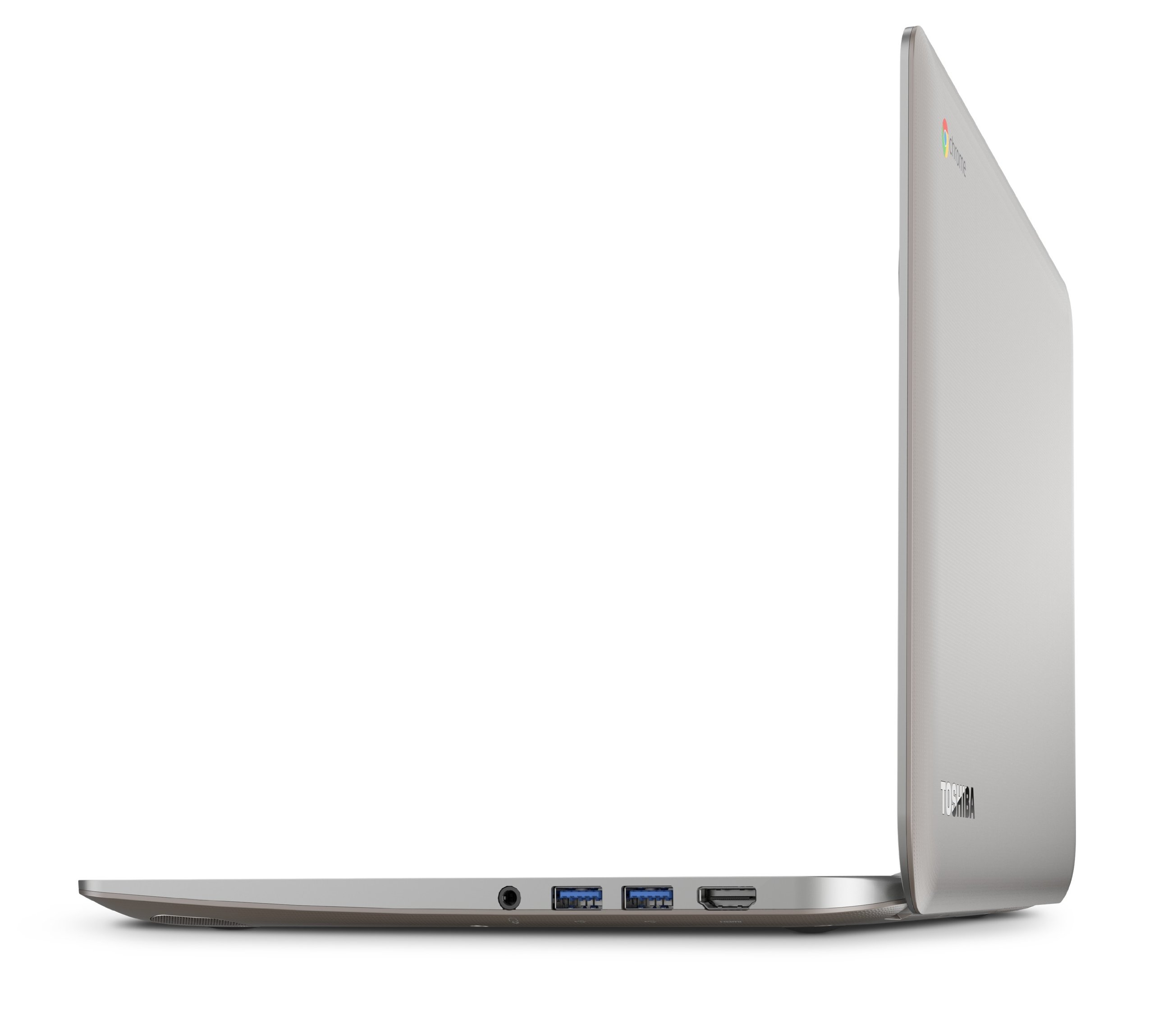
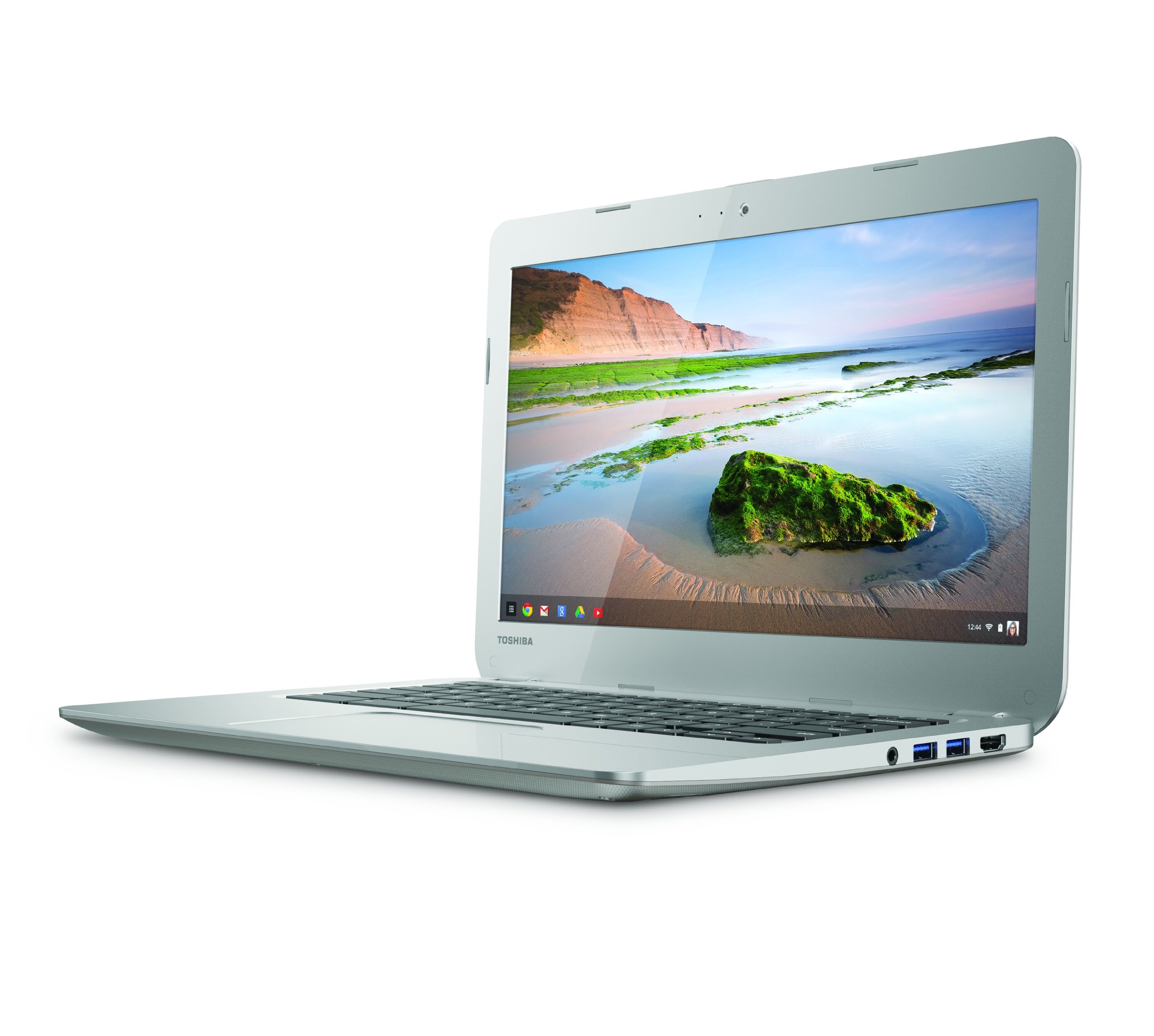
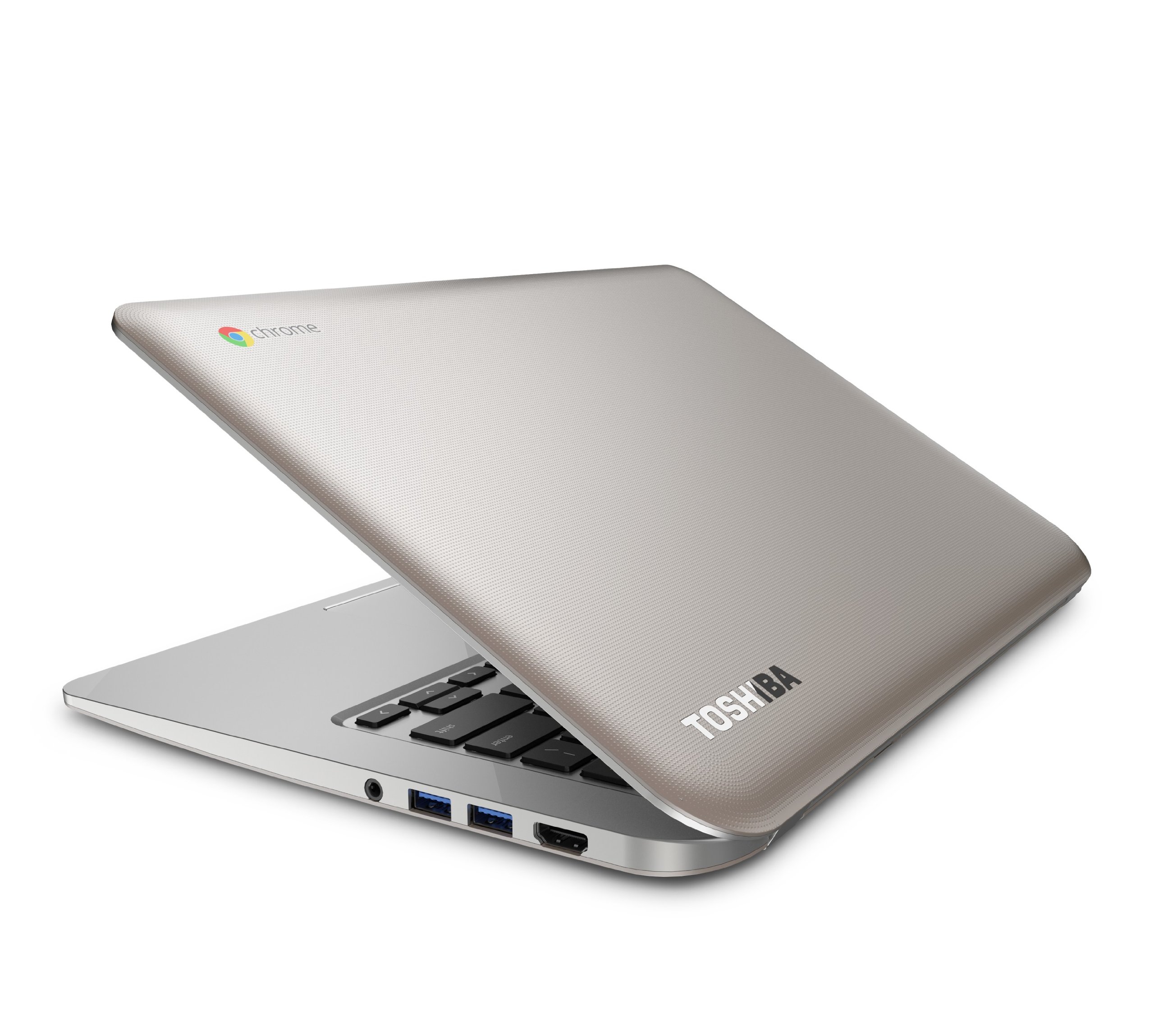
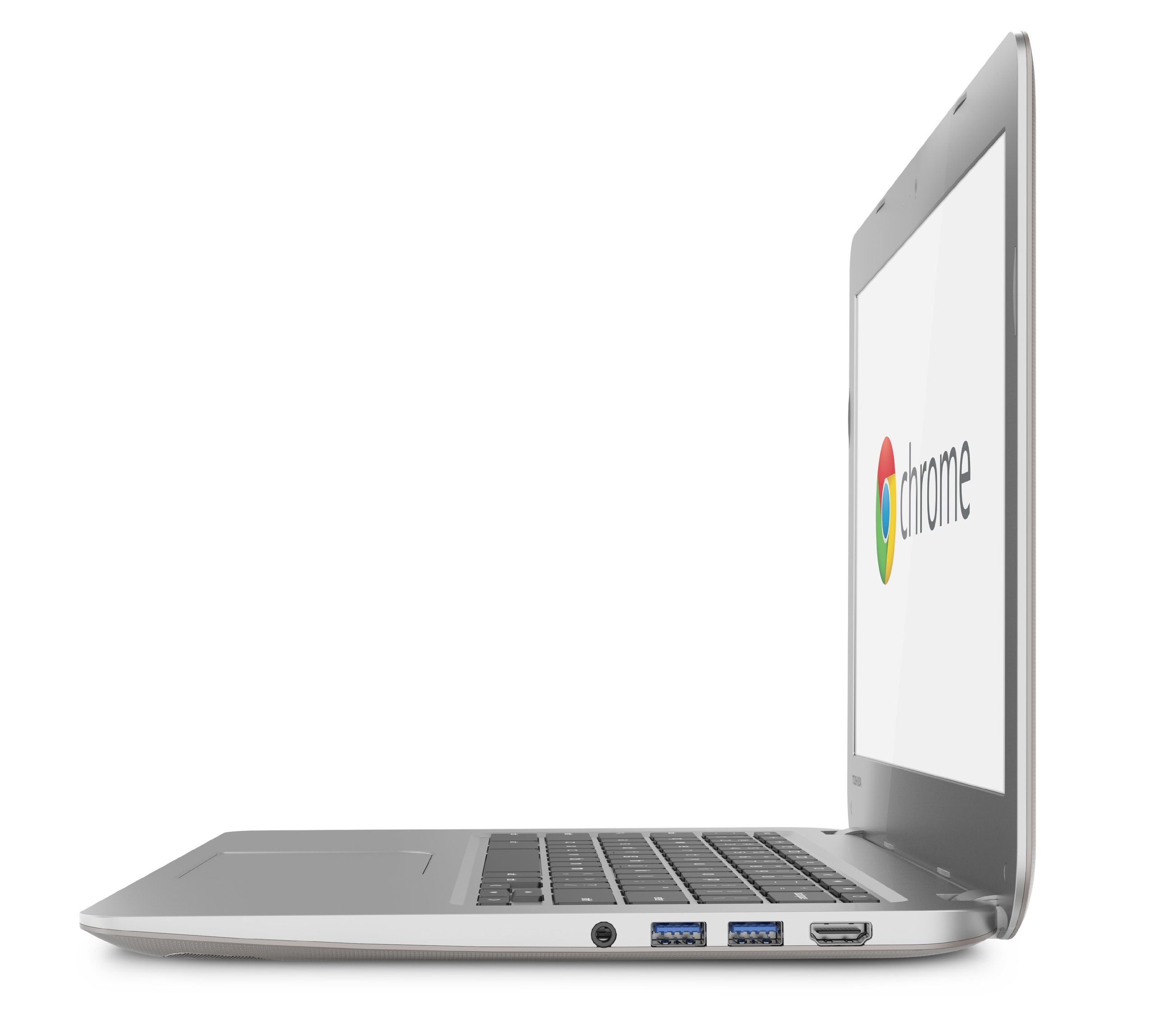
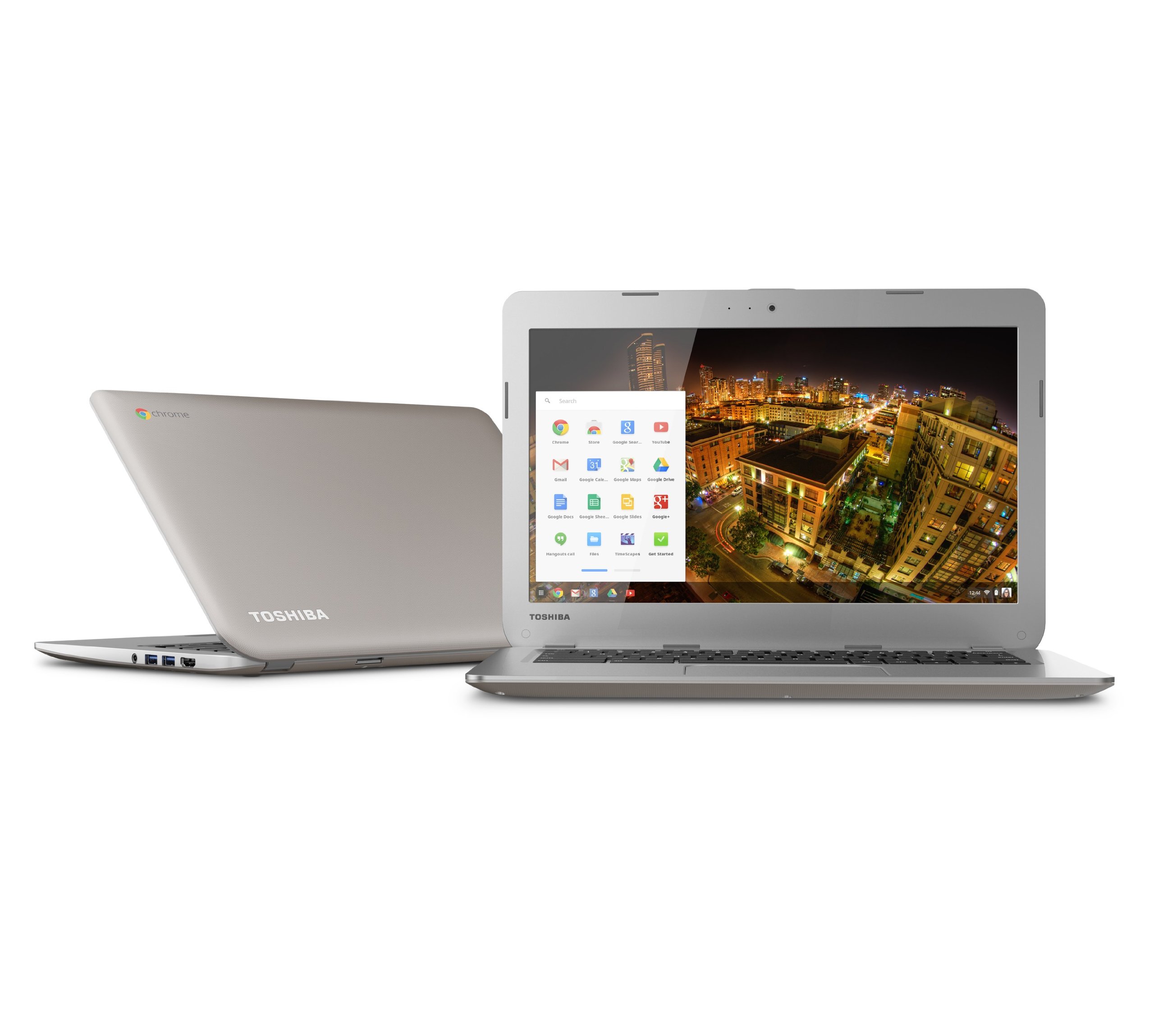
Product Description Toshiba Chrome book CB35-A3120 .com
B**O
A Lengthy (And Detailed) Review Of A Very Nice Chromebook
I bought my first Chromebook (the current Samsung model) last spring, and have since purchased three more (HP 11, Acer C720 4GB (upgraded to 128GB SSD), and a C720 2GB). All of the Chromebooks have performed flawlessly so far, and the regular updates to the Chrome OS has only made them better. This Toshiba is my fifth Chromebook and probably not my last. I've not had any experience with the HP 14, other than looking at it in the store, and I have never seen a Pixel. With the thousands of reviews for all the different Chromebook models here on Amazon I'm not going to get into the details of what Chromebooks can and cannot do. Rather, I would like to focus on how this model stacks up against the other current Chromebook offerings and how it performs with my various peripherals. If you have any question on this Toshiba, Chrome OS, any of the other Chromebook models, or the peripherals I refer to, please feel free to ask. There is a surprising lack of detailed reviews for this machine on the web, so while my review may be long, I wanted to give people as much information as possible.PACKAGING AND UNBOXING: This may seem like a silly category, but while the Samsung and the HP 11 had excellent packaging, the packaging for the Acers was a bit weak (poorly placed in a thin cloth-like bag and suspended by two lousy paper egg crates on the ends). The Toshiba was nicely packaged. There was a cloth-like bag over the lid which separated the screen from the keyboard, and the whole thing was in a nicely sealed plastic bag. The machine was suspended in the box by 2 plastic spongy foam chunks that fit snugly over the ends. As soon as I flipped the lid up to remove the protective cover the Chromebook started right up. It took less than a minute to enter my Wifi password and language preferences and then it downloaded the latest version of Chrome OS. After restarting I entered my Google account info and the Toshiba downloaded my Chrome environment and began loading my apps and extensions (I have 7 pages worth of apps). While doing the startup, I had also connected the power. The brick isn't all that large, the AC plug is non-polarized, and it has no ground. The overall length from plug to tip is twelve feet (no competition there)! The DC end is straight, and quite large when compared to the downright tiny pin of the Samsung and the small pin of the Acers. I also noticed that the DC plug did not have a real positive snap on the catch (a bit vague) when you pushed it into the port on the computer. As other reviewers have noted, the lid opened nicely and stayed where I set it. I would say the lid has roughly between 130 and 150 degrees of motion. The included literature consisted of a Chrome OS quick-start guide, a Toshiba quick-start guide, and a regulatory information packet. If you are looking for more help simply click on the status area (lower right corner) and then click the question mark. There is also a Get Started guide in the apps.OVERALL FIT AND FINISH: For a $280 computer I am more than satisfied with the fit and finish of this Chromebook. The exterior and interior are by far the most fingerprint free, really showing no signs of normal day to day handling. Contrast that to the HP 11 which seems to get fingerprinted up the worst. There is very little flex in the body when you lift the Toshiba by the front corner. I would rate the HP 11 first in rigidity followed by the Acer C720, this Toshiba, and lastly the Samsung. Just remember to never lift ANY laptop by the screen/lid. All of the seam edges feel really good on this Chromebook as well. The Acers are probably the worst in this area while the HP 11 is the best, and the Toshiba and Samsung fall comfortably in the middle. Time will tell how durable the finish is, but this usually isn't an issue for me because I really baby my tech. Overall, this is a nicely put together computer. The bottom/back has vent and exhaust slots for the fan to circulate air, but it's not as open as the Acers. The Samsung and HP 11 have no visible vent slots. The HP 11 also has no visible screws holding the case together, though they are there under the colored plastic pieces on the bottom. The Toshiba also uses nice speaker grilles instead of just slots in the bottom. The HP 11 and Samsung can get pretty warm when you're pushing them, while the Acer and Toshiba run much cooler thanks to the fan(as long as you don't obstruct the vents). And before I wrap up this section I would also like to recommend the Amazonbasics 13.3" laptop sleeve. It's well made and fits the Toshiba perfectly. It won't save it from a high fall, but it will protect the computer from scratches and the elements when you transport it.SCREEN: I have tolerated the screen on my Acer C720, but I have never been completely happy with it. When I fired up the Toshiba I was immediately impressed with the screen. The tone was warm and reminded me of the screen on the Samsung, but with richer colors. The default background image showed really nice reds, yellows, and oranges; colors which don't always look so good on the Acers. The brightness is good, and right on par with all of our Chromebooks. The screen doesn't have the quality or the viewing angles of the HP 11, but again, it isn't nearly as cool in tone as the Acers. When you actually look at them side by side with a field of white on the screen, the Acer looks really blue. Having the same resolution in this larger panel (when compared to the 11.6" models) doesn't really seem to be an issue at all. I don't feel like I'm looking through a screen door or anything as some people would have you believe is the case. I'm generally not a fan of glossy panels, but it really works in this case. I would rate the screen a respectable second to the HP 11 and I am quite pleased with it (both in image and size) so far. Using the single color backgrounds I did a sort of quasi pixel test and found no problems. The only bad pixel we have on any of the Chromebooks is on my C720 and it isn't really a black spot or a stuck color as much as just the look of a tiny smudge on the screen (and I never really notice it in normal use). All of the LCD panels I have ever owned look better after being "burned in" so I would imagine the Toshiba panel should get a little better as I use it. The lid/housing itself is solid enough (not as flimsy as the HP 11 feels) but I would recommend, as with any laptop, that you manipulate it from the center or simultaneously from both corners.KEYBOARD AND TOUCHPAD: The keyboard definitely has a different feel to it when compared to the other Chromebooks. The HP 11 has the best keyboard of the bunch by a wide margin. The Samsung takes second, followed by the Acers and this Toshiba, however, it wouldn't surprise me if the Toshiba knocked the Acer down a peg as I get used to it. As other reviewers have mentioned, the keyboard is a (tiny) bit stiff. I would imagine that I'll adjust to it (which I am even as I type this review), but it just doesn't seem to have the snap of the other machines. The Toshiba keyboard is nice and quiet, however, if that is a consideration for you (especially compared to the Acers, which can be quite noisy). I like the texture of the Toshiba's touchpad and it has been responding well for me. It has a visible pattern on it that offers just the right amount of resistance under your fingers. It has a similar feel to the HP 11, but isn't as sensitive. The HP 11 is the most sensitive touchpad of all the Chromebooks and it works better for me when it's set to one click below the maximum speed. I would rate the touchpad of the Toshiba as my favorite. I definitely like it better than the pad on the Acer that I use daily due to the surface texture and the larger size. Don't be too quick to judge any Chromebook's touchpad performance. Especially if you are coming from a different Chromebook or if you have a lot of Chrome apps. When my Toshiba was synchronizing to my Google account it was having an affect on the movement of the cursor (remember my 7 pages of apps). This was in no way the fault of the pad, but rather a result of all the apps being downloaded and installed. Once the sync was complete everything smoothed up.PERFORMANCE: I've done everything with this Chromebook that I've done with all of our Chromebooks and it is seems just as quick as my 4GB C720. To be honest, I never really noticed a difference in performance between the 2GB and 4GB Acers in day to day use, so I wasn't surprised with how well this machine runs. From being shut down to displaying the logon screen takes the Haswells maybe 5 seconds max, and from sleep to logon is about as fast as you can open the lid. Web pages load quickly and scroll very smoothly. Using the example of Facebook, on the Haswells the page loads quickly and the scrolling smooths out quickly as well, the HP 11 and Samsung take longer to load and the page doesn't scroll as smoothly. The Haswell machines are excellent performers when compared to the ARM machines like the Samsung and HP 11 which get the job done, but are definitely in need of a performance upgrade (which I believe is right around the corner). You should notice improvement as pages you visit are cached, and performance may also improve as the system gets broken in. I added a 128GB SSD to my C720 4GB which works great, and I'm hoping to do the same with this Toshiba. I just want to wait until I can find more information about the internals. If it uses the same type SSD drive as the Acers it would be a worthy and likely simple upgrade (though it would void my warranty).PORTS: Both USB 3 ports seem to be functioning just fine, although they fit a bit tighter than the ports on the other Chromebooks. I tested them with my Logitech mouse, a 32GB flash drive, and several portable HDDs (as well as a few other devices I'll mention later). Connecting my Android phone charged it, but I couldn't browse it or transfer any files. The biggest surprise came when I went to plug in an SD card; it went in ALL THE WAY! For the Chromebooks with an SD card slot it is nice to be able to add a large amount of local storage for a small amount of money. The biggest problem was that the slot on the Samsung and the Acer (no slot on HP 11) do not allow the card to seat fully into the machine. And having to dismount and remove your card every time you wanted to case your computer can be a real annoyance. The SD card slot is also spring loaded. Thank you Toshiba for this simple pleasure. I will never understand why I can get an SD card all the way into my tiny digital camera, but not into my 17" HP laptop or any of my other Chromebooks. I also connected the Toshiba to my TV via HDMI and it worked as well as my C720.SPEAKERS, HEADPHONE/MIC JACK AND WEBCAM: As other reviewers have mentioned issues with the sound I have been running a constant stream of music off of Google Play Music or playing sound from videos for the entire time I have been using this computer. I am happy to report that I have not had any issues as of yet. I have never had sound issues with any of our Chromebooks that I can report either. The speakers are located on the bottom in the front and they can play pretty loud. The HP 11 speakers may edge out the other Chromebooks simply because they fire up through the keyboard, but I am always using my computer on a table or lap desk (and with headphones or earbuds more often than not) so muffled sound isn't an issue for me. The sound through the headphone jack is really good as well. I have never used a headset/mic with any of the Chromebooks so I really couldn't comment on how well that works. I used the webcam to make a Hangouts call to my brother and it worked. If you do a lot of video calls on Hangouts or you like to play with a webcam I would suggest getting a better one. According to the help files, Chrome OS can support USB webcams (just not the software they come with). I would suggest some research before purchasing a webcam to see if it's compatible.PRINTING: Because I have had my other Chromebooks connected to my Canon cloud printer I was able to print without doing any additional setup. If you don't have a cloud ready printer it is still really easy to connect a Chromebook to a printer using a the Chrome web browser and a PC or Mac as as a host. It took me all of 5 minutes to set mine up that way with my old printer. With the cost of ink, I tend to print a lot less now days. I actually prefer to "print" things as a PDF file. I have 115 gigs of storage on my cloud drive so I may as well use it.CHARGING AND BATTERY LIFE: I mentioned the Toshiba charger in an earlier section, but I also wanted to elaborate on the differences in how the Chromebooks charge and how they drain. Like I said earlier, the cords and brick for this Toshiba add up to a total length of 12 feet! That's nice if you don't travel a lot with your Chromebook, but it's a problem if you have to carry that mess around with you. On the positive side, the charger includes a velcro strap that has more than enough length to wrap the cords into a manageable bundle. The cords on the Acer add up to 9 feet. The micro USB charger that comes with the HP 11 is the shortest (6 feet) and most compact of the bunch (the transformer is only 1.5 x 1.5 x 1), but it is a lot easier to carry around. Still, the convenience that everyone talks about in being able to charge your Chromebook with the ever so common micro USB chargers we all have is grossly overrated. The HP 11 takes far longer to fully charge than any of our other Chromebooks (around 3 to 4 hours give or take), and it seems to drain the fastest as well. If you try to charge it with a typical phone charger it will take around 8 hours to complete a full charge. The real icing on the cake though, is that unless you are charging it with the Google charger it will not charge while you are using it. It won't drain as slow, but it will not charge. All of the other Chromebooks we have with their big old bricks fully charge in around 2 hours (I just charged the Toshiba from 3% to full in 1:40). I generally run the Chromebooks at about 70 percent brightness; sometimes lower if the room is darker. With that in mind, I have found the HP 11 to have the shortest battery life (probably due to the display looking so good when you turn it up). The second shortest time on battery would be the Samsung. As far as I can tell, the Acers and the Toshiba seem to have pretty much the same battery life, with a possible edge going to the Toshiba. If you want a machine that will run all day I would recommend the Acers or the Toshiba. I am not going to state time in hours because there are just too many variables which influence battery life. My ratings are based on using the Chromebooks the way I use them, and observing the typical battery life. If you really want to hypermile the battery on a Chromebook you need to turn down the brightness and ditch the streaming. I have gotten over 10 hours off of Toshiba when I dimmed the display and didn't stream video.WIFI, BLUETOOTH, AND CHROMECAST: The wifi on all our Chromebooks works really well. We dumped cable a few years ago, so we rely on over-the-air television, Netflix, Hulu Plus, Amazon Prime, and other websites/streaming services for our entertainment and they all work well on all the Chromebooks (though they work better and faster on the Toshiba and the Acers). I have a 50 meg internet profile with Time Warner because 30 just wasn't enough. The only machine I have issue with on rare occasions is my C720 (it will drop and start searching for connection). I have used the Chromebooks on public wifi as well, and have never failed to connect. The Toshiba bluetooth works good with my Bose Soundlink Mini, and my son uses his Samsung Bluetooth with a Jawbone Mini Jambox. The only other bluetooth device I used was an old mouse. It worked good, but I picked up a Logitech mouse to replace it. Because we don't have cable, I sometimes cast (to a Google Chromecast) CBS shows that I've missed. Casting a browser window works okay, but you need a strong wifi connection. Tab casting is still in beta and can be hit or miss. I have had better luck casting apps that the Chromecast supports because most of those apps will go online and fetch the content you select. This is the case with Netflix, Hulu Plus, and YouTube as far as I can tell. Mostly though, I cast music from Google Play Music to my home theater system. Even that works better with my Android phone than it does with the Chromebook. The Chromecast device and casting to it have gotten better since it was put on the market, but it still has a ways to go in my opinion. The best option to get content from the Toshiba, Acers, or Samsung to your television is via HDMI. You can connect the HP 11 with an HDMI cable but you will also need a SlimPort adapter, and those adapters plug into the Micro USB charge slot, so you can't charge while you're connected.PERIPHERALS: All of the peripheral devices I discuss in this section have been used on all of our Chromebooks and I have tested them all on the new Toshiba (they all work quite well on it). If you have the need or the desire to run your Chromebook with a wired ethernet connection you need only purchase a USB ethernet adapter. I have a $15 Plugable brand USB 2 ethernet adapter that I've used on occasion(wifi issues with ATT 2Wire modem). It plugs right in and has worked well for me (and it's a lot bigger than the pictures on Amazon would lead you to believe). I have a couple older WD Passport HDDs and a 2TB WD Elements HDD that I connect from time to time and they all work fine (though I would like to see improvements to the Chrome OS file browser). I've used all sorts of SD cards, USB drives, and even a USB card reader too. If you have a newer digital camera (I have a Canon 330 Elph and a Nikon P7100) you can connect it to the Chromebook to download your photos using the Google Plus photos app. It can be set to start automatically when it detects the camera and you can have it put your photos in the cloud. I should also note that when I take pictures with my Android phone the photos are automatically put in the cloud and will show up on the Chromebook like a minute after you take them. I think if you have an iPhone you can achieve the same results by installing the Google photo app or the google drive app(I am totally off Apple so I can't say for sure). If your camera is not recognized you can always use the SD card slot or a USB card reader for other types of cards. The peripherals I use the most, thought, with the Chromebooks are my DACs (Digital to Analog Converters). Chromebooks, along with Google Play Music or any of the music services (Spotify, Pandora, iHeart, etc.) work great for streaming music. However, if you want to power some quality headphones or even some good earbuds and improve the sound of your music, you need a better DAC than what's onboard. I have two NuForce DACs that I use with the Chromebooks. Both units connect to a USB port, take the digital audio stream, convert it to analog, and amplify the sound. The first one is a Nuforce Icon uDAC 3. It's a more portable unit that uses the USB power operate. It works good with quality earbuds and efficient headphones. All you have to do is plug it into a USB port on the Chromebook and it is automatically selected as the default audio device. The second DAC is a Nuforce Icon DAC. This one is a larger unit that needs to be plugged in, but is has even better sound than the little uDAC and a lot more power. You can also use the DACs as a pre-amplifier when connecting to a receiver or a set of powered desktop speakers. I use mine with my Logitech Z2300 2.1 speaker system and the sound is phenomenal.So that's my review. If you made it this far, I thank you. And, I hope I've helped you in your research. If you're really anti-Chromebook, just remember that the more these devices are purchased and used by consumers, the better your Windows or Apple OS machines should get. I will be sure to update this review if something happens to come up with the Toshiba; good or bad. And again, if you have any questions or comments please post them as I would be happy to chat.UPDATE 2-20-2014: The Toshiba has won me over big-time, and my son is loving his hand-me-down Acer C720. I was a bit disappointed this week when I learned that the SSD was soldered onto the motherboard, rendering it pretty much non-replaceable. I can also confirm that while the motherboard does have 2 available "slots" for adding memory, it would also have to be soldered in. Still, I did receive my Transcend 64GB SDXC memory card and it really works great. No problems playing back 1080p video files from the card and I can leave it in the slot since it doesn't stick out like it would have done in my Acer. Since I started using the Toshiba I have never said to myself, "boy, I wish this or that was as good as my Acer", so any worries about any aspect of the performance are gone. I really appreciate the extra real estate the screen provides, and the picture seems to be settling in nicely now that it has a lot more hours on it. I have now adjusted to the keyboard, and I would rank it a solid second to the HP 11. When I went back and tried the keyboard on the Acer it felt rather cramped to me, which is funny because when I first got the Toshiba it felt really big. So hey, don't judge the keyboard until you give it a bit of time. The battery life is awesome, and it charges in under 2 hours. Luckily, I haven't had any sound issues like a couple reviewers have reported, and I'm glad because I like the Toshiba's sound quality. The high frequencies are much more present than in the Acer, and even though the speakers point to the bottom, the sound feels like its radiating up through the keyboard like the HP 11. I have also been happy with how well the Bluetooth works with my Soundlink Mini. The webcam is pretty bad in all but the best light, so I've ordered a Logitech C525 webcam to see how it works. I will update when I test the webcam in case anyone is interested.WEBCAM UPDATE 2-21-2014: So, I got the Logitech C525 webcam today and I ran it on the Toshiba. The quality of the picture is GREATLY IMPROVED over the built-in unit. With the Webcam Toy app I had to choose the new camera in the Flash Player app that asks you to authorize the camera when you first launch it. With hangouts, I had to go into the settings and choose the Logitech as the default device. It was easy to find. If you do a lot of video calling or recording I would highly recommend a small investment in a better webcam. It's also nice because you can point it around the room without having to move the computer. If anyone can recommend a good recording app in the Chrome Web Store I would appreciate that as well.CHROME OS UPDATE: With the latest version of Chrome OS being installed on my Chromebooks (version 33), I notice that when I connect my Android phone the Google+ Photo app will launch and ask me if I would like to upload my pictures. For me, this is redundant as every picture I take with my phone is backed up into my Cloud already, but for some this would be a nice added feature of Chrome OS. However, I am still not able to browse the files and do transfers between my phone and the Chromebook.
B**M
A Solid Machine at a Great Value
This is my first chromebook, and first new laptop in about 4 years. My other laptop is a 15.6" Acer that is still going strong (gave it a new battery and handed it off to the wife). I do a fair amount of travelling and wanted something much lighter and more portable than the Acer. I've been using the chromebook for a couple days now, and have to say it's much better than I was even expecting. I am a pretty big techie, and have built many windows PCs for myself and for clients. I have never been impressed with Windows 8, and my windows 7 computers have been irritating me with nonstop updates, restarts, and all the sneaky malware/toolbar installs that you constantly have to be on the lookout for. So, when I first heard about chromebooks, I was instantly interested.So, just to be clear on my rating of 5 stars, I was able to snag my chromebook for 230 bucks straight from Amazon, which makes it a very impressive value for the money. Had I paid the 265 price they're asking right now, I likely would have dropped a star, just as a comparison of value to other laptops that are available. Even at that price, though, the toshiba chromebook is still a steal. Especially considering the old ARM Samsung Chromebook is still going for somewhere around $200. Also, a quick note on Amazon's free shipping: you definitely get what you pay for. I had come to expect Amazon's shipping to take about 3 to 5 days, however the chromebook was sent via fedex smartpost, where fedex shipped it to a post office, and then the post office mailed it to me. It took 10 days to arrive. I wasn't in a hurry, so no big deal, but definitely take that into consideration if you're thinking of using the free shipping and want your item fast.After reading every professional review I could get my hands on, I was concerned about the consistent comments by reviewers of the overall build quality (mainly the screen and keyboard). Since receiving the device, I've come to realize that these professional reviewers are accustomed to the highest of the high end devices, so I'm sure by comparision, this chromebook is not as good. However, I was actually impressed with the screen quality, and think the keyboard is great. I do feel like the screen colors are a little cold, however I've seen many displays warm up as their hours of use increase, which could be the case here (still too early to tell). I have absolutely no complaints about the keyboard. Perhaps if you're coming from a macbook or desktop keyboard, you might need to adjust, but coming from my cheapo Acer, this thing is awesome, and certainly better than typing on a tablet. I'm not entirely in love with the trackpad yet, as it just feels a bit cheap (scratchy and rattly) but it doesn't really bother me. It does seem sensitive enough, and it's plenty big. Overall, I think Toshiba struck a good balance in terms of quality for the price. Most windows laptops with similar build quality would cost you at least a hundred dollars more, and would likely not be 13.3" devices. Though they would probably have more hard drive space, and some are even coming with a touch screen now (which you'll probably want with Windows 8). Neither of those things could sway me to buy something with windows 8, and I don't really like using anything with less than a 13.3" screen.As for performance, I haven't tried to install any games from the web store, but I can say this thing boots as fast as the reviews say, and the battery has held up well in its first couple of charge cycles. And it charges back up very quickly, usually in an hour or so. I did have a weird issue where the battery percentage dropped from about 30% down to 2% almost instantly, but I chalked that up to it being brand new and learning the battery capacity, etc. Not uncommon in new electronics, but something I'll be keeping an eye on. Most reviewers claimed 7 to 9 hours of battery life at least, and I have no reason to believe I'm not getting that. My use is very sporadic though, so it's tough to tell for certain. Web pages seem to load just a quickly as with my Acer, and I haven't really noticed any slowdown from having multiple tabs open or anything. I will say that this thing scrolls more smoothly through pages of pics and text than my windows machine does.The speakers are also as awesome as all of the reviews say. Surprisingly loud for a laptop.I won't get into Chrome OS, but my advice would be to take stock in what you want in a laptop, and see if this meets your needs. I have been using the google "office" programs since before I bought my chromebook, and for the most part, there are no issues. Sometimes, a weird compatibility thing will come up, but you can also pretty easily (and freely) use the online versions of Microsoft Office, if you need the real deal. The Chrome Web Store even has Microsoft Word, Excel, Powerpoint, and Outlook apps that you can easily install, you just have to create a OneDrive account with Microsoft, or use an existing Microsoft ID (again, no biggie). As far as I can tell, that's most people's hangup with Chrome OS, unless you're a photoshop or CAD software user, or have an iDevice and want to sync it with iTunes (blah). I don't use Skype, as I'm an android user and think that hangouts is just a better service, so I don't know if you can skype using Microsoft's online office or not. But again, being an android user, I can install skype on my phone, should I absolutely have to.I will also say that I'm quite excited to own a chrome OS device with Google's recent announcement at their I/O event that they'll be bringing tighter integration between Android phones and Chrome OS, as well as giving chrome OS devices the ability to run certain android apps. I think we're going to see the functionality of Chrome OS soon be greatly increased. Also, I've been fortunate enough to convince several of my friends to install and use Google Hangouts on their devices, which is nice because there is a hangouts chrome extension that lets me talk to them from the chromebook as well as my HTC One.So, to sum up, the toshiba chromebook is pretty solid and a great value. I was initially going to wait for Asus and a couple other companies to release their offerings later this summer, but after seeing some initial reports of them being measurably slower (but having more battery life), I wasn't really interested in making that trade off. The few times I've been using the device around other people, they seem to take note. I have already had people ask what it is, if it was expensive, if I like it, if they can check it out, etc. So, people are definitely becoming interested in a stylish, low budget laptop. If that's you, I think the toshiba is a great choice.Oh, and one last note on the stickers some people are complaining about: They are difficult to remove, but it's very doable. Just don't try to peel them off...scrape them off with a fingernail or a plastic scraper. I was able to remove all of the sticky residue by putting a little rubbing alcohol on a paper towel and wiping the area down after removing the stickers. The whole process took maybe 5 minutes.UPDATE 9/27/14: After three months of usage, I actually like this thing even more. I have had no issue with the battery percentage dropping off unexpectedly after the first charge cycle, like I mentioned in my original review. Battery drain has been linear, and I can comfortably use the chromebook all day. The screen colors have stayed pretty much the same, however I have gotten completely used to it, as well as the trackpad. I, personally, would have preferred a smooth trackpad versus a lightly textured one, though it works completely fine as-is. As far as function goes, I have never had this thing crash or even stutter during use. I have installed a few games from the chrome store, and while the fan will kick on and the bottom will heat up, it seems to play games no problem. I have also tested out the SD card slot, which works as expected, and is a great way to cheaply upgrade your storage on the device. That being said, I don't really store much on the device, so my hard drive space is still over half empty. Somehow Amazon has increased the price of this device by over $70 since I purchased mine. I'm not sure what's up with that, other than perhaps demand is increasing for chromebooks, or they are trying to drive sales of the new Toshiba Chromebook 2 that is coming out. One note on the new Bay Trail chromebooks, including the Asus and Toshiba Chromebook 2: They will have increased battery life over this original Toshiba Chromebook, however everything I have read has stated that the increased battery life comes at the expense of overall performance. So, just keep that in mind when comparing Bay Trail and Haswell based chromebooks. For the casual user, you may not even notice a difference, but if 9 hours or so of battery is good enough for you, I'd still choose this guy over a Bay Trail chromebook for the extra performance.
S**N
I recommend this chromebook
Nice laptopvery fast booting, bright screen, great connectivity.chrome OS will please a lot of people.No heat, No annoying fan sound.super price.Go for it.
Trustpilot
2 weeks ago
2 weeks ago