
DOWNLOAD THE APP


Customer Services
Copyright © 2025 Desertcart Holdings Limited
DOWNLOAD THE APP
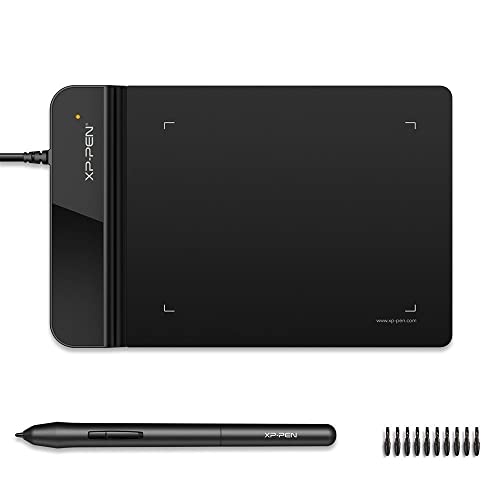


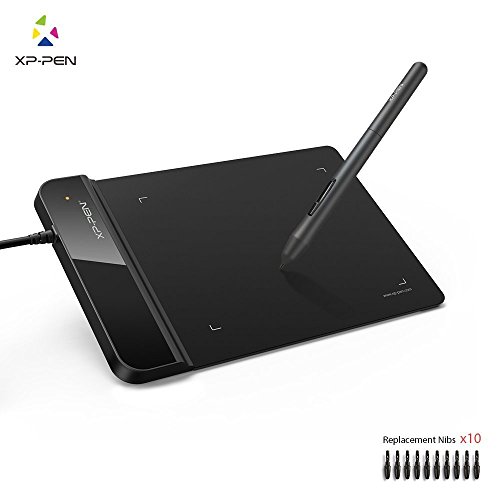
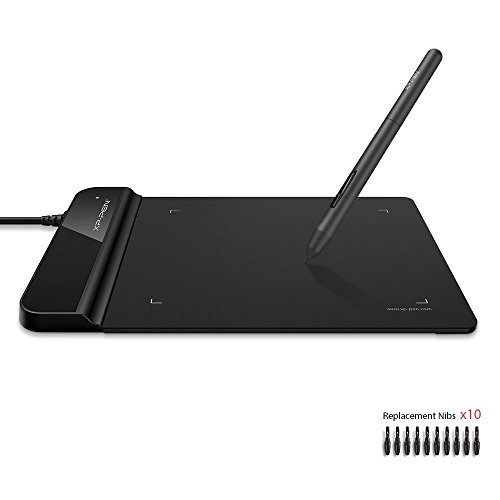




🖌️ Elevate your digital canvas with pro precision and zero limits!
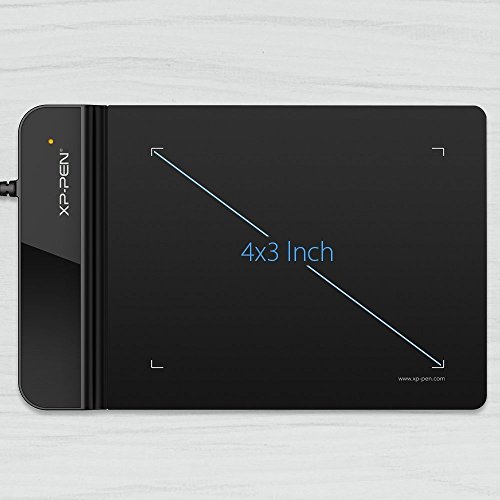
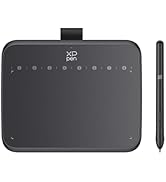
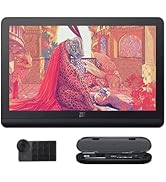
The XPPen StarG430S is a compact, ultra-portable graphic tablet featuring a 4x3 inch active area and 8192 levels of pen pressure sensitivity for professional-grade precision. Its battery-free stylus ensures uninterrupted use, while compatibility with Windows, Mac, and Linux plus all major design software makes it a versatile tool for online teaching, digital signatures, and creative presentations. The package includes 20 replacement nibs and an ergonomic pen with a one-click eraser toggle, making it a complete, ready-to-use solution for professionals and creators on the go.










| ASIN | B079L6L3PP |
| Are Batteries Included | No |
| Best Sellers Rank | #536 in Computers & Accessories ( See Top 100 in Computers & Accessories ) #2 in Graphic Tablets |
| Brand | XP-Pen |
| Colour | Black |
| Country of Origin | China |
| Customer Reviews | 4.2 4.2 out of 5 stars (6,339) |
| Date First Available | 4 February 2018 |
| Generic Name | Graphic Tablet |
| Importer | M/s DNS Overseas: 1003, Raheja Chambers, 213 Nariman Point, Mumbai 400024 |
| Included Components | 1 Pen Tablet, 1 P01 Passive Pen, 1 Quick Guide, 10 x Pen Nibs, 1 Pen-Clipper |
| Item Dimensions LxWxH | 16.2 x 8 x 0.1 Centimeters |
| Item Height | 0.1 Centimeters |
| Item Weight | 260 g |
| Item Width | 8 Centimeters |
| Item model number | 430S |
| Manufacturer | XP-Pen |
| Net Quantity | 1 Count |
| Operating System | Mac OS, Windows |
| Packer | M/s DNS Overseas: 1003, Raheja Chambers, 213 Nariman Point, Mumbai 400024 |
| Product Dimensions | 16.2 x 8 x 0.1 cm; 260 g |
| Screen Resolution | 1920 x 1080 pixels |
| Series | Star G430S |
C**U
Best to best
Upto the mark , best quality and in budget , writes fast which I was most worried , holding pen and writing is challenging which I did not find in this model its worth !!!!!!!
H**E
Calibrate before you take notes
Good for beginners good quality product, supports mac windows and Android phone/ tablet . Calibrate windows by reducing the work area if you want to take hand notes or if you want to teach online whiteboard is best
S**H
XP PEN is a good and effective product.
Unboxing and Initial Impressions: Well-packaged with minimalist design. Includes tablet, USB cable, 10 pen nibs, pen clip, and a quick guide. Small size of 4 x 3 inches, ideal for digital signatures and basic graphics. Design and Stylus Features: Slim, all-black design made of lightweight 2mm thick plastic. Stylus offers battery-free experience with 5080 LPI resolution and 8192 pressure levels. Two stylus buttons for right-click and middle-click functions. Installation and Compatibility: Easy setup – connect via USB, install drivers from XPPen website. Compatible with Windows, Mac, and Linux. It has integration with popular drawing programs. User Experience and Specialized Use Cases: Low latency for gaming with both hovering and dragging methods. Effective as a digital signature pad in Adobe Acrobat and other signing applications. Practical tool for online teaching, illustrating concepts. Ideal for Creators on a budget: Assists in touching up lines, adding details, and simplifying background animations. Suits personal and travel use, not necessarily for professional graphics careers. Conclusion: Versatile and affordable graphic tablet catering to a wide range of creative needs. Small drawing area limits intricate projects but excels in various applications. Consider bigger options like G640 and Star03! Packed with features at a very reasonable price point, making it commendable for beginners and seasoned users alike.
N**A
Liked it
Quite good. Pen is very smooth. I have used other brand devices, but this is much more comfortable. It's size is small, needs a bit of time to adjust. Specially, if you are used to a larger one. I have been using it for 5-6 hours daily, since last 2 weeks. No complaints. Price is reasonable. Compatible with Dell. Quite sensitive, so light on hands.
B**Y
Pentab holder missing
Nice product but pentab holder missing
N**R
Best to Buy
The XP-Pen delivers smooth, responsive drawing performance with excellent pen pressure sensitivity. It's beginner-friendly yet powerful enough for professionals. Setup is quick, and the customizable buttons enhance workflow. A great tool for digital artists, designers, and students. Highly recommended for its value and performance!
S**I
Good Purchase 😃
I purchased this pen tablet for my sister, and she is very happy with it. The device connects easily to the PC via USB, which makes setup simple. The pen is smooth and responsive, making drawing and writing feel natural. The erasing function works well, and the overall handling is comfortable. The size is practical and affordable for the price, offering good value. Although my sister has not used it extensively yet, she enjoys the experience so far, especially for creative work. Overall, this pen tablet is a solid purchase, and we will see how well it holds up with regular use. Thanks Amazon
T**Z
Waste product
Waste product No use at all. Money wasted .. no return option.. Don't buy
M**F
Excellent for writing and giving online lectures
E**A
I received the best quality of item
F**Y
So I'm going to separate this review into 2 part: For Drawing and For Osu! 1) Drawing: the tablet is pretty good for beginners who want to try digital drawing. The active area may look small, but good enough for drawing. The pen is a bit slippery since it does not have any rubber band on the pen but the shape is smooth and easy to hold. The pressure sensitivity was ok and drawing on it is pretty ok. 2) Osu!: just buy this stuff if you want to go pro. For Osu!, the active area, latency, accuracy of the movement and the pen is those thing that i will review. The active area is big enough for playing with small or big area (although it's a bit uncomfortable when using small area since your hand will be at the position somewhere between your tablet and table. idk if there are any problem with big area players since i play with small area), latency and accuracy is over the top with the Hawku driver. The pen, in my point of view is a bit to small for my Osu! pen grip and just like i said earlier, a bit slippery too (this can be easily fix by just wrapped some tissues around the pen). More than that, I'm happy with it. P/s: I'm just a 4 digit noob so my Osu! review may not correct :(
ح**ر
ممتاز بس الحجم صغير توقعت أكبر
R**D
Pros: - Decent size active area that allows for drawing, so this tablet is perfect for someone that wants to try drawing on a tablet, but does not want to invest in a high end drawing tablet. - For the price, the build quality is decent and does not feel cheap, also it is slim, I found that great. - The new UI software driver is easy to navigate and install from their website. - Great for OSU because the available active area is big and thus you can customise it if you prefer a smaller one (do it from the driver software). Cons: - The drawing pad has more friction than your usual drawing tablet in my opinion (I only owned a few drawing tablet so I do not really know if its common), which can suprise you if you had a Huion 420 tablet for example to play OSU. That can be a pro or a con depends on you, but I saw a complain from a user for that. - The majority of the nibs provided are squeaky and thus do an incomfortable sound when you draw or play OSU on that tablet. However, a few of them are fine (out of the 20 ish that they provide , 4-5 are normal/you have to force it to make it squeak). I do not know if it is a general thing or just me being unlucky, but some users also reported that problem. The squeaking sound can be discribed as a fork rubbing against a ceramic plate, but less loud and intense, still annoying though. Apparently does two problems will solve with time by using the tablet (more use = rubbing pen against tablet and thus some kind of polishing over time).
Trustpilot
3 weeks ago
2 weeks ago