🌟 Elevate Your Home Automation Experience!
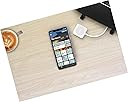
The WeMo F7C074 Bridge seamlessly integrates with Apple HomeKit, allowing you to control your Wemo devices using Siri or the Apple Home app. With features like customizable scenes, automated scheduling, and a stylish design, it enhances your smart home experience without the need for additional hubs or subscriptions.


B**N
WEMO has it's serious faults..... but the WEMO bridge specifically is good thanks to Apple.
As most WEMO users know, the WEMO app stinks. In fact, there are much more appropriate words for the WEMO app, but I'm sure the post would get rejected if I elaborated..... That said, the bridge is very nice. Setup was painless and as straight forward as it gets! However, some WEMO devices randomly go online/offline as is typical with WEMO products, but the bridge and fortunately Apple Homekit at least make some of the pain go away.To my knowledge, WEMO uses UPnP and tracks down the name of your WiFi SSID. Therefore, you cannot connect to WEMO devices in multiple homes/facilities. WTH!!!??? Who would design something like that??? TP-Link and others all support multiple locations and stability is much better. I've been moving most of my clients over to TP-Link for that reason. Belkin Support refuses (level 1 & 2 support) to acknowledge that of course, continue on with their PDF script in the call center and are more interested in asking if I've rebooted my router and if there is anything else they can help with. *sigh* I've spent thousands, yes thousands of dollars on WEMO hardware (38+ devices, such as dimmers, switches and outlets) and the best help I get is "have you rebooted your router and are you using 2.4Ghz?" However, being that this review is for the bridge itself, that is one thing WEMO has done right -- at least from what I can see thus far.Belkin Support: If you're reading this, feel free to escalate to someone empowered with truly helping solve issues that are consistent among the WEMO community. What would be the answer to everything is to have ALL WEMO devices talk directly to the cloud and not relay via an SSID from a single router IP. Supporting multiple homes and eliminating the UPnP dependency will do the trick, for about everyone! Ticket # 09187927. Thank you and respectfully, big customer.
H**S
So Far So Good
Two months ago, we bought one Wemo Mini Smart Switch and this Wemo Bridge bridge as a set from Amazon, fully intending to give both a try for several weeks before committing to the purchase of any additional smart switches. Like a lot of people, we've been burned before, and the wide range of reviewer experiences gave us pause. The bridge gets five stars for easy setup — and by easy, I mean plug and play. The switch was unexplainably fussy, but as this is a review of the bridge, I'll save that for my review of the Mini. That minor switch-set-up hitch aside, the pair of devices worked so well that, within a matter of two weeks, we decided to go ahead and start purchasing more Wemo Mini switches, all of which we networked through our bridge to the Apple Home Kit app. We now have nearly a dozen switches running through the Wemo Bridge, which is plugged directly into our Apple Airport Extreme, and (knock wood) so far so good.I would've given this five stars were it not for the occasional hiccups we've experienced. One morning, for example, the switches all just went offline and wouldn't reconnect to the Wemo bridge. I decided to do the tried-and-true reset of everything, which meant running around the house to unplug each and every Wemo Mini from its wall outlet, then I unplugged the bridge from both the router and the power source, then I rebooted both the modem and router. After all this, I powered up the bridge, followed by one switch at a time, allowing each to fully connect before moving onto the next. Needless to say, with nearly a dozen switches, this took a lot of time, particularly as some of the outlets are behind furniture. Regardless, after that, everything worked fine for a while, until it happened again a few days later, I was smarter about it that time and thought to try rebooting only the Wemo bridge and nothing else. That actually proved to be the quick and clean solution. The offline drops happened one or two more times in those first six weeks. However, since the last firmware update, the drops have ceased (again, knock wood) and we couldn't be happier.So far so good — That's as far as I'm willing to go with my endorsement of the bridge. It works great at the moment, and has worked great overall save for those aforementioned hiccups. I'm hopeful that the bridge and switches will continue to work as well as it they have the past couple weeks. If they don't, believe me, I'll be back to update this review. Gotta keep these guys honest.
M**Z
Using the stupid Wemo App takes up to 1 minute
Wemo switches are expensive, but work well with Alexa/Google. When you have 10+ Wemo devices, the Wemo App takes several seconds to launch, then consistently locks up for a long time. I have 3 outside lights, on 3 different switches, and with Alexa and group feature I can turn on all 3 lights simply saying outside lights on. But using the stupid Wemo App takes up to 1 minute. Thus, I bought this bridge and it kicks butt, go Apple. Its the only Apple HomeKit thing I own, but the HomeKit App rocks, and now I can turn my Wemo devices on / off in seconds. So, if the Wemo App is the bane of your existence, I'm here to tell ya the future is bright. Drop the 40 bills, and say goodbye to the Wemo App. Classic that someone else has to develop a bridge / App to make Belkin's expensive products work. One note, the instructions say plug in bridge and only mentions the Ethernet cable, but you have to plug in the USB / micro cable and charger too. The pictures don't ever show the power cable to the bridge, so it's not as aesthetically pleasing as pictured.
Trustpilot
2 months ago
3 weeks ago