
DOWNLOAD THE APP


Customer Services
Copyright © 2025 Desertcart Holdings Limited
DOWNLOAD THE APP
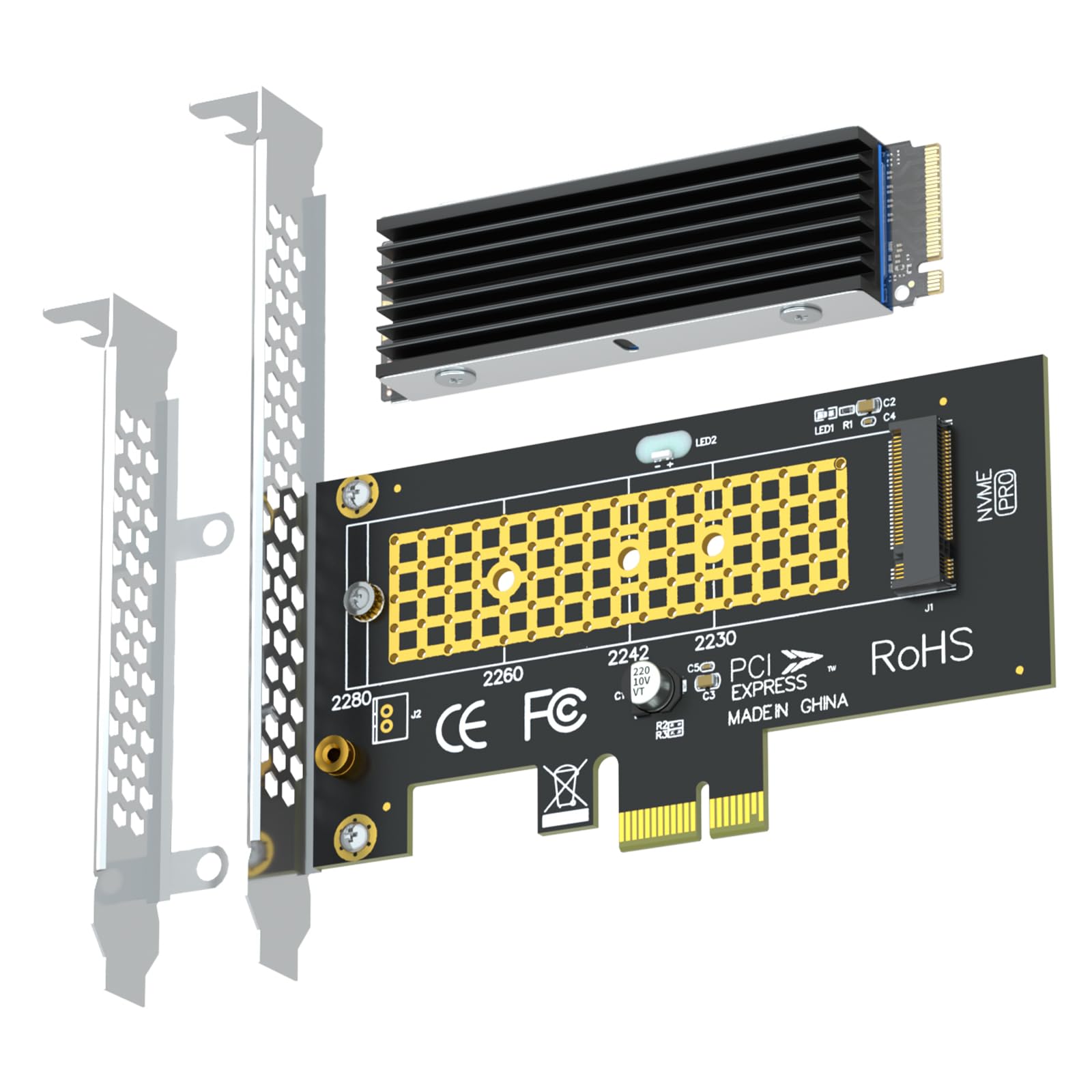
🚀 Unlock PCIe X1 Power: Upgrade Your Storage Game Without Compromise!
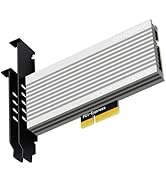
The GLOTRENDS PA09-X1-HS adapter converts a PCIe X1 slot into an M.2 NVMe SSD interface supporting multiple SSD sizes (2230 to 2280) and capacities up to 4TB. It includes an aluminum heatsink that cools the SSD by up to 30°C, ensuring reliable performance. Compatible with modern OSes and designed for easy installation with included brackets and mounting hardware, it enables users to expand storage or boot from NVMe SSDs without occupying the primary PCIe X16 slot.










| ASIN | B0CKVFS6DM |
| Best Sellers Rank | #70 in Serial Adapters #5,094 in Computer Cables & Interconnects |
| Brand | GLOTRENDS |
| Color | Black |
| Customer Reviews | 4.4 4.4 out of 5 stars (244) |
| Date First Available | March 14, 2022 |
| Item Weight | 3.87 ounces |
| Item model number | PA09-X1-HS |
| Manufacturer | glotrends |
| Operating System | Windows 11, 10, 8, Linux, Mac OS |
| Package Dimensions | 5.59 x 5.12 x 1.06 inches |
M**A
Looks like it reads it well
It worked great!
B**K
Good PCIE to m.2 Adapter
Worked straight out the box. Delivers rated speeds. Heat sink is good. I wish there was a way to turn off the blinking LED because its surprisingly pretty bright
D**N
This does what it's supposed to
First, let me start with stating that this nvme card works and does exactly what it's supposed to do. In my first image, I show a crystaldiskmark test of a Samsung Evo 970 plus 1TB stick on this 1x expansion card. As you can tell from crystaldiskinfo, the drive has been used extremely heavily and is on it's last leg. This was installed in my gaming PC (X570 motherboard, Ryzen 9 3900X cpu, 64GB 3600MHz ram, and a 3060 TI gpu). The speeds are what you'd expect out of the bandwidth of a 1x PCIe 3 slot. Now the second image I included was the exact same nvme drive on a different nvme expansion card that has a 4x connector. This was installed in the last 16x slot on the motherboard, and the sequential read/writes were significantly faster more inline with that this Samsung EVO 970 plus is truly capable of. So in my case, there would be no logical reason to use this drive on the 1x expansion card in this machine. BUT, there definitely could be some use cases. Such as you've run out of 16x/8x/4x slots on your motherboard, and if it supposed nvme drives those too, but have available 1x slots...and you can't replace any existing nvme drives to achieve your storage needs, then this could be a good option. The other scenario I could really imagine using this myself is if I had a need for additional storage space, and truly did not care about read/write speeds and happened to have a space nvme drive laying around collecting dust...so instead of buying a new sata SSD you have an option to put that old nvme drive to work. But don't purchase a new nvme drive to use with this expansion card... if you were considering this expansion card as an option to purchase along side a new nvme, don't do that. nvme drives are made for SPEED, that's the whole point, and this expansion card just bottle necks their potential. Ultimately, I may end up throwing a space nvme drive on this card and installing in a DIY server for a new cache pool just because I can, since that box has spare 1x slots. I'd recommend this card if you fit one of the two scenarios that I described above. Otherwise, I'd just recommend going for one of many other affordable options on amazon with 4x slot interfaces to really get the full speed potential out of your nvme drive. But again, this product does what it's supposed to.
I**N
Allowed me to install a second SSD easily.
I wanted to add a second SSD to my system but it only had one M2 slot. I used this card in my available PCIe slot and inserted the M2 drive and it worked like a charm. Speed seems good and installation was a snap.
M**E
Worked fine in my Optiplex SFF computer
I had no problem installing in my computer in the PCIe X1 slot. Not much any instructions, but plenty of info on line to help. It wanted to copy my internal PCIe Win 11 SSD, but that was not my purpose so I got it to format the new card. One item that caused me to lower value was that its heat sink is only able to install on a 2280 size and not the 2230 or 2242. Maybe they don't have heat problem, but I am just using as second drive.Not much room in a SFF so I am just glad it is an option to install.
E**N
Works Great - 23 Degrees Celsius
Got these for my Crucial P3 NVMe M.2 4TB on my PCIe 3.0 x 1 slots. Getting 23C, which is a lot lower temp than the Samsung NVMe or the standard MSI Z490 Heat sink. Highly recommended for any PC with PCIe slots. Speed is about 1000 MB/sec since it’s a PCIe x 1 slot.
V**W
Not able to boot from it.
Not able to boot from it.
D**C
Great way to add an M.2 NVME SSD if you ran out of NVME slots.
Out of M.2 NVME 22xx slots on your motherboard to install additional SSD's? Simply plug your NVME SSD into this PCIe adapter and plug it into a free PCIe slot. This card comes with a heatsink as well. Cost effective and simple solution that has been working great for over 8 months now.
D**S
ottimo rapporto qualità/presso
H**N
So far they work great. No issue with sitting on motherboard.
C**A
Bought it for a repurposed old P8H77-I MB with a 2nd gen i3 CPU in minimal mini ITX case. Latest available bios still would not boot from device. Boot into Linux live distribution on USB at least confirmed 2TB Crucial P3 NVMe drive in adapter was recognized and working just not bootable. Not usable for my use case so returned.
M**O
This expansion card actually works really well. Ive put it inside a Dell R720 server and just works perfectly with a Samsung 980Pro.
P**.
👍: Funciona perfecto, fácil de instalar. 👎: Se enciende un led de color rojo y asemeja que presenta un error pero así es como se diseño.
Trustpilot
1 month ago
2 months ago