

Desert Online General Trading LLC
Dubai, United Arab Emirates
Desert Online General Trading LLC
Dubai, United Arab Emirates

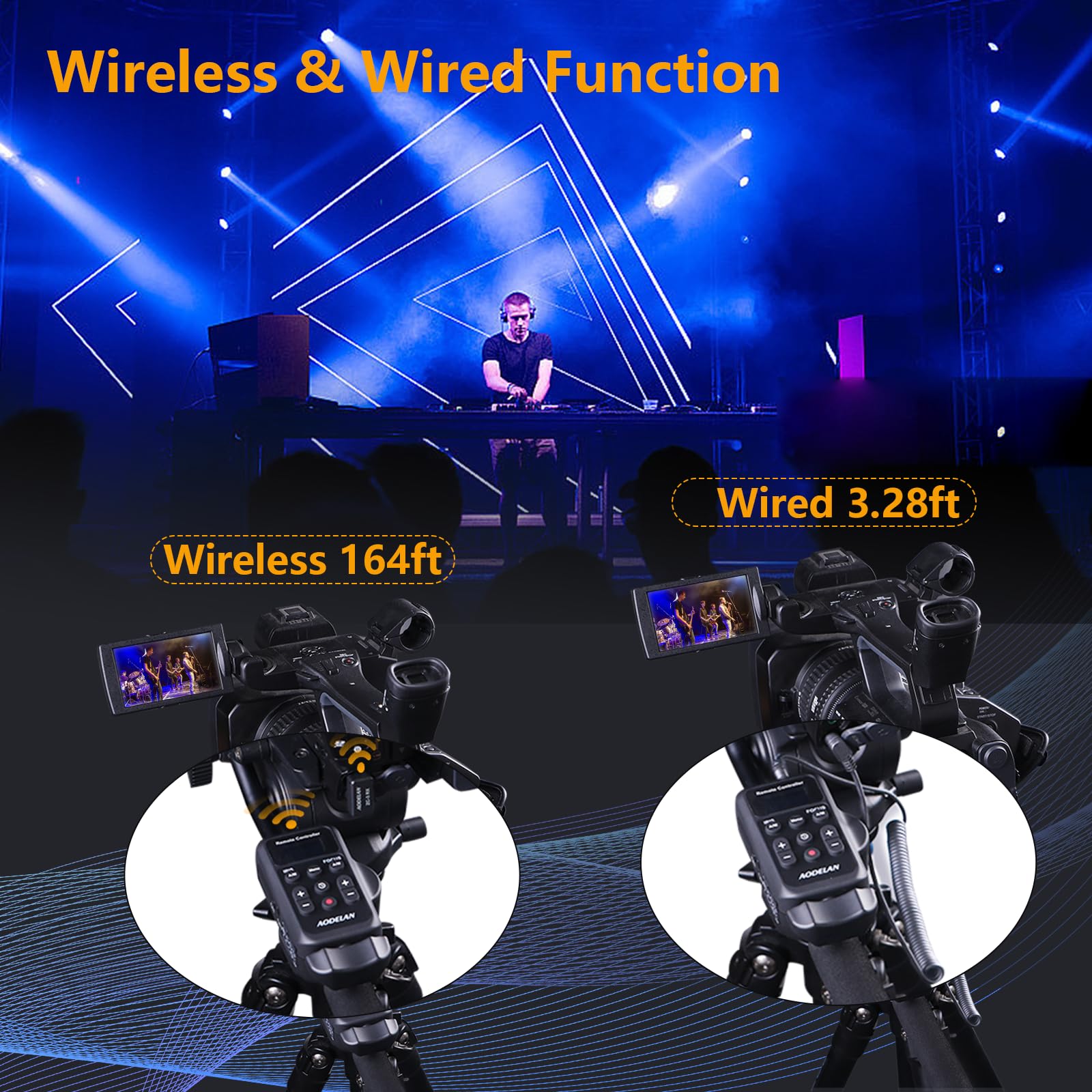


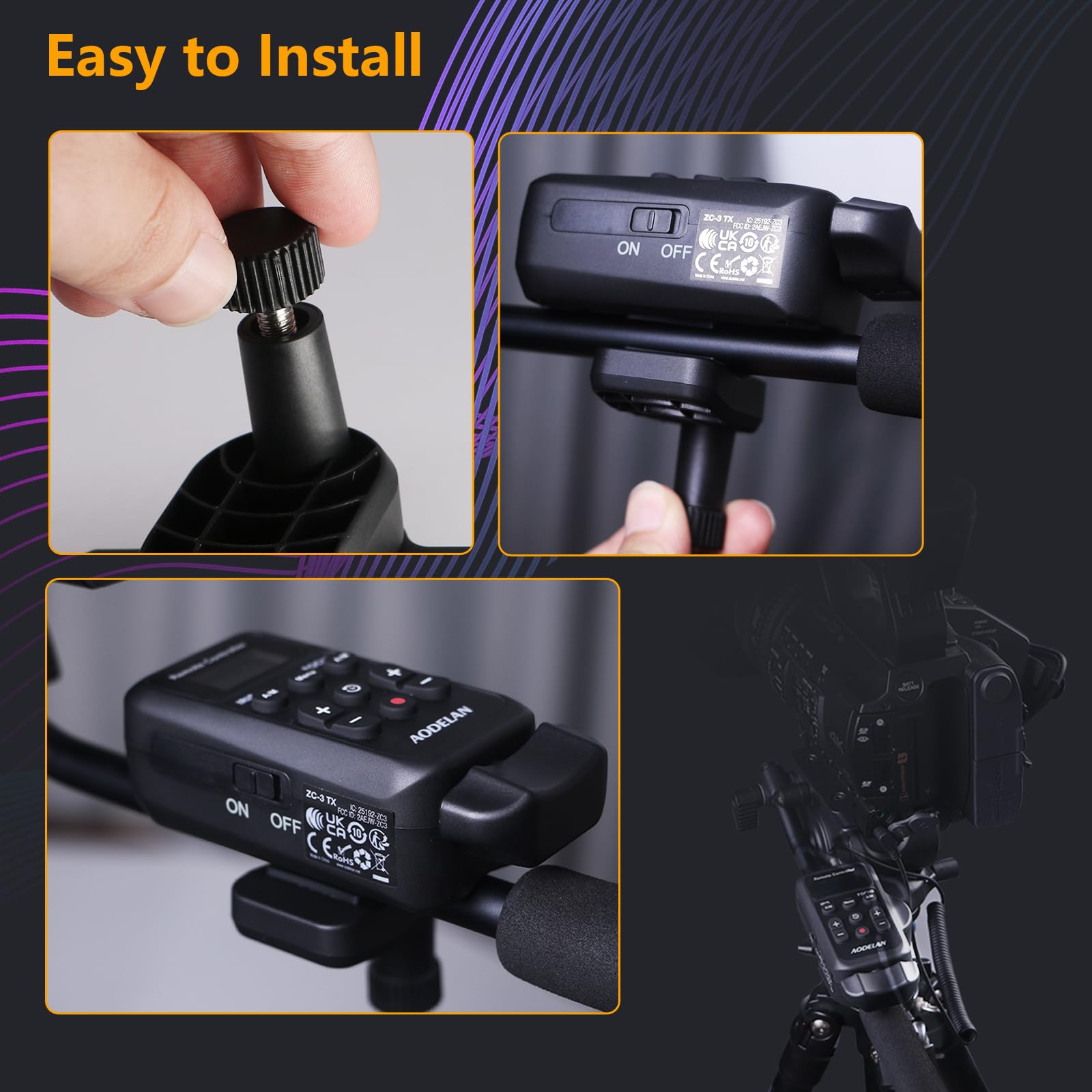



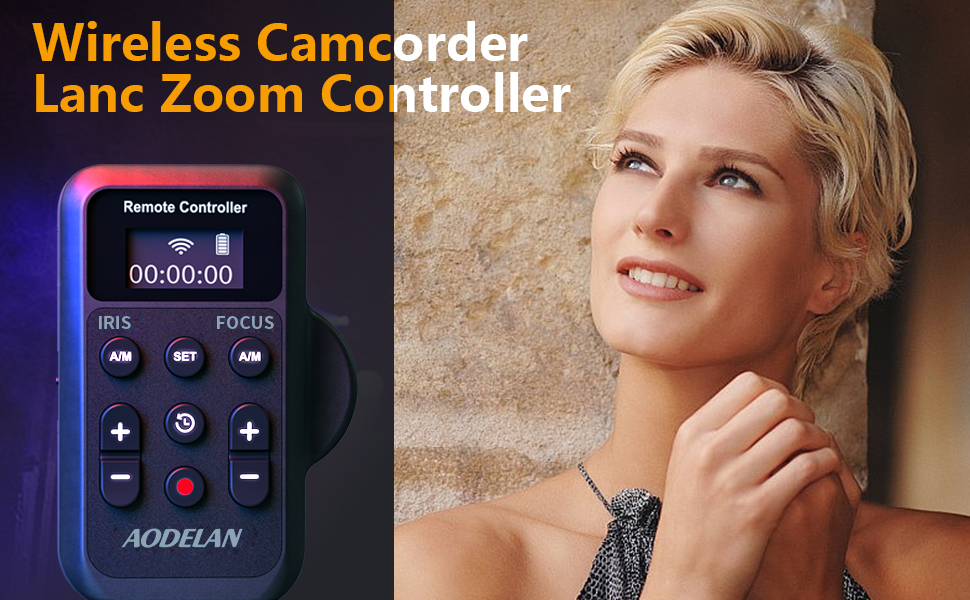
🎬 Zoom, Focus, Record — Command Your Shots Like a Pro!
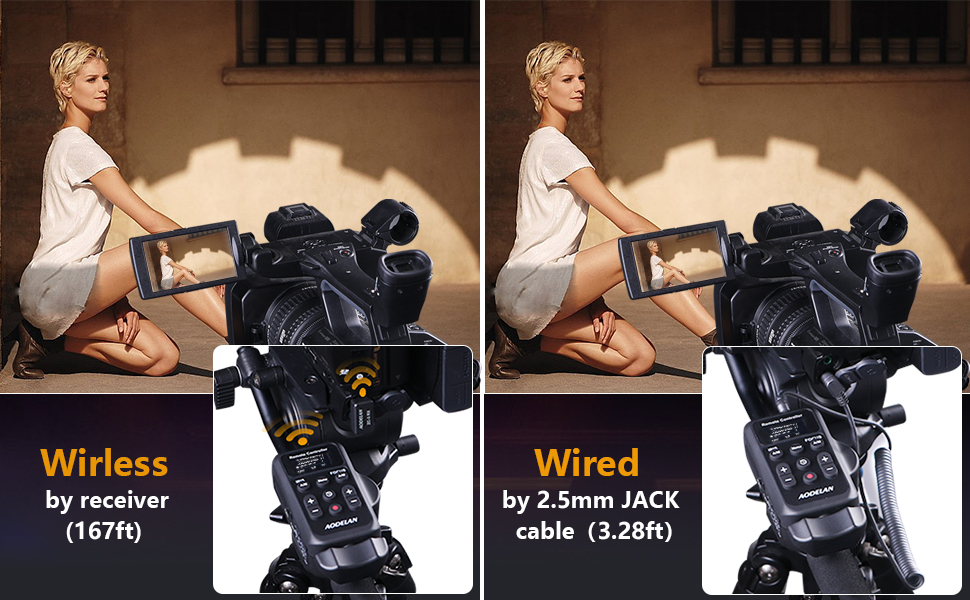
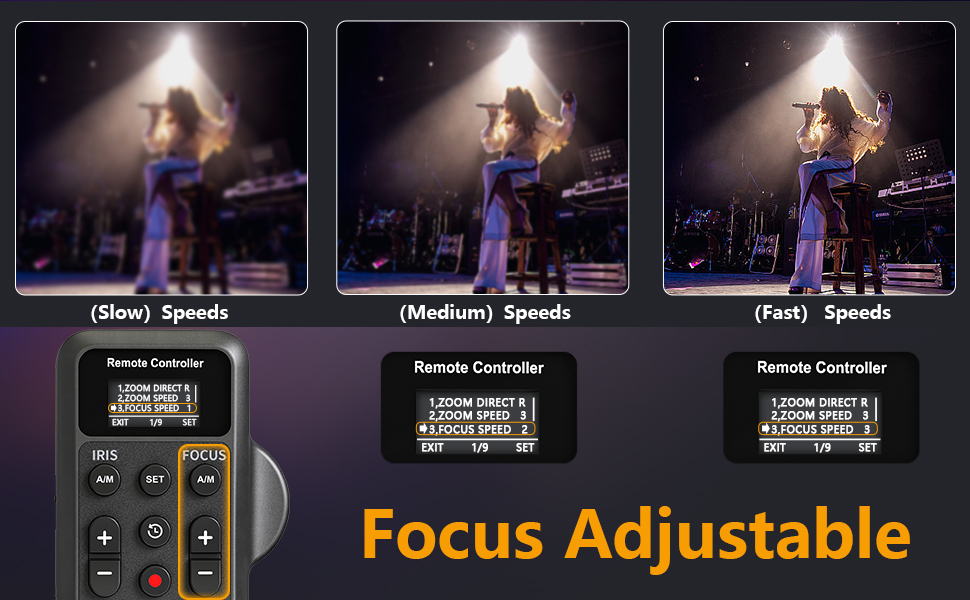
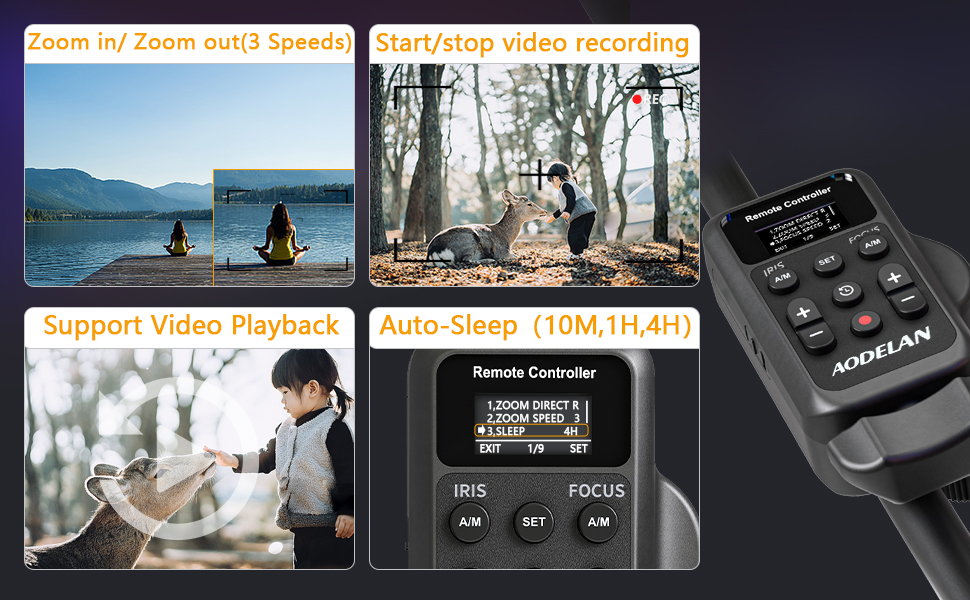
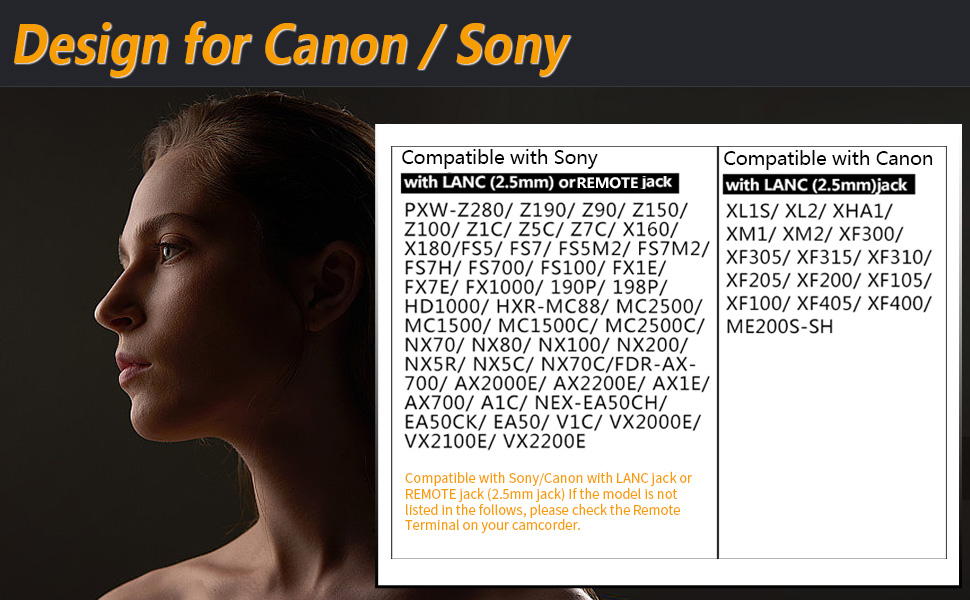
The Wireless Camcorder Lanc Zoom Controller offers professional-grade remote control with up to 50 meters wireless range and wired 2.5mm jack connectivity. It features adjustable 3-speed zoom and focus controls, start/stop recording, video playback, and user-friendly auto-sleep and backlit keys. Compatible with a broad spectrum of Canon and Sony camcorders, it empowers content creators to capture flawless footage with precision and ease.

T**S
This wireless remote controls what I need on my Panasonic HC-X1500
The Panasonic HC-X1500 is not on the compatibility list, but this wireless remote controls both zoom and record start’/stop for the Panasonic HC-X1500, and presumably HC-X2000. I haven’t explored any other functions as I don’t need them.My HC-X1500 has a 2.5mm remote jack next to the 3.5mm stereo microphone jack. (Pictures of the HC-X2000 show the same jack cover.) I could find no Panasonic documentation describing use of the remote jack for this camera, so I previously bought a wired remote hoping it would work, and it did. This wireless remote lists many of the same cameras as my wired remote, so I decided to see if it would work. It did for the two functions I need, zoom and video start/stop.This "made" my day! :)
E**3
Works surprisingly well.
I was surprised to see it work on some old Canon XAH1 cameras. The focus control doesn't work, but the variable zoom works surprising well. It's not as good as a professional rear zoom control for studio cameras, but very pleased with results.
M**P
Saved Me A Lot of Money and Worked with My Canon VIXIA HF G50
I had a hard time finding a compatible remote for my Canon VIXIA HF G50 4K Camera, they were over $1000 or no longer manufactured. The AODELAN remote control is advertised to be compatible with my model of Canon 4K video camera and they specialize in remotes. I needed a true remote control that affords a long range of untethered freedom for my filming purposes.A CAVEAT: This remote works well if you work with it.The remote did require both included instructions and my Canon manual to tweak or adjust some settings in the camera’s digital menu. For example, I had to go into submenus (on my model camera I had to select RC-V1000 and chose Standard or std). The tiny receiver connects to your camera body (there should be a remote port). The pairing process was simple. Remember to first turn on your camera, then the remote. Sequence matters.The menu window on the remote is small (see photos). You have to choose “menu” and use the + or – buttons to scroll up or down to navigate through the menu. Once the scroll arrow is next to “7. Pair Mode” you’ll have to press the A/M button under IRIS to select it. You’ll then be able to press the red record button to wirelessly start recording, then press it again to stop recording. You can also use the zoom rocker bar at the bottom to toggle right and left to zoom in and out. The + and – buttons on the right of the main remote control the speed. There are 3 speed choices.The plastic is lightweight, and the unit requires 2 AAA batteries (not included). You also want to clamp the device on your tripod handle according to the instructions. The wired connection worked with no issues. You can also tether it if you prefer, and that was the easiest to connect, but for me, wireless is desired and necessary.Overall, this is an inexpensive remote that will help with solo work or long-distance shots. Just be patient with troubleshooting and make sure your camera is compatible.
J**È
This is super cool but it doesn’t work for my camera
The remote control I received is undeniably impressive, boasting a multitude of fantastic features for controlling the camera. However, I must admit that it is not compatible with my Canon M50 Mark II. I eagerly anticipate acquiring a camera that is compatible with this remote, as it would allow me to effortlessly adjust settings while recording without physically touching the camera. This remote is undoubtedly a must-have, particularly if you prefer operating your camera without relying on the touchscreen. It is perfect for wireless usage. I would like to caution Canon users, though, as this remote may not be compatible with their cameras. From what I have observed and read in the instructions, both aesthetically and functionally, this remote deserves a perfect score of 10 out of 10. However, I am unable to provide a comprehensive review of its performance until I acquire the appropriate camera, which is likely to be a Sony. Rest assured, I will update my review to reflect its actual performance once I have the chance to use it with the right camera.
U**D
Only wireless LANC remote zoom controller I've found on the market
The media could not be loaded. For the longest time I was looking to see if any manufacturer had a wireless LANC zoom controller for video cameras, and finally I came across this one. I sometimes operate a Steadicam or gimbal, and it's useful to have a wireless remote zoom controller for the camera so that there's no cable to throw the rig off balance or get tangled up.The setup menu on this controller is a nice bonus because you can customize the max speed on the zoom controller from 1/8, 4/8, to 8/8 (full speed). The +/- buttons on the left and right allow you to adjust the iris and focus of the camera, which is useful to have control over those things especially when you're controlling a remote camera that is out of reach.One of the caveats is that when you are in the setup menu, you cannot control the zoom using the remote. All other control functions seem to be suspended while you're in the menu. If you're in the middle of a shoot and accidentally hit the menu button, the entire controller will appear to stop responding. But all you need to do is hit the MENU button again to exit the menu and resume operation.The zoom rocker has a wide range of motion to zoom in/out. But it reaches its max speed about 1/2 to 2/3 of the way to either side. There is a rather big dead zone at either end of the zoom rocker where the speed no longer increases. Practically speaking for my style of shooting and zoom control, I prefer to have a smaller range of motion. So it works out fine for me.If you'd like to see this zoom controller in action, check my video.
Trustpilot
3 weeks ago
3 weeks ago