
DOWNLOAD THE APP


Customer Services
Copyright © 2025 Desertcart Holdings Limited
DOWNLOAD THE APP


🚀 Upgrade your workflow—because slow is so last decade!
The SanDisk Ultra 3D SSD 500GB delivers up to 560MB/s read and 530MB/s write speeds, powered by advanced 3D NAND and nCache 2.0 technology. Designed for professionals and gamers alike, it offers shock resistance, lower power consumption, and real-time drive monitoring, transforming any compatible PC or laptop into a high-performance powerhouse with faster boot times, quicker app launches, and enhanced reliability.


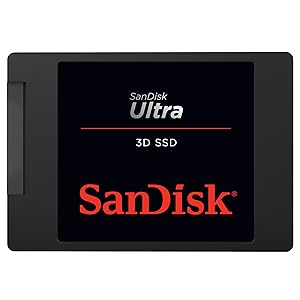


| ASIN | B072R78B6Q |
| Best Sellers Rank | 61,066 in Computers & Accessories ( See Top 100 in Computers & Accessories ) 344 in Internal Solid State Drives |
| Box Contents | 3 |
| Brand | SanDisk |
| Brand Name | SanDisk |
| Cache Memory Installed Size | 500 |
| Color | Black |
| Compatible Devices | Gaming Console, Laptop, PC |
| Connectivity technology | SATA |
| Customer Package Type | Standard Packaging |
| Customer Reviews | 4.8 out of 5 stars 35,000 Reviews |
| Data Transfer Rate | 50 Megabits Per Second |
| Digital Storage Capacity | 500 GB |
| Digital storage capacity | 500 GB |
| Enclosure Material | 3D Nand |
| Form Factor | 2.5-inch |
| Global Trade Identification Number | 00619659155513 |
| Hard Disk Description | Solid State Drive |
| Hard Disk Form Factor | 2.5 Inches |
| Hard Disk Interface | Serial ATA-600 |
| Hard Disk Rotational Speed | 3 |
| Hard disk form factor | 2.5 Inches |
| Hard disk interface | Serial ATA-600 |
| Hard-Drive Size | 500 GB |
| Hardware Connectivity | SATA 6.0 Gb/s |
| Installation Type | Internal Hard Drive |
| Item Dimensions L x W x Thickness | 10.1L x 7W x 0.7Th centimetres |
| Item Type Name | Solid State Drive |
| Item Weight | 54 g |
| Manufacturer | SanDisk |
| Media Speed | 500 megabytes_per_second |
| Model Number | SDSSDH3-500G-G25 |
| Network Connectivity Technology | SATA |
| Number of Items | 1 |
| Product Features | High Speed SSD Drive |
| Product Warranty | 3 years |
| Read Speed | 560 Megabytes Per Second |
| Special feature | High Speed SSD Drive |
| Specific Uses For Product | business, personal |
| UPC | 619659155513 |
| Unit Count | 1.0 count |
D**A
It's like having a new laptop
I can't rate or recommend this product highly enough! I have a six year old HP Pavilion 15 Gaming laptop that, up until lockdown, was used occasionally (probably 5-6 days per month). Since March 2020 I've been using the laptop 5 days a week for 8 to 10 hours a day. No wonder that when we got to September 2020, it was running super slow: it would take minutes to start up (felt like forever), it would crash when trying to open some programs (even Word) or just moving from window to window. It was so slow that when typing it would take a couple of seconds for the letters to show on the screen :( At this point, I started browsing for a new laptop and after seeking a friend's advice on what brands are known for performance, he suggested just replacing my memory for an SSD one, as my HP laptop had good components (intel core I7). I was sceptical that a new SDD memory disk would help, but if I could get a little more time off my laptop without having to spend huge amounts of money, I was going to try it. The delivery was prompt - as per usual with Amazon purchases, and the installation wasn't too hard. I followed a YouTube video on how to swap memory on an HP laptop (even though it wasn't the same model as mine, it was pretty similar). If you're not comfortable in doing this yourself, then please find professional help as you could brake your laptop. Three months as passed since installing the SSD disk and my laptop is performing as a brand new laptop: starts in seconds (which is AMAZING), no slow time when navigating around windows or opening programs or even when I type. There's nothing to fault! Super happy that I followed my friends advice, I'm sure this old HP laptop will last a while now.
A**S
Don't hesitate, if this is your first SSD you have a very pleasant surprise coming
My problem was the usual, I had a one year old quite good computer, but it had a 7200 rpm spinning hard drive. I upgraded the RAM assuming 8GB was holding it back. 16Gb seemed to help, but I recently took it to 32Gb and that didnt seem to make any impact at all. The SSD reviewed here was intended to replace the original HDD. This is important. For the true benefits of going to an SSD you should not just fit one and use it for storage. You MUST make it your boot drive, and in my case, I even removed the original HDD after the upgrade was installed. Here is how I did it, and what I had to buy. First, you need the SSD drive - and it MUST be AT LEAST as big as your original HDD. This is very important! To get it installed, you need a right angled (at one end) Sata 3 cable. I got mine from Amazon for under 4 pounds. Finally, the drive bays in most computers are designed for larger 3.5 inch drives, so you need a frame which fits into the drive bay, and then you fit the SSD into that. From Amazon, I got these two products to complete the hardware needs - Sabrent 2.5" SSD & SATA Hard Drive to Desktop 3.5" SATA Bay Converter Mounting Kit (BK-PCBS) and the cable was KUYiA SATA Cable III, 35cm Locking Latch Straight to 90 Degree Right Angled Data Leads 6Gbps Speed, HDD SSD DVD Writer Connection Cord Metal Clip L-Ty. Before you begin, find out how to update the BIOS on your motherboard. The latest bios should support the SSD even though the one you have now probably does too. So next you fit the drive into the computer, close it up, reconnect everything and power up. The next step is designed to make the SSD your boot drive - to do this you have to clone the original HDD onto the SSD - this is why it is important to buy an SSD at least the same size, or bigger, than your HDD. There are freeware clone software packages out there, and Sandisk also provide one on the drive too, I used one of these to CLONE the HDD - this process copies partitions, system files, applications and all your other data files (absolutely everything actually) and took 40 minutes on my computer. Look online for tutorials on cloning HDD to SSD or making your SSD a boot drive by cloning, there are one or two good videos out there. When the clone is finished and reports that everything is OK, the next bit is very important. shut the computer down, disconnect everything again, and open her up. Now, take the power and the data cables off your original HDD so that it cannot boot. Remember, your SSD is already connected. Now close her up, reconnect cables, and switch on. On my computer, it has an automatic BIOS and on the FIRST boot with the new drive, it goes looking for a bootable drive. Once it has done that once, it goes to that drive first, every time, so I could reconnect my HDD if I needed to. I chose to actually remove the HDD from the computer completely as I have a very large USB HDD for backup and storage. The HDD is now safe so if the SSD should fail in a few years, I can put it back and pick up from there - just copy my new work back onto it from my USB backups. So after all this, was it worth it? Here are some stats for you to consider - Booting up to windows 10 from cold start - HDD anywhere from 100 to 145 seconds, and no two boots were the same. With the SSD - 43 seconds, this morning, yesterday, and tomorrow, it never varies!. Shut down - HDD Anywhere between 19 and 35 seconds normally, but every so often, the computer would hang and take 4 or 5 minutes without any aparent reason. With the SSD the shut down is 6 seconds, every single time. Processing times - I use Photoshop with very large NEF Nikon Raw files (75Mb or larger). Photoshop was taking up to 61 seconds to load clean, and if I clicked an image in a folder instead, as a way to start it, you could add a further 20 seconds. With the SSD Photoshop clean is 5 seconds, and clicking an image instead, to start photoshop with the image loaded, takes 8 seconds. The incredible improvement is just a part of the story though. Another important thing is predictability. When I shut down my computer now, I KNOW it will power down in 6 seconds, no messing about. Sometimes I would have to answer the door, or go to the phone, and the computer would still be trying to shut down when I returned. Same goes for starting up. By the time I have sat down and got comfortable, the desktop is loaded and ready to go in just over half a minute. Another great thing is things like Windows or other updates, where the computer has to restart several times. What used to take half an hour now takes 3 or 4 minutes. Just do your research, watch a few videos, get hold of the freeware software for cloning, and follow the procedure carefully, I am not a computer engineer, but it was quite easy. If you have a laptop, you're going to have to use a usb data connector for the cloning bit, and will probably be forced to remove your original HDD because there is no room in the laptop for a second drive. Apart from that, the process is the same. If you have not got an automatic BIOS like mine (most are these days) you need to access it manually. When the computer is switched on, immediately start tapping the F2 button (on some computers it is the ESC button). Once into the bios be careful not to change anything except the boot order. Point the BIOS at the SSD drive as the FIRST drive to boot, and then restart. That should do it, but you could disconnect the original HDD just to be on the safe side, as explained above. Was it worth it, Oh my goodness yes it was, Word and Excel start in a blink, under a second now. and on top of everything else, the computer is a desktop, but is quieter than a laptop now the HDD is not in there spinning at 7200 RPM and making all that noise and using all that power. Wonderful, would buy again in a heartbeat, I will never go back to spinning drives again.
A**R
A Pretty Flawless SSD
I bought this to replace a 5 year old SanDisk Extreme 480GB SSD which was the main system drive on my desktop tower PC. The previous drive had served me brilliantly during those years and was still going strong but I was tiring of having to remove some applications in order to make space for new ones. A formatted 480GB drive can fill up surprisingly quickly especially as some graphically intensive games can occupy as much as 70-80GB. In the old days I had a Samsung Spinpoint F1 1TB drive as my system drive so I thought why not return to the capacity I used to have? In recent years SSD drives have certainly jumped in capacity and lowered (slightly) in price. I decided in advance that I was simply going to clone my existing SSD using Acronis True Image 2018 (not included) because my Windows 10 installation was not that old, working well and had many applications already set up. I figured why start from scratch unless you absolutely have to? Cloning the 480GB drive over to this new 1TB model in Automatic mode took approximately 26 minutes which was fantastic to witness. I made sure both drives were operating on SATA III connectors for the transfer. Once the clone was complete I simply removed the old drive and then booted back into my identical Windows 10 profile. It couldn't have been easier. That's it really. The entire process of picking up the Amazon package to starting to use the drive took no more than an hour. Startling really but solid state technology just seems to keep going from strength to strength. Worst case scenario I was expecting a minor drop in performance as it is clearly twice the size of my old drive but I didn't really notice anything at all. Responsiveness and load times seem as good as they ever were but then again I don't use benchmarking software. It is definitely a little costly but well worth it if you can spare the funds. From a practical point of view as per usual there is nothing in the box but the drive itself so I would recommend ordering any cables or a caddy with it if you need those. The only downside for me now is figuring out what to do with my old 480GB SSD as it still has a lot of life left in it! This is my second SanDisk SSD and my experience has been nothing but flawless so far... I can see myself repeating this process with another SanDisk model in the early 2020s.
L**R
Very good performance
Purchased to replace one purchased just days previously but which failed to at least match the boot times from a four-year-old SSD of considerably lower capacity that was almost full despite everything surplus to requirements being previously deleted or uninstalled. For a modern SSD using up-to-date technology to under-perform another using technology from an earlier generation or two was simply not acceptable. Faster boot times than those experienced prior to the 'upgrade' were not specifically expected although a close match would have been good enough. The "SanDisk Ultra 3D SSD 500GB up to 560MB/s Read / up to 530MB/s Write" uses the latest NAND technology that should result in slightly improved access times over the previous generation. Consideration was given to several capacities with those of around 500 GB considered the best suited to present-day and future needs. If cloning another drive a USB-to-SATA cable or adapter-dock will be required; SanDisk do not include the cable within the box but the other SSD manufacturers follow suit. Some have an self-branded adapter cable option but there are generics and docks that function equally well. SanDisk also leave out the 7.5-to-9mm adapter plate that some include; if required, you will need to purchase one on-line. Cloning a system drive is not always simply copy-and-go as Windows 10 and the UEFI sub-systems it uses influence the possible outcome although drives used under MacOS and Linux do not share the problem; it needs specialist software to overcome the restrictions and SanDisk provide a download link for their software solution as do others. For data drives, the same software will perform but there are simpler, but not necessarily faster, methods. The first example was set to clone from its predecessor but the process twice reported 'Hardware Errors' at various points on this, the destination drive, before apparently completing. However, once installed and the PC required to boot, there were endless POST errors and a failure to boot; that was totally not expected. Using a partition manager to clear the drive and restarting the cloning process produced the same errors and consequences. The SSD it was intended to replace boots normally, if still rather slowly. That originally supplied SanDisk was returned DOA and a second example obtained in hope and anticipation of a good outcome. That one worked perfectly out-of-the-box. Whether or not the SanDisk Ultra 3D drives consistently out-perform others was unknown but some current competing models are known to be surprisingly fast to cold boot and they need not be the most expensive or from the best-known brands; one fitting that description and purchased by a family member on price alone to resolve a nearly full SSD majorly out-performed every other SSD seen or used, including this on its first few boot times which are reducing. As a long-established manufacturer of memory products, and it is SanDisk's flash drives for which they are best known, they should have the experience and know-how to get the best from their ranges whereas most competitors need to cope with a switch in technologies from hard drives to solid state. Although initially fast but not THAT fast, it had over about a week shown small improvements in boot-up times possibly as a result of some file or structural optimisation and is now about as fast as the originally installed SSD.
M**N
Easy to physically install but cloning software/OS failed and reinstalling took hours.
I bought this because my existing SSD was failing and I also bought the installation kit with cloning software. Cloning failed - the kit was useless and two other tools that I tried didn't do the job properly. Physically installing the drive was very simple but I still ended up having to a full install of Windows and all my software (with the exception of iTunes which will just no longer work). My experience is that SSDs are much less reliable than spun HDDs. The SSD is faster in use but it will take a long time to be worth the 35+ hours it tool to get it up and running. I had no choice but to get a new drive and the product does work. However, unless you have a real need I would say it isn't worth the hassle of an upgrade.
M**.
Definitely a good and worthwhile upgrade.
Easy to install. Used a recent back up image for operating system rather than cloning software. The results are amazing. This ssd was installed in Hp mini network running win 10, primelory used to run my train sets. Start up time is signifantly faster. Operating speed is also faster. Instead of running slow, now runs satisfactionatly good. Also installed 2 gig of memory to help things along a bit more. Note: with ssd drive there is no need to configure flash drives for ready boost. (In fact, that option is not available now as as ssd drives can handles temporary swap files faster).
A**E
A quantum leap for my old laptop
It used to take 3 mins and 30 seconds on average to boot my laptop with my previous 5400rpm HDD, it now takes around 30 seconds and that includes me typing in my password. It's a huge time saver. Apps load super fast, for example Premiere Pro is now usable.I can also use Microsoft's Photos app and all the photos load incredibly quickly even if scroll quickly through everything whereas before if I tried this it was slow and would often just crash. It was really easy to copy over ~1tb of data using Macrium Reflect, there were no issues and all the data is on the drive and then just replacing the HDD with the SSD in my laptop. I've now had it for 2 months and have had no issues. I've attached two photos of a speed test of the new Sandisk 4tb SSD and my previous 2tb seagate HDD. You can see it's basically an order of magnitude improvement in read/write speeds across the board. Highly recommended, especially as there was an amazing discount on this so I got it for £319.
J**N
A good deal.
The price I found was good. Good delivery. Excellent item. 2TB in volume, perfect for storing well really anything you hearts desire. I connected it up to my computer USB 3 port, and transferred all my music 70 GB. onto it. This took approx 15 mins, next I will pour all my DVD personal copies down it's hungry neck. This device is great for your personal storage. Then simply put away for safe keeping leaving your home PC/laptop all the more lighter in volume storage. Very happy chappy here.
Trustpilot
1 month ago
2 weeks ago