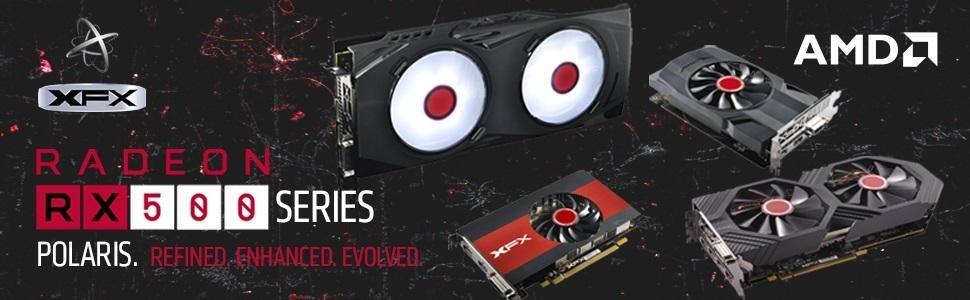
🔥 Power your play, cool your rig, own the future 🎮
The XFX Radeon RX 580 GTS XXX Edition is a high-performance 8GB GDDR5 graphics card featuring a 1386MHz factory overclock, advanced Polaris architecture on 14nm FinFET tech, and XFX’s exclusive double dissipation cooling for 40% better thermal efficiency. Equipped with Dual BIOS for seamless switching between gaming and mining modes, it supports 4K resolution and is fully VR Ready with AMD LiquidVR technology, delivering smooth, immersive experiences with intelligent power-saving Radeon Chill. Perfect for professionals and gamers seeking premium performance without breaking the bank.


| ASIN | B06Y66K3XD |
| Best Sellers Rank | #19 in Computer Graphics Cards |
| Brand | XFX |
| Built-In Media | 8-pin to 6-pin power cable 1 |
| Compatible Devices | Desktop |
| Customer Reviews | 4.5 out of 5 stars 9,752 Reviews |
| Display Resolution Maximum | 4096x2160 |
| Global Trade Identification Number | 00778656074644 |
| Graphics Card Interface | PCI Express |
| Graphics Card Ram | 8 GB |
| Graphics Coprocessor | Radeon RX 500 RX 580 |
| Graphics Description | XFX Radeon RX 580 GTS XXX Edition |
| Graphics Processor Manufacturer | AMD |
| Graphics RAM Type | GDDR5 |
| Graphics Ram Size | 8 GB |
| Graphics Ram Type | GDDR5 |
| Item Dimensions L x W | 10.63"L x 4.88"W |
| Item Type Name | GTS XXX Edition RX 580 8GB OC+ 1386MHz DDR5 3xDP HDMI DVI |
| Item Weight | 2.5 Pounds |
| Manufacturer | XFX |
| Memory Clock Speed | 1386 MHz |
| Model Name | RX-580P8DFD6 |
| Number of Fans | 2 |
| UPC | 778656074644 |
| Video Output Interface | DVI |
| Video Processor | AMD |
| Warranty Description | 3 Years |
A**R
Great Mid-Range Card at A Great Price
Great graphics card. Felt good to finally go team AMD and retire my Intel/Nvidia Build. For reference, back in 2015, AMD seemed like it was going to fade away into obscurity. It had nothing to compete with before Zen, or against the 1070, 1080 series. Kind of hurt supporting the winning teams again, instead of the underdog. It also sucks we live in a timeline where scalpers, AI, and chip shortages drive prices double to triple MSRP. (Especially Ram in 2026.) All things considered, it is a great card on 2K high Settings. 4K might be asking a bit much, as you might start to go below 60fps on certain games. For a Midrange Card, it performs as it should and has gone into a very reasonable price range. Unlike Nvidia, where you get your extra 25-30% performance increase at 3-5 times the cost.
G**.
Beast mode activated
This was a huge upgrade from the XFX RX 580 8 gig I had for years. Works well with my set-up and runs so much cooler. The games I play are hitting over 100 fps. It worked right away but had to tweak my bios as recommended by the software. Absolute beast of a card. I love the framework, it doesn't need any other support to hold it. This would be my 4th XFX gpu from several builds I have done. Highly recommended.
A**R
It does indeed work... with some constraints on AMD's part.
Though buying it here might not be as cheap as newegg, you have amazon's wonderful return policy to work with, for at least a while. The card itself works well, to reassure anybody who might be on the fence or needs a video card as soon as possible. A replacement card for my now dead 970 from newegg arrived DoA (One of those 100 buck sapphire 470s), so, out of panic, knowing that my RMA would probably take something along the line of two weeks, I snatched one of these bad boys up at a small premium compared to the offers on other sites. It arrived swift, as per usual, and it plugged in and got working right away. Honestly, I love it, i'd say its right on par with my old 970 at a very agreeable price. To anyone who hasn't looked at in depth performance reviews, one of these cards is able to handle pretty much every recent game, except overly resource-hungry modern titles, at a comfortable 40-60+ fps depending on the setting of your choice and whether or not you add additional shaders. Coming from anything below a 970, whether it be an r9 series, 7xx, radeon xxxx, you should be rather satisfied with one of these cards. I recommend them especially at this price point. I'm not sure if it's posted anywhere on this product page or brought to attention well enough, but you do get a selection of two out of three games coming out soon, so assuming you're interested in the division 2, DMC5, or resident evil 2, this could potentially be a very smart move so you don't have to purchase those any more. Small(large) edit: So, apparently I thought I was having issues with this thing once I switched to a 1440p monitor; however, there is a pretty gigantic quirk that I thought might bring light so some common complications with this card. This card is best for 1080p gaming, period. However, with 1440p it can work, but there is a bit of a complication with how AMD gpus tend to work in general lately, especially the Polaris line, which this card belongs to. You may notice that sometimes under intense load that your screen might flicker. This brought me no end of annoyance at first, but I discovered that you basically have to go into global settings (under "Gaming") with radeon's software and tab into wattman to do some editing. At the bare minimum, without any other adjustments, you need to adjust the power limit on this card to around +20%~ or more if it has to do any heavy lifting, otherwise it will throttle one way or another with differing symptoms. Amd has thrown out a bunch of efficiency software and tuning which end up under powering your card where it may need it in desperate times. This isn't overclocking, but this does actually allow for proper overclocking, if you don't wish to proceed any further than this, you don't need to. I'm not sure why they thought it would be wise to essentially choke this thing for power right out of the box, but it seems to be a reality. My card works as it should now 1440p, but do monitor temperatures with HW monitor, and adjust the fan speed curve as need be, just to be certain (My case has awful airflow). Wattman can be a fantastic utility, so utilize it! Just be sure you have enough power to back the card up, I do fine @ 550W and an i5 6600k, but you should plan out your power usage just as a precaution. Knowledge is power!
C**S
The RX 9060XT 16gb is 1080p MONSTER
I've only had this card for a couple of days, but so far so good. Install was incredibly easy. It uses only one non high power 12 volt power connector sooo no having to worry about the connector melting like on NVIDIA cards. I'm running this in a rig with a B450 aurous Elite, Ryzen 7 5800x, 32GB of Corsair DDR4 5600mghz RAM, and all games are installed on m.2 SATA or 2.5 inch SATA SSD's. For reference I play all of my games at 1080p so moving forward my comments on this card are going to based around gaming at that resolution. I'm stepping up from an RTX 2070 Non Super 8GB to this RX 9060XT 16GB. Yep I'm full team red this go around. The performance increase over the 2070 is significant as one should expect. It also stays very cool at around 65c under load. I gained on average around a 50% performance uplift over the 2070. The lowest FPS I ever got so far in one of the games I play is in GTAV but maxed out to the nth degree was 45 fps on up to 60 fps. If you want to count Cyber Punk 2077 I played it maxed out at ULTRA everything with path tracing at it's highest and I was still getting around 30fps. Even when I switched back to regular Ray Tracing at ULTRA everything I was still getting around 50-65 fps on average which is actually super incredible for a card not built on NVIDIA's Path tracing and Ray Tracing technologies. I had not tried Cyber Punk 2077 with out ray tracing as I am super used to gaming at 30-40 FPS so running it at 50-65 FPS WITH Ray Tracing was insane to me. On my 2070 I couldn't even get it to run above 40FPS without ray tracing on high settings. If I turn off Ray Tracing in Cyber Punk 2077 and still keep all other settings at max I'm averaging between 60-70 FPS. I have to say that with AMD's 9000 series of cards, they are actually kicking keister with ray tracing. I also played CONTROL at max settings and fully Ray Traced and was averaging 45-55 fps. Without Ray Tracing I was averaging 60-70 fps. So if you want to dabble in playable Ray Tracing at 1080p This card can do it pretty well. The only reason NVIDIA is losing at their own technology war is because NVIDIA still insists on shipping product with only 8GB of VRAM at above premium prices. The whole reason this card is so good is because it has 16gb of VRAM. I would completely ignore the 8gb version. If you're going to buy the 8gb version of this card you might as well get a 4060 8gb or a 5060 8gb. 16gb Gives you plenty of head room for things like enhanced textures, volumetric fog, anti aliasing, frame generation, up-scaling and more. NVIDIA is bottle necking their own cards. You could buy the Ti 16GB versions of NVIDIA cards and the problem virtually disappears but you'll also pay at least $200-$400 more over MSRP for that card too which at that point just get a 9070XT unless you absolutely HAVE to have a 5090 or have some very specific use case for an NVIDIA card. Again my words are surrounding 1080p gaming. Another game I played on this card that is super demanding is Monster Hunter Wilds. On my 2070 it was nearly unplayable even by my very low standards. You gotta understand I started my pc gaming journey on a Pentium processor with integrated graphics getting 20 to maybe 30 fps in games. My standards for playable are very LOW. On MH Wilds I was getting around 35 FPS on average with lows dipping to the teens regularly causing loads of micro freezes that interrupt gameplay. This is mostly do to Crapcom completely ignoring optimization of the game on PC and the game needing every bit and byte of available system ram and VRAM it can guzzle. I still put a frustrated 75 hours into that game. On the 9060XT 16gb It's nooo problem. I can play it at ultra settings and still get 45-65 FPS. You'll notice I put a wide FPS range there. That is because of what I stated earlier about the game with Crapcom not optimizing it. The game is so un-optimized it doesn't matter which GPU you use, you're going to have WILD frame rate swings of about +/-20 FPS. It's crazy. At Least with this GPU you can stay at actually playable frame rates MOST of the time. This is not the fault of the card. All of my games look and play incredible. Just real quick, The Witcher 3 looks and plays phenomenally. best looking game of the bunch...at least until I try out red dead 3. Star Citizen runs flawlessly minus the regular bugs and glitches since it's...you know.. STILL in alpha. I regularly get around 50-75 FPS depending on if you are at a major planet side city or out in the middle of no man's land Daymar. higher population will drop your frame rate like usual but that's again, and issue the developers of the game need to get sorted out. The drivers are also actually pretty decent. It was a lot easier to install over NVDIA drivers since you aren't forced to create an account and log into their app to install said drivers. AMD's Adrenaline has more utilities to control and monitor your GPU and PC over NVDIA's "APP", though NVDIA has really good tools for recording and broadcasting your game play. You could also just use OBS instead. One downside to Adrenaline is that it does seem to be noticeably slower to navigate through than the NVDIA "APP". I'm talking about just general browsing around the app and changing settings. It gets even worse during gameplay when you press "ALT+R" to bring up the Adrenaline overlay. It takes a a solid 10-30 seconds to bring up the overlay depending on what game you are playing. Once it's up navigating the overlay does seem to be quite slow and not very responsive. That said you do have WAY more options for things to change around than you do in the NVDIA "APP". Adrenaline does also have active information overlays like frame counters, CPU load meters, Memory Usage meters etc. The adrenaline software also lets you customize theses information overlays with a LOT more options than NVDIA's "APP" You can change the color of the label of the information type as well as the information it self so the information can standout from the label for easier reading. For example I have my labels set to the color purple while the information it self is green. You can also change what information shows , where it shows, if it shows in several rows or a single row, and how big that information shows. So If I want to show only a small FPS counter in the upper left corner of my game with the info label colored white and the information labeled red I can totally do that. Conversely I can show FPS, CPU load, and System Memory Usage sized large in the lower left corner of my games but colored all yellow if I want too. There are also a lot more option of what information can be displayed than I'm typing here but know that it is a LOT more detailed than what the NVDIA overlay Offers. I actually very much prefer the Adrenaline software over NVDIA's offering simply for the available functionality and Information display on offer. It could definitely be optimized to improve UI navigation responsiveness though. So far there is only one game I have had trouble running on this card and that is Elite Dangerous. Not sure if it's a driver issue, game settings issue, or what. I can load into the main menu but as soon as I try to load into the actual game it crashes to desktop. Dunno why yet but I highly doubt I won't be able to figure out what the issue is. Once I do I'll update this review. If you are playing any of the battle royal , hero shooters, or Counter strike/ CS styled games you are going to have zero problems with frame rate on this card. You will have hundreds of fps at 1080p. Overall this is a fantastic card that will play any game you throw at it at max settings at 1080p. This is close to being the ultimate 1080p Card. Especially if you can get it at or near MSRP and I'd get to buying one quick if you want one because thanks to the supreme orange leader we now have 100% tariffs coming for U.S. buyers as of 10-20-2025. GET EM WHILE THEY'RE REASONABLY PRICED. Speaking on 1440p Gaming briefly, Based off of testing that I've seen and my own experiences gaming at 1080p I see no reason this card wouldn't also be a GOOD 1440p card. I wouldn't expect to be able to do Ray Tracing almost at all at 1440p with this card and still have playable frame rates BUT I would expect it to play games with no Ray tracing on high to max settings in almost all games. Ray Tracing is overrated any how. It doesn't look THAT different during gameplay. I mean if you are screen shot junkie you'll probably care about it. but during gameplay Ray tracing isn't worth the amount of hardware resources and cost needed to run it well. If you want to game at 4k you can do it on this card but you won't get above 40-50 fps in most games with maxed out settings. You can absolutely forget Ray Tracing at 4k. It won't do it well. If you want all bells and whistles to be playable at 4k and future proofed you're going to have to pony up the cheddar for a 5090 16gb which is incredibly terrible price to value ratio. You gotta ask your self if gaming at 4k is REALLY worth spending that much money on a rig. If you're a 1080p gamer upgrading from an older card this one kicks butt. If you are upgrading from a last gen card in the same price category there might not be THAT much performance gain to warrant spending this much cash on a new card unless you need the 16gb of vram which honestly every one does. If this is your scenario the only significant positives with this card is access to FSR 4 and the 16gb of VRAM and a slight improvement on FPS. Deff better than previous gen cards but is it worth it for those things and the money you'll spend? If you are building a completely new rig I would still recommend this card over the 5060 8gb in a similar price range simply because this card has double the VRAM. Again you could get the 5060TI with 16gb of VRAM to really beat out the performance of 9060XT but the 5060 Ti sitting at around $700. At that price just buy a 9070 XT. The 9060 XT is a solid card full stop and you'd have to be an elitist power user to be displeased with it's performance.
C**N
Great Card
I bought it during Christmas just for myself as a gift because I've been meaning to upgrade for a while now from a 3060 to just something new and I thought what the heck and after a few reviews on the 7900xt vs the xtx I wanted a change of pace from Nvidia and went with the 7900xt just because it was cheaper by about 250 which goes along way. Finally received it and no complaints I can't really sam much since I've only had it for about a month now but for being on of Radeons Heavy Hitters it's a solid card nothing bad to say despite what people might think. The card stays relatively quiet even under heavy load the fans blow but nothing that's irritating. The value or price to performance is pretty solid being able to throw blows with the 4080 as the Nvidia equivalent and since those are pretty much all gone or scalp prices 750 is a good compromise and again within its own brand you only loose about 1/6th of the proofreader compared to the 7900xtx for the price. The card itself is pretty sturdy I haven't had any issues with it although others have pointed out bent and or broken pcbs but my card didn't have either and if It does and I just haven't payed it too much attention or noticed it doesn't affect performance. Only thing is that it's hefty really hearty that it most definitely will sag and you are gonna need something to hold it up I'm not sure on the black version but on the white they give u a little peg to hold it up that's adjustable Since it's a 4080 equivalent the card looks great itself and in in games I haven't had any issues playing any titles despite again what others might say about driver issues in newer games but that's not to say I haven't had a hiccup here or there but nothing that outright stops me from playing the games Overall I think it's a good middle ground the card should be enough fir games now and future releases to hold you down with the 24gb of ram for newer ganes and those to come for 750 its solid. I'm sure you could also find it cheaper I just went with the xfx because they had it in white so it could match my system build
L**A
Great for 4K/30 - 1080p/60 Gaming, and a steal if you want/sell the $120 bundled games!
I have had this GPU for about a week, and I've been really happy with it. While running at stock settings, the card runs relatively cool and quiet. My card overclocked pretty well, and I'm able to get an additional 10% of performance at the expense of higher temps and louder fans. At stock settings, the GPU stays below 70c at load, and up to 82c with my current overclock. I'm able to run the new Resident Evil 2 with Max settings at a locked 1080p/60 with ease. I am also able to run a locked 4K/30 in RE2 with no drops in performance. Many older games are able to run at resolutions up to 4K/60, and many modern games are even good at 1440p/60. AMD's software is leaps and bounds above what I remember from the Catalyst Software days. I remember having driver problems which cause sound problems over HDMI when I had an HD 7870. I also had problems with the Crimson Drivers in an RX 480 build I did for a friend a couple years back. In that build, I had to loan him one of my GTX cards for a few months because his RX 480 was unusable due to a driver issue that caused the screen to flicker black. After a driver update, the GPU finally worked for him. I have had no issues with my RX 580, and the only crashes I've had are from pushing my overclock slightly too far. After dialing my OC back, I have run it for hours straight with 82c temps without a hitch. Now the best part, I basically got this card for $85 thanks to the bundled games. I planned on waiting for AMD's new cards later this year, but I had a friend who told me he was getting Resident Evil 2 and The Division 2 when they released. I asked him if he would be willing to buy the codes from me to help lower the cost of a new GPU, and he agreed. So after tax, my $205 (including tax) RX 580 became an $85 steal after selling the bundled games to my friend for $120. If you know someone wanting to buy both games, or you intend on getting 2 of the 3 games, I believe this card is a no-brainer. You can easily sell the card for over $85 over the next couple of years if you decide you want to upgrade to something faster. Keep in mind, claiming the free games requires a bit of effort, and it would be hard to sell the free games to anyone you don't know. Basically, I had to create an AMD rewards account to claim the games. The account has to detect the GPU installed in your system to claim the free games, so you can't simply sell the AMD key to someone else. Once the AMD activation site confirms your hardware, it allows you to choose 2 out of the 3 games available: Resident Evil 2, The Division 2, and Devil May Cry 5. Once those games are chosen, then the AMD account has to be tied to your Steam account to activate the game to the steam library. Again, it works with a willing friend, but it will be difficult to do if you plan on selling the keys to someone you don't know well. All in all, I am really happy with this purchase. If crossfire was still worth using these days, I would buy another one and keep the bundled games for myself. It's that good of a deal. A final thought, if you are interested in all 3 of the bundled games, the RX 590, Vega 56, Vega 64, and the upcoming Radeon VII come with all 3 games: effectively lowering the cost of those GPU's a staggering $180! If my friend could have waited a couple of weeks to play RE2, I would have waited for the Radeon VII's release. But he couldn't wait, and I'm still very satisfied that I jumped on a great deal!
G**M
Works great, except OC or downclocking the VRAM on Linux, great benching, MST works fine
EDIT 2: Have now tested the card with 6 monitors (first newest pic -- not to be confused with the older, mismatched size monitors in previous pics, where one was running off an RPi). The active/powered MST hub I attached works, and it DOES support all 6 screens, no additional configurations needed (even on Linux! as that's what I use). [NOTE: MST stands for Multi-Stream Transport, and it is the ability of later DisplayPort and Mini DisplayPort to attach 2 or 3 monitors to the same DP connector that show as physically separate screens (NOT just duplicating the screen the way some HDMI "splitters" do)]. I have tested this with both 1080p and 720p (I use 720, because my eyes are just too bad to see the smaller text, and previous scaling settings sometimes conflicted with certain programs), and both settings work fine. I am very impressed, overall, with how much this card is able to do. Other than OC on Linux or downclocking the VRAM, the only other things I can think another user might need to test are higher res monitors (I will NOT be testing that, due to eyes) and VR performance (probably will not be able to test this myself for at least a while, if I even am able to, at all, with my awful eyesight). Looking back at the original review, though, I DO have to update a couple other things: 1) I have not experienced that screeching noise in a long time. It might have been a wire I was using. 2) When I wrote that fan controller, it is no longer quieter than my RPi, although it is still quieter than my new high-powered fans (in other newest pic). 3) I have tried it with some games, and it plays them fine. It also benches really well on Heaven -- I tested it a while back across a 2x2 of my monitors (before buying the newest ones) with max spec and 3D anaglyph, and it still ran well, so you can easily use this for most games. ----- EDIT 1: Have now had card for about a year, and I've added more monitors to it, as you'll see in my newest pics. It's still going strong, but I did replace the thermal paste on the sink with Arctic MX 4. I find that I was able to lower temps on it by getting more powerful fans and improving cable management. Have written software to control the fans and clock on it from a Web UI, but I have had no luck getting it to overclock to the supposed 1386MHz, nor have I had any luck clocking down the VRAM. Perhaps that is the curse of using Linux, but I USUALLY use it just to run many screens, so I don't particularly NEED to OC the GPU clock. Would be nice if the VRAM clock rate could stay down, though, to save power -- the issue I've had with that is that it keeps going back up to 2000MHz right after I write to the /sys/ driver file; screens flicker as it clocks the VRAM down, but then it goes right back up. IDK if such an issue exists on other 580s, so I can't rate that down, b/c it might not have anything to do with XFX. --------- ORIGINAL REVIEW: So far, seems to be working quite well. I am currently using it with 3 displays (2x 1080p monitors and 1x 1680x1050 TV -- aspect ratio sucks on the TV and can't display 1080p w/o part of the screen falling off the sides -- not the card's fault; it does that on whatever it's connected to). All of them are connected to the displayport connectors using DP to HDMI cables. Monitoring it from my sensors program, it tends to run (after having warmed up) between 47-50°C idle, or around 49-52° with a YT video playing. Have not actually tried it for gaming or mining yet, though. Pretty much noiseless. My Rasp Pi with coolers is actually louder than this card. Do, however, recommend that your case be designed with airflow in mind, and maybe get more powerful fans. When I was using a positive-pressure design, the air passing over it and through the holes in the PCIe slots was not enough, and it both idled around 53-55°C, AND it pushed my CPU temps up by around 5-7°, as well (CPU is right above it). Changed this, and both cooled down by several degrees. Running it with Debian GNU+Linux, and as long as you have the amdgpu driver installed, it seems to have no issues. Sadly, have not found any software to control its clocks or fans through GNU+Linux, though. NOTE: It's important to know that it actually registers as an RX 470/480. I talked with someone about this, and it's because it uses the same Polaris chips, just clocked up and updated. Couple little glitches that sorta irk me, but not enough to bring down score: 1) Sometimes, it produces a low screeching-like noise on startup for each monitor. Probably a signal transfer thing. Weird, only happens sometimes, a little annoying, scared me a bit at first. 2) It also causes my BIOS screen to flicker several times after POSTing and before the bootloader runs. Also freaked me out the first couple times, but now I'm used to it. Neither of the aforementioned glitches occurred when using my Ryzen 5 2400G iGPU (before purchasing this card), so I think it has something to do with the card itself (could be the wires, though, but I have no other DP devices to test them with). Not major, but things that I paid attention to, nonetheless. As far as I'm aware, if you experience this, it's not an actual issue, just a quirk -- will update on that if I need to, though.
D**S
A very good, if but a bit clunky, replacement for a GTX 970.
There never was any plan for an upgrade. I was going to stick with the 970 I chose when I built my rig till it stopped being relevant to PC gaming. At that point, I would phase into console gaming on my PS4pro and keep the PC around for work and other multimedia related activities. The PC had a severe crash during a gaming session where it took hours to recover from and it was no longer capable of playing any games for more than 10 to 15 minutes before the software would crash and I would be forced to exit manually. It was tolerable for a while till it started interfering with work where a skype video call would cause the display to fail and recover frequently. So I decided I wasn't done with PC gaming either so a suitable replacement would be needed. Cost: I was pretty frugal with my money when I built my pc. The 970 alone cost more than $440 at retail and I wasn't sure if I was willing to spend the same amount again. So it would seem I would have to settle for a downgrade or a refurbished model or both. Imagine my surprise when I saw an RX 580 show up at top of my list. Twice the memory and half the price? It was a compelling deal that I had to look into some more. Turns out the card is actually slightly more powerful than my 970. If you are in my position where you are not in a place to spend too much cash for an upgrade its a very easy choice to make. Performance: It has only been 12 hours since I have installed this machine and I am not very familiar with AMD cards. However, the installation was simple, it meets my basic needs effortlessly and I am able to play some of my top games in ultra settings without really having to deal with the software. There is an overclocking feature that I have yet to test out but after my 970, I am a bit apprehensive. The card is a brute for its class and so far it has been a worthwhile investment. This review will be further updated with in a months time. Cons: While it has been so far a beneficial investment its far from perfect. The card design is rather simple compared to the sleeker look of the 970 and AMD software console will take some time to get used to. There is also a high pitched whine when I am running a game and my tv temporarily lost signal in the middle of writing this review, so far it has happened only once. Conclusion: I am going to update this review in a months time as from all the reviews I have read, there are quite a few that had their card burn out within a month. I want to make sure my investment isn't a lost cause and am hoping for a positive feed back. for now I am content that I am able to resume my regular habits. At this point its easy to recommend at face value. Especially if you were looking for a cheap and fast upgrade.
Trustpilot
2 weeks ago
1 month ago