
DOWNLOAD THE APP


Customer Services
Copyright © 2025 Desertcart Holdings Limited
DOWNLOAD THE APP
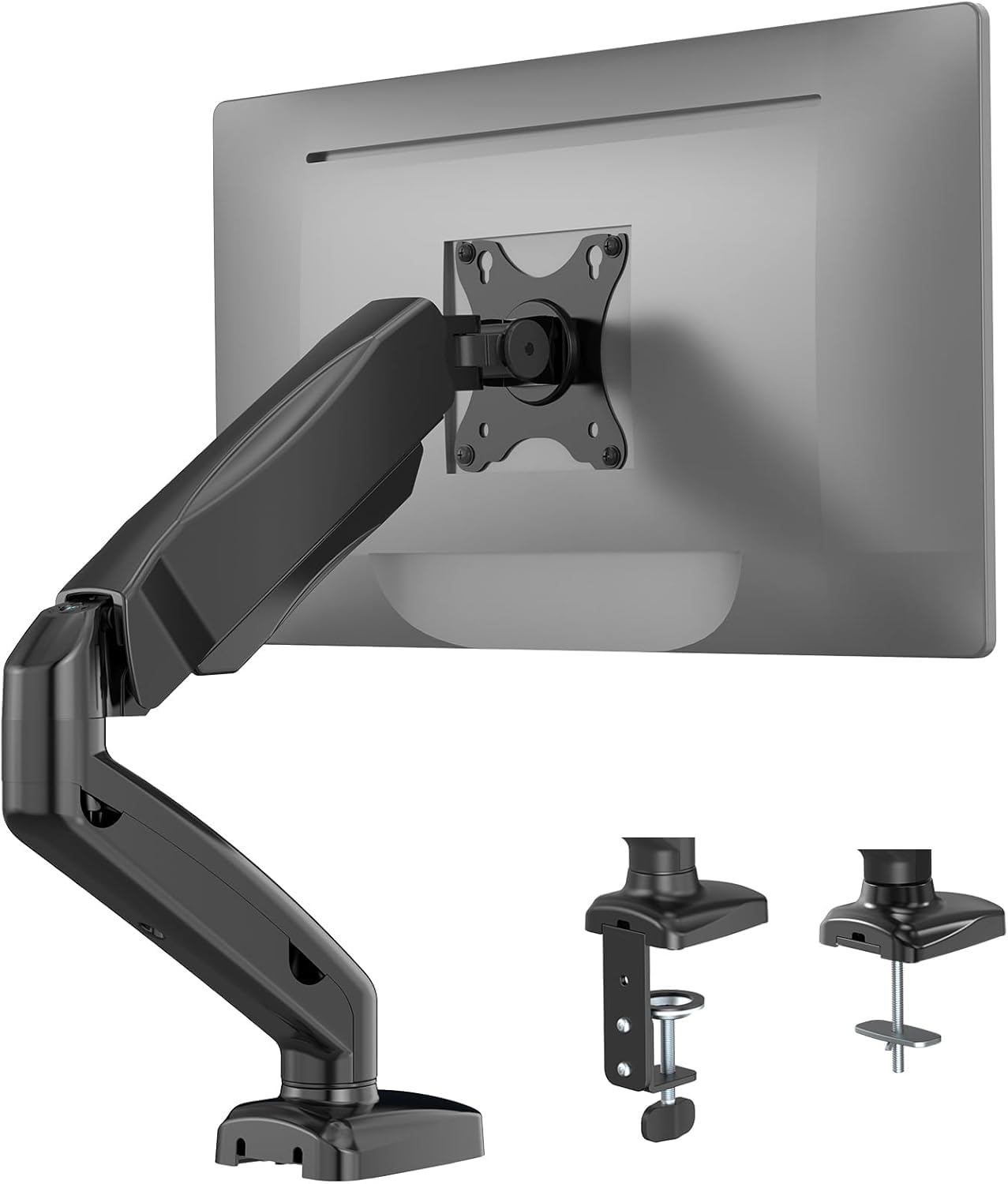

🖥️ Elevate your workspace, elevate your game.
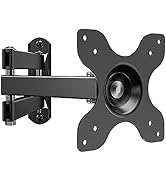
The WALI Single Monitor Arm Mount GSMP001 is a fully adjustable gas spring desk mount designed for 17" to 32" monitors weighing up to 19.8 lbs. Featuring a dual locking system compatible with desks up to 3.3" thick, it offers 360° rotation, ±180° swivel, and tilt from +75° to -45°, enabling ergonomic positioning that reduces neck and eye strain. Its sturdy steel build and versatile mounting options (C-clamp and grommet) free up desk space and enhance productivity, making it a premium yet budget-friendly upgrade for any professional workspace.















| ASIN | B08NSSH7NH |
| Item model number | GSMP001 |
| Manufacturer | WALI |
| Product Dimensions | 11.3 x 29.31 x 41.3 cm; 2.27 kg |
A**I
I purchased two of these stands to sit on either side of my 48" TV to create a seamless, professional workstation. Before switching to these arms, I was balancing my monitors on top of boxes to match the TV’s height—it was unsightly and ate up my desk space. Using this arm allowed me to reclaim a massive amount of desk area and achieve a much cleaner aesthetic. Quick & Easy Assembly The setup was surprisingly simple. Both of my monitors have flat, flush VESA mounts, so I didn't even need most of the hardware included in the box. Pro Tip: I was able to reuse the screws that originally came with my monitor stands. Your mileage may vary, but for my 27" panels, the installation was incredibly efficient. Sturdy Support for 27" Displays I’m using these arms for two different 27-inch 4K monitors, and I have had zero issues with weight support. Both monitors are well within the arm's 19.8 lb capacity: LG 27US500-W: This monitor weighs approximately 10.6 lbs (without the stand). Dell S2725QC: This monitor weighs approximately 10.7 lbs (without the stand). The gas spring is easy to adjust, and it holds these 4K panels exactly where I want them without any "drift." Perfect for Portrait Orientation I keep both side monitors in portrait orientation so their height matches the vertical profile of my 48" TV. The rotation is smooth, and the arms provide plenty of height adjustment to line everything up perfectly. Final Verdict If you want to move away from bulky stock stands and clear up your desk, this is a fantastic budget-friendly choice that feels high-end. It’s sturdy, easy to set up, and looks great in white.
M**W
Great for the price, a little clunky, but nothing serious. Angle adjustments and rotation work fine, height adjustment could be a bit greater but will be fine for 90% of use-cases. Be careful with cheap office desks, some material might break off the edges due to the weight of the stand and monitor. That is more of a desk issue than a arm issue though... Consider it when setting up the arm, so that you wont damage your desk.
P**I
un brazo que cuando recibí me dio bastante desconcierto el tamaño de la caja ya que había comprado otro de la misma marca casi mismo modelo, pero esta misma venia en una caja mas grande, y como no, si es que este viene desarmado, las instrucciones son claras y precisas, te toma un poco ármalo pero nada que sean de siglos. la construcción es bastante buena, mas que nada por que yo lo uso para un monitor de 24 pulgadas, la verdad no he probado si puede con mas, pero al parecer todo ha ido bastante bien
D**E
Just what I needed. Despite reading a few negative reviews and being a little concerned about the quality of the product before buying, I am really happy I did. If you set it up properly it works properly. There are 2 ways to attach it to a desk. One which clamps the edge and the other which you attach through an existing hole in a desk or what you create yourself. You have different parts for each of these options. Regarding the weight limit. I have a 27inch gaming monitor and it supports this without effort. If you tighten the joints enough so you need to put a little force into moving them they hold well. 1)First attach the base of the stand, then attach the arm. 2) Move it into a position near to where you would like it to hold the monitor, then tighten the joints so you can barely move it around without using excessive force. 3) Thread the top 2 screws into the back of your monitor a few turns. 4) Turn the bracket on the end of the stand so the U shaped slots are facing upwards. 5) Lower monitor onto the stand and hang it on the bracket using the U shaped slots between the 2 screws. 6) If the stand does not support the monitor at this stage, then remove it and tighten the joints on the stand a little more. Repeat until it supports the monitor and a little force is required to move the position of the stand. 7) Insert the bottom 2 screws into the back of the monitor and tighten all 4. 8) Adjust the stand as you wish. If it is too hard to adjust or doesnt quite support the monitor, support the monitor with one hand and then 'very slightly' loosen or tighten each joint until it is just right for you. 10) Enjoy your new stand.
J**Z
Soporte para monitor o pantalla de TV de muy buena calidad, me ha funcionado muy bien, ayuda a ahorrar espacio en el escritorio o mesa de trabajo; me llegó rápido y muy bien empacado, estoy muy satisfecho con esta compra, recomiendo a su vendedor. Gracias.
Trustpilot
2 months ago
1 week ago