Buy anything from 5,000+ international stores. One checkout price. No surprise fees. Join 2M+ shoppers on Desertcart.
Desertcart purchases this item on your behalf and handles shipping, customs, and support to USA.
🎯 Game On: Fix Your Drift, Keep Your Edge!
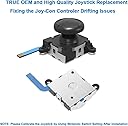
This 2-pack OEM-quality joystick replacement kit for Nintendo Switch Joy-Cons (2017, Lite 2019, OLED 2021) includes all essential tools—Y1.5 & +1.5 screwdrivers, tweezers, pry tools, and extra screws—to repair drift, dead zones, and stick malfunctions. Save money and extend your controller’s life with a professional-grade DIY solution trusted by thousands of gamers.
| ASIN | B07MRJ12HX |
| Best Sellers Rank | #1,616 in Video Games ( See Top 100 in Video Games ) #65 in Nintendo Switch Controllers |
| Customer Reviews | 4.4 4.4 out of 5 stars (11,731) |
| Date First Available | January 1, 2019 |
| Is Discontinued By Manufacturer | No |
| Item Weight | 1.76 ounces |
| Manufacturer | Veanic |
| Package Dimensions | 6.85 x 3.7 x 0.75 inches; 1.76 ounces |
| Type of item | CD-ROM |
M**.
Everything you need to repair your Joy-Con included!
Really impressed with this repair kit. Once replaced, the analog thumb sticks worked absolutely perfectly, and all drift and drag was gone. The feel of the rubber and springiness is indistinguishable from the OEM parts. Now the camera in Zelda doesn't slowly drift across the sky and I can scroll through my inventory, the sticks snap back to center every time, and even a weird issue navigating the Switch system menus with my left Joy-Con was fixed (for some reason I couldn't move all the way down the controller menu with the analog stick and had to use the d-pad or right analog stick to go down the menu; very specific and very weird). Overall this is a terrific bargain. For a great price you get all the tools you need, extra screws, analog stick covers, and 2 replacement sticks that are, in my opinion, virtually identical in feel and function as the OEM parts. It's a little tricky to install, but if you take your time and are gentle you'll be just fine. Tips: Watch a few stick replacement tutorials to make sure you understand exactly where to swing the controller back covers and battery/trigger trays after unscrewing so that you don't yank or crease the ribbon cables. Take your time removing the screws and unlatching ribbon cables (where necessary). The included tweezers were invaluable in gently inserting the ribbon cables back and latching/unlatching them. Neither requires much force, so don't force it. Be careful in removing the batteries, as they may be secured in the battery tray by double-sided tape (my launch Switch Joy-Con have tape, but I've seen videos of newer Joy-Con that don't). Also, the tiny battery plug can be gently pulled straight up to unhook it. It's very obvious how it goes in by lining it up and pressing down. I highly recommend using the included spudger (the green tool with flat edges) to press the plug down evenly. Don't use the tweezer tips as it's rather pointy for pushing the plug down. I used my own Philips mini screwdriver and tri-wing screwdriver which had slightly larger tips than the included tools. I'm glad I did because the included tools seemed a bit too small-tipped and I worried I'd strip screws if I used them. You may be okay as long as you apply gentle pressure as you turn, and don't overtighten as you screw things back together. Before turning screws to tighten them, gently turn them counter-clockwise until you feel a soft "click," then screw in normally. This typically means that the screw threads are lined up better and you'll prevent damaging the screw hole. I only tightened enough to re-seat the screws. Any more and you risk stripping the screw tops and/or overtightening.
J**O
Pretty cheap and useful! Only slight problem.
The tools provided to help fix my drift issue worked wonders! I tried all the steps that was instructed by Nintendo to try to fix the controller, but with no avail. And due to my insurance was already up on my Nintendo Switch, I only had a few options. Given that I am a tinkerer, I decided to go this route, and give it a shot. The prying tools helped me pop some of the things that was difficult out, and the tweezers definitely helped keep a good grip on some of the more delicate parts that I needed to remove carefully to replace the joysticks. The part provided is pretty simple to install too, so it definitely was not an issue for me. To others, it is best to do a little bit of research if people are very intimidated by it all, to make sure where to plug where, so that way it works. After resetting the controller to factory default and testing it, it worked out really well! It had a nice click when pressing down, and the thumb grip felt a lot more comfortable than the original sticks somehow. (I can't really explain, but it is really nice!) It definitely fixed my drifting problem with one of my controllers. I have been using that controller for a good month, mainly playing Super Smash Brothers Ultimate. (And I can really get rough with the Joysticks, while playing 8+ hours a day too, so this is a good test). However, the second one that I was given seem to have broken within two weeks. I am quite uncertain on how that happened. It might of been a faulty factory thing, or it was ultimately my fault, since my german shepard ended up laying down on my JoyCon and I didn't know about it. So I can't really fault the company for it breaking, hence my dock on durability. However, I still feel like it deserves a five star regardless, given that it is a very sturdy kit that definitely helped fix my controllers, and I will be buying replacement parts in the near future. It is why I took a good month before writing a review of this product, especially since I wanted to give it a fair trial run. I haven't had any problems yet to this very day, so I can safely say that this is a very affordable purchase.
J**S
So far so good.
First let me say I'm not an expert on working on controller, I'm just a mom of 2 boys and this was easy problem for me to fix. So if you are having drifting problems I would say it's worth the try because if doesn't work you were still going to have to send them in to be repaired. I purchased these because of the drift on our Nintendo switch controllers. We have 2 sets of Nintendo brand controllers and a different joy stick was drifting on each set. It was right before the holidays and I didn't want to send them to Nintendo and kids not have them to play any new games they might get for Christmas. So I decided to purchase these and if didn't work I could still send them in- but they worked perfectly. I watched a few YouTube videos first ( I recommend watching all the thru first so have better idea of what comes next) and then found one I could follow step by step. It can seem tedious only because they are so small but there's really not that many steps. This kit came with everything I needed, including screw drivers- leave it to Nintendo to put the weirdest screw ever- and extra couple of screws, which I actually needed. I messed up one of the original screws and was so glad to have a back up. The plastic case splitters/openers worked well and did no damage to outside cases. These are also interchangeable. I used one on the left joy stick on one set of controller and they other on right joy stick on completely different controller. It took me about 30-40 mins the first time but half that the second time. We have been using for several weeks now with absolutely no issues. I only hope that these don't experience the same problems with drifting as Nintendo ones. But for the price and being able to fix the issue at home, I can't complain.
情**太
一回しかドライバーが使えない
A**E
The left joycon stick started to drift, I know its a common issue. These small kit came in handy. Doesn't come with overall instructions in the kit but that's okay. Youtube saved the day. Comes with everything you need, easy enough to change it out and now it's working beautifully again.
P**H
I was checking the price for a new Joy-Con and it was very expensive and saw this on amazon with a small price tag, so I told myself why not giving this a go. After some youtube video, I fixed the Joy-con! It's no longer drifting! Product is nicely made. It worked just as intended. But I highly recommended to watch a few youtube video first before you attempt fixing your Joy con.
J**E
Excelente kit para resolver el problema de un joycon que se mueve solo, acompañado con un video de iFix it y de 15-30 minutos tu problema estará solucionado
E**A
Cheap material deteriorated very easily. The drift became worse
Trustpilot
1 day ago
1 week ago