


Buy anything from 5,000+ international stores. One checkout price. No surprise fees. Join 2M+ shoppers on Desertcart.
Desertcart purchases this item on your behalf and handles shipping, customs, and support to USA.
๐ถ Elevate Your Drive with Smart Sound and Navigation!
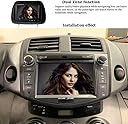
This Car Radio DVD Player Navigation is designed specifically for Toyota RAV4 models from 2006 to 2012, featuring a 7-inch HD touchscreen, Bluetooth 5.0 connectivity, and built-in GPS navigation with offline maps. It supports various media types and comes with a 1-Year warranty for added assurance.







| ASIN | B07JZ2YFZ9 |
| Best Sellers Rank | #926,996 in Electronics ( See Top 100 in Electronics ) #28,052 in Car In-Dash Navigation GPS Units |
| Color | Black |
| Connectivity technologies | Auxiliary, Bluetooth, USB |
| Customer Reviews | 3.5 3.5 out of 5 stars (275) |
| Date First Available | October 29, 2018 |
| Human Interface Input | Microphone, Touchscreen |
| Is Discontinued By Manufacturer | No |
| Item Weight | 6.06 pounds |
| Manufacturer | NVGOTEV |
| Other display features | Wireless |
| Product Dimensions | 12.32 x 9.25 x 7.68 inches |
| RAM | 256 MB |
| Scanner Resolution | 800 x 480 |
| Special features | Bluetooth, Touchscreen |
D**K
Just What I Needed
I purchased the audio car stereo a few weeks ago and it is just what I needed. I was particularly looking for something to listen to music and podcasts and to be able to use my Phone-- all worked well. The instillation was fairly easy and if you take your time it's all logical. I also used a microphone and wired it discreetly and it's now mounted above the rear view mirror. Barely visible. The sound and functionality are good. It will probably take some trial and error to figure everything out, but once you do, it's intuitive. A very good devise for the money and I'm glad i made the purchase.
P**R
Many technical problems
TL;DR Bluetooth won't stay connected. Radio won't stay turned off. Problems reconfiguring menu. Nav language stuck on French. Full version: I really wanted this to work. I bought it because Massachusetts has passed a law making hands-on cell phone use illegal in a car. So I was hoping this would solve that. But then I discovered that it would also connect to a backup camera, which really sweetened the deal. Things started off well. The installation was fairly straightforward, and once installed, it was a perfect fit. Looked like OEM. Clock automatically got the correct local time from satellites. The first problem was that the radio doesn't stay turned off. This is an issue for me, because I don't use the radio all that much. I make lots of short trips, but if you turn the radio off and then turn the car off, once you turn it back on, the radio automatically turns on. I was wondering if I might be able to get used to that. I was able to easily connect via bluetooth. I could play my music and making phone calls seemed to work ok as well, but I didn't really give that a good workout before I discovered that if I shut the car off and walked out of bluetooth range, once I came back and turned the car back on, the bluetooth didn't automatically reconnect. I couldn't even just click on that device on my phone to reconnect. I had to completely unpair it and re-pair, entering the password again. This is a total show stopper, because the reason I bought this radio was so that phone calls would come through. So that was that. But I checked a few other things. The Nav text was in French. I figured out how to change this to US English, but then discovered that the voice was also in French. I searched around and discovered how to change this. It ultimately offers you a (long) list of voices in various languages. I chose "English - Susan". At this point, there is no button along the lines of "OK" or "Save Changes". The only option is to go back, where the language was still French. When you have the radio at "Menu", you are offered four icon selections at the bottom. I forget what they were. Radio, USB, Disc and something else. Configuring this was similar to my android phone. If I hold down on an icon, it starts to float and I can drag it somewhere else. Nice. So I dragged "Disc" out of the way and moved Bluetooth into the empty spot. Then I dragged "USB" out of the way and... Wait... Where did Bluetooth go? I'd moved it to the bottom, but now it was gone from there AND from any page of icons. I searched all over and it was permanently gone. The only way I could get it back was to do a Factory reset. I tried this a few times and it was definitely not a fluke. I was hoping that this radio just had a bad software install, so I ordered a replacement. The new one was identical. All problems were still there. So back they go. I honestly don't understand why so many people have given this such high praise. Did they only buy it for use as a radio and nothing else? Did they recently update the software to something with all these problems? One other thing... I'm a little suspicious of some of the reviews. Many of them sound like someone is just reading bullet-point features off the side of the box. Look especially at the reviews from early May '19. Most of them are not verified buyers. Fakespot.com gives this product a 'C' rating.
S**S
Rav4 2006 review on NVGOTEV Car radio dvd player - Vancouver BC
I got this recently for my Rav4 2006. I mistaken purchased the one for windows and should have purchased the one for android but I am not going to exchange it as it was already costly installing it ( as i had cameras installed at the same time). Everything seems to work okay for now however, I have not had the time to try everything out yet (eg haven't tried using the blue tooth on my phone). I read it works for both windows and android connectivity, and the only difference between the windows version vs android version is that the windows version doesn't have wifi capabilities or use hot spots (you can search for question in search box). The unit fits and i didn't need to buy a frame kit. Initially, i wasn't sure but decided to bring the product to the store (Visions electronics) and ask the sale guy. He wasn't sure so ordered a frame for me (they sold it for $30, as they have it in stock, so i didn't bother ordering it on Amazon). Turns out the unit already comes with built in frame so I got a refund for the kit. My 2006 Rav4 has 3 steering wheel buttons. One is "Mode", Volume and Change track/ or radio station. The "mode" button doesn't work after it was installed, but the other two, Volume & Change Track/Radio worked . I do miss using my Mode button as I used to be able to switch from radio to cd. (By the way, it plays DVD or CD (just so you know as i wasn't sure as it described it as a DVD player, but didn't mention CD, but I was told by Visions sales that it would, and he was right). I 'm quite specific so details matters especially when you are buying online. The only disappointment is that I could only insert one (1) cd. With my old car stereo, I was able to insert 6 cds (?) can't quite remember. But this only let's you play 1. You cannot upload more than 1. I also installed a backup cam and the image comes on the screen perfectly. So other than my own mistake of buying the windows version and not the android version, it seems to work well.
S**R
Great Product, Great Price!!!
Bought this unit for my girlfriend's car (2008 Rav4) it works & sound great. As is stated in many posts if you have a JBL system (which she does) you will need to buy the wiring kit. The JBL wiring kit took about 15 minutes to rig as the connections need to be soldered or spliced. One happy surprise is that contrary to many posts a separate kit is not needed to make the steering wheel controls work. There is a menu item in the unit that is labeled SWC (steering wheel controls) I was able to get all of the steering wheel control buttons to work by using this menu item. Unit includes a CD/DVD player, a radio, GPS navigation, Bluetooth and is back up camera ready. So happy we spent the money for this unit to replace the factory unit that was dying a slow death. The only suggestion I have for the seller is to make the supplied user guide larger or post it online...it is way too small.
A**N
I had no issue installing and setting this stereo it a plug and play Even using the navigation I had no problem it will tell everything.
L**Z
We were very sad that we had to return this product. It looked so good in our vehicle and was easy to install. The only reason we had to send back is it didnโt work properly with our Apple iPhone. When we used the Bluetooth it would not connect properly. We contacted the company and they were awesome with helping us out & refunded our money. Honestly, if the Bluetooth worked we would have been so very happy with our purchase. The 2 star review is only because of Bluetooth not working, but the service was definitely a 5 star rating!
Trustpilot
1 month ago
1 week ago