


🔒 Own your crypto future with confidence and style.
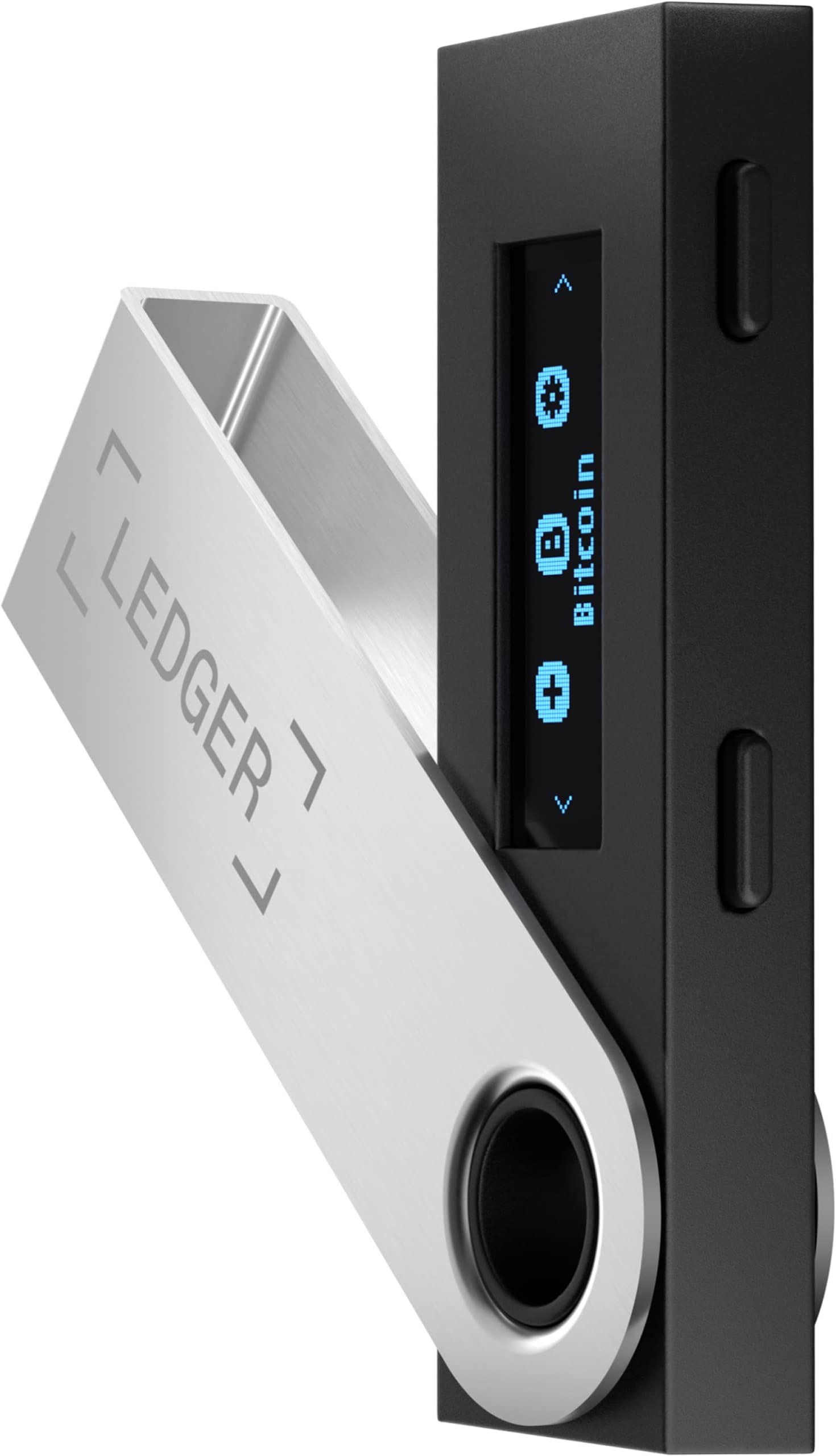
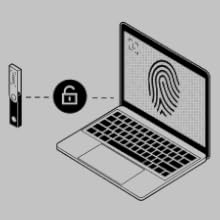
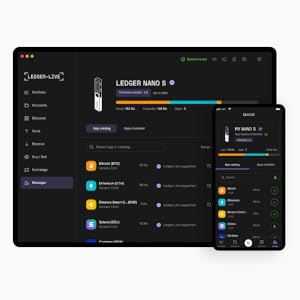
The Ledger Nano S is a compact, highly secure hardware wallet featuring a CC EAL5+ certified chip to protect your crypto assets. It supports managing up to three cryptocurrencies simultaneously via the proprietary Ledger Live app, offering a seamless all-in-one platform for buying, selling, and growing your digital portfolio. Lightweight and travel-friendly, it’s ideal for professionals seeking robust offline security and peace of mind with easy recovery options.




| ASIN | B07FY5R77T |
| Age Range Description | Adult |
| Brand Name | Ledger |
| Closure Type | Flap |
| Color | Black |
| Customer Reviews | 4.5 out of 5 stars 18,508 Reviews |
| Embellishment Feature | Metal Logo |
| Form Factor | Slim |
| Global Trade Identification Number | 03760027781234, 03760027781371 |
| Included Components | Crypto wallet, USB cable, instructions, recovery sheet, accessories |
| Item Weight | 16.2 Grams |
| Manufacturer | Ledger |
| Manufacturer Part Number | lns-solo-v14 |
| Manufacturer Warranty Description | 1 year limited warranty |
| Material Type | Metal, Plastic |
| Model Name | Nano S |
| Model Number | nano-s-v14 |
| Number Of Pockets | 3 |
| Number of Compartments | 1 |
| Number of Sections | 1 |
| Pattern | Solid |
| Pocket Description | Coin Pocket |
| Product Care Instructions | Wet Wipe Clean |
| Style Name | Minimalist |
| Subject Character | Fashion |
| Target Audience | Unisex-Adults |
| UPC | 656043865740 |
| Unit Count | 1.0 Count |
| Wallet Card Slot Count | 3 |
| Wallet Compartment Type | Coin |
R**A
Good value if you are not storing multiple coin types
Very solid product for safe offline storage of crypto - much more secure than storing on the exchanges and I would consider it a virtual must if you have any significant value in crypto assets, with the caveat that it is for people not looking to store more than a couple of coin types. Fairly user-friendly though I wouldn't necessarily call it a breeze for the novice. That said, if you have the time, there are plenty of short You-Tube videos out there to walk you through early set-up of the device itself and the complementary software (Ledger Live) is pretty straight-forward and helpful. The Nano S has very limited storage capacity - you need to download an app for each type of crypto you want to store, and the capacity is almost reached after downloading just the Bitcoin and Ethereum apps. If you're just storing those two coins (or some combination of one with some other coins, many of which have apps which take up less space), you should be fine. If you're looking to store multiple types of crypto (particularly if Bitcoin, Ethereum or both are included - given the space they take up), you should probably pay up for the Nano X. Otherwise, this is perfectly suitable and provides the peace of mind I was looking for. I would be mindful of other reviews related to experiences with customer support (which made me wary, though I ultimately overcame it based on the overall reputation of the device itself) ... hopefully I either will not need to deal with that or the company steps up their customer service before my time comes. For now, however, I'm extremely satisfied with the product itself.
M**O
Awesome device and puts me in charge of my money
This a reliable must have tool if you want to protect your wealth. Even if the Nano is lost, stolen or broken you can restore your cryptos on another device. The relative cost of this device is minimal compared to the price of being able to sleep at night. I used it several times a day for about 4 months while organising and purchasing my crypto. Operated everyday without fail. I did accidentally wipe my cryptos off the device and they were all gone. However, I just reloaded and it all magically appeared back off from the blockchain. Built my confidence in this device a lot. Feels solid, it's easy to use and its very compact. Very good to keep close to me while I travel domestically and overseas. My own bank.
G**0
Must buy for secure crypto investments
Great product if you invest in crypto. However it has limited storage and you can ONLY have 3 different types of "crypto apps" at once with the nano S. If you want to put more cryptos on ledger you have to go through a process of uninstalling apps and putting them back on when you want to access those accounts. You can still see accounts and value on ledger live when uninstalled and you'll still be able to access your funds after reinstalling. Just an inconvenience, but at least your not limited to only 3 types of cryptocurrencies. If you want to avoid this process I would look at the the other versions ledgers has like the nano X . I would definitely recommend one of these for long term holding.
D**R
Really Really Love this Hardware Wallet ( NANO S )
Hey, thanks for reading my review... I purchased the Nano S. I have had this Hardware wallet for a couple months now... The set-up with my laptop and the Ledger Live is really easy IMO... just be patient and move through the installation process slowly so you are following all the necessary steps.... *** HIGHLIGHTS *** *** Ledger Live *** --- I really like the Ledger Live... this is an awesome feature and its interface with the hardware allet device is wonderful... Ledger Live shows you all your crypto holdings and values, etc., I have not actually made any trades using Ledger Live ( ie. meaning buys or sales of crypto ) I prefer to do that on an exchange like Binance.US... So, I cant speak to this feature within the Ledger Live. *** The Hardware Wallet Itself *** --- It comes nicely packaged in a secure box with instructions on how to use it, it comes with the necessary USB cord to connect to your Laptop/Desktop USB port... the provided cord in the box however will not connect to an Android phone... so be aware of that... that is my experience anyway.... --- The digital screen on the hardware wallet is very small and as a result this makes seeing the codes, to access the device, a bit of a challenge.... at least for me.. but again that's me.... If you wear glasses or have perfect vision or just aren't old like me.. lol... you should be able to see the digits on the digital screen with some ease. --- I gave this device 4 stars for two reasons... 1. I could not leave 4.5 stars... lol Amazon doesn't apparently allow half star ratings.... if they did I would have rated it 4.5 stars... lol... 2. The second reason I gave it less than 5 stars is due to "STORAGE CAPACITY"... this part is TRICKY just to be clear... The device comes with its own already preloaded software to interface with Ledger Live and all that Jazz... This software alone, takes up a great deal of the memory/ storage capacity on the device.... almost 30% to 33%.... so when you install software for any crypto currency, for which you want to store your Keys, you have to load the corresponding software for that paticular crypto currency... in my case I loaded software for ADA (Cardano) and ETH (Ethereum). So, all told I have two crypto's associated with the device and as a result two software interfaces for those two cryptos loaded on my device... this leaves about 8% to 10% of the total Memory/Storage Capacity open to add a third Crypto... but here is the catch... "that 8% to 10% isn't enough to load any other Crypto Software on the wallet... I've tried and you cant, as there isn't enough memory. So, if you have three, or more, different cryptos you want to store on the device... you are S.O.L. Because there is not enough space.... ENTER... THE TRICKY PART I MENTIONED ABOVE.... To get around this issue you can uninstall the crypto software for one already on your device and then load another in it's place without losing your data, which of course is already stored on the blockchain for your respective crypto currency. The catch here is this... each time you want to access that third Crypto you have to uninstall one software and install the third.. which to me is BOGUS.... this was clearly a Marketing/Profit decision on the part of the Company... Because most people are not going to want go thru the process repeatedly to install / uninstall / and install software each time they want to access their Keys for a third crypto. Enter the BOGUS part... If you want to avoid this issue, or necessity of installing and uninstalling and installing software each time (for the other cryptos you own)... you have to buy the more expensive Nano X which has more storage in its chip..... So, it boils down to how many cryptos you want to store... and how much of an inconvenience you find it to be to install and uninstall software if you have more than (2) cryptos to store, and if you have the patience. --- For my part... LOL I don't have the patience... don't get me wrong, this wallet was a great $59 dollar investment for my first Hardware wallet, but I want the NANO X... LOL... which as of this writing isn't readily available to ship... this is probably due to the Universal Chip shortage around the world that started pre-covid and pre 2020... and is still ongoing at this moment May 30th, 2021... you can order the Nano X from the company directly but delivery is 2 to 3 weeks as I recall reading... --- I hope this review helps someone. It's a great device just too little storage capacity... The Nano X is what you really want if you have more than 2 Cryptos... which in most cases we all do... Good Luck...
W**E
People Misunderstand - It Is A Cold Private Key for a Blockchain Wallet!
I have 3 of these now. This Ledger S works exactly as described and is a very safe and secure way to access your crypto. I think many people misunderstand (and Ledger is guilty of letting them) what cold storage is - your wallet is still on the blockchain - the ledger is simply keeping the private key offline (which is exactly what it should do). Upon setup, the ledger will give you 24 words to keep track of as your backup. Do NOT put these on your computer or laptop or phone. Write these down on paper and keep it safe. Keep a copy in a safe deposit box if you can or at least a fireproof box. Again, the Ledger is only giving you access to your Blockchain Wallet with your private key, not storing the coins or tokens on the Ledger device. Yes, it only hold 3-4 blockchain apps. I only use ETH and BSC for this device but it can store unlimited token types on each blockchain! I guess if you need BTC, Cardano, Solana, and more then you need to get an X instead of the S.
D**S
The Hardware Wallet You've Been Waiting For!!
As I study Crypto Currency (Bitcoin) and stay in tune with current events I realize "Cold Storage" is the most responsible way to go. For example, recently Coinbase blocked 25K Coinbase wallets due to "suspected" nefarious activity in Russia. Forget politics for a minute, my problem is Coinbase's CEO never explained with any details. I don't use Coinbase but if an exchange can block a wallet, then it's time to put your Crypto on a hardware wallet that is independent of an exchange. Actually, we're talking about private keys and access because the actual Bitcoins are on the Blockchain. Ledger Nano S is sold at a decent price, built like a thumb drive and with some patience, a quiet space and time easy to install using Ledger Live at ledger.com/start. Follow the instructions, ensure you get your Seed Phrase down on paper, they do supply a card for that, and you're required to confirm it on the Nano S via their little screen during setup. Once again, be patient, don't allow interruptions and all will go well. When you're in Ledger Live, which you download on your laptop/desktop, it will be in your computer menu, but I also pinned it to my taskbar for easy access. I have Windows 10 Pro and everything worked well. Once installed I transferred Bitcoin from my Samourai Wallet to my Ledger. Next, I setup and withdrew available Bitcoin from my Swan Bitcoin exchange via Prime Trust. Now I'm set up with auto-withdrawals to Ledger or I can manually withdraw. I use a Samsung Android phone so I downloaded the Ledger App. This is easy to set up but you must have a cable with Micro-USB to USB Type C which I purchased separately. The Ledger OTG Kit contains one of these the Ledger did not. That's it, I'm setup on my desktop and phone, I have my Seed Phrase carefully stored in 3 very safe yet accessible locations. Do not lose that Seed Phrase and keep it secure.
A**R
Simple, secure and efficient, as advertised.
It's efficient, has a simple interface that's easy to use/set up and comes with everything you need. Haven't had any of the problems with the display or buttons breaking that the negative reviews mention, but I don't carry it around or do anything with it that would cause wear and tear so I guess I can't speak to that. It does have a pretty limited amount of memory available but depending on the crypto you store on it you can realistically have 3 - 5 different token/coin apps saved on it (BTC and ETH took up about a 1/3 of the available memory each but LTC only took up < 5%). As advertised, simple, secure and efficient.
S**Y
What an interesting kludge of technology
The screen on he device is crisp, clean, tiny and blue. I've got fairly good close up vision, but you may need to have a magnifying glass handy when you're working on this. And I say 'working' as I am still am. And will be. For days. You get the nice little box with cards to record your secret phrase, some wrist straps and a USB cable. One end is the standard USB 2.0 circa 2001, the other is a USB mini, the one that may have been on your first generation iPod. So, the Minii plugs into the Ledge, and this means that I'm limited to using my desktop. Fine. (teenage huff) I plug it in and run the app... "You must have a 64 bit version of Windows to run this app." Frak. I think about going to another machine with Linux, or upgradng my OS, but gosh darn it, I want to use THIS laptop, ad I don't want to go to trouble or expense to get my Windows updated. I use 10 at work, and I've got come cool old games on this one... but I digress. No, says cranky me. Fine. (teenage huff 2.0) I get my Android phone, get the app, run it... and wonder how I'm going to plug it in. USB C to USB Mini? (Iron Many eye roll) What malicious cretin got a paycheck to think this thing up!? The one octopus cable I have is for power, no data. So, I have to get another cable. Oh, I sez to myself, that designer must be getting a kickback from the USB Mini cartel. As such, I much now get another cable (I am NOT updating the OS, as I have no idea if Windows 10 will be 64 bit when I get done) and wait for more days for that purchase to come through. Is this thing some sort of IQ test?
J**R
Works as advertised + easy for a newbie like me to offline wallets.
The only downside is the space limitation, i can only fit 3 apps. If you know this going in then its great value.
A**N
Great way to protect your crypto assets!!
I've always just stored my crypto on an exchange like binance, but after seeing how unsafe it could be I decided to store it on a cold wallet. My biggest concern with a cold wallet was how difficult it would be to move or sell my assets. After getting the ledger I realized it's actually quiet easy. The ledger app makes it super easy to swap, buy and sell crypto and surprisingly supports a ton of different tokens (there are still a few not supported). It was super easy to setup and understand how it works. If your a long term crypto investor, then I think a cold wallet is a no brainer.
İ**G
İş görür
Hafıza büyüklüğü çok küçük. Bu yüzden içerisine 3-5 tane kripto altyapısı (ağ) kurabiliyorsunuz. Hangi altyapıyı kurduğunuza bağlı olarak bir çok farklı coin saklanabiliyor. Örneğin eth ağında eth'da var usdt'de var. Ek olarak birçok altcoin daha var. 100 para çeşiti varsa hepsini saklarsınız ve bu cihazınızda 1 kripto ağlık yer kaplar. kalan alana tron, bitcoin, bnb vs farklı ağlar da kurabilirsiniz. tron ağında da 20 para birimi varsa yine hepsini saklarsınız. eth+tron 2 kripto ağlık yer kaplar. Çok sayıda ağlarla çalışmıyorsanız bence nano s yeterli.
W**L
Sicher ist sicher
Vorab: Ich habe mir den Legder gekauft, um meine IOTA zu schützen. Vor dem Hintergrund, dass Anfang 2020 ein fataler Hack auf die Crypto stattgefunden hat war der Invest essentiell, aber von vorne... Grund für den Kauf war mein Entschluss in IOTA zu investieren. Da ich in der IT-Branche angesiedelt bin weiß man "sicher ist sicher". Um die Kryptowährung bzw. den Zugang zu seinem Vermögen, den sogenannten Seed, zu schützen ist es unabdingbar sich einen Ledger zu kaufen. Funktion: Normalerweise ist der sogenannte Seed ein ellen-langer String (Kombination aus Zahlen und Buchstaben) den man sich notieren, abspeichern oder sonstiges muss. Dieser Seed wird benötigt, um auf seinen "Abschnitt" im Tangle (vermaschtes Netz der Kryptowährung) zuzugreifen. Dies wird im Falle des Ledger direkt auf dem Gerät gespeichert und sicher aufbewahrt. Er verlässt niemals das Gerät, ist vor Angriffen und Manipulation geschützt und auch dem Halter nicht bekannt. Genau das ist der Sicherheitsmechanismus, den man sich wünscht. Im Falle des Hacks Anfang 2020 wurden nämlich etliche Seeds gestohlen und die Wallets der Kunden leer geräumt. Dies ist denjenigen, die einen Ledger benutzen nicht passiert. Sie waren von dem Angriff nicht betroffen. Installation und Nutzung: Die Installation war simpel. Ich habe den Legder bereits und OS X, als auch Windows genutzt. Man muss desöfteren eine Eingabe bestätigen und sich den 24 Wörter langen Rettungscode notieren und im besten Fall im Safe einschließen. Diese Wörter sind dafür da den Legder bzw. Seed wiederherzustellen, sprich: Wenn man den Ledger verliert ist dies kein Problem, solange man die Reihenfolge der 24 Wörter gespeichert hat. Diese sollten allerdings SICHER aufbewahrt werden, denn wer diese Wörter Reihenfolge hat, kann kann Ledger quasi klonen und das Konto leerräumen. Hier ist aber jeder dazu angehalten für diese Sicherheit zu garantieren. Sobald man den Legder konfiguriert hat kann man über die Trinity App (muss heruntergeladen werden) sein Wallet einrichten und mit den Transaktionen beginnen. Ein Lob an dieser Stelle auch für die App. Diese ist sehr intuitiv und auch für Anfänger geeignet. Kurze Information an dieser Stelle: Wer sich intensiv mit Krypto Währungen beschäftigen will, dem sollten die Begriffe oben schon etwas sagen, außerdem sollte man sich über das Thema Sicherheit bewusst sein. Transaktionen (kurzer Hinweis): Derzeit ist es, außer teilweise in den USA, nicht möglich IOTA für bare Münzen zu kaufen. Man muss immer den Schritt gehen Bitcoin zu kaufen, diese gegen IOTA zu tauschen und diese wiederum auf den Ledger zu transferieren. Da die komplette Erklärung den Rahmen sprengen würde solltet Ihr euch ein passendes Tutorial anschauen, ein wenig Eigeninitiative ist bei diesem Thema unabdingbar, da es doch sehr komplex ist. Man macht dies nicht "mal eben nebenbei". Abschließende Worte: Der Ledger Nano S ist nicht nur für IOTA lohnenswert, ich kann zu den anderen Funktionalitäten allerdings nichts sagen. Man muss für jeder Krypto Währung allerdings eine andere "App" auf dem Ledger installieren. Wer sich intensiv mit IOTA beschäftigt hat muss für sich entscheiden, ob er an die Technik und das Projekt glaubt oder nicht. Ich tue es noch und bin zuversichtlich, dass es für die Industrie 4.0 Vorteile bringen kann. Wann dies passiert steht allerdings noch in den Sterne. Generell gilt: Bei Kryptowährungen wird man nicht von heute auf Morgen zum Millionär, es ist eine Investition über Jahre und das Quäntchen Glück gehört auch dazu. Es gibt allerdings keinen besseren Einstiegspunkt als derzeit (März 2020, Kurs ist aufgrund von Corona auf einem deutlichen Tief). An alle Investoren: Viel Spaß und viel Erfolg.
U**N
article efficace
très bon produit
Trustpilot
1 day ago
3 days ago