Buy anything from 5,000+ international stores. One checkout price. No surprise fees. Join 2M+ shoppers on Desertcart.
Desertcart purchases this item on your behalf and handles shipping, customs, and support to USA.
๐ง Stay cool, stay silent, stay ahead.
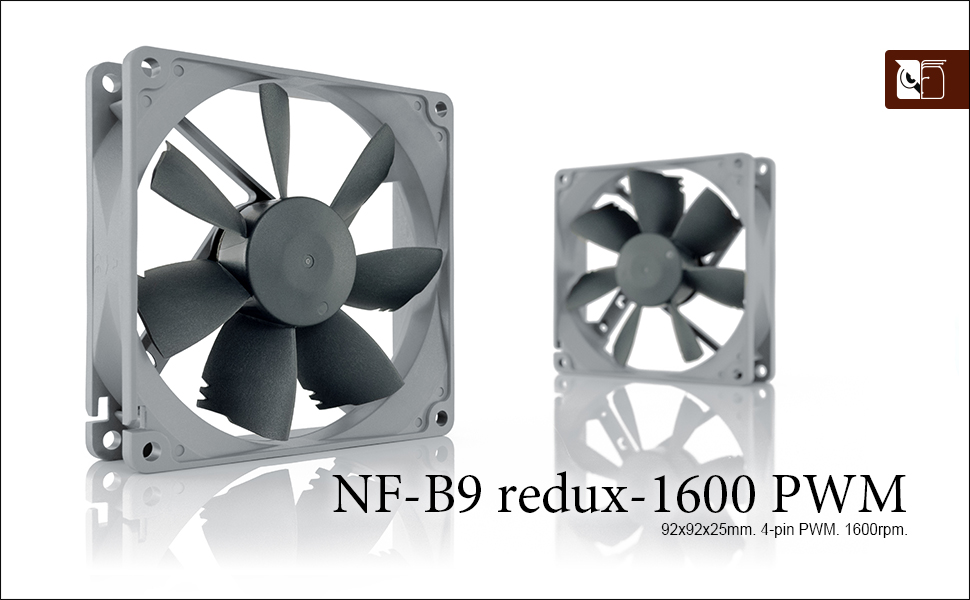
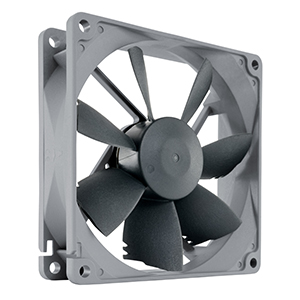
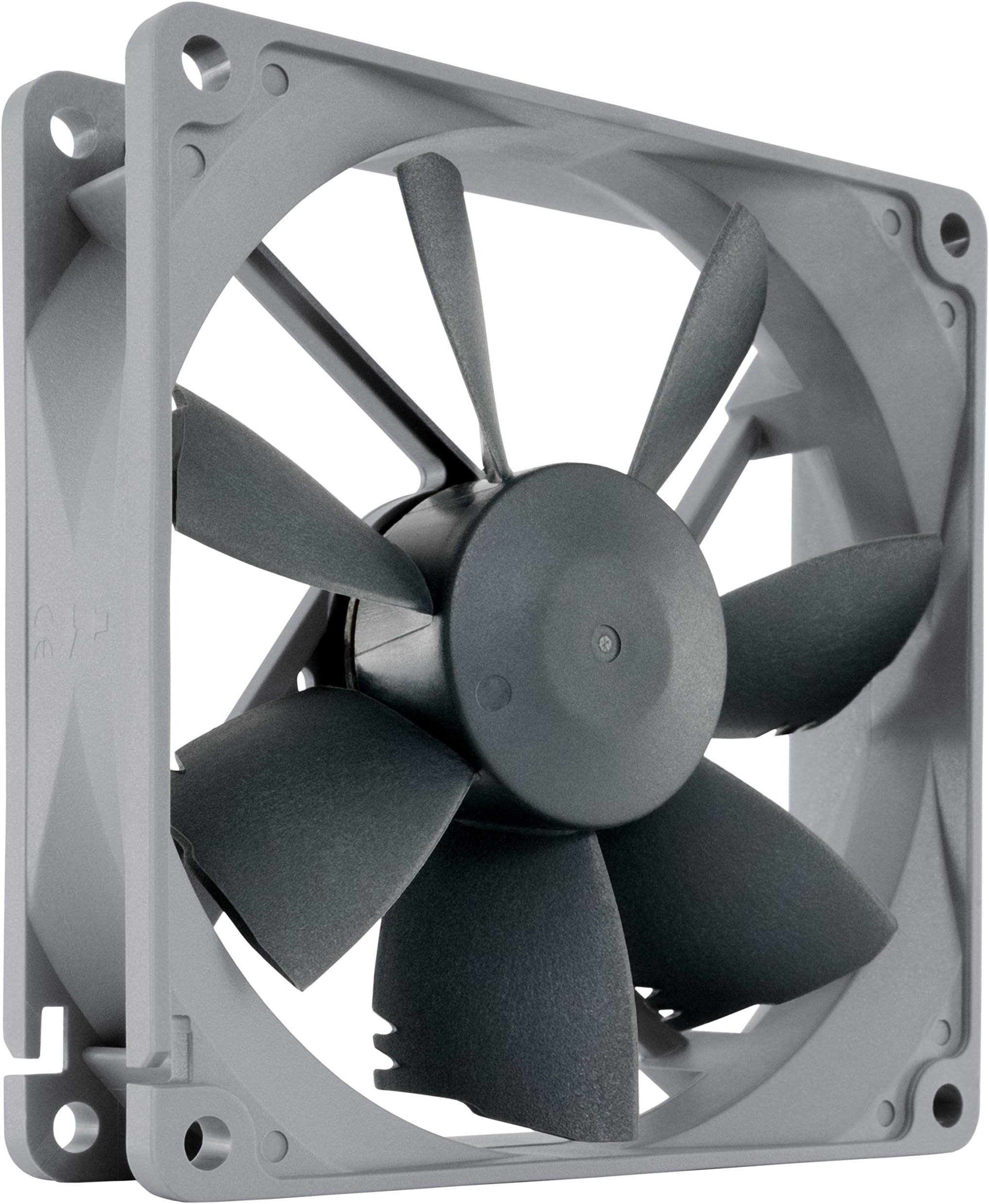
The Noctua NF-B9 redux-1600 PWM is a high-performance 92mm cooling fan designed for professional-grade airflow and whisper-quiet operation. Featuring a 4-pin PWM connector for dynamic speed control up to 1600 RPM, it delivers 64.3 mยณ/h airflow at just 17.6 dB noise. Built with durable fibre-glass reinforced PBT and backed by a 6-year warranty, this fan is ideal for chassis ventilation, NAS devices, and silent PC builds, combining award-winning engineering with exceptional reliability and value.


| ASIN | B00KF7S9F6 |
| Air Flow Capacity | 64.3 Cubic Meters Per Hour |
| Best Sellers Rank | #386 in Computer Case Fans |
| Brand | Noctua |
| Brand Name | Noctua |
| Compatible Devices | Desktop |
| Cooling Method | Air |
| Customer Reviews | 4.8 out of 5 stars 2,208 Reviews |
| Global Trade Identification Number | 00842431012401, 04716123315315 |
| Item Dimensions L x W x H | 0.98"L x 3.62"W x 3.62"H |
| Item Weight | 3.2 ounces |
| Manufacturer | Noctua |
| Material Type | Fibre-glass reinforced PBT |
| Maximum Rotational Speed | 1600 RPM |
| Noise Level | 17.6 Decibels |
| Power Connector Type | 4-Pin |
| Product Dimensions | 0.98"L x 3.62"W x 3.62"H |
| UPC | 842431012401 |
| Unit Count | 1.0 Count |
| Voltage | 12 Volts |
| Warranty Description | 6 year manufacturerโs warranty |
K**D
Awesomely quiet fan
I set out to make a "nearly" silent PC, in that I didn't want to go fanless, but I wanted it to have the fans running so slowly (or off) during normal operation that it was silent, and it was only during intensive activities that the fans would ramp up. Through that process I ended up using 5 different fan models from 3 different companies and the NF-Bx line from Noctua are my favorite and the best value. The NF-Ax series fans are slightly better, but not so much more so to justify the 50% (or so) increase in cost unless you need the vibration free mounting hardware it comes with. Some cost saving advice: don't buy a Noctua CPU cooler. Buy a Cooler Master CPU cooler (I went with the Hyper T2 as it is the biggest one that fits in a standard case) and take off the Cooler Master fan and buy one of these. For ~$27 combined you get what Noctua wants to charge $60 for. The Cooler Master fan sucks and doesn't allow you to reduce the fan speed below ~30%, so it needs to be replaced if you want to go silent, but the Noctua NF-B9 is exactly the same size fan and it is easy to replace it once you realize you can pull off the rubber pads that obscure the fan screws. Another learning, don't trust that the fan controller on your motherboard is doing everything as it should. First, I had to go into bios and change it to PWM mode as it assumed DC mode for the system fans even though it comes with 4-pin fan headers (DC mode doesn't allow it to spin at nearly as low of a speed). Next, it appeared when I was first testing this fan that the lowest it could go in PWM mode is 13% based on the RPM data the motherboard was providing. But then I noticed the fan was still spinning when I put the PWM at 10%, so I figured the fan wasn't providing good RPM data below 13%. Next I noticed it would stop spinning below 10%, so I assumed that was the lowest the fan would go. Not so on either count! I later hooked up the fan to my GPU and it could both spin the fan and read its speed as low as 5% PWM. So apparently my motherboard has it's limits that it won't go below. For all I know, the fan could go even lower than 5%, but that's the best the GPU fan controller will do. (Luckily, even 13% is slow enough to be silent in almost all scenarios.) But the long and short of it, is that with 4 of these fans (CPU, 2x on GPU and 1 on the rear of the case) and leaving the front of the case fan off unless the system gets hot (trying to save a few bucks and not replace the 12" fan unless I need to) as well as an EVGA gold power supply in "eco mode" I have a truly silent PC, where a pretty sensitive dB meter can not detect it being on. I have to do the test in the middle of the night, because even cars going by outside are detectable. But at 3 AM, it reads 21.1 dB with the PC off and 21.1 dB with it on. My stomach gurgles and the stupid thing goes up to 24 dB or I click the mouse and it goes up to over 30 dB so trust me when I say the dB meter is sensitive enough to detect pretty small readings. To be fair and give a caveat, to keep it silent, the fans are running at 13% on the rear of the case, 10% on the CPU and 5% on the GPU. But that's just enough air flow with the good heatsinks that in normal operation the system temp stays around 40 and both the CPU temp and GPU temps stay in the mid 50's. Build details: Intel Core i3-8100 CPU MSI Z370M Mortar motherboard Gigabyte GTX 1050 Ti "Windforce OC" GPU (Note: Gigabyte is the only vendor with a good fan controller on their 1050 GPU. The other companies have junk 2-pin fans.) 2 of 4 GB DDR4 2400 Kingston Fury DIMMs Samsung 960 EVO M.2 SSD EVGA 650 GQ PSU in eco mode
B**N
Solid performer at a low price
I'm using 7 of these in a server build for hard drive cooling, CPU cooling, and some case cooling. These are easy to install, are quiet at low RPMs, and provide adequate cooling at higher RPMs if needed. Even at max RPM, the fans are audible, but the noise is not whiny like some other fans. I'm using one to cool an AMD EPYC 7302P, which stays under 60C at full load with one of these fans. The fan cable is extremely long, which can be a negative depending on how little room you have for cable management.
J**.
Not Overrated at all
I thought that it'd be good not GREAT because it seemed overrated, overhyped, I was wrong lol Product is high quality, quiet and the air flow is huge. Perfect fit in terms of size for most cases, and I can physically feel the out take air being cool for the more intensive games.
L**N
Definitely what I was looking for!
This is the type of fan I've been needing to completely silence my PC, which is an HP Omen 30L. Using this as the back exhaust fan, it felt like the last piece I needed to completely quiet all the fans without sacrificing air flow/pressure. I've always heard non-stop amazing things about Noctua and it leaves a big impression with just one product to completely submit to their fans. As an Omen owner, air flow can be a problem that can be solved with fan replacements, so I went through a lot of them to replace all the fans. To save you the trouble, all the noise it once made at max speed was silenced in the end, which is very well worth the investment. The last thing I had to find was a 92mm size that replaced the rear exhaust, but completely better. Before this NF-B9 REDUX, I picked up the Noctua Slim NF-A9 and it did its purpose well enough, but invited a high motor-type humming noise that concerned me. So I returned that and was aimed at this fan next; it was the one fan I've been searching for! Excellent air flowing out the back, perfect speeds without the irritating noise, and easy plug-and-play installation. I pushed the fan setup to max speed and only heard the air flowing throughout the PC. The color scheme does make it stick out like a sore-thumb but if it's quality over cosmetics, then I am not complaining about it. If you have an Omen too, or just looking to solve some noise complaints on your builds, Noctua sells the ones we're looking for! Best all around performing products.
D**R
Quiet, and easy to install
Fan is exactly as described, very quiet and keeping my tower much cooler. Easy to install as well, the four pin connector only allows installation the proper way on the motherboard, and the arrows on the case show you which way the fan is pushing or pulling air through your tower case. Recommended!
J**.
The fan works but not as silent as expected
Noctua has a phenomenal reputation going back over a decade but their fans and coolers are way overpriced. The case fan purchased works as expected but it's not as silent as I thought it was going to be. I have it connected straight into the motherboard. For the money I paid I was expecting something less noisy.
T**A
Great value
Excellent quality
A**.
Impromptu retrofit leads to lower PC noise for improved Gaming Experience
So, my Zotac GTX 1060 video card had a single cooling fan and because it has small fins, it has to spin very fast to move air over the heatsink. When playing RDR2, the Fan had to go to 100% to keep the temp down, but this decreases my gaming experience. I want to hear the horses galloping, the birds chirping, the rabbits cry as they collapse from a direct hit... you get the point. So, when the original Fan itself actually started making EXTRA noise because it's internal bearing failed, it just made it even more annoying having to hear that loud whirling sound. So as I started looking for a replacement I did NOT want to use the same fan. Found this one with a lower rpm spec, bigger fins, slightly bigger (80mm vs this one being 92mm), so I figured what the heck, I'll give it a chance. Pricing was competitive and affordable. Obviously from the picture, it is not a direct fit over the video card, but after drilling 4 holes on the plastic cover, it is easily attached with the included hardware (4 screws, self-threading for plastic). Pro Hint: Remove the video card from the PC and the plastic cover from the video card before drilling and attaching the new Fan. The Fan itself will need to be rewired, but luckily, it matches the 4 wires configuration from the original fan (Pos+, Neg(-), PWM, rpm feedback). So, just rewired it to use the same connector from the previous fan and it works as expected. Very quiet at 100% speed, hardly any noise heard. it seems like it's quieter than the 120mm fans from the main case. It takes up yet a 3rd PCI slot, but because my motherboard has EVERYTHING else on-board, I don't need the added spaces. Cheers!
Trustpilot
2 weeks ago
4 days ago