⚡ Link Up, Level Up: Power Your RTX Duo with Style and Speed!
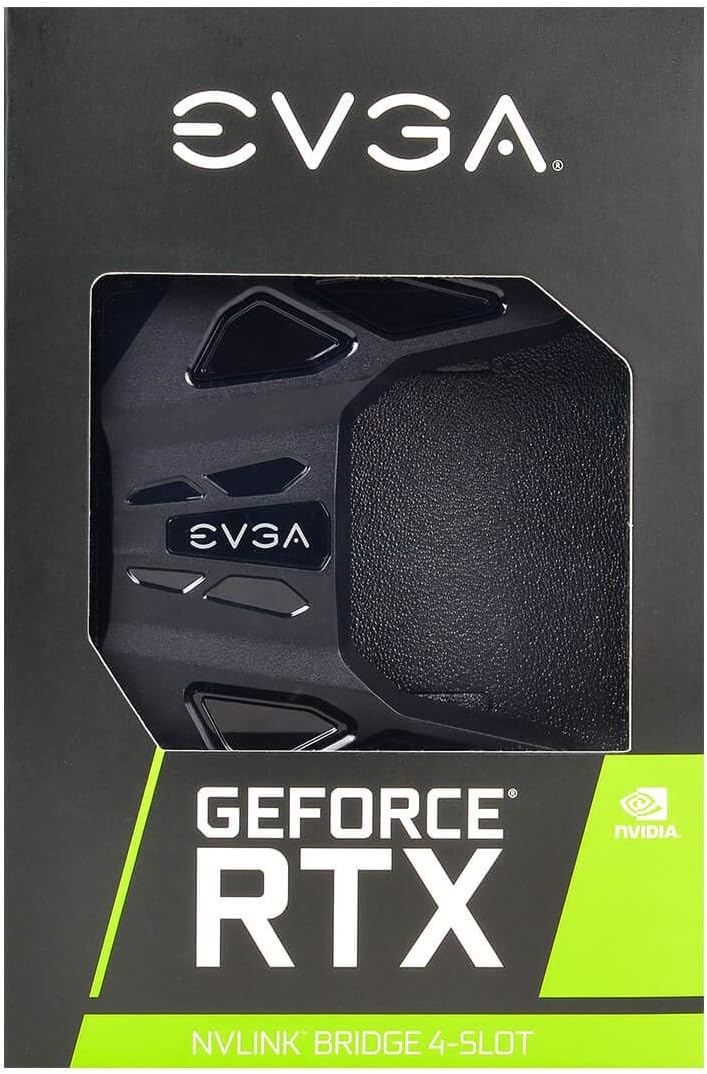
The EVGA GeForce RTX NV Link SLI Bridge enables dual RTX 2080/2080 Ti GPUs to connect with 50X the bandwidth of previous tech, supporting 4-slot spacing and customizable RGB LEDs via EVGA Precision X1. Perfect for gamers and pros aiming for flawless 4K+ 120Hz+ multi-GPU performance and immersive NVIDIA Surround setups.


| Antenna Location | Gaming |
| Asin | B07HZD8P2R |
| Best Sellers Rank | #2,806 in Computer Graphics Cards |
| Brand | EVGA |
| Built In Media | EVGA NV Link and installation booklet |
| Compatible Devices | Desktop |
| Customer Reviews | 4.3 4.3 out of 5 stars (178) 4.3 out of 5 stars |
| Display Maximum Resolution | 3840x2160 |
| Display Resolution Maximum | 3840x2160 |
| Global Trade Identification Number | 00843368057862 |
| Graphics Card Interface | PCI-Express x16 |
| Graphics Card Ram | 8 GB |
| Graphics Coprocessor | NVIDIA GeForce RTX 2080 |
| Graphics Description | NVIDIA GeForce RTX 2080 |
| Graphics Ram Type | GDDR6 |
| Item Type Name | EVGA GeForce RTX NV Link SLI Bridge, 4-Slot Spacing, RGB LED (100-2W-0030-LR) |
| Item Weight | 0.2 Pounds |
| Manufacturer | EVGA |
| Memory Clock Speed | 14000 MHz |
| Mfr Part Number | 100-2W-0030-LR |
| Model Name | EVGA GeForce RTX NV Link SLI Bridge |
| Model Number | 100-2W-0030-LR |
| Number Of Fans | 1 |
| Upc | 843368057862 |
| Video Output Interface | HDMI |
| Video Processor | NVIDIA |
| Warranty Description | 3 years |
User
Works perfectly.
Graphics cards are linked (dual 2070 Supers).
User
its working well
Not applicable for my graphics card
User
Loosen your GPUs first!
Does exactly what its supposed to, it's great.My only gripe is that I seated the bridge on the proper spacing where it is supposed to seat and it clicked down ok, and seemed to be in the right position, but it wouldnt light up or be recognized by the PC. Eventually I found a YouTube instructional suggesting you loosen the screws on both of your gpus so there is enough play for the bridge to seat in perfectly. I did this and pressed the bridge down and it gave a firm, satisfying click. Lit up instantly when I turned everything on and is fine now. Just be sure to loosen your GPUs, click in the bridge and tighten them up again.
User
Perfectly functional, but requires companion software for led control
It works as advertised, but be aware that it doesn't remember led color settings. It has to be reset with software after every reboot. Also, there is no Linux support for LED control. So if you are like me and want a full blackout "color" scheme under Linux, you have to literally disassemble it and rip out the internal LED connector.
User
WARNING - NVIDIA CHANGED NAMING AND SPACING!
Coming from an SLI rig where I had 2x Titan XP's with a single space slot in the middle, Nvidia called that SLI bride a 3 Slot Bridge, meaning your cards were in slot 1 and 3... however this time with NVLINK they did it by measurements or something so now you need a "4Slot" if your Dual cards need to be with a gap between them.
User
RGB is cool, design a pain for EK block
I love the RGB for this bridge. It looks really cool. Bridge fits my SLI 2080 Ti's on my EVGA Z390 Dark mother board. It's a coincidence that I got a bridge that matches the rest of my system. It was the only 3 slot with Prime shipping. Although, it arrived a day late, thanks to the shipper not shipping it on time. Works great so far.I do have one major issue. I have EK Vektor water blocks on my 2080 Ti's. This bridge is unnecessarily wide. It's so wide it wouldn't fit on my cards due to the coolant routing fixture on the front of my blocks. So I had to tear it apart and cut off the edges on the left side so it would fit. It's difficult to tell without looking at it closely. But the fact I had to modify an already highly overpriced NV Link bridge, just so it would fit, is really irritating. The excessive design implementation is unnecessary and problematic. If you have water blocks, you may have to chop off a few cm of plastic to make it fit. Fortunately I'm good at that type of thing and I was able to make it look relatively natural. You can see in the pic where I had to cut it. If you're going to do this, take it apart and remove the circuit board before you modify it. Then put it back together.I have the latest version of EVGA Precision X1, but the RGB feature does not work even with the correct software. Fortunately I'm happy with the default color of green.
User
Works well
Took a bit of time to get working in windows 10. Make sure you find the correct driver version and update GPU drivers after installing!Works well and LEDs on top are subtle
User
Bad software currently.
It is not real RGB, it offers about 5 colors total. Can't make white light. The rainbow effect doesn't even work at all. Future software updates could help.
User
NVLink FTW
Fantastic shipping from this seller. I now have my two 2070 Super cards performing much better than my 2080ti.
User
No lo pidan desde Mexico, no llega
No tengo opinión, el artículo nunca llegó a mis manos, me devolvieron el dinero.
User
Good product at a reasonable price.
Product already installed, so don't have any pictures. But it works fine. Price is quite reasonable. I have 2 x Gigabyte RTX 2070 Super and I'm glad the EVGA NVLink works with my GPU.
User
5 slot connector not 4.
The distance between the connectors is actually 5 slots. Waste of time.
Trustpilot
2 weeks ago
2 months ago