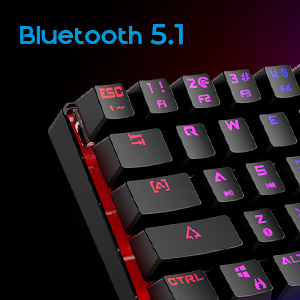
โจ๏ธ Compact power meets pro-level customizationโyour deskโs new MVP.
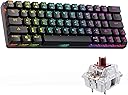
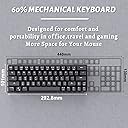
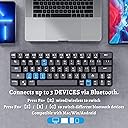
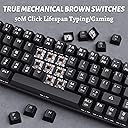
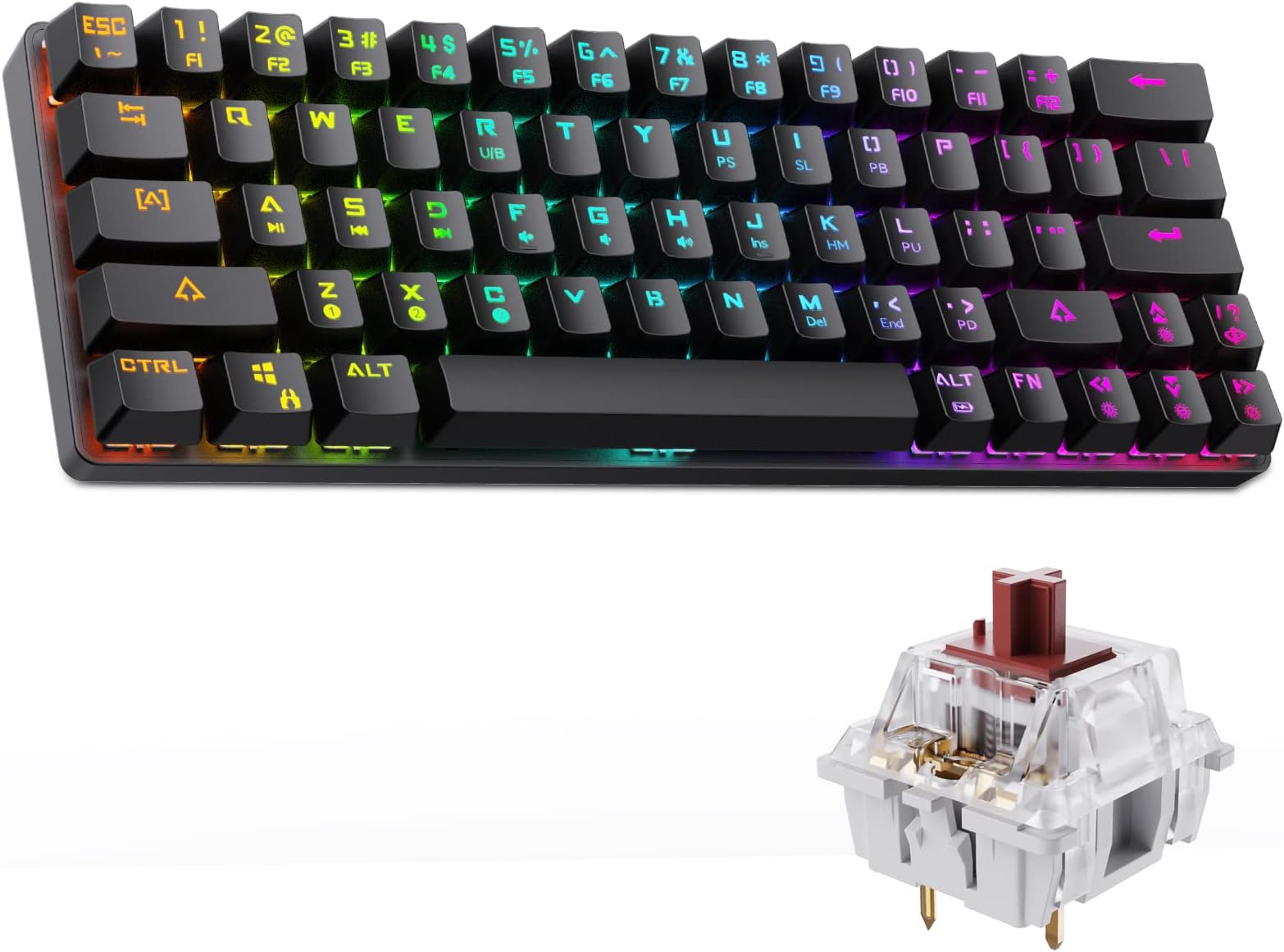
The DIERYA DK63N is a sleek 60% mechanical keyboard combining wireless Bluetooth connectivity with wired versatility. Featuring 63 ultra-compact keys with tactile brown switches, it supports simultaneous connection to three devices and offers up to 20 hours of battery life. Its 19 RGB backlight modes and ergonomic design make it ideal for professionals and gamers seeking portability without sacrificing performance.


| ASIN | B07FZVCH4H |
| Additional Features | Travel |
| Antenna Location | Gaming |
| Best Sellers Rank | #79,312 in Video Games ( See Top 100 in Video Games ) #3,486 in PC Gaming Keyboards #33,326 in Legacy Systems |
| Brand | DIERYA |
| Built-In Media | USB Cable |
| Button Quantity | 63 |
| Color | black |
| Compatible Devices | PC |
| Compatible Operating System Family | MacOS, Windows |
| Connectivity Technology | USB-C๏ผBluetooth |
| Customer Reviews | 4.2 out of 5 stars 3,096 Reviews |
| Enclosure Material | Plastic |
| Hand Orientation | Ambidextrous |
| Item Dimensions L x W x H | 12"L x 5.6"W x 1.9"H |
| Item Weight | 700 Grams |
| Keyboard Backlighting Color Support | RGB |
| Keyboard Description | Gaming |
| Keyboard Layout | QWERTY |
| Manufacturer | DIERYA |
| Mfr Part Number | DK63 |
| Model Name | DK63 |
| Model Number | DK63 |
| Number of Keys | 63 |
| Number of Sections | 1 |
| Power Source | Battery Powered |
| Recommended Uses For Product | Gaming |
| Series Number | 1001 |
| Special Feature | Travel |
| Style Name | Contemporary |
| Switch Type | Tactile |
| Theme | RGB Gaming |
| Unit Count | 1.0 Count |
| Warranty Description | 1 year |
A**E
Perfect keyboard for high mobility remote work
At first I didn't love the switches on this keyboard (they kinda take a fair amount of force to actuate), but once I got used to them, I could not ask for a better keyboard. At Just over $50 this guy is perfect. The 60% sizing with the addition of the arrow keys is what really sells it for me. There are tons of other 60% keyboards but there are very few (as far as my naive self could find) that have this addition. If you do a lot of work in excel or writing or whatever needs arrow keys, this is the ideal compact keyboard to go with. The keys feel solid and the sound is honestly pretty satisfying. I will say that I am a bit slower (5-10%) on these keys than on my Cherry MX blues on my big board at home, but honestly not too big of an issue. Haven't tried to change the switches since I got this right before traveling, but may give it a shot at some point. I will say the board is a lot heavier than I expected, but it also gives it a much more solid feel and makes it not feel like a piece of plastic garbage. Using it for two days in a row will kill the battery, so I usually just use it wired if I have the option. The preset backlights are honestly pretty good, I would like if there was an option for no lights (there may be I just haven't found one yet). Overall, absolutely fantastic keyboard and is definitely worth the money if you want an ultra portable option with arrow keys. I'll update this if anything happens or if there are any issues. I'm also not sponsored, I just really like these keys
O**C
Perfect for travel... however it wasn't for me.
This review is on the keyboard, not my feelings about it. Keyboard is actually pretty good, I like the louder clicking, Bluetooth worked great, RGB Backlit was bright, response was good and I never missed a click. Really did like all it's features and small for when I travel for work... Battery lasts me all week and I'm putting in 10-12 hours a day sometimes. But... It just wasn't for me, I'm giving it 5 stars all around because it's a pretty nice keyboard. But for me, I use a lot of the F1-F12 key commands while using the mouse with the other hand... So having to press the FN key each time I wanted to use an F key was a bit of a pain, that is my major gripe about it. The fact that the keys have large letters is a ++++ really lets the RGB thru. I wound up buying a 75% keyboard but using the keycaps from this keyboard because I liked them much much better than the other ones!
Y**H
Great keyboard with the worst name.
Build: The build quality on this is ok. It feels sturdy enough and there is a nice sense of weight. But when lowering the feel to raise the top, I can hear and feel them pushing up on the keyboard deck. It's like there is not quite enough room for them to fully rotate so they grind against the top. The rubber on the feet meanwhile is quite resistant and actually makes this feel more stable on a desk then some larger keyboards that I have used. The bluetooth switch is effectively hidden and feels very sturdy. The micro usb port feels ok, though for longevity's sake usb c would be better. The included braided feels quite durable. Keycaps and Switches: These have a sort of soft touch rubber feel that I am not an especially big fan of. Though they are quite comfortable and I may keep them on for a while to see how much I warm to them. The legend is quite readable and the font not too overdramatic like some "gaming" keyboards. No special attention is given to wasd either which is nice. The indicators for f and j are very subtle, which I actually prefer. I do with that there was not a logo on the space bar, it looks a but off when compared to the rest of the legend. Overall very nice, though you may not like the rubber finish. The brown switches on mine feel quite nice. Very light while still providing great feedback. Very subtle and deep sound for such a small keyboard. No issues here. Layout: I have seen a few different layouts for smaller keyboards that each try to maintain something from larger keyboards. This layout shortens the shift key and pushes it into the position of the question key. This allows a full set of arrow keys but compromises on the position of both the right shift and question key. This is all personal preference.. I almost never use right shift, so it's change does not bother me, but I am a little annoyed b the placement of the question key. However, in my case the inclusion of arrow keys in this form factor makes up for its re-positioning. Lighting: Frankly, there should be a piece of software to control the lighting here. The current solution relies on what I would consider slightly misleading key combinations, and the lighting does not reach its potential because of this. The baseline color options consisting of red, blue, green, pink, yellow, cyan, and white are ok, but more customization would be nice. There is supposed to be a way to individually program each key, but I haven't quite gotten this to work and a software solution would be nice. I especially would like a way to customize the caps-lock indicator color. The caps lock changes color to indicate that it is active, but some of the combinations you end up with aren't great. A blue backlight for example pairs with a fairly sickly yellow color. The lighting modes are ok, the nicest one probably being the rgb wave pattern, or just a solid back light. Also, the space bar has a blue wave effect whenever the keyboard is plugged in to indicate that it is charging, but this is never affected by the color choice. So even with a white light, there is still a very active blue element. TLDR: This keyboard would be very hard to beat at this price-point, $44.99 at the time of writing. Lighting software would be nice, though it is not really a necessity. The mechanism for the feet needs to be improved because I can see it compromising the longevity of the board and a sub c port would be a nice replacement for the outdated micro usb. But overall I am quite impressed.
T**E
1st day of using: liking it so far
I received the product today, so if you're looking for a reviewer who has used the product for a long time, skip this. I've been using this keyboard the whole day today and so far so good. I like how it feels. The touch is nice, the backlight patterns are awesome, it connects nicely to up to 3 devices, including my laptop, my iPad Pro, and my Onplus 7 phone. The layout of the key is very smart and nice too; They really manage to pack in a lot of functionality (media control, volume control, delete, home, etc.) into such a compact unit. So far very impressed with this product for this price. I am giving a tentative 5 stars review for now. All that's left is the test of time to see how long this thing lasts. The moment this thing fails to continue working as it does now, my rating will decrease according.
C**N
Great keyboard, with some caveats
The keyboard feels very solid and well made. I love the compact size, the switches feel great and the RGB settings are beautiful. The wireless connection was easily established over Bluetooth and was consistent. There are some cons. Due to its extremely small form factor the right shift key, /? and arrow keys placement is non-standard and I find it a bit annoying, but I'm getting used to it. The instructions in English are also quite poor and you will have to experiment with key combos on your own to fully figure out the options; I haven't quite figured everything out yet. Also this is probably a QC issue since I didn't see it in other people's pictures, but my right shift keycap seems to be misprinted (the arrow is tilted to the left a bit); not really a big deal and doesn't change my experience much at all, but I figured I'd mention it. I thought I'd be okay with a lack of function row, but for everyday home use I think I might need it. I'm definitely keeping this board to throw in my backpack for work though and for occasional use in games that don't need quick access to function keys perhaps. Overall I'm happy with the purchase and think this keyboard is a great value!
S**R
This keyboard is not consistent, fails to serve the basic purpose
There are nice color scheme for the keyboard, feel on finger is not super but ok. First time I had issues with typing few letters and got fixed by firmware upgrade. Then due to covid-19 stay home order, I was not using it for a while and left it at the office. When I needed one extra keyboard for home I got this one back and realized the very annoying issues did not get solved by the firmware upgrade. Pros: 1. nice color 2. compact but does not cause issue with "/?" keys (the other one with RK keyboard has this issue) 3. relatively sturdy Cons: 1. connecting to computer is a nightmare. Bluetooth connections drops time to time and kind of flickers. Tried switching wired and bluetooth 2. Sometime does the ghost typing -- same letter kept feeding the computer 3. sometimes some keys stroke goes missing 4. Sometimes causes delayed typing -- after a long pause you see some characters comeup This is not due to system issue -- the other RK bluetooth keyboard works perfect with the system. I recently contacted customer service if they yet have any further firmware upgrade to fix the issue; but they dont reply any more (return window closed).
R**E
Great Non-standard keyboard.
When I ordered the keyboard I didn't read all the info on it and didn't realize how small the board was, very non-standard, with sharing the f1 keys with the number keys. Not an issue for me because I'm using this mostly for chatting and streaming computer. A great non-standard keyboard. The switches feel pretty good. In Bluetooth, I don't feel any lag. The colors of the keyboard are very bright and look very good, especially considering the cost of the board. Love the brown switches feel and sound great. I've done some of the fastest typing on this board, after getting used to it. Not everything in it is perfect, had some issues with connecting to it some times. Especially after the battery dying and recharging, but this might be more on the windows side. No issues connecting to my phone either. long-lasting battery also. The keycaps have a slight "soft" finish on them, kinda a rubbery feeling. It was really noticeable when I first got it. but I'm actually really into it.
R**R
Fails at basic Bluetooth connection
I wanted to like this keyboard, its the perfect size, I saw a youtuber recommend it, debated getting different keyboards but ultimately went with this one (Dieyra DK63). Once I received it, it felt nice, keys velvety, nice weight, rgb was perfect. I figured, alright, this thing is a solid keyboard. Then I turned it on, connected it to my tablet (for which I was going to use it primarily) and everything was good. Then I connected my bluetooth mouse and the keyboard disconnected. Odd, but whatever, I tried to reconnect it and it wouldn't. After trouble shooting on my own, trying to pair, unpair, repair, change modes etc. The keyboard would just not reconnect. I would have to unpair, wait a few minutes, turn on the keyboard, re-search devices to pair it with (the one tablet I have), pair and connect to it. Then if I turned it off or it disconnected itself, I would have to unpair it again, wait a few minutes, and then repeat the process everytime I manually turned it off or it disconnected. This is a FUNDAMENTAL aspect of bluetooth connectivity that shouldnt even be an issue. I have a $5 piece of crap keyboard that I dont think I've ever charged, and it connects to my tablet, phone, whatever, I can turn it off and back on and it will reconnect like any other normal bluetooth device. I contacted Kemove and they trouble shot the same things I did, only they had me update the firmware, which, did... something i guess.. it didnt fix the connectivity issue. So they said it was faulty and sent me a replacement which arrived within the day, which, not too bad, I want to use this keyboard. The second keyboard, did the same thing, I followed their steps again, no luck. So here I am, refunding this because it DOES NOT WORK at a basic level, which, if you want a keyboard to use for a tablet or phone, save yourself a headache and look elsewhere. For the price, I didnt expect this. I might as well (and am probably going to) just buy a corsair bluetooth keyboard. The small size of this keyboard and the rgb was the bells and whistles, but to not get basic bluetooth right... That's a 1 star, I'm sorry. Kemove, get your coders and QA up to par, basic fundamentals before you start showing off.
P**E
Best Value for Money Bluetooth 60% Keyboard in the Market
Good: At a price point of around AUD$50, this keyboard gives demands solid keystroke force, gives moderate key stroke sounds, and has an interesting font choice. I personally enjoy these basic features of the board. In addition, using the finger levelling test, the board has a well calibrated centre of gravity, maybe 5% to the left, but certainly very well balanced. When combined with its minimal deck flex that comes from strong plastic material, this is clearly a champion in build quality against what I imagine anything within the AUD$110 range. There are two flip legs at the bottom of the keyboard to prop up the keyboard, with a satisfying click sound. It gives around a 13% incline angle by feel, but is unlikely you would need this. The anti slip rubber base does help stabilise the board as well. While the white parts of the switch is noticeable between the black keys and the base board itself, I must say instead of looking like a half-finished product, the rigidness and details in the design is demonstrated in a way that is endearing. The point I am trying to make is that the manufacturers were able to pull off a designer look that the build quality allows for, and that is only seen in other competitors priced at around AUD30 higher, like RK 71 60% keyboard, for example. Neutral: Weighing at around 450g it is clearly not the lightest 60% keyboard out there, but at this price point with all these impressive features, it is a great addition as your on-the-go keyboard for gaming or light work. For one, I bought it myself to go with my lenovo m10 gen 2 tablet, it connects easily through bluetooth and is working fine, just fine. You do need to worry about getting a keyboard sleeve, or some form of a cushioned bag to carry it around, as even though I have maximum confidence of any blunt damage potentially from the bottom up, I cannot say the same about that from the top to bottom, as the switches are somewhat exposed. I personally work and study later at night and is more sensitive to light. The RGB brightness level is just right for me, while it can be slightly dimmer than what the general population might want. Negative: I don't think it is particularly the seller's fault, this is likely more a marketing gimmick. But there is no wireless connection by 2.4GHz or 5GHz, it is simply a bluetooth connection compatible/featured keyboard, please make note of this distinction in case you need to pair this with a device with no bluetooth sensor and only a wifi sensor. Overall This would be a great surprise gift for someone struggling with working during travels, and certainly a great addition to the arsenal of pc gamers. Product Specifics/Details The DIERYA DK63 keyboard ordered came with black keycaps, brown switches, at least 4 replacement switches, 1 key remover. When switched on, the RGB lighting is readily activated.
L**U
Goed mechanical keyboard
Goed keyboard met goeie brown switches Kwam een dag eerder dan verwacht
K**I
do not buy
after 2 month of use the shift key stopped working
R**L
Amazing value, great keyboard
I have recently got into the mechanical keyboards side of things and had heard a lot about this one. I ideally wanted a 60% keyboard with bluetooth and was stuck between this and a couple more expensive options. I am not a gamer but really like the look and feel of these keyboards, along with the minimal look. The packaging this came in looked way more premium than the price and I have been using it solidly ever since. Pros: Great Price Bluetooth USB-C looks great Cons: It's hard to say much negative about this keyboard. It is exactly what I was looking for. If I was hard pushed, the location of the question mark takes a little bit of getting used to but you quickly adjust. I personally am not a fan of RGB in general, but for some reason, I can't access the DIY lighting setup so either leave it in all white or turned off, but I think this is probably user error. Some users may find this slightly loud, but that's pretty much the case for all mechanical keyboards. I hugely recommend this and can't see anyone being disappointed. I am also using this exclusively on a Mac so have repositioned the keycaps for Alt and Windows to what I am used to and just adjusted the commands on the Mac. Super easy to do, I only wish it had a command icon instead of windows!
S**E
bad build quality
Very good and solid bluetooth keyboard for its price Edit: after 4 weeks of moderate usage the red led on the letter V is broke
Trustpilot
2 weeks ago
1 week ago