

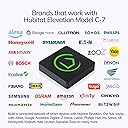


Hubitat Elevation Home Automation Hub (Model C-7) Compatible with Alexa, HomeKit, Google Home, Zigbee, Z-Wave, Lutron
Product ID: 80258570
⚡Local Processing Speed
🔗Multi-Device Compatibility
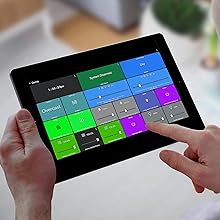
🔧Custom Automation Apps
🔌 Elevate Your Home, Elevate Your Life!
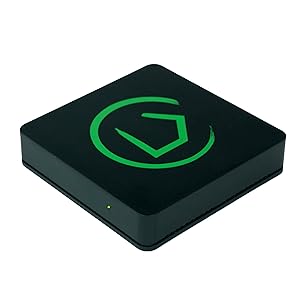
The Hubitat Elevation Home Automation Hub (Model C-7) is a powerful, compact device that enables seamless local processing for fast and reliable home automation. Compatible with a wide range of devices including Zigbee, Z-Wave, and major voice assistants, it offers customizable automation options without relying on cloud servers, ensuring your smart home operates smoothly and securely.






| ASIN | B07D19VVTX |
| Batteries Included? | No |
| Batteries Required? | No |
| Best Sellers Rank | #544,869 in Tools & Home Improvement ( See Top 100 in Tools & Home Improvement ) #443 in Home Automation Hubs & Controllers |
| Color | Black |
| Customer Reviews | 4.0 4.0 out of 5 stars (2,437) |
| Date First Available | May 11, 2018 |
| Included Components | Built-In Automation Apps, Custom Dashboards, Device Compatibility, Mobile App, Hubitat Safety Monitor app |
| Is Discontinued By Manufacturer | No |
| Item Package Quantity | 1 |
| Item Weight | 8.1 ounces |
| Item model number | HC5 |
| Manufacturer | Hubitat |
| Part Number | HC5 |
| Power Source | AC adapter |
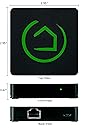
| Product Dimensions | 2.95 x 2.95 x 0.67 inches |
| Special Features | WPS |
| Style | Open Box |
| Voltage | 120 Volts |
J**S
The only *real* LOCAL alternative to SmartThings
I am so impressed with my Hubitat. I've been on Samsung's SmartThings platform for three years and they really don't seem like they care all that much about reliability or retaining customers. My SmartThings hub is a V1 hub which means that it cannot do any processing locally. If I have a z-wave light switch set up on a z-wave motion sensor using a "Smart Lighting" rule: The SmartThings hub sends the motion event to Samsung's servers hundreds of miles away. They process the event and send back a message to my local hub telling it to turn on the light. For this to work there cannot be any issues with your local router, your modem, any issues on your ISPs side nor any issues on the SmartThings server side. I did a traceroute and found there are at least 30 network router hops between me and the SmartThings servers. This leads to very large latencies (delays) between your motion sensor picking up motion and the trigger actually firing something like turning on a light. So Samsung tried to address this in their V2 hub... But they left customers on their V1 hubs stranded. Since the z-wave radio in the SmartThings hub is "built in", if you bought a new SmartThings V2 hub the process to migrate over would require literally excluding every single sensor or switch device one by one, and re-pairing it with the new hub. I contacted Samsung several times to see if they were planning on offering anything to help customer migrate from V1 to V2. The answer was always a resounding "No". So especially for me: Moving from a V1 hub to V2 hub would be just as much effort as migrating from ST to another HA platform. To add insult to injury the more I researched the "local processing" capabilities of the V2 hub the more disappointing I became. Only the simplest of "Smart Lighting" automations would be processed locally, and only on a limited number of "supported" devices. So I figured if migrating from V1 to V2 would be a hassle I might as well be open to migrating to a non-ST platform. I tried out Hass.io and OpenHAB and those platforms were both horrible. I gave each platform a weekend and ended up spending an entire weekend on each platform trying to pair just a couple Z-wave devices, and both platforms failed miserably. In two days neither platform could have even the most basic "If motion detected turn on a switch" capability set up. So then I decided to try Hubitat. Within 30 minutes of unboxing Hubitat I had made more progress in pairing devices and setting up automations than I made with either Hass or OpenHAB in the two days I spent on both. What is especially appealing about Hubitat is the automations (Apps) and Drivers (Device Handlers) in Hubitat are both written in Groovy: The exact same language that SmartThings uses. That means that if you have already invested a lot of time and effort building SmartApps or custom device handlers in SmartThings you can just copy paste that Groovy code over to Hubitat and it should work with only very minor tweaks. I did, in fact, have some very complicated SmartApps to port over so I was a bit worried about how difficult that would be. One of my custom apps was an app I had written that controls the recirculating pump for my water heater. It would monitor motion in the bathroom, monitor DS18B20 temperature sensors installed on the water line, compare that temperature to the ambient temperature in the attic (Where the water heater and hot water lines are run) and compare those temperatures to the temperature of the water in my solar water heater tank (We have solar pre-heater to heat the water before it enters the main tank). It would then run the recirc pump for a determined amount of time or until one of the temperatures reached a certain threshold. Fairly complex stuff (300 lines of Groovy code), and this app only took me about 5 minutes to port over! There have also been a couple older Z-wave devices that weren't "natively" supported by one of Hubitat's built in drivers and I was able to copy the "Device Handler" code from SmartThings and these devices immediately started working. Migrating to new Hubitat Hub's will also not be a future problem: Hubitat allows you to back up your entire Hub configuration to your PC, and the Z-wave stick is removable. So if Hubitat releases a new piece of Hub hardware migrating to it will be as easy as taking a backup, removing your Z-wave/Zigbee stick from the only hub, inserting into the new hub and restoring the backup onto the new hub. Since the devices are associated with the Z-wave/Zigbee radio inside the included USB stick on the Hubitat moving between hubs is a breeze. Overall I am blown away by the ease of migrating from SmartThings, the performance, capability and support I've received so far from Hubitat. If you're using ST or thinking of it and think it's silly that every single event or trigger that happens in your home is sent up to Samsung's servers to be processed: Then Hubitat is the perfect solution.
D**H
Are you tired of Smart Things? Want a SMART HOME?
I adopted the other platform around 2017 (ST). I went nuts and replaced about every switch I could throughout my 3BR home with Z-Wave switches, already had Alexa (love/hate), Z-Wave Lock, Door Sensors, Temp Sensors, Thermostat, Water Leak Sensors, and various Z-Wave outlets. Also had Philips HUE and wanted things to all work like one big happy smart family... I spent weeks and weeks and weeks trying to "get it right", create logic rules that were reliable and easy to manage, as well as to build and troubleshoot. In the end, I really spent more like months trying to tune things just so... I had my wife pretty upset with me for a few years, but tolerant... she'd never use a doubletap nor Alexa to control anything, but she got used to the switches and appreciated the front door unlocking for her as she approached. I finally got fed up trying to "fix stoopid" (I hear that's hard to do). I bought this Hub thinking "what have I got to lose?" All I wanted was something better. What I got is SOOO MUCH BETTER!!! Sure, it's not "easy" if you're not tech minded. You should certainly understand logic rules, basic if-then-else statements, setting local or global variables, etc. The real difference is THIS WORKS with everything, as intended, and it's WAY QUICKER than the old setup (cloud based). In fact, the speed is remarkable... it's milliseconds versus seconds sometimes - that finally starts to feel like you're in a smart home, not a dumb smarthome. I now have every switch neatly programmed and organized as a "button device" and have all the flexibility to easily program anything I want. I have some Homeseer WD-200 Dimmers that work really nicely and can even set the individual LEDs if I want to see that the door is unlocked, or something is awry when I nod off to slumber. When I ask Alexa something, it happens immediately, even with the HUE bulbs - like BAMMM, done! Setting up the rules and variables is not only organized and simple, it's so much better with customized event logging, meaningful features, and tons of flexibility. This is not the setup for someone who isn't willing to set things up and customize the system - it's work to invest time and testing to get things right. However, I was forever frustrated and lost in the ST interface! I couldn't figure out why and when some things worked and others didn't. It made me feel like an idiot for buying all the switch gear in the first place, already confirmed by my wife, haha. Well, nowadays she's double-tapping, triple tapping, and commanding things from Alexa without the endless frustration of the prior hub / tools. I ONLY replaced my ST hub with this hub - if you are invested at all in ST or home automation, then look no further, in my opinion. This is a dream compared to anything else I've seen. Yep, the interface/GUI is a bit clunky and a little easy to get twisted, but you know what? It works, it works reliably, and it's easy to figure out when you do something wrong (which is inevitable with home automation). Why isn't my phone automatically unlocking the door? Whammo, just look at the logs, the rules, and the devices - all captured and easy to figuree out what's wrong and fix it. I'm finally NOT feeling like an idiot with my home automation thanks to Hubitat. Hope you find this helpful.
R**.
(Not So) Awful (For The Non Technical)
Beta version of a product being sold as consumer ready. It’s like the back end guys also designed the UI. No support for a lot of popular brands. Interesting device with potential. Like others have said, very steep learning curve and only for those who enjoy endlessly tinkering. As a matter of fact, I’d say “smart homes”, where they are currently at, are STILL only for people who don’t mind thinking of it as a hobby and sometimes a part time job keeping everything working. Edit (01/14/2023) Changed my rating from a 1 star to 3 stars. I stand by my original assessment: NOT for non technical people. That being said, it is a very interesting device to fool around with once you get going. The only compatible smart devices I currently have are Yolink motion sensors…and I had to download the so called driver written by a user. Anyway, I’m really amazed at the things I can do with a bunch of the motion detectors…gives you access to all parameters of the device. Yolink motion sensors also measure temperature which only hubitat gives you access to. Very interesting device with huge potential. Edit 01/20/2023 So I’ve been fooling around with this on my free time for weeks now and it’s really starting to grow on me. I contemplated increasing my rating to 4 stars only because there is currently nothing else as compelling in this space but couldn’t bring myself to do it because of the awful UI. Again, if you are someone who enjoys tinkering and have already figured out the limitations of Google or Alexa routines, this hub is probably for you. UPDATE 01/24/2023 Ok, I managed to stick with this and crest (i think) the learning curve finally. The hardest part for me was figuring out the quirky work flows. The “dashboards” are endlessly customizable, the level of attribute detail for each device is complete and so the things made possible are mind numbing. That being said, few people will want or appreciate the endless possibilities this offers. I think this is a device mainly for professionals. There is no user interface, you are creating the user interface. You can dig even deeper and get into designing your own custom “drivers and apps” , if you know a little CSS you can endlessly tweak the “dashboard” design etc. If you are a typical consumer frustrated by another hub or your current setup for one reason or another and would like to see the Hubitat implemented, do yourself a favor and hire someone to set it up for you. You’ll never figure it out and will waste a lot of money and time trying. As I said earlier, the whole smart home space is still in its infancy despite being around for some time now. Do yourself a favor and read a LOT of reviews on all the smart devices you intend on purchasing. One thing you are going to need to set up a smart home is endless patience. Someone has to figure out a way of “saving” a complete smart home setup so that loss of power doesn’t cause all the issues most people seem to have. Who the heck wants to spend several hours troubleshooting the lights every time the power goes out? Btw: This thing works great with the Yolink line despite being a “user driver”. Update 2/12/2023 To know it is to love it. I’m a hubitat fan. I’ve decided to replace all non compatible devices with ones that will work with the Hubster, especially the WiFi bulbs…zigbee bulbs all the way. I’ll never buy another device unless it can be made to work with my Hubitat! Nice product guys. I believe that if you sent these things out a little more pre configured it would flatten the learning curve substantially. No reason not to have a bunch of typically needed “applications” already installed….Hubitat Package Manager, Rule Machine etc…
L**N
My Z-Wave switches finally work!
The Hubitat C-7 is the older version of the company’s smart Bridge. I needed a Z-Wave bridge, and this did not disappoint. I got this on sale and was looking for a “cheap” solution. This was not the cheapest potential solution, but it was by far the most complete solution at its price point. It’s small. It’s lightweight. It runs off the small micro-c usb (cable and plug + Ethernet cable included). I set mine next to my Router and have it direct wired to my network, so I cannot speak to the ease of WiFi set up. Scan the QR code with your phone and follow the instructions. Went really smooth. Once in, now it’s no longer a beginners game. This is a community supported “open source” device that will interface with Alexa (probably others from what I’ve read), but you need to be in the devices network address (if you ever had to log into the admin functions of a router, it’s like that), and then add your devices and enable cross connectivity to your Smart hubs and Smart apps. You can make run routines. You can access all the device features. For example, once my dimmer switch was found, Alexa can turn it on and off, as well as set the level. In the Hubitat account, I can make it flash, pulse, write a run routine program, integrate it to do things with other devices… pretty cool! Let’s face it. You want a lights on, lights off when you come home, and this lets that happen. The rest is fancy distractions. But if you are old like me and want to make your Gen Z kid who knows everything wonder why the new lights you installed are acting “sus”, those fancy distractions are there for you! Background: A couple years ago, I started buying items that would make my old house “upgraded” with smart home features, like LED lighting, dimmers, Smart TV’s… you get the idea. I bought a Ring doorbell, then a hardwired flood light, then went overboard with a whole lighting kit bundle with switches, bulbs, garage door opener, light bridge… what was I thinking! Well, the Ring light Bridge appears to be useless without a Ring security hub and I didn’t want that. Basically, everything with a Z-Wave logo and my garage door opener was useless. I gave up. Over time, I got the garage door opener to work on its own but not integrated with a single Smart interface. Then I started investigating why the switches didn’t work. Well, you need a hub. We had an Echo dot. Turns out, it only has “limited” connection features for WiFi and Bluetooth. I read the bigger and newer Echo 4 had Zigbee (mistook that for Z-wave… or a new name? Naive on my part) which is NOT Z-Wave. After confusing batch of misleading articles and incorrect A.I. generated responses, I found the Hubitat C-7. It was on sale. Online forums were hit or miss on its review, but consensus was I needed a Z-wave mesh network that would talk to Alexa and this was going to do that without a subscription. TL/DR: Z-wave, bridge, not for beginners, Alexa comparable, newer version available, pay subscription available, but not required.
D**A
Updated - was Great device, Checks all the boxes - Locks up regularly
Update: Well, initially I was quite impressed and still kinda like this hub, but it's not open source, and is kind of open source. So, you may never be able to get your device to work, and the help is a little spotty. The other issue is that it's not that stable. I think it's a bit of the Microsoft bug, where developers want to innovate things that already work fine, and end up breaking them. I'm good with making things better, but change for sake of change is more what I'm seeing. It's not really a hub you can fire and forget. Recently it's just plain not worked, and there's really no help. Original review below I wasn't sure what to think about this box when reading the reviews so I thought I'd put some thoughts down in case it helps. 1) This Hub has worked well for me, and communicates with all my devices. There's nothing external but you'll need to hardwire it somehow. I have it wired to my Orbi satellite and use the USB off the back for power. Works great. 2) Setup was simple. I did reset my Z-wave devices because they were paired already, and that was the easiest path. Reliable and no drops. 3) The user interface is a little clicky / complex for rules and dashboards but it's more that it takes longer than you'd like rather than difficult. And longer is relative. Probably 5 minutes to set up a rule, if you take your time. Less for a dashboard. For how often you do it I wouldn't call it a CON. If you're tweaking that often the options are a definite pro. If you're not, it doesn't really take much more time than anything else. 4) I use the dashboard interface for control and set up a shortcut on my iPhone (Share, set as home screen shortcut). It actually looks like an app to me and I like the fact that I got to make the font and layout bigger. You can also just include the stuff you care about. Better for me at least. Even if they make a formal app, I don't see me wanting to move away. 5) The rules are quite good, more complex than most and have allowed me to do things I didn't think I could. For example, it has Life360 integration (didn't know about that) so you can have it open the garage door when you get home. Hope this is helpful!
A**.
Replaced smartthings hub
One day a whole bunch of devices disconnected from our smartthings hub. Their reply was to reconnect the missing devices. With 20+ devices needing reconnecting I needed a new solution. Got the hubitat after much reading. I will say the non-cloud nature of hubitat does make it seem much faster in responding to commands than the smartthings did. But that is about the end of my good things to say about hubitat ends. 1. No SMS support. It had SMS support. But by the time I received the hubitat it was gone. I don't know why. This greatly reduces the usefulness like getting notifications when the garage door is still open. 2. Alexa support. This seems to be a half and half. Commands from Alexa do seem to work. But getting Alexa to speak is not trivial, requires setting up a NodeJS server at home and boy who has time for all this work? I'm still using the cut/paste of the Alexa cookie but this is manual and if I'm not home won't work. 3. Additional users. You need to create their accounts first? Why not just forward the email address an easy to use link to setup their account and install the app on their phone? Not very intuitive. 4. The UX is the worst. Trying to figure out how to setup rules is a pain. Forget trying to edit a rule once you have set it up. If it doesn't do exactly what you need to do I've found it quicker to delete the rule and rebuild it from scratch. Definitely the user interface needs serious work by someone who knows what they are doing. 5. More on rules. It has a lot of powerful capabilities. Repeat. If-then. But so little guidance on how to structure their programming language. One thing I want is to be able to notify us when the garage door has been open for 10 mins. I still do not have that working reliably. The last time it ran it kept speaking every minute after the 10 mins. I don't know why because it actually worked a few times before the last "bug" so I had to pause that rule. That said with all the problems I've had I do have automation working at our house again. Although missing some components like texting our phones when the garage door is still open. I will say the learning curve is steep and it won't be an easy task regardless of your background (I've programmed from assembler, ALGOL 68, FORTRAN IV, to C, C++, Smalltalk and Java). So far a couple of months later no devices have disappeared like they did from smartthings. But man I wish it was easier to use and setup or modify. They definitely need help with UX design.
J**E
Excellent Hub. Switching from Wink? Get this one.
I had a Wink 1 and a Wink 2. Really liked them. Did not need any extra features. Wink is going out of business. I have 18 zigbee lights (Sylvania Osram and Cree), an Ecobee Thermostat, a Z-Wave switch, and some Ecolink door sensors. If you have used the Wink Hubs you can use these. Most annoying Wink feature? When the power goes out and everything comes back up, the Hub would not work without a reboot AFTER the router came up. So if I was away, and the power went out, and I looked at my IP cameras to see that 18 lights are burning at 100%, my hub would not work and I could not turn them off remotely. No good. The Hubitat WORKS after a power outage. Power comes on, modem and router come up, and hubitat works. As it should be. I don't have to reset things. If the power comes back on while I am in bed, I can just keep my eyes closed for a few minutes, then mumble "Alexa, turn on bedtime lights" and all the lights set themselves correctly. SOOOOOO much better then getting up at 3 am and rebooting routers and hubs. Ugh. Bye Wink. And THE LACK OF A PHONE APP DOES NOT MATTER. Once set up, Alexa or Google Assistant (GA) are your phone apps. Everything on the Hubitat can be synced to GA and/or Alexa. I control my lights remotely using Alexa whenever necessary. No Worries! You don't need an extra phone app. It is just not a concern. Setup? Not that bad. There is a bit of a learning curve with the browser-based interface. But for most simple smart home setups with some lights, a few plugs, and maybe a lock, it is pretty easy. Just do this: Don't even worry about "apps" in the interface. Not yet. Just "Add devices" from the "Devices" tab. Follow manufactures instructions to put devices into pairing mode and carry your laptop around the house from device to device. (To reset Osram bulbs: On, count to three, Off, count to three, On, count to three, Off, count to three...Do this FIVE times and then leave on and wait 5 seconds and the light will flash (pairing mode). For Cree, do this, counting time: On, Off, 1, 2, On, Off, 1, 2, On, Off, 1, 2, then On. On the THIRD on, the light will flash (pairing mode)). Once all of your devices are paired (up to an hour or two, no matter WHAT hub you get), go to the Apps tab and add the Alexa and/or Google Assistant app. You will have to tell the Alexa/GA apps WHAT devices to control (there is a "Select All" option). Then go to your phone, open the correct app (Alexa or GA) and Discover Devices. Then use Alexa or GA on your phone to set up groups (living room lights) and routines (bed time lights). It is not NEARLY as hard as reviews would lead you to believe. It is tedious to switch hubs. No getting around that. But this is a good hub. Works well. Seems bullet proof. Runs locally on your LAN. Does not go through external servers to work (Wink does/did). Note: Using Alexa or GA to control your home DOES require passing through external Internet servers as these devices only work if they pass through their respective servers. But, if the Internet is down but you have power, you can use your laptop to control your smart home. Otherwise...the hub essentially DOES require the Internet because you are using Internet devices to interact with it. The other app you need to install is the Dashboard app. But you DON'T NEED IT. AT ALL. You can stop your Hubitat setup as soon as your devices are discovered and your smart home apps are activated. The Dashboard gives you a fancy browser-based interface with all of your devices neatly lined up, with icons, so you can click on them to turn them on/off/dim (YOU have to set it up). But you don't really need to do this. Only if you want to poke around with your smart home on your computer. For the average Alexa end-user, just add devices, add Alexa, add All Devices to Alexa, then use Alexa to discover devices. Then Group devices, then set up Routines. Begin telling Alexa to control your home. Done. When you run into a road-block, use YouTube to get help. (Like if a device shows "on" in devices tab, but Alexa has turned it off, you can click "configure" and then "save" and it will likely fix the issue. Got that from YouTube.) It is pretty easy, but I did spend a about 4-6 hours setting everything up, including learning curve, watching a couple of youtube videos, and resetting all of my bulbs and routines. Not that bad. I am REALLY glad I switched. So much more responsive and everything works after a power outage. Just all around better than the Wink. The Rule Machine app is useful. It is basically an ITTT interface. I set up my front porch light as follows "turn light on, 30 mins before sunset. Turn light off, 30 mins after sunrise." I had to do it twice to figure out the interface and what to click on. Took a youtube video and about 15 minutes the first time. But now I have an automated front porch light. Pretty cool. But not necessary. You don't need the Rule Machine app. Or the Dashboard app. Just extras if you want to use them. If you have already set up your whole house using the Wink app, Alexa and you have set up routines, you can do this. If you have no idea what I am talking about....it might be a rough time for you. HIGHLY RECOMMEND (2019...these things change).
J**Y
Wink Convert
Former Staples Connect turned Wink man, happy with my new Hubitat purchase. First off, I was appalled (maybe more than I should have been) with the Wink conversion to subscription based service. I was one of those who still had the box which said no subscription fees. To me, this signaled a failure of the company and a cash grab at the end, so I new I had to get out. In my hurry to find a replacement in a week, I stumbled on Hubitat, read through the community post and purchased. My wink setup was in a four floor home, to get reliable connection to all of my components in the house and to an out garage, I used 2 wink hubs. My components are smoke detectors, light switches, outlets, motions and door strikes. I was worried about the time commitment and process of changing over to the Hubitat from Wink. I was able to switch everything over and renew some basic automation in a few hours on a Saturday morning using Hubitat pages, community posts and google searches. I positioned my hub in a closet in the center of my 1st floor and it has reached everything I need. I knew before I purchased, but want to make sure readers are aware that this requires a wired connection, you cannot connect with Wifi like you could with Wink Hub. I'm very OK with this and saw it as a plus. Overall, performance has been far above that of Wink. I was very surprised with Alexa integration. When turning on lights, pool filter, etc, responses come before Alexa acknowledges the command and seemingly as the last word rolls off the tongue. For me, it is that fast. I've also have not had the lag between components that I had with Wink. As an example, I have a large light with individual smart bulbs, all combined into one Alexa command. With Wink these did not come on at the same time, it would take about 3 seconds for all of them to light up, not all in unison. With Hubitat they all snap on at the same time. As a slightly above average user with programming experience, the less refined interface was not an issue. I think the greatest limitation to someone switching over to Hubitat would be the 'logic' required setting up automation. You do need to think through what you want to accomplish and translate that into "if, while, then" logic in your head before you make the selections using text boxes and drop-downs. In the end, everyone should be able to figure this out. And as discussed elsewhere, the app is primitive (think basic html look), but it works great and I enjoy the level of customization offered. Overall, I would not hesitate. To me, automation in 2020 is a core feature of the home. The flexibility, configuration, community, and functionality is superior to all other options. But. if they try to lock me out with a subscription I will delete this post though!
V**S
No inspira confianza
El producto llegó abierto
Trustpilot
1 month ago
2 months ago