
Desertcart purchases this item on your behalf and handles shipping, customs, and support to USA.
๐ฅ Elevate your home theater game with Alexa-powered 4K brilliance!
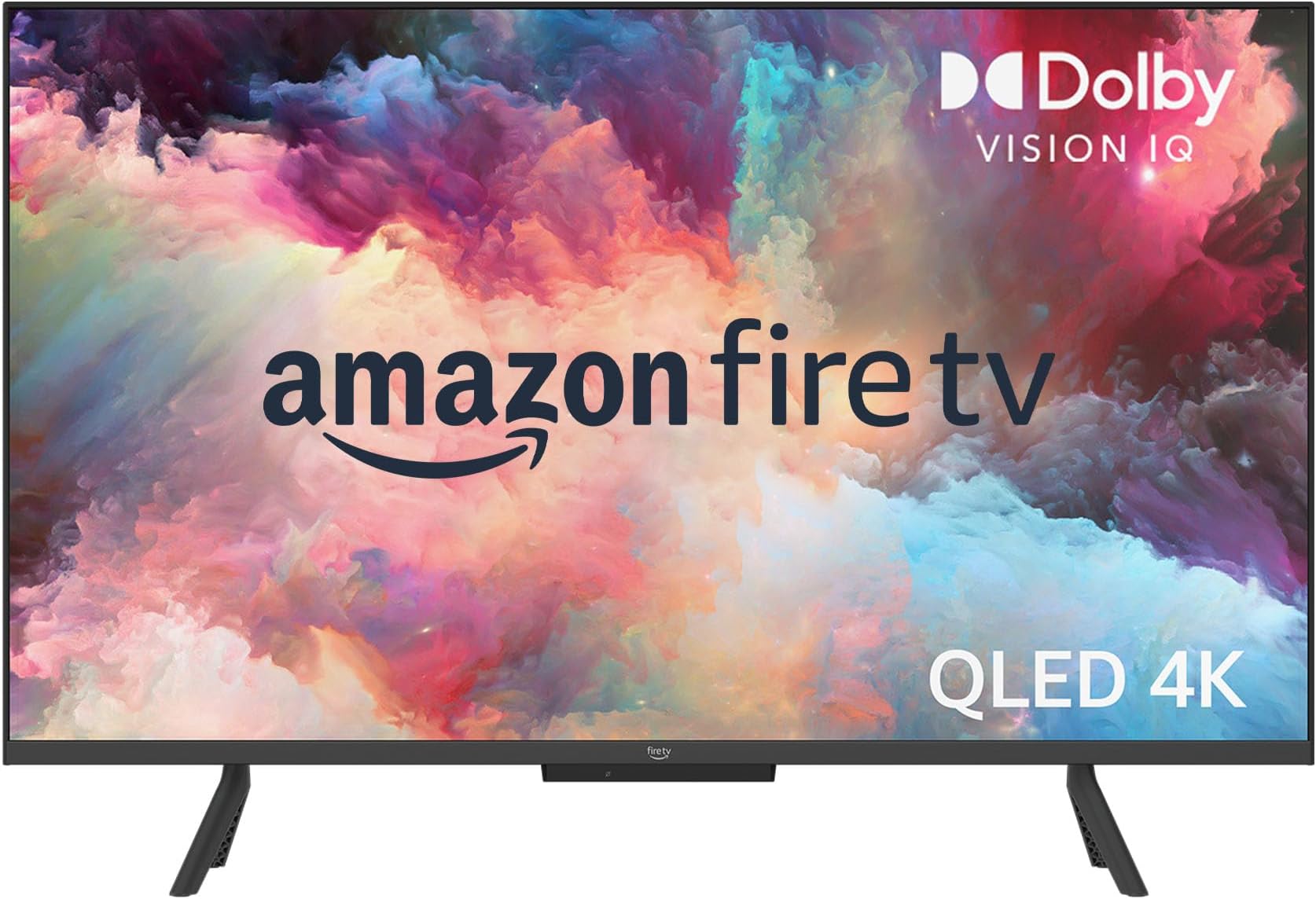
The Fire TV 50" Omni QLED Series combines a stunning 4K Quantum Dot display with advanced HDR formats including Dolby Vision IQ and HDR10+ Adaptive, delivering vibrant, lifelike visuals. Featuring 48-zone full-array local dimming, it offers superior contrast and adaptive brightness for any environment. Hands-free Alexa integration lets you control your entertainment effortlessly, while the Fire TV Ambient Experience turns your screen into a dynamic art display. With multiple HDMI inputs, eARC support, and privacy-focused microphone controls, this smart TV is designed for the modern connected home.
| Resolution | 3840 x 2160 |
| Display Resolution | 4K UHD |
| High Dynamic Range (HDR) format | HDR10, HLG, HDR10+ Adaptive, Dolby Vision IQ |
| Backlight type | Full Array Local Dimming |
| Refresh rate | 60 Hz |
| Screen size | 50โ |
| Viewable display size | 49.5โ |
| HDMI ports | 3 HDMI 2.0 + 1 HDMI 2.1 with eARC |
| Ethernet | 1 Ethernet port |
| USB | 1 USB 2.0 port |
| IR device control with included Fire TV Alexa Voice Remote | The included Fire TV Alexa Voice Remote can control certain functions, such as power and volume, on a wide range of compatible IR-enabled devices, soundbars, and A/V receivers. Note: Certain functions may not be available on some IR-enabled devices. |
| Voice support | Yes, hands-free with Alexa, press and ask Alexa with the Fire TV Alexa Voice Remote or the free Fire TV app (available for download on Fire OS, Android, and iOS). |
| Audio support | Dolby Digital Plus with passthrough of Dolby-encoded audio |
| Audio power | 8W + 8W |
| OS | Fire TV OS |
| Product size without stand (WxHxD) | 44.1โ x 26โ x 3.3โ |
| Weight (without stand) | 24.5 lb |
| Bezel size (mm) | 2 mm |
| Front finish | Black plastic |
| Distance between TV legs | 40.5โ |
| SKU Number | QL50F601A |
| VESA Wall Mount Standard | 200 x 200 mm |
| Accessibility features | VoiceView screen reader enables access to the vast majority of Fire TV features for users who are blind or visually impaired. Screen magnifier enables viewers to zoom in and out, and pan around the screen. Text Banner consolidates onscreen text into a compact, customizable banner that appears on the screen. Watch videos and TV shows with closed captioning displayed. Use Audio Description for verbal descriptions of what is happening on the screen, including physical actions, facial expressions and scene changes. Captions and audio descriptions are not available for all content. Fire TV 2-Series, Fire TV 4-Series, Fire TV Omni Series, and Fire TV Omni QLED Series support audio streaming for select compatible Bluetooth hearing aids and devices for a private listening experience. You can also listen to Fire TV with compatible Bluetooth headphones. Learn more about accessibility for Fire TV. Note: โHearing aidsโ refers to compatible Bluetooth hearing devices such as traditional hearing aids, cochlear implants, and bone conduction hearing devices. |
| Content availability | Certain apps and services are subject to change or withdrawal at any time, may not be available in all areas and languages, and may require separate subscriptions. |
| Connectivity | Wifi or Ethernet |
| Digital Optical Audio Output | 1 Digital Optical Audio Port |
| Warranty and service | 1-year limited warranty and service included. Optional 3-Year and 4-Year Extended Warranty available for U.S. customers sold separately. Use of Fire TV is subject to the terms found here. |
| Included in the Box | Fire TV Omni QLED 50โ, Fire TV Alexa Voice Remote, power cord, 2 AAA batteries, 4 screws, TV stand (2 legs), Quick Start Guide |
| Software security updates | Learn more about these software security updates. If you already own a Fire TV, visit Manage Your Content and Devices for information specific to your device. |
| Size | 38.2 x 157.7 x 17.1 mm |
| Weight | 51 g (without batteries) |
| Batteries | 2 AAA required (included) |
| Technology | Bluetooth 5.0 |
| Compatibility | Compatible with Amazon Fire TV smart TVs: Fire TV 2-Series, Fire TV 4-Series, Fire TV Omni Series, Fire TV Cube (3rd Gen), Fire TV Omni QLED Series |
User
Just What I Wanted
Great Fire TV for the price and features. Picture and sound are both good on the 50โ version that still has local dimming. Some infrequent blooming but overall another TV that proves less dimming zones isnโt a detriment with proper processing. Peak brightness isnโt as high as more expensive TVโs but is still noticeable with HDR content and very acceptable at this price. HDR10, HDR10+, HLG and Dolby Vision IQ all work well with good brightness range and color volume. Note: no Dolby Atoms for sound. I knew this, my TV is wall mounted high and tilted down slightly in a small bedroom and I have no need for a sound bar. NOTE: if using a sound bar with an optical cable, try turning the TV speakers off AND changing the output to PCM or Dolby Digital; and use HDMI 4 (ARC/eARC).This TV is a great value for my application and the budget I set for it.Iโm just using the Fire TV interface and none of the HDMI inputs. So I canโt speak on Hue, Contrast and Color issues others may see. Out of the box, mine seems spot on and I currently have no want or desire to go in and adjust any settings based on the content from the various apps Iโve used.The interface isnโt as fast as the Fire TV Cube 3 or Fire Stick 4K Max but still pretty good overall. Note to new Fire TV users: the interface is slower when updates are being downloaded and installed. Check the Device Info for updates several times when first starting the TV. There will be several updates: some very big ones and 2 to 3 more little ones at the least. Keep checking back until it says that itโs โup-to-dateโ. THEN start to really enjoy the interface. Also the network connection and its QUALITY also plays a factor. This TV supports 2.4/5Ghz and wired (100Mbps).Ambient mode is great but just remember what the TV tells you. The power button on the remote TOGGLES between the Fire TV interface and ambient mode and that long pressing it turns the TV off. No issues with any widgets so far for me. Also, my TV easily recognizes when I enter and exit the room.If you have other Amazon products nearby that listen for โAlexaโ, simply change the TVโs wake word to Computer, Amazon or Echo. Absolutely no issues with this.1. I havenโt found any โinescapableโ ads to get to content. You can โclickโ on these shortcuts if you want but you can just user your voice to search for titles instead. Like every other TV interface or box, third party apps have their own interfaces, sign-ins, ads, etc. that canโt be controlled by Amazon, Apple, Google, TCL, etc. Third party apps also place their own ads onto the TV platform they are on based on the deals they have in place.2. The Fire TV interface is anything but complex. You can set it up anyway you want. Again, the various interfaces, profiles, etc. of third party apps are completely independent from Fire TV and on the makers of them and this would be the same on any other TV platform.3. YMMV on the interface. Third party crashes and bugs are possible too. Third party interface issues need to be reported to their makers. They manage the various versions of their app across various platforms and sometimes they arenโt all equal in performance or features offered by platform.4. It hasnโt quite been a decade for Apple to allow the removal of 1st party apps (2016) but maybe Amazon will allow certain apps to be deleted one day. But understand these devices are meant to interface with and promote Amazon products and services primarily.5. The remote button press sounds can be turned off in options for the main interface. Donโt know about the Alexa Home Theater mode but if there isnโt a way, find out if there is one and if not ask that it be implemented.6. Again, out of the box settings being what they may for everyone, at least there are detailed picture settings available for the TV and all of its inputs โ all independent of one another to get things looking the way you personally prefer.
User
Awesome TV
Amazing 4K picture. Very clear and sharp. Great detail. Good sound quality. Only wish the ports were on the back instead of the right hand side. Works great with this Fire TV Soundbar Plus.Very satisfied with the quality.
User
Awful ownership experience, great display after tons of tuning. AVOID AT ALL COSTS.
Summary: image quality is great, but the clunky interface, unavoidable hardware lag, and Amazon bloatware make owning this TV an absolutely abysmal experience. If this is the highest tier of TV Amazon has to offer, look elsewhere even if it costs you a few hundred dollars more.Details on why you SHOULD NOT buy this TV:1. THERE ARE INESCAPABLE ADS THAT YOU MUST CLICK THROUGH TO ACCESS CONTENT. This is absolutely unacceptable on a TV that is paid for in full. There are similar features on other Fire devices, like tablets, but that is disclosed to you up front at the time of purchase, and you have the option of paying slightly more to disable them. No such option exists on these TVs, and no disclosure is made at the time of purchase. Itโs a joke and an insult to customers. (NOTE: other competitors, like Roku, have ads as well, but the ads donโt need to be clicked through to access content)2. The user interface is unnecessarily complex, and it canโt get out of its own way. As one small example, you have to select a Fire profile on TV startup, and only then can you access apps, like Netflix, which themselves have profiles you must select. Forcing users to select a profile up front when they will have to again select further app profiles regardless is ridiculous. Let us just get into our apps from the beginning and skip this unnecessary step.. This is just one example of user-unfriendly interface design; itโs endemic and everywhere you go in the Fire TV UI: super tiny apps, apps that take multiple clicks to access even if ads were removed, inability to access picture and sound settings from the main menu, profile and other settings that are completely inaccessible on the TV and must be edited on websites or apps for seemingly-arbitrary reasons, and a slew of others. You simply canโt make this TV do what you want it to do without having to click a million things, and even then, the end result is sometimes hidden away on another device or simply canโt be accessed.3. Glitchy, rampant hardware lag is EVERYWHERE. The TV takes seconds to respond to single clicks of the remote. Shows start without proper buffering and play in resolution worse than a Super Nintendo while also moving in stop-motion for 10 seconds before actually working. Ad-supported apps bounce between commercials and content incredibly slowly, which would be fine if it were buffering, but itโs not and the first bit of commercial or content is a pixelated, glitchy mess regardless. Trying to fast forward or rewind a show requires a prayer to ancient Incan gods, and only half the time does the TV actually respond to your button press, and only half of the time after that does it actually stop fast forwarding/rewinding when you let go of the button instead of 5 seconds later. Menus boot up super slowly, and once available still donโt respond to your clicks. Itโs like this TV has 40 pounds of crap shoved into 5 pounds of hardware, and it just canโt keep up. The worst part is that when the TV confuses itself enough from all the overload, it crashes and restartsโฆmultiple times per day. (NOTE: TV is completely up to date, and itโs connected to Amazonโs own 6th-gen eero mesh network, which is excellent; all hardware acceleration is also turned off since it makes content look terrible anyway)4. Bloatware. Bloatware everywhere. The TV comes with about as much unwanted software on it as a 2003 Dell PC. Unlike the 20-year-old Dell, however, this bloatware canโt be removed. You can hide it from certain menus, but it will always be there, always try to send you notifications, and always try to force its way into your periphery. Even Apple figured this out a decade ago with its native apps: let us delete unwanted junk that we donโt need. Maybe the TV would actually work if we could get rid of all this garbage?5. WHY DOES ALEXA HOME THEATER MAKE A LOUD, OBNOXIOUS โBOOPโ NOISE EVERY TIME YOU CHANGE THE VOLUME!? And how in the world do we disable that freaking noise so we donโt wake up napping children when we want to turn the volume down from 5/100 to 3/100? Itโs not in the options of the TV, I can tell you that, which further reinforces how clunky and unintuitive this entire UI experience is if this option is hidden in some other app completely unrelated to Fire TV.6. Every possible hardware modification of the TVโs content is turned on from the start, meaning everything you watch looks like a super saturated daytime soap opera. Itโs 2022, guys. Stop shipping TVs with Motion Smoothing and 17 other things turned on by default. No one likes them.If for some masochistic reason you still want this TV after the above points, here is the singular reason you SHOULD buy this TV:1. Once all the hardware acceleration bloat is turned off, and after youโve edited the picture settings (which again, cannot be accessed through the main menu) so that the image quality doesnโt look like the Teletubbies, the image quality is excellent. Colors are uniform, pictures are crisp (when they arenโt pixelated from all the lag), details are clear, dark areas are dark without looking grey, etc. Itโs likely that the display is manufactured by Samsung (like most QLED displays), which is great, and it shows.Overall, there is no way I can recommend this TV to anyone who wants to retain their sanity. Itโs very clear that Amazon chose to compromise TV functionality and the user experience so that it could push Alexa, a metric short-ton of Amazon services, and ads, and it does all of this by bait and switching you with an excellent display at an excellent price-point. Itโs a borderline scam since the ads, bloatware, overloaded hardware, and unusable interfaces arenโt made apparent to you up front. The price looks great compared to its competitors, but thereโs a reason for that, and the reason isnโt made clear at the time of purchase. Itโs an unforgivable business strategy, and Iโll be returning this TV in 5 days once Thanksgiving has passed.Thanks for coming to my TED Talk.
User
Great TV for the price with two caveats
Overall, image quality is great, especially doe the price, but this TV is best for a darker room primarily because the screen is glossy and shows reflections fairly easily, the other caveat is the processor for the smart features os a bit slow so you may want to invest in a separate 4k streaming device. The initial setup/updates were super slow (20-30 mins of updating on first startup) and the navigation itself is not super laggy but just slow enough to be mildly annoyingAudio quality seems pretty decent as well, nothing mind blowing but as far as built in TV speakers go they are a bit above average.
User
You wonโt be disappointed
What a great TV for the price! this tv is replacing an old Vizio 50โ Iโve had forever as a bedroom tv. Iโm going to be having surgery soon so a lot of time will be spent in my master bedroom either in the recliner or the bed so I figured it was time to upgrade. What an upgrade it is. Pictures fantastic and the setup and use is very simple. Very satisfied with my Amazon day purchase. Canโt beat this TV for the price.
User
The picture is phenomenal at this price point. Has slight glitches though
55" Omni 4k QLEDThe picture is amazing in 4K full HDR! You cannot beat this TV for this price. I found out through my Roku that the manufacturer is Toshiba.So I had some issues. First it would log me out of my Amazon account and I would have to go in and set up my home screen again. No biggie and it stopped doing that. The Pandora music app plays but lags so bad that you can barely use it besides just letting it play. The fire TV will not support the spectrum TV app which was almost a deal breaker.The ARC HDMI will control my home theater receiver, turn up and down the volume, turn it on and off, etc but only if I don't have a receiver installed through the TV. When I install it through the TV settings it will be fine most of the time but then glitches and mutes the receiver when turning the volume up, will randomly display the volume every 20 seconds unless I turn the volume up or down a few times etc.The Alexa works great on it and actually took the place of the echo dot that I had installed in the room. Bonus because I can use that echo dot as another zone in a different room for my smart home. It automatically controlled all of the same things, lights, switches etc, and required no extra setup which was very cool.So the good... Well the really good... I've always used Roku and, sorry Amazon, totally prefer Roku over the fire OS. I bought the more expensive Roku 4k stick and it does full HDR and Dolby Vision in beautiful, dazzling picture even though it's not plugged into the HDMI 2.1 port (HDMI 4 ARC). I need the ARC input to control my home theater receiver. The other three ports, HDMI 1 through 3 are HDMI 2.0 ports according to the description, but it still pushes the full HDR signal through these ports. So I'm extremely happy with the TV now. The Roku also controls TV power on/off and volume through my home theater receiver. The only issue I have is when I turn the TV off through the remote it's not turning my receiver off. But I'm sure there's a setting somewhere that I haven't found yet to fix this. Also with the Roku I get the spectrum TV app and my Pandora works fine and switches to the screen saver (the Pandora app through the fire TV OS stays on the blue screen while playing and I'm afraid that will cause burn-in on the TV screen after countless hours of play).Bottom line, you won't be disappointed with this TV. The fire TV OS will work great for you I'm sure, but I just prefer Roku.I spent the extra for the 4 year extended warranty as this is a relatively new line of TV. But being manufactured by Toshiba I'm sure it will be fine!ENJOY!
User
Five star TV when you look at the value.*Update*
I have a lot of TV'S that run the full spectrum price wise. I recently am dealing with a housing change (divorce, ugh) and needed to get something quickly that I would like, but wouldn't kill me financially as my cash flow is locked down. For reference, at my original house, I have an 65" LG G2, a 55" 2022 Sony Experia, and two 43" Amazon Fire TV'S for bedrooms that are not the Omni versions.I was very impressed with the 43" base Fire TV. It had a solid albeit a bit dim picture, a fast responsive menu, and just generally was a good set for $300. I bought another, which is the ultimate sign if confidence. Two years later, they are still charging on. So, when I hit this current crummy reboot, I immediately looked at these again, but immediately moved on to the Omni option. I really needed a big TV. The LG C2 was what I really wanted, but the almost $3000 price tag was just beyond what I could do right now. Given all of this, I swallowed my TV snobbery, and ordered up the 75" Omni which I believe is manufactured by TVL for Amazon. Here are my thoughts.First off, what matters most is the picture. It is shockingly good. Mini LED tech is not generally as good as OLED. However, this picture really works. It is reasonably bright and the HDR content shines on Netflix and other high quality streams. This is a 60hz panel, so I do miss the faster processing on my higher end TV'S, but it is surprisingly close. The blacks here also surprised me. This TV can get really dark. Is it LG OLED good? No. Is it way better than one third of the price good? Heck yes! Most average eyes, will be really happy with the picture here.In terms of menu and interface, Gire TV'S are better than many including LG. I know, blasphemy! Try an LG and you will know what I mean. Their screens are absolutely the best, but the menus are a mess. At least for me. This TV automatically recognizes when I turn on the PS5 amd everything you need is right there. I don't notice the bloatware others have had issue with. I live in the Amazon ecosystem though so keep that in mind.In terms of gaming, this is where you will likely feel the difference. The picture looks amazing but when a game really gets going, on the PS5, you will notice some speed issues. However, it is very marginal. I think it really works just fine for the average gamer.So, what are you missing? First is the aforementioned screen speed. 60hz isn't fast enough. You get a really good HDR format though, and gaming images are very detailed and high end. You don't get Dolby Atmos but sound is OK. I really recommend a sound bar. I bought a 7.1 Vizeo with Atmos and the content sounds amazing via the HDMI Arc connection. The picture still isn't that bright. It is way better than the base Fire TV'S but it isn't amazing. There just isn't that much missing for me at this price.The bottom line is this: This is a tremendous value for the money. I can nitpick some things, but a 75" TV makes a big statement in most rooms and this one doesn't disappoint. Are there way better TV's out there? Oh, yes. Are ther better values? Not that I have seen. Buy with confidence.*Update* Going on two years and still very happy overall. The menus can be a bit slow to load. I do get occasional glitches especially when I am watching TV via antenna. However, overall, this is just a great buy for a 75" TV. I had a friend in from out of two that is definitely a TV snob like me and he was really shocked by this TV. 75" is just so good to watch. Watching playoff hockey is something to see with this TV. I am very pleased overall. Buy it.
User
Limited capabilities
This TV is fine if you only want Amazon Fire TV with voice control. If you want more, as I do, then may run into its limitations very quickly.Badness:1. The remote is primitive. I am old fashioned and want to have numeric keys on the remote to change channels. Voice is insufficient, in my view. There are only a small handful of buttons, mostly to navigate the app interfaces.2. I use a sound bar (optical). I want to turn the TV speakers off so there is no echo. When I turn the speakers off, I lose volume control to the sound bar. I have used other TVs with this same soundbar and had no issues. I cannot find a setting configuration that works.3. Instructions are not very helpful. Most things I have had to figure out on my own through experimentation. I use multiple streaming services and it took me quite some time to figure out how to install and use them.4. I have Uverse. This TV has no code that I can find to allow the Uverse remote to change channels, adjust volume, and power the TV on/off. Very frustrating. There is supposed to be a Uverse app that I can install, but it is operated by the Fire TV remote (without the numeric pad, and presumably, a much more primitive guide capability).5. There is only one HDMI that has sound output. That might solve my soundbar problems - if I had the right soundbar. But I prefer the optical.Goodness:1. The QLED picture quality is quite good. This was the main reason I bought this TV and I am pleased with it.2. Software, once installed is very fast and responsive to the remote. Back to my opening statement - if you are looking specially for Amazon Fire TV with voice control, I think you will be quite happy with this TV.3. Sound quality of built-in speakers is decent. If you only want built-in sound, this TV is fine.Summary:This TV is clearly targeted specifically for Amazon Fire fans. In that role, it is a good choice. However, if you want a nice TV that happens to use Amazon Fire, then I think it is a very poor choice and I do not recommend this TV. I believe most people fall into the latter category.*************************************************After using this TV for a bit, I am bumping down to 2 stars. The lack interactivity with soundbars and other remotes along with very poor technical support on the web is a huge problem. I am truly appalled at the terrible lack of forethought put into the design of this TV. I recommend getting a real TV and then buying a Fire Stick or Cube if you really like Amazon Fire. This TV is not worth the price.
Trustpilot
1 month ago
2 months ago