Desertcart purchases this item on your behalf and handles shipping, customs, and support to USA.
๐ Power Your Productivity with 8-in-1 Docking Brilliance!
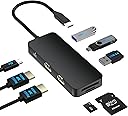
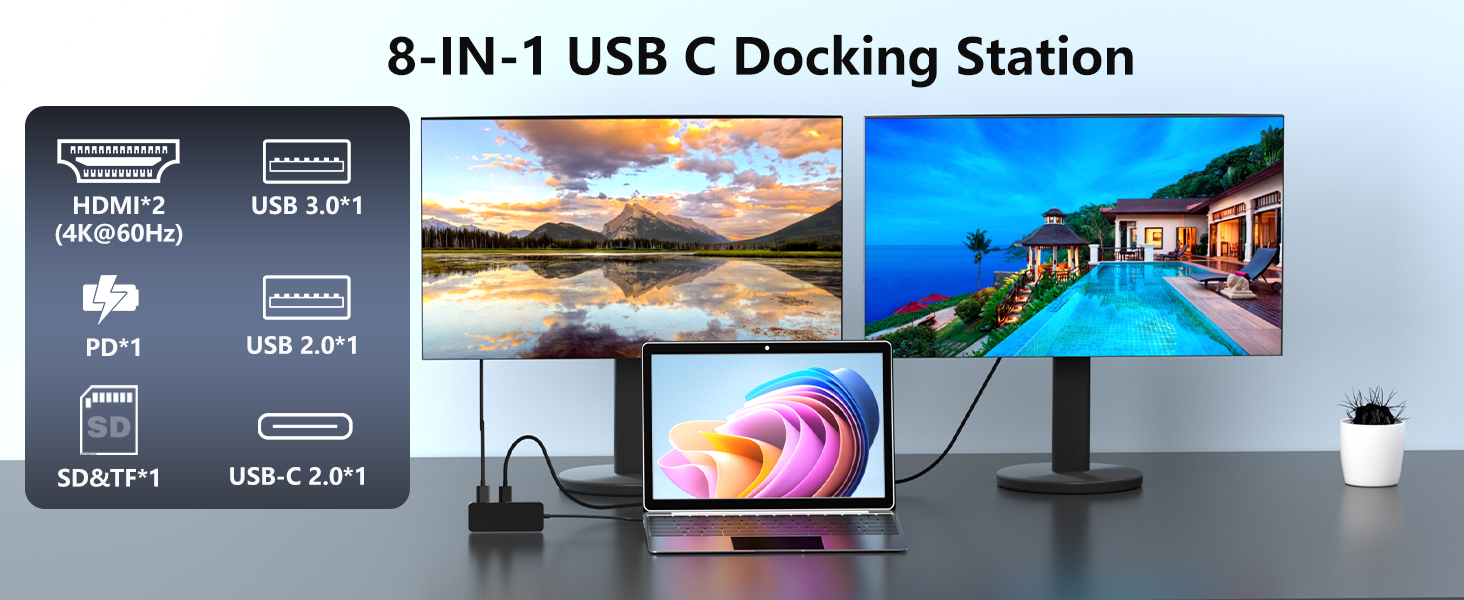
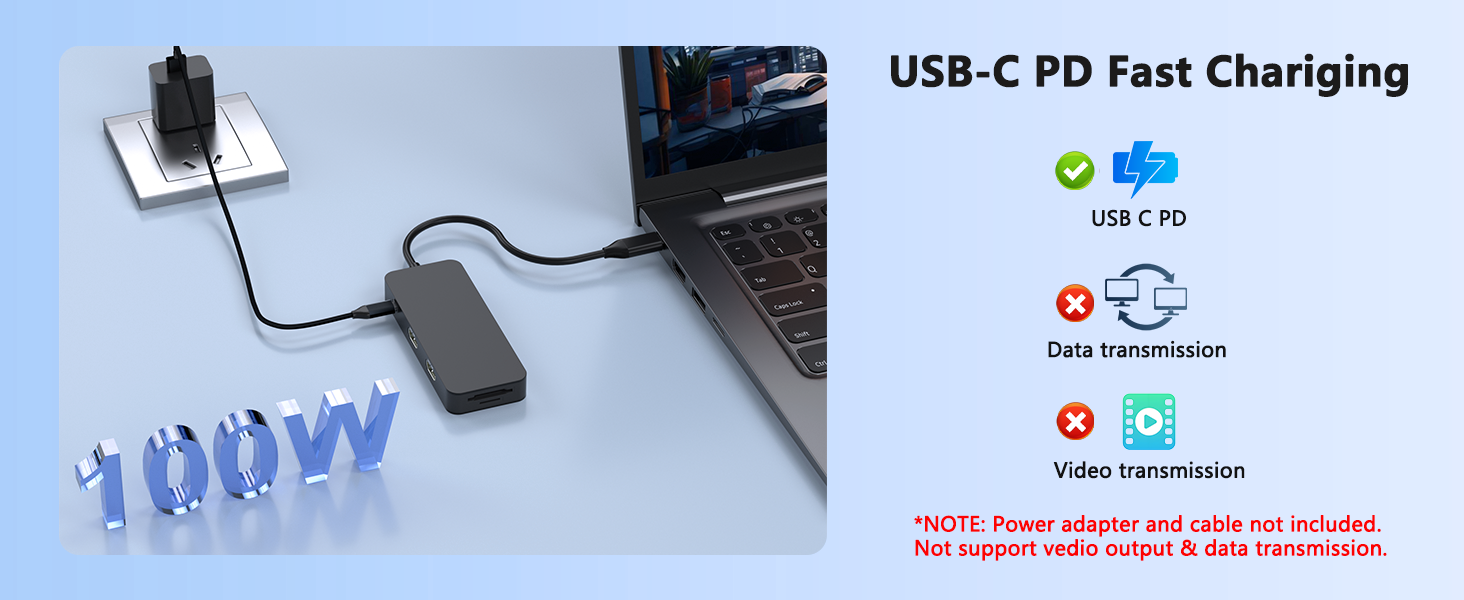
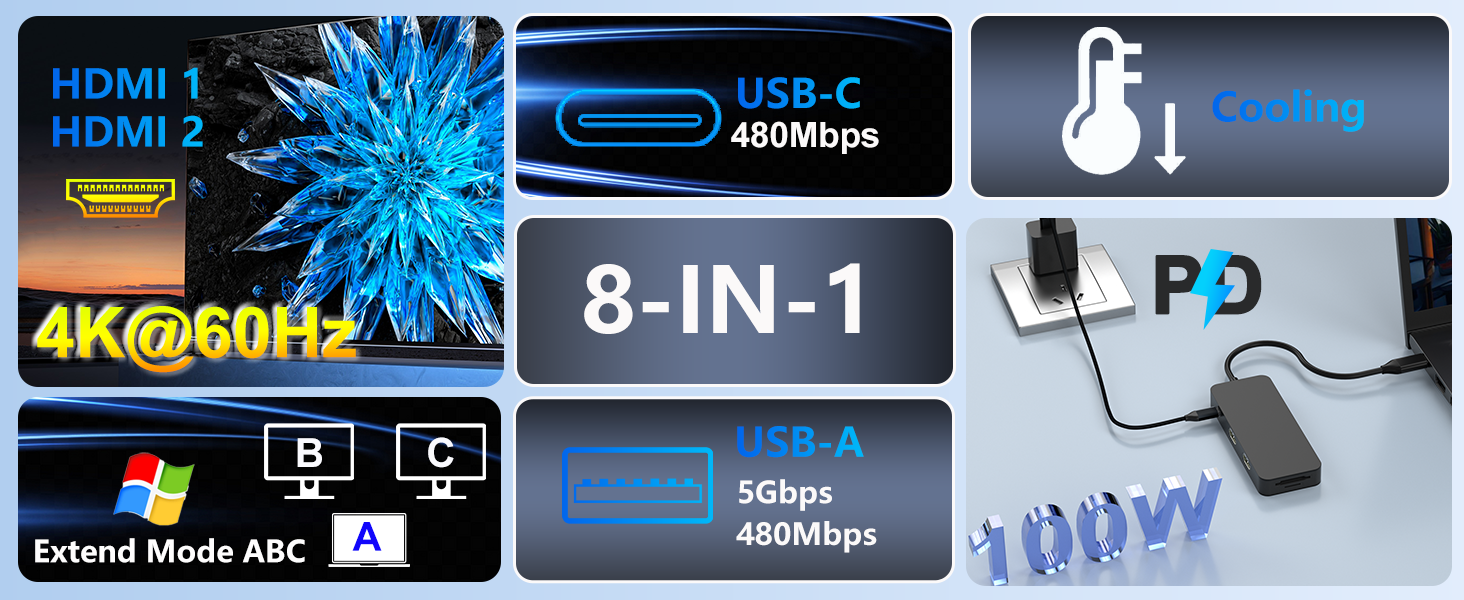
The Aibilangose 8-in-1 USB-C Docking Station transforms a single USB-C or Thunderbolt 3 port into a powerhouse hub featuring dual 4K@60Hz HDMI outputs, 100W power delivery charging, and high-speed data transfer via multiple USB ports. Designed for seamless plug-and-play use across Windows and MacOS, it supports extended dual monitor setups and offers versatile connectivity with SD/TF card readers, making it an essential upgrade for professionals seeking a sleek, efficient workspace.


| Additional Features | Plug and Play |
| Asin | B0FGQF5TM5 |
| Best Sellers Rank | #6,838 in Electronics (See Top 100 in Electronics) #82 in Laptop Docking Stations |
| Brand | Aibilangose |
| Color | Black |
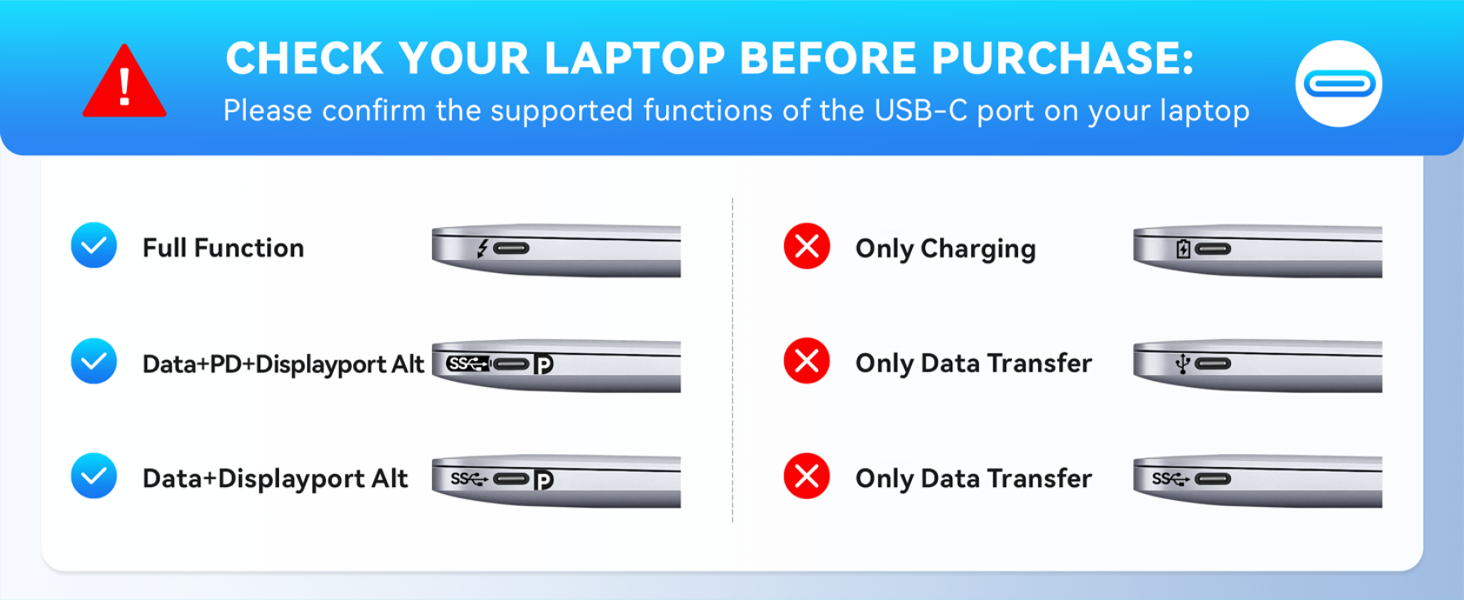
| Compatible Devices | Laptop with a fully function(support charging, data transfer and video output) USB-C port or Thunderbolt 3 port |
| Customer Reviews | 4.0 4.0 out of 5 stars (48) 4.0 out of 5 stars |
| Data Transfer Rate | 5000 Megabits Per Second |
| Enclosure Material | Plastic |
| Hardware Interface | HDMI, USB 2.0 Type A, USB 3.0 Type A, USB Type C |
| Item Dimensions L X W X H | 3.43"L x 1.65"W x 0.55"H |
| Item Weight | 1.94 Ounces |
| Manufacturer | Aibilangose |
| Mfr Part Number | ALG-7BS |
| Minimum Required Operating System Version | Mac OS 13 Ventura, Windows 11 |
| Model Number | ALG-7BS |
| Number Of Ports | 8 |
| Operating System | Windows, macOS |
| Total Usb Ports | 4 |
| Unit Count | 1.0 Count |
| Warranty Description | 1 Years |
User
Great value for the price
Works great and good product for the money.
User
Compact, High-Quality 4K USB-C Hub for Dual Monitor Android Desktop Bliss
I daily a Pixel 9 and a Galaxy S20 FE, Iโve waited years for Android to fully support a desktop-like experience, and with the release of Android 16 a few days ago (as of 8/5/25), that wait is finally over. That is where this dual monitor 4K USB-C hub comes in, priced at an incredibly reasonable $35, is a game-changer for Android users looking to harness the power of desktop mode. I tested the hub with both my Pixel 9 and Galaxy S20 FE, and the results were seamless. Samsung DeX and Android Desktop modes launched flawlessly, instantly transformed both my phones into portable workstations. I also connected a 60-watt IQ3 USB-C fast charger, and my phone began charging immediately without any issues, confirming the hubโs reliable power delivery. The hubโs versatility doesnโt stop thereโIโm eager to test it with my USB, Bluetooth, or wireless keyboard and mouse (with a USB dongle) and my USB-C 10GB network interface card (NIC) to explore its full potential.The build quality of this hub is outstanding. Its full-metal construction feels solid, premium, and built to last, making it a reliable companion for both home and on-the-go use. At this price point, the hub offers exceptional value, especially for Android 16 users looking to leverage the new desktop capabilities. Iโm particularly excited to set up a dual monitor configuration soon, which should elevate productivity and multitasking to new heights. Would be especially amazing for users like me who daily two smartphones. Now one will be act as a desktop, while the other one will continue to work as a smartphone.This hub is a must-have for Android 16 users, especially with the exciting convergence of Chrome Desktop with Android, which opens up enormous possibilities for a portable desktop experience right from your pocket. I highly recommend this USB-C hub to anyone seeking a compact, high-quality solution to unlock the full potential of their Android deviceโs desktop mode. Itโs about time we caught up to DeX, and this hub delivers in spades.
User
Good solution for travel laptop
I travel with my Windows laptop frequently, and this adapter allows me to convert it to a full work station by connecting to external monitor(s), keyboard and mouse. It also lets me connect multiple other devices (phones/tablets, a TV, a network cable).Pros:- Compact size, smaller than most and perfect as a travel docking station.- Well built and still quite lightweight- A practical and useful selection of ports (with some exceptions).- Convenient design and layout.Cons:- No DisplayPort, only HDMI. (Here is why it matters: you can always use a DisplayPort to HDMI cable to connect DisplayPort output to HDMI input, but not the other way around).- Only three USB ports (and the hub uses one, so it only gives you two extra).- Only one USB port is 3.0 (so no gain of extra USB3.0 ports at all).Use cases:- connect external monitor, or two monitors to have an extended display.- connect external keyboard and/or mouse.- use as a card reader (for digital cameras and other devices).- expand the number of USB ports on a laptop.- connect your laptop to a TV in a hotel/Airbnb and use it as an entertainment centerDetails:- HDMI ports: there are two of them and the specifications state that they can be simultaneously used at 4K@60hz which is more than sufficient for my needs- USB3.0 port (USB-A connection) - good for external drives and other fast devices. I tested the write speed to be 100MB/s and limited to my flash drive, the port should be able to support faster speed.- USB2.0 port (USB-A connection) - maximum speed is around 35MB/s. It does not matter for connecting a keyboard and a mouse.- USB-C port (labeled DATA) - I measured the speed and it only supports 35MB/s which means it is USB2.0 which is unfortunate.- Charging port (another USB-C connector, next to HDMIs): It can only be used to plug in the laptop charger. It cannot be used to connect any device to transfer data. It cannot even be used to charge a phone. I can only imagine it to be useful with a laptop that has a single USB-C port.- SD card slotsTips:- USB3.0 port is blue as they usually are and that provides an easy identification.- I also got a USB-to-Ethernet adapter that I can chain with this adapter, to allow wired internet connection- I have two USB C ports on my laptop. Instead of plugging the power supply into one and this hub into another, I can plug the charger through the hub by using the otherwise useless charging port. This leaves the fully functional Thunderbolt port available.Dimensions:3.5" x 1.7" x 0.55" (87mm x 43mm x 14mm).Weight 2oz (55g)
User
โAn Excellent Choice for Boosting Productivity
โThis docking station is a fantastic investment for anyone looking to simplify their workspace and enhance their productivity. It's a true all-in-one solution that delivers on its promises, earning a solid five-star rating from me.โThe standout feature is the dual monitor extended display. The 4K@60Hz support is crystal clear, and the setup process was a breeze. I was able to connect my Dell laptop and two external monitors in minutes, transforming my desk into a much more efficient command center. The ability to extend my display across three screensโincluding the laptop'sโhas made multitasking significantly easier, especially when working with multiple applications at once.โBeyond the display capabilities, the port selection is incredibly versatile. The mix of HDMI, USB, USB-C, and dedicated SD/TF card slots means I can connect all my peripheralsโfrom an external hard drive to my camera's memory cardโwithout any fuss. The Power Delivery (PD) port is a major plus, as it charges my laptop while it's connected, eliminating the need for a separate charger and reducing cable clutter.โThis docking station is a game-changer for anyone who regularly switches between different laptops or works with a multi-monitor setup. Its universal compatibility with major brands like Dell, HP, Lenovo, and Mac is a huge benefit, making it a reliable choice no matter what device you're using.โOverall, this is a product I would highly recommend to anyone looking for a powerful and convenient way to expand their connectivity and streamline their desk setup. It's a reliable, high-performance device that has made a noticeable difference in my daily workflow.
User
Stopped working
Stopped working suddenly after 6 months. No recourse.
User
Works great!
This is a nice looking usb-c docking hub with lots of options. The only thing it's really missing is an ethernet jack. But since most people only use wi-fi these days, that's not a big loss. I've been running my Lenovo Legion gaming laptop using this hub for about an hour now and it's working fine. It's rated to 100W compared to the 300W charger (not usb-c) that came with my laptop. So it's not going to power it during a gaming session. But for daily tasks it's working fine and it's barely warm to the touch. It's a very small docking hub you could stick in a pocket if you wanted. I'll be leaving it on my desk so I can grab my laptop by unplugging a single cable. It's a nice convenient docking hub for the price.
User
Almost perfect
I give this 8 in 1 docking station 4.5 stars, so it's almost perfect. I would take off 1/2 a star because the SD and MicroSD card slots won't work at the same time. You can use either/or, but not both at the same time. All of the other USB ports (a mix of 2.0, 3.0, and C) will all work at the same time, as will both HDMI outputs. I even connected a higher than specified power supply (130 watts) and it was able to handle the load. It gets mildly warm, but not hot. I had one HDMI connected to a 1080p monitor and another to a 4K TV monitor and both balanced well at maximum resolution for each. I consider this an excellent value in a solid build.
User
looks good, but is it?
The device appears to be well made for the money. However, there are no markings at all on it! Not even testing or QA labels. I was a little bit concerned plugging it in when I was not sure if it could have spyware hardware inside of it. Since it has no markings at all, and no way to know who the manufacture is, I have to assume this is a knock off of some name brand docking station. I would use at your own risk.
User
Works well so far
Plugged it in and it worked right away. Running 1 2k monitor, one 1080p and laptop. I have a USB hub for keyboard and mouse. My monitors have two inputs on them so I didn't need a kvm switch as long as my pc is off I just plug it in to my work laptop and go. This works better than a kvm switch for me. This and USB hub. Monitors stay plugged in to both devices switch is as easy as moving a USB.
User
Le produit est bon.
That's good !
User
Short cord but does the trick
Works well could have used a longer USb c cord but does the trick
User
Good
Perfect though if 3 hdmi out, I will like that
User
Good with issues
One of the USB 2.0 port stopped working. Overall connection is good and plug-n-play without much issues
Trustpilot
2 weeks ago
2 weeks ago