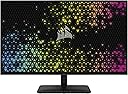
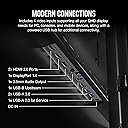
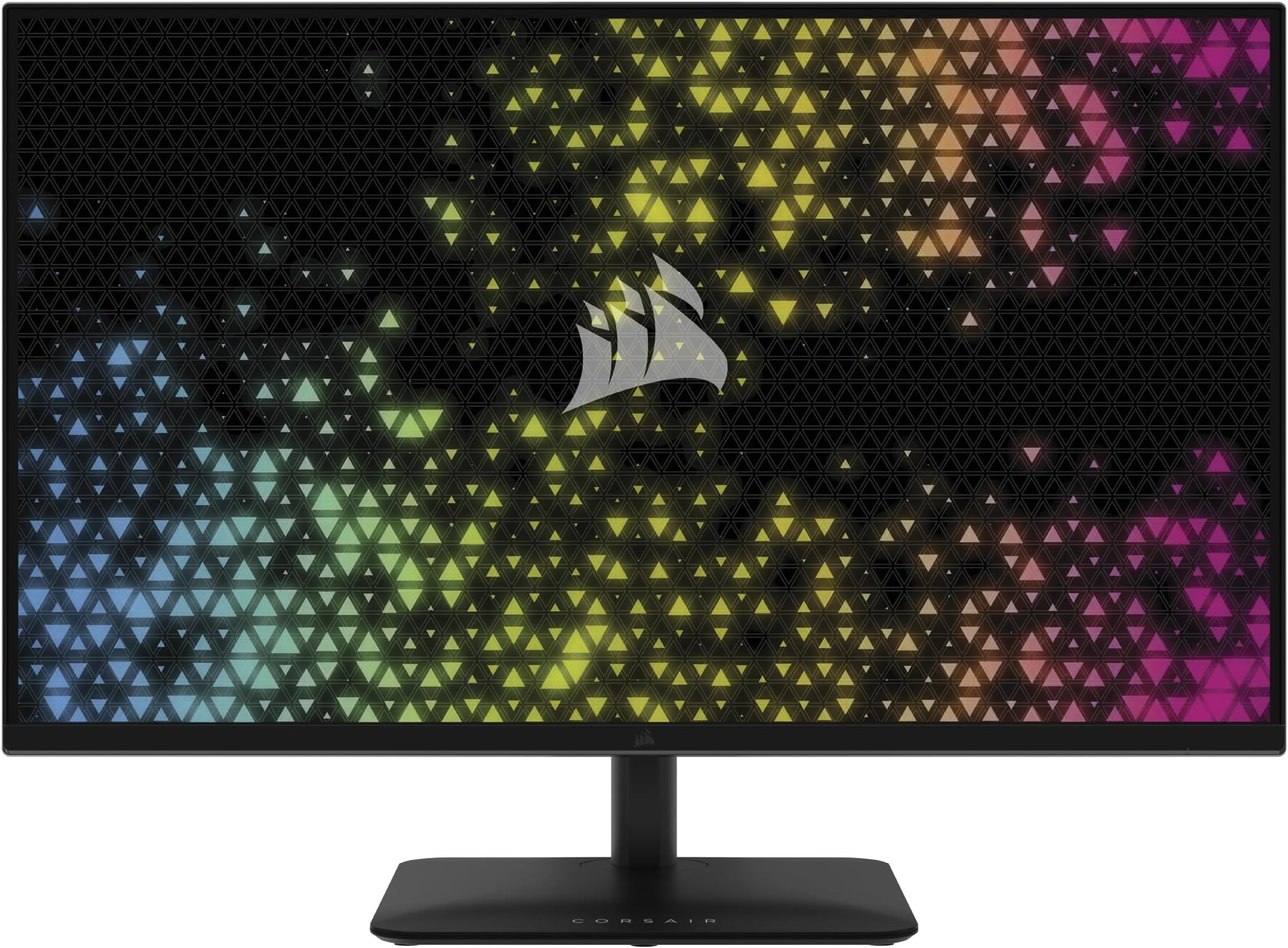
Feel like you are in the game with the CORSAIR XENEON 315QHD165 IPS Gaming Monitor built with high standard of quality. Thanks to 165Hz refresh rate, NVIDIA G-SYNC compatibility and AMD FreeSync Premium certification, enjoy silky-smooth, tear-free images. With dual HDMI 2.0, DisplayPort 1.4, and built-in 2-port USB hub, the XENEON 315QHD165 has all of the connectivity that you need - no matter whether you're gaming or working.


| Adaptive Sync | FreeSync Premium |
| Additional Features | Adaptive Sync, Height Adjustment, High Dynamic Range, Tilt Adjustment, USB Hub |
| Asin | B0CND6MWLW |
| Aspect Ratio | 16:9 |
| Brand | Corsair |
| Brightness | 300 nits |
| Color | Black |
| Color Gamut | 99 |
| Compatible Devices | Desktop, Gaming Console |
| Connectivity Technology | DisplayPort, HDMI, USB Type A, USB Type B |
| Contrast Ratio | 1000:1 o superior |
| Customer Reviews | 4.2 4.2 out of 5 stars (245) 4.2 out of 5 stars |
| Display Resolution Maximum | 2560 x 1440 Pixels |
| Display Technology | LED with some extra treatment to make it bright |
| Display Type | LED |
| Hardware Connectivity | 3.5mm Audio, DisplayPort, HDMI, USB 3.0 Type A, USB 3.0 Type B |
| Has Color Screen | Yes |
| Included Components | 1x Display Port 1.4 (1.5m) Cable, 1x HDMI 2.0 (1.5m) Cable, 1x USB-A to USB-B (1.5m) Cable, AC Power Adapter and Power Cord, CORSAIR XENEON 315QHD165 Gaming Monitor, Documentation, Monitor Stand Neck and Monitor Stand Base |
| Is Electric | Yes |
| Item Dimensions D X W X H | 27D x 71.6W x 55.1H centimeters |
| Item Weight | 17.86 Pounds |
| Manufacturer | Corsair |
| Model Name | XENEON 315QHD165 |
| Model Number | CM-9020007-NA |
| Mounting Type | Desk Mount |
| Native Resolution | 2560x1440 |
| Number Of Component Outputs | 2 |
| Picture Quality Enhancement Technology | Advanced IPS technology |
| Refresh Rate | 165 Hz |
| Resolution | QHD Wide 1440p |
| Response Time | 1 Milliseconds |
| Screen Finish | Glossy |
| Screen Size | 31.5 Inches |
| Shape | Flat |
| Specific Uses For Product | Gaming |
| Total Number Of Hdmi Ports | 2 |
| Total Usb 2 0 Ports | 3 |
| Total Usb 3 0 Ports | 3 |
| Total Usb Ports | 3 |
| Upc | 840006675068 |
| Viewing Angle | 85 Degrees |
User
A colorful and detailed 1440p monitor at a reasonable price
First off, I'm the type of person to do a lot of research before making a bigger purchase. I want my money to make sense and go the distance. I was hesitant with Corsair's line of monitors due to the early reviews of the company's first monitor. Also by the fact that there weren't a lot of videos by tech YouTubers and companies on the product. I had to find obscure shorts, reddit posts found through Google and tech forum posts from others who have taken a leap and gave Corsair's journey into the monitor market a go.First off, this thing is massive. At 1440p, I have heard many other gamers/creators say that 27" would be preferable for the resolution. While that might be true due to pixel density and size, I can say with confidence that this is the sharpest monitor I have ever owned. I never feel like I'm looking at pixels and am absolutely in love with the 32" size. I play a wide variety of games, and I think this would affect FPS players the most, and while I have no problems myself playing these types of games, I could possibly see how it might be an issue for ranked/competitive players of games like Counter Strike, Overwatch, Valorant, COD and ect.The refresh rate is 165 and honestly, I love it when I can actually reach that number in a game. The GSYNC compatibility is an absolute W here in pairing with the refresh rate. I haven't ever seen a tear even when purposely trying to create one. The only problem you might run into here is choosing a response time from the monitor settings. There's slow, normal, fast and fastest. Fastest clearly creates noticeable ghosting while fast and normal seem to produce very little to no noticeable ghosting in real time gaming and also ghost ship testing.The real winning attribute here though, is how amazing the colors are on this model. Considering this thing isn't even OLED, the colors are some of the most accurate and beautiful I have ever seen on a monitor. I mean I find myself in awe constantly just due to how absolutely stunning environments, characters and effects can look on here. If you're a creator then you most definitely will love this monitor for that very reason.Overall, if you're looking to break into the 1440p market, this is such a solid performer. I also love that I didn't pay 800 plus dollars for a monitor with such crazy color accuracy. Corsair should genuinely be proud of this product. Would gladly recommend and hopefully will get my hands on their OLED monitor one day in the future.
User
Una joya para gaming exigente
Compré este monitor Corsair OLED en diciembre y, después de varios meses de uso intensivo, puedo decir que ha sido una excelente inversión. La calidad de imagen es simplemente espectacular: colores vibrantes, negros profundos y una nitidez que realmente se nota en juegos de todo tipo.Lo uso principalmente para gaming (FPS, RTS, MOBA) y el rendimiento ha sido impecable. La alta frecuencia de actualización y el bajo tiempo de respuesta hacen que todo se sienta fluido y preciso, ideal para juegos competitivos.Además, las herramientas que incluye para prevenir el burn-in son efectivas y fáciles de configurar, algo muy importante en monitores OLED. Hasta ahora, cero problemas.Muy recomendable si estás buscando una experiencia visual premium para juegos.
User
Pixel muerto, piezas sueltas y daño en la caja
Buen monitor, pero en mi caso llego mal, la caja toda golpeada como rota, la base del monitor estaba afuera del empaque, para despues de armarlo con pixel muerto y una mancha en medio del monitor una pena porque es un gran monitor, ya han descuidado mucho los paquetes ya solo los avientan.
User
Super cool design with functional relevance!
Absolutely amazing screen! It’s a 21:9 OLED that can do 240hz!!! And you can bend it from Flat to Curved. That means when you’re tired of playing FPS or Racing games on curved at 240hz, you can lactually bend it back to Flat so you can chil out and watch movies at 60hz. Incredible design and gorgeous picture! Don’t walk to the Amazon store, Run!!! And buy this immediately!
User
a great monitor with a feature that's a little ahead of it's time
This XENION Flex has amazing image quality and some advanced features that will probably become standard options in the future, but for which you are now paying quite a premium. First the positives: OLED has no backlight, each pixel is literally on or off, so the contrast ratio is excellent. That and the pixel transition times are so fast because of the OLED technology that no LCD can even come close. The screen is also enormous, so playing games or watching movies, especially in HDR, looks incredible. HDR is made possible, btw, by the high light output, nearly 800-1000 nits, which is fantastic for an OLED but merely decent for an LCD. The monitor is also 120Hz with Nvidia GSYNC and AMD FreeSync, so if you have the card to drive it you can get very smooth gaming.Now the negatives. Some people have dinged the monitor because, with it's very large size but only 3440x1440 resolution, the pixel density is lower than what a typical 4k monitor would have. But for me this is more of a bonus than a downside. The argument that the density is too low is mostly about text. With less pixels per inch being used to create text the monitor doesn't have the same level of crispness that a smaller 4k monitor would, but what usually goes unsaid about that is that higher density also makes the text on the screen smaller. Because of the large screen size and somewhat lower pixel density text on this screen is much more readable, particularly if you are middle aged or above. And while the text might be theoretically less crisp on this monitor, if there is any fuzziness to it I can't see it, so all in all I actually appreciate the larger, more readable text.A downside that does bother me is the brightness. OLED screens get stressed when they push out a lot of light, so to compensate the monitor has some protections enabled by default. When you are on a screen, say a web page, for an extended period of time the monitor will begin dimming the screen to ease the stress on the organic pixels. Refreshing the page or switching quickly between pages brings back the light, but it can get kind of annoying if you are reading something and it feels like you are gradually losing the light, plus the transition back to bright can hurt your eyes a little. I think there is probably a way to adjust this, but the problem is that OLEDs are famously wanting in durability, so I worry that fiddling with this could shorten the lifespan of my very expensive monitor.Related but less annoying are things you don't have to do but probably should do to protect the monitor, like switching off icon visibility on your desktop and setting the background to straight black to avoid the dreaded screen burn, which again OLEDs are particularly prone to. You should also probably set a screen saver that blanks the screen after 5 or 10 minutes of inactivity. Again, you don't have to and the screen does have a 3 year warranty, but if you want the most bang for your buck this is probably a smart move.Finally, the major talking point about this monitor that, in my opinion, is neither good nor bad, which is the bendable screen aspect. You can grab the outside edges of the screen and push it flat or pull it into a sharper curve. Some people will never use it, but it does serve a purpose. For gaming, pulling the screen into a curve makes the games more immersive, but for productivity work I find flat is easier to work with. The neither good nor bad part of this is that while being able to adjust the curve is a very nice feature and one that I think will probably become standard a couple years from now when the technology is less novel, for now you are paying one heck of a premium for it. The monitor is easily 25%+ more expensive than comparable offerings where only the ability to define the screen curve separates the monitors. I made the plunge, but not everyone will see it as worth the extra price.Bottom line, if you don't mind paying a little extra to be on the bleeding edge, this is an excellent gaming, entertainment, and productivity monitor whose technology still requires a little extra care be taken to preserve full functionality.
Trustpilot
1 month ago
2 months ago