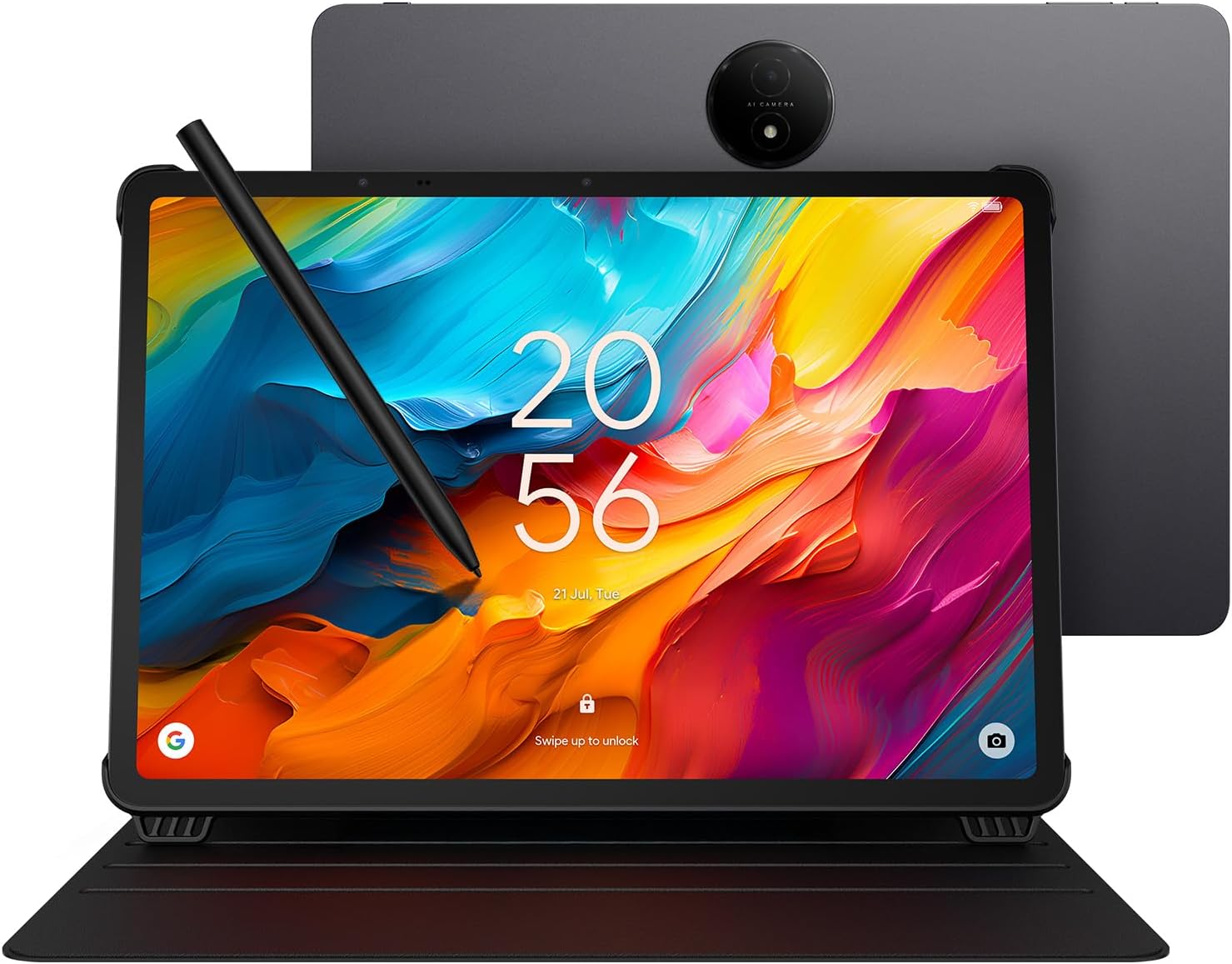
🖋️ Elevate your creativity and productivity—where paper meets power!
The TCL NXTPAPER 14 is a versatile 14.3-inch Android 14 tablet featuring a 2.4K paper-like display with NXTPAPER 3.0 technology, a 4096-level pressure stylus, and a powerful MediaTek Helio G99 processor. It offers 8GB RAM plus 8GB expandable memory, 256GB storage, and a massive 10,000mAh battery with fast and reverse charging. Designed for multitasking and eye comfort, it supports multi-window productivity and comes with a durable metal build and flip case for on-the-go use.


| Standing screen display size | 14.3 Inches |
| Screen Resolution | 2400 x 1600 pixels |
| Max Screen Resolution | 2400 x 1600 Pixels |
| Card Description | Integrated |
| Wireless Type | 802.11ac |
| Brand | TCL |
| Series | TCL NXTPAPER 14 |
| Item model number | Helio G99 |
| Operating System | Android 14 |
| Item Weight | 4.02 pounds |
| Product Dimensions | 8.74 x 12.69 x 0.27 inches |
| Item Dimensions LxWxH | 8.74 x 12.69 x 0.27 inches |
| Color | Gray |
| Processor Brand | MediaTek |
| Flash Memory Size | 258 GB |
| Batteries | 1 Nonstandard Battery batteries required. (included) |
P**P
TCL NXTPAPER 14 Android Tablet – A Game-Changer for Media and Reading Lovers
I’ve been using the TCL NXTPAPER 14 Android Tablet, and I have to say—it’s an absolute standout in its category. 📱 Display The humongous, clear, and sharp display is easily one of its best features. Whether I’m reading eBooks, browsing the web, or streaming content on YouTube, Netflix, or Hulu, the screen delivers vibrant visuals with excellent clarity. It’s large enough to comfortably multitask or enjoy immersive viewing without straining your eyes. 🔊 Audio The speaker output is impressively loud and crisp, making it perfect for watching videos or listening to music without needing external speakers. 📖 Reading Experience Reading on this tablet is on another level. Thanks to the ability to switch between different display modes, I can adjust the screen to suit various lighting conditions or reduce eye strain—especially helpful during long reading sessions. ✍️ Bonus Features TCL includes a stylus pen and a case, which is a huge bonus. The stylus is responsive and great for note-taking or sketching, and the case adds protection while doubling as a stand for hands-free use. 💡 More Than Just the Basics This tablet isn’t just for casual use—it’s powerful enough to handle more than the basics, whether you're working, studying, or enjoying entertainment. Highly recommended.
J**R
Great performance and value
An amazingly versatile tablet with a very clear touch screen, really light with a super sized screen. Great battery life and recharges quickly. The 8+8 gigabytes of RAM allows me to play all my favorite games and apps with ease. I also have the latest version of the IPad Air 13” tablet. Cost me 3 the price of the TCL. I find myself using the TCL more than the IPad and planning to return it. I highly recommend the TCL tablet, outstanding quality and value week under $500.
R**K
Great tablet for sheet music.
I got this tablet to use for sheet music. It is great for this this. The display is pretty much the same size a a standard sheet of sheet music. Works great with mobilesheets. The display is easy to read in all indoor lighting conditions. I haven't tried it outdoors in the sun. As me again when summer rolls around. While the size is great for music, it's a little big for other tablet stuff. If it had a keyboard case, it'd be a good laptop replacement. The included case/cover works well. The pencil leaves room for improvement. My first complaint is the fact that this uses a proprietary format for the stylus. So far in my house, I have this tablet, an iPad, a Surface Pro, kindle fire tablets and a chromebook. The kindle and the Chromebook both us a USI stylus, but everything else is proprietary. They could have easily made this compatible with USI styli, but wanted to do their own thing. Which brings be to my other complaint. The pen is sluggish and not as responsive as the ones for my surface and iPad. I keep getting stray marks from my hand on the tablet. The magnet to hold it on the tablet is not nearly strong enough. I've hav this for a month and I'm surprised I haven't lost the pen yet. Good: Perfect size for sheet music Reasonable cost Lightweight for something this big Comes with included case Bad: Pen is sluggish Magnet does not hold pen securely A little big for general web browsing
M**7
Ridiculously nice
There is no reason why any tablet at this price point should be this nice. Metal construction, paper like finish with no glare, 14.3 in screen, not heavy and incredibly sleek to look at. Even comes with the top-notch cover. I got it on sale for 333 almost exactly. Even at 4:50, I would recommend this to anyone without hesitation. But if you can wait for them to get Mark down again for half a day or so, keep an eye on this one if you're in the market for a tablet. This is my third or fourth tablet, and I always thought the other ones were pretty good. I was wrong. They were almost good, and this one is just outstanding. Tcl should give me a couple of bucks for saying that, lol. Just an outstanding device and I couldn't be happier with it, doubly so because I got it at what I consider to be a very decent price.
R**N
Good but far from perfect
I thought the battery would last a lot longer in paper modes, but I think it just makes it a little easier on the eyes but does't save any battery like other e-paper displays that last much longer. The matte screen is pretty cool, while not as bright as some other tablets, it's sufficient... The size is pretty awesome, it's bigger than the biggest Apple iPad I think. Pen could be better, but again it's sufficient, doesn't actually come with any note taking software pre-installed, and has to be purchased, unlike Samsung or Apple tablets. Also, the cover is not magnetic, so it often slips for me, but better than not having one... Kinda wish the cover also had a keyboard like many others. I actually thought about returning it mostly becuase I hoped it would be more like e-ink with very long battery life, but I decided to keep it pretty much only because I like the screen size and it's not too expensive of a tablet.
S**E
The giant
This is my first tablet in over a decade. I never owned an Android tablet. If one word can sum up this tablet then that is BIG. Honestly, it's the size of a closed laptop, near its weight too I mainly bought it for viewing documents, reading, and annotating on MS onenote, you never have to worry about wasting paper. The e-ink style color mode is a nice feature and unique maybe won't replace your Kindle or other true e-ink but it is close enough. I tried to draw but forgot how feature rich some of these apps are so I'd say it's good for basic drawing with Autodesk. Or maybe I need to be better at drawing on tablets. Not much bloat apps. Lots of Google apps if you need them. I don't use it for everything Google or streaming videos so many of these apps are not for me I dont play games so can't say anything about those features. Stylus pen is good, although it's easy to forget to press the button every time turns it on. Also, based on grip you'll keep pressing the button often. Battery on pen can last close to a week if used sometimes. Tablet battery is also lengthy, it lasts a week or littler over a week then can start to drop to under 20%. But again, mine I turn off WiFi and leave airplane mode on. This could be placebo but I do it anyway. There is a built in "eye care" feature that can annoy you. Every 20 minutes it tells you to take a screen break, this break last 20 seconds. Kind of annoying but you can turn it off. I think it is good but it can happen when your writing and it throws me off my concentration haha. **Just note privacy wise: microphone is always on!* There are no ways to disable this.** I really like this tablet although I'm uncertain how long they will support it with updates. Security updates for only 3 years is guaranteed. Overall a fantastic entry for huge tablet for anyone in the market for a reader.
J**H
Great for the musicians stand... digitize your sheet music
TCL NxtPaper has a beautiful non-glare display for reading music scores. Coupled with a Donner Blue Tooth page turner, I don't have to drag around folders of paper sheet music. Easy to set up, cool features, quality build, and speedy too! Pen included for notations. I loaded Mobile Sheets app and also installed Chart Builder (Multitracks) Works like a charm...
D**1
NXTPAPER 14 is great but NXTPAPER 11 Plus may be better
I purchased this tablet excited for its NXTPAPER display technology, with smart eye comfort offering a paper-like experience thanks to its anti-glare display, blue light filtering and DC dimming, which helps reduce eye strain during extended use. I like that there is a physical button that allows you to switch between 3 modes. Regular mode, which is the most crisp and vibrant of the three modes. Good for streaming videos. Ink paper mode, which I like a lot for reading. And there’s a Color Paper mode, which softens the color combined with the matte finish gives it an interesting look for digital art and comic books if you are into that. Sound is pretty good. The case does not magnetically close. And there are currently no other case option available to purchase at this time. I did not test the pen, so I cannot comment on that. It’s not the fastest tablet. But this a entry-level to mid-range tablet, It is not expected to compete with an iPad. The refresh rate is only 60Hz. If you want 120Hz you will need to purchase the 14 Pro, which I don’t believe is available in the US. But for what I use it for, not having 120Hz is not too noticeable. This tablet is using the older NXTPAPER display technology 3.0. It is not using their latest 4.0., which is an unfortunately big miss on TCL. I primarily purchased the tablet for reading articles, books, music sheets, web surfing and occasional YouTube videos. The matte finish NXTPAPER display technology, with smart eye comfort is great on my eyes. This feature alone is a game changer. However, I find this tablet to be a little too big, heavy and uncomfortable in the hand. It weighs 757 Grams. The iPad Pro 13” M4 weighs 582 Grams for comparison. I think the nxtpaper 11 plus with NXTPAPER 4.0 display may be a better fit for me. Pros: NXTPAPER display technology, with smart eye comfort Anti-Glare display is very good 3 modes: Normal mode, Ink Paper mode and Color Paper mode Good sound Cons: A little too big 14.3” Heavy at 1.67 pounds (757 Grams) Only 60Hz refresh rate Not using the latest NXTPAPER display technology 4.0.
Trustpilot
5 days ago
3 weeks ago