Buy anything from 5,000+ international stores. One checkout price. No surprise fees. Join 2M+ shoppers on Desertcart.
Desertcart purchases this item on your behalf and handles shipping, customs, and support to USA.
🚀 Elevate your home Wi-Fi game—stay connected, stay ahead!
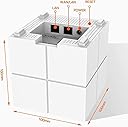
The Tenda Nova MW6 is a powerful 3-pack mesh Wi-Fi system delivering up to 1200 Mbps dual-band speeds and seamless coverage across 6000 sq.ft. Designed for easy app-based setup and smart home integration, it supports up to 90 devices with two gigabit ports per node, ensuring a lag-free, high-speed network experience throughout your home.


| ASIN | B076VPYT36 |
| Antenna Location | Home |
| Antenna Type | Internal |
| Best Sellers Rank | #200,534 in Electronics ( See Top 100 in Electronics ) #22 in Whole Home & Mesh Wi-Fi Systems |
| Box Contents | 3 Nova Units, 3 Power Adapters, Quick Install Guide and Gigabit Ethernet Cable |
| Brand | Tenda |
| Brand Name | Tenda |
| Colour | White |
| Compatible Devices | Laptop, Personal Computer, Smart Television, Smartphone, Tablet |
| Connectivity Protocol | Wi-Fi |
| Connectivity Range | 6000 Square Feet |
| Connectivity Technology | Wi-Fi |
| Control Method | App |
| Controller Type | Amazon Alexa, Google Assistant |
| Country of Origin | China |
| Coverage | 6000 square feet |
| Customer Reviews | 4.3 out of 5 stars 6,331 Reviews |
| Data Transfer Rate | 867 Gigabits Per Second |
| Frequency | 5 GHz |
| Frequency Band Class | Dual-Band |
| Global Trade Identification Number | 06932849427561 |
| Importer Contact Information | Fortune Marketing Pvt. Ltd., D1, 2, Pocket W, Okhla Phase II, Okhla Industrial Area, New Delhi, Delhi 110020 |
| Is Modem Compatible | No |
| Item Dimensions L x W x H | 10L x 10W x 10H Centimeters |
| Item Type Name | Router |
| Item Weight Unit of Measure | 2.65 Pounds |
| LAN Port Bandwidth | 1000 Mbps |
| Manufacturer | Shenzhen Tenda Technology Co., Ltd., Tenda Technology Building, International E City, No. 1001, Zhongshanyuan Road, Nanshan District, Shenzhen Postcode: 518052 |
| Manufacturer Contact Information | Tenda Technology Building, International E City, No. 1001, Zhongshanyuan Road, Nanshan District, Shenzhen Postcode: 518052 |
| Manufacturer Part Number | MW6 |
| Maximum Upstream Data Transfer Rate | 1200 Megabits Per Second |
| Model Name | Nova |
| Model Number | MW6 |
| Number of Ports | 2 |
| Operating System | Windows |
| Other Special Features of the Product | Access Point Mode |
| Packer Contact Information | Fortune Marketing Pvt. Ltd., D1, 2, Pocket W, Okhla Phase II, Okhla Industrial Area, New Delhi, Delhi 110020 |
| Special Feature | Access Point Mode |
| UPC | 712396689218 |
| Unit Count | 3 Count |
| Voltage | 230 Volts |
| Warranty Description | 3 years warranty provided by the manufacturer from date of purchase |
| Wireless Communication Standard | 802.11ac, 802.11n |
| Wireless Compability | 802.11ac, 802.11n |
U**4
Works very well ..once it is installed correctly
Installation - As there was no web interface it was a bit difficult to figure out the problem. The ISP technical team then found it was not able to authenticate credentials to their server with the username and password. They then reset the MAC. Then installation went very fast and only took a few mins. Usage - Once this was done the system works flawlessly. No problems faced so far. Good video streaming speeds over the complete mesh. Great for "simple" users who want a fuss free system - assuming install is done properly. Advanced users will probably have to wait for their mobile app to be upgraded with advanced features.
S**P
Super Easy to Install
I am no techie and more often than not, I get stumped when i try to deal with hardware settings. It gets too complicated for me to set up IP adress, configure router, understand firewall settings and all other damned thngs. And usually, i fall upon that techie friend or office sys admin to help me... But that means, I had to wait for a weekend before I could access a wifi. This is my story, everytime I change my router or move into a new house. But with Tenda its veen a breeze to set up and get going. The in-app instructions are spot on and most of the configurations are done automatically. For the first time I had setup my Home wifi and feels ng invincible already :). This review is just about installation. Shall update regarding the product performance after using it for a month.
P**A
Good for small house
Not giving network to whole 3 story hosue
K**A
Best investment ever made
I have a fairly small home of 1400 sqft and traditional router always had signal problems and would normally get 13 to 15% signal in my home office. Installed Nova under 2 mins and now I get 100% signal across my house. It doesn’t drop signal, it doesn’t have multiple ssids like traditional range extender. Best router ever used. I only wish it was more stylish and small to pique visitors interest.
A**R
Tenda Mesh
It's a 5 minute installation that can be done by anyone following the instructions. Connected it on the Jio FTTH router. Now entire home is sufficiently covered with a single SSID. Works very well and its design is nice. Only pricing should be lower.
T**R
The “Mesh” tech doesn’t work!
I use a 1 Gbps connection and the root node works fine. However, the other nodes DON’T connect despite being in the same room about 10 feet (NOT meters) apart with no walls in between. The same issue occurs on a replacement product as well. I’ve requested for a return on this product now. Will probably try Netgear now. P.S. The wifi speeds on the root node are fine, ~400 Mbps on mobile devices, and it’s WiFi coverage is also reasonably good.
N**S
GO FOR IT. Works flawless.
MW6 Works like a charm in my 5000 sq ft concrete house. Looking forward for Tenda MW12. Shipping is pathetic as always with "delhivery". Overall a good product.
S**N
I liked mw3 better
Would go for the mw3. It’s cheaper compact and more reliable. MW3 is better for 2.4Ghz devices
M**L
Fonctionne très bien
Facile à installer
D**D
Ottimo sistema (Nova MW6 - 3 pack)
Davvero un ottimo sistema. Si basa sul principio delle reti mesh, superiori concettualmente e tecnicamente ai semplici ripetitori di segnale wifi domestici. Permette di avere un'unica rete wifi con un unico SSID (identificativo di rete) e i vs device passano automaticamente e rapidamente dall'uno all'altro "cubo" mentre vi muovete per casa. Inoltre questi gestiscono anche intelligentemente il traffico, ripartendo sulla rete i dispositivi collegati. Si tratta di singoli Access Point che lavorano come uno solo, collegandosi fra loro e tutti, tramite il nodo primario, al Vostro modem/router. Il collegamento del nodo primario con il modem avviene via cavo, mentre gli altri si collegano fra loro via radio. La prima installazione è semplicissima e avviene sotto la guida dell'app Tenda WiFi, che vi segue sia per il collegamento del nodo primario, sia per collegare gli altri nodi secondari. Dopo aver configurato tutto potete anche spegnere il wifi del modem, se lo ha, perché il sistema Nova creerà la propria rete e il primo nodo sarà vicino (data la presenza del cavo che non sarà lunghissimo) al modem stesso. Ad ogni modo funziona tutto molto bene e i singoli nodi sono molto potenti. L’ho installato in un'abitazione grande a tre piani, ed ho acquistato il sistema di tre pezzi, ma alla resa dei conti ho visto che anche con 2 sarebbe stato sufficiente, forse anche con uno solo se fosse stato possibile porlo al centro della casa. Tenete conto che fra loro adesso distano più o meno 6/7 metri in linea retta e con almeno 2 pareti portanti di 30cm o almeno due solai in cemento armato fra loro, e nonostante tutto il led segnala "verde" cioè collegamento eccellente. Li ho disposti, un po anche per necessità, a triangolo rovesciato con 2 nodi al secondo piano ed un al piano terra. Adesso si riceve benissimo a piena potenza in ogni locale, ed anche in giardino a diversi metri dalla casa. Segnalo che è un sistema wifi a 2 bande (2,4 e 5GHz), dotato di MU-MIMO e QOS, con due porte Gigabit disponibili su ogni modulo, ma non è un WiFi6 (per quello vi occorre il sistema Nova MW12 (se non erro) che è un tri-band e con 3 porte LAN Gigabit cadauno. Altra cosa carina, anche se sicuramente se ne può fare a meno, è che ogni nodo può essere rinominato inserendo un nome del locale dove si trova, così da sapere a colpo d'occhio a quale siete collegati. Si può installare appoggiato su un piano, o fissare a parete con i fori predisposti nella parte inferiore. L'alimentatore è separato con spinotto (non USB) ed il cavo non è molto lungo ma sufficiente per arrivare da una presa bassa al piano di una scrivania. Unico neo potrebbe essere che il Nova non è gestibile da PC ma solo dalla sua app, scelta del produttore forse un po' criticabile dato che da PC si opera sicuramente meglio. Fate attenzione perché di default si configura in modalità "Router" (DHCP) che crea quindi una propria rete e gli indirizzi vengono pertanto assegnati dal Nova. Ho preferito riconfigurarlo in modalità "bridge" perché così ho mantenuto la rete già configurata e gestita dalle impostazioni del modem (quindi sarà questo ad avere il DHCP ed assegnare gli indirizzi) oltre ad altre funzioni. In questa modalità il sistema Nova perde alcune funzioni come appunto il DHCP, ma anche il Parental Control e qualcos'altro, tutte funzioni che però dovreste avere nel modem e gestirle da lì. Ho preferito questa soluzione perché al modem era collegato uno switch per una sezione cablata della rete con altri dispositivi fissi fra cui la stampante. Dato che in modalità bridge il tutto fa capo al modem/router, i dispositivi cablati risultano visibili da tutti i device sulla rete, anche in wireless, altrimenti avrei avuto la parte cablata su una rete diversa e separata (non raggiungibile). Potete fare la stessa cosa anche utilizzando una delle porte RJ45 che trovate sotto ogni "cubo", ma il DHCP statico, misto con il dinamico, non è gestito dal Nova, se non parzialmente, cosa non funzionale se si deve per forza utilizzare un IP statico per la stampante. Oltretutto con la modalità bridge, si può anche lasciare in funzione il wifi del modem perché sarà la stessa rete che viene irradiata, ma non sarà gestibile dal Nova (e ammesso che il nodo primario con un cavo lungo lo collochiate lontano, altrimenti non serve a nulla avere due AP vicini) e potrebbe interferire con il corretto funzionamento. E’ altresì dotato di un sistema beamforming che indirizza il segnale verso dove si trovano gli utilizzatori, motivo in più per spegnere il wifi del modem. Consiglio vivamente l'acquisto di questo sistema, davvero funzionale, specie se come me avete già un router Tenda, che sarà a sua volta gestito dalla stessa app.
K**I
Do NOT bother
The mesh is super easy to setup. Unfortunately it keeps losing connection and app itself ask for far too many permissions.
Y**I
MW3 and MW6
I'm using both mw3 and mw6 , here mw6 range mention 6000sq but in reality both range are same there no different in my opinion if you looking for best range please go for TP-LINK
A**R
Super proste i super wydajne - Plug& play
Plug & play doslownie. Dotychczas mialem problem z wifi w domku 3 pietrowym, zadne wifi extansions nie pomagaly, a sygnal po powerline byl klopotliwy. Podlaczenie tego zestawu zajelo doslownie 5 min i mam pokrycie wifi w calym domu bez problemu.
Trustpilot
3 weeks ago
1 month ago