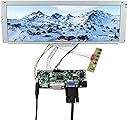
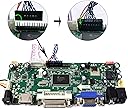
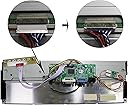
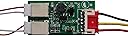
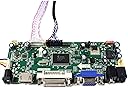
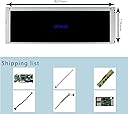
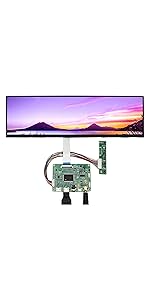
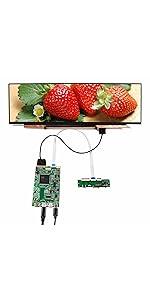
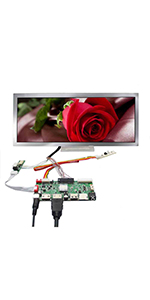
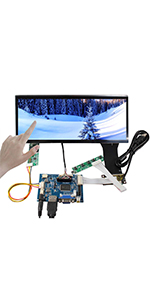
I included two images of this display, mounted externally, on the speaker/dmd panel of my 3/4 scale GameRoomSolutions virtual pinball cabinet. I did this, because there's no room, inside the cabinet for this display. Also, I got the display because I'm legally blind, and the 7" display which was originally intended for this cabinet was too small for me to read. The display is heave, as it seems to be made with glass, and metal. My only gripe, is the mounting holes for screws only exist in three positions. Two on the upper, and lower right corner, and one in the middle of the left side. However, this panel was meant to be installed internally, behind the speaker/dmd board of a real pinball cabinet, or a full sized DIY home pinball cabinet. When I first tried it, the display didn't seem to work. That's because I didn't connect the cable with a black, double row header, which was shorter than the double row of pins, on the PCB, to which the monitor, power, and button board connect. After close study of the photo of this product, on this site, I discovered the header is intended to go onto the long, double row of pins. After that, it worked fine. The menu could stand to be improved, as it only stays up for a few seconds, and goes away, before you can do anything. LOL The image quality, when viewed from three feet away, and about three, to four feet above the it looks a bit gray-ish, but certainly not unreadable. Such is the quality of many LCD displays. When viewed dead on, it looks it's best. Viewing angle is excellent. Although the display is fairly hefty, you can still attach it, externally, with velcro, though I do recommend you only use the velcro for alignment purposes, when permanently affixing the display with bolts, or screws. I'll be painting mine black, or perhaps, I'll have a local frame shop make a bezel/frame for it. I also noticed the display has an unusual body design, in that it has a thicker area, which houses much of it's electronics, whilst the thin area just houses the display panel. This came in handy, on my pinball cabinet, as the body shape of this display provides a half inch of space between much of the display, and the two speakers, which are mostly covered by this display. Keep in mind, this is a 3/4 scale cabinet, not a full sized one. The display resembles the size of a commercial grade DMD, for coin operated cabinets, but keep in mind, it has a half inch metal boarder around the actual display, unlike real DMDs, so the actual display is a bit smaller than a real DMD. Were I installing this on a full sized cabinet, it would be done internally, of course. :) All in all, the quality of the display seems to be fairly decent. Oh, you will have to figure out where to mount the two boards which come with this display. Not a big issue, though. LOL. One other minor issue was that the display of the desktop appears a bit vertically squished, but that really had no affect on the DMD stream, once I sized the image, in a pinball game, like Pinball FX3. So, it still works well. You do need to remember to set the display size to 1280 by 390, so things don't look way too squished, or have black bars, top, and bottom.