Desertcart purchases this item on your behalf and handles shipping, customs, and support to USA.
🚀 Unlock the future of home internet with TP-Link Archer NX500 — where 5G speed meets WiFi 6 power!
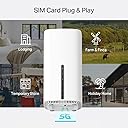
The TP-Link Archer NX500 is a cutting-edge dual-band WiFi 6 router with integrated 5G SIM support, delivering up to 4.67 Gbps download speeds. Featuring AX3000 WiFi performance, gigabit WAN/LAN ports, and EasyMesh compatibility, it offers seamless whole-home coverage and flexible connectivity options. Designed for quick plug-and-play setup and managed via the intuitive Tether app, it’s ideal for professionals and families seeking ultra-fast, reliable internet without the constraints of traditional broadband.


| ASIN | B0FDH3628W |
| Antenna Location | Business, Home |
| Antenna Type | Internal |
| Best Sellers Rank | 280 in Computers & Accessories ( See Top 100 in Computers & Accessories ) 9 in Whole Home & Mesh Wi-Fi Systems |
| Box Contents | Archer NX500 | RJ45 Ethernet Cable | 1.5m Power Adapter |
| Brand | TP-Link |
| Brand Name | TP-Link |
| Colour | White |
| Compatible Devices | Regular |
| Compatible devices | Regular |
| Connectivity Protocol | Wi-Fi, Ethernet, 5G |
| Connectivity Technology | 5G, Ethernet, Wi-Fi |
| Control Method | App, Touch |
| Controller Type | App Control, Push Button |
| Country of Origin | China |
| Coverage | Home (3 Bedroom) |
| Customer Reviews | 4.4 out of 5 stars 79,119 Reviews |
| Data Transfer Rate | 1201 Megabits Per Second |
| Frequency | 5 GHz |
| Frequency Band Class | Dual-Band |
| Frequency band class | Dual-Band |
| Has Internet Connectivity | Yes |
| Has Security Updates | Yes |
| Is Modem Compatible | Yes |
| Item Dimensions L x W x H | 9.9L x 9.9W x 19H centimetres |
| Item Weight | 0.6 Kilograms |
| LAN Port Bandwidth | 1000 Mbps |
| Manufacturer | TP-Link |
| Manufacturer Part Number | Archer NX500 |
| Maximum Upstream Data Transfer Rate | 1201 Megabits Per Second |
| Model Name | Archer NX500 |
| Model Number | Archer NX500 |
| Model name | Archer NX500 |
| Number of Antennas | 10 |
| Number of Ports | 6 |
| Operating System | Linux |
| Other Special Features of the Product | Guest Mode, Internet Security |
| Product Warranty | 3 Years Manufacturer |
| Router Firewall Security Level | Basic |
| Router Network Type | Wireless |
| Security Protocol | WEP, WPA-PSK, WPA2-PSK |
| Special feature | Guest Mode , Internet Security |
| Unit Count | 1.0 count |
| Voltage | 12 Volts |
| Wi-Fi Generation | Wi-Fi 6 |
| Wireless Compability | 802.11ac, 802.11ax, 802.11b, 802.11g, 802.11n |
| Wireless communication standard | 802.11ac, 802.11ax, 802.11b, 802.11g, 802.11n |
W**4
Excellent mobile broadband router
I did a lot of research before buying the TP-Link router to replace an older unit (from a different manufacturer), which was past its best and causing connectivity issues. The first thing to say about the TP-Link is how compact and stylish it looks compared to most. It won't draw your eyes, but if you do look at it, you'll like its clean lines and profile. It doesn't weigh very much, but it feels quite sturdy and safe while sitting on a narrow shelf when it is in operation. Setting it up was incredibly easy. In fact, after installing the SIM card, it more or less set itself up after powering it on. It took me longer to think up a secure password for the wi-fi than it did to get the unit up and running. In use it works quite unobtrusively. The indicator lights on the front panel are quite small so they don't distract you. It performs very well in terms of 5G mobile signal capture and throughput of data. I am using it currently for live-streaming and the performance has been very stable and consistent so far. The wi-fi network generated by the router has a fairly long range inside what is a challenging building environment. Overall I am very impressed by this TP-Link router and I would happily recommend it to anyone else who might be considering buying it.
M**R
A Game-Changer for Home Broadband – Incredible 5G Speeds and Flawless Wi-Fi 6!
I recently moved to an area where traditional wired broadband is incredibly slow, so I decided to make the jump to a dedicated 5G home setup. After comparing a few models, I invested in the TP-Link Archer NX500, and it has completely transformed my home network. Setup & Ease of Use Straight out of the box, this router is practically plug-and-play. I inserted my 5G Nano-SIM, powered the unit on, and used the TP-Link Tether app on my phone to finish the configuration. The whole process took less than 10 minutes. The app is highly intuitive, making it easy to monitor network traffic, set up a guest network, and manage connected devices. Performance & Speed This is where the NX500 justifies its price tag. The combination of 5G connectivity and AX3000 Wi-Fi 6 means my network is handling heavy loads effortlessly. I am consistently pulling fantastic download speeds (though this will heavily depend on your cellular provider's local 5G tower). My family can now stream 4K movies on two different TVs while I download large files on my PC—all simultaneously, with zero buffering or lag. The Wi-Fi 6 range is also fantastic. It easily pushes a strong signal through the walls of my home, eliminating the dead zones I had with my old ISP-provided router. Design & Hardware It has a sleek, modern tower design that blends in easily on a shelf without looking like a spaceship. I also love that it includes Gigabit Ethernet ports on the back. I have my main desktop hardwired directly into it, which keeps my latency extremely low for gaming and video calls. Pros: Blazing Fast: Takes full advantage of 5G network speeds and Wi-Fi 6 bandwidth. Rock Solid Stability: I haven't experienced a single drop or needed to reboot it since setting it up. EasyMesh Compatible: Gives me peace of mind knowing I can easily add mesh nodes later if I ever move to a larger house. Simple App: The Tether app makes management completely stress-free. Cons: Price: It is definitely an investment compared to a standard 4G router, but the future-proofing and performance make it worth the premium. SIM Slot: The Nano-SIM slot is a little fiddly, so just take your time pushing the card in so you don't drop it. Final Verdict If you are frustrated with poor wired broadband or just want to leverage a fast unlimited 5G data plan for your entire household, the TP-Link Archer NX500 is a phenomenal piece of kit. It completely bypassed my local network bottlenecks and delivers a premium, stable connection. Highly recommended! (Tip for new buyers: Take an hour to test the router in different windows around your house before finalizing its spot. Finding the side of the house facing your provider's 5G mast will drastically improve your speeds!)
R**S
Good
Little slow but works properly, great as a 4g router, strong signal and easy to assemble
M**E
Sim Card routers should be more mobile phone based
A good item but could be improved by a notification light on the front panel for SMS messages, it would also benefit from the ability to plug in a phone handset. TP-Link are great with routers but when dealing with mobile sim card dependant items they are a little lacking in their design from mobile phone makers as in order to use this properly with multiple wireless devices you need a high rate or unlimited data plan and these come with unlimited call and texts that this device makes hard to use on the SMS side and impossible for the call side. Data only plans I have found to be more expensive than plans including voice and SMS. After 1 month of using this I have had good signal strength throughout my house, the colour is great as it needs to be mounted in a window for best mobile reception and being white in sunlight prevents it from getting too hot, the power cable is not long enough for window mounting so have had to find a way to extend it (it was easier to move a mains extension to the plug than extend the power cable). Having to log on the router home page to check for messages is a pain so you can't really use the message side. Mobile broadband is good for singles or those with lower internet (non gamer and no HD streams) but you can't really plan how much data you will need, for example you tube does let you pick different resolutions but does not specify how much data you will need to watch a video. Not many singles and couples really need fibre band-with. As I am using this with an unlimited internet plan that gives me calls and texts unlimited too I have tried to switch to a Motorola FW410 4G (after only 1 month) which did not provide as good a signal throughout the house but was able to use all 3 parts of my plan - calls, texts and internet. unfortunately the hot-spot side of this item packed up after only 5 days of use, it was a hot-spot not a router. This TP-Link router is a good reliable solution for data only with limited SMS function. If calls are required on top (like with my requirement) you may need 2 sims and 2 devices (and 2 accounts/bills), 1 to handle calls and texts (a basic Nokia 105 mobile will do this for around £20 equipment cost) and this router which gives the added bonus of being able to accept add on aerials which can be either indoor or outdoor mounted further improving mobile reception (did not need these and have not tried these, may need after house move). Most people already own a mobile so should not have this issue, the use of a non smartphone is due to battery life, recharge interval and better reception. My circumstances: due to probate (death of the home owner who paid the broadband bill) I will be leaving this house soon, could not justify a 2 year broadband contract and mess around with number changes when I move. This mobile system means I pay less for phone services (no line rental), get the bandwidth I need, have uninterrupted number portability and choice (albeit limited) of my own equipment. Landlines are lv ike TV licences, a thing of the past that you don't need (if you don't use TV) and there are newer alternatives to consider. This way I only have to inform of number change once which with the house move is required anyway.
M**R
Affordable and great!
I'd suffered and endured the dubious Virgin Media "Superhub" long enough. I decided I'd try a new router after reading all the similar problems on the Virgin Media forums. I didn't want to spend too much money, so reading the generally positive reviews of this router, and that others had even used it for the same reason, I went for it. Setting it up was incredibly simple, although I have had previous experience. But honestly the hardest part was probably setting the old VM box to "Modem" mode.. Anyway! Afterwards I wired in this new router, logged on to it wirelessly, went into its admin menu, clicked the automatic setup wizard and.... Bosh. Done! I didn't bother with the enclosed CD, I guess it would've installed unnecessary gunk on my PC, I have no idea what's on it. So setup took literally a couple of minutes, including untangling wires. Really easy. Performance has been fantastic. I immediately noticed a dramatic improvement over the old VM box. Before I'd have to click on a link on my wirelessly connected PC, and wait. Then perhaps click again. Same with all other devices. It was like the router just wasn't bothering to connect to the internet. Now it works properly. Ping and download speeds are epic. Before the ping could be pretty high, and download speeds could sometimes be fast, but somewhat variable and inconsistent. Now downloads are fast and rock steady. We have an xbox hooked up via wireless, in a bedroom the opposite end of the flat (It's a late 70s build with some pretty thick concrete walls to get through). It used to hover around the 1 bar of signal on the xbox "Find Wireless" section. Now it hovers around the Maximum point, occasionally dropping only by 1 bar. Playing games had gotten to the impossible point, and party chat was a stuttering mess of choppy voices and impossible to understand. Now, perfect. So signal is strong and very dependable. I stream media to a wireless radio, xbox etc. Worked perfectly out of the box. My wireless printer that had seemed very temperamental before is now fully co-operating. I read a couple of reviews where people said they had to reset... Mines been on permanently for a few weeks now without a single issue. I did ensure that I had the latest firmware on the TP-Link website, turns out it already had it installed. Maybe that helps? Anyway its behaved perfectly for me. So overall I rate this a fantastic router for my pretty basic needs. £20 for this is a bargain. It made my Virgin Media internet work how it was supposed to be. How Virgin who had such a fantastic reputation for speed could then couple that with such a poor piece of equipment is unbelievable. But this solves it. It's just a shame that I have to keep my stupid, large "Superhub" hooked up in modem mode alongside this great router. Buy it. It's great.
J**N
Inexpensive, easy to configure and has proved reliable - a great product!
I bought this to use as a replacement for our Virgin Media Super Hub as, when our housing estate was built a couple of years ago, most people took on Virgin Media for their broadband services as they had a special offer for all new owners at the time. This now means that within a few hundred feet there are countless Super Hub ID's and our connection has become more and more unreliable. We have had a couple of replacement Hubs from VM but they haven't really cured the problem so I decided to change tack. Having read some of the reviews for TP-Link Cable WiFi Router and looking at how other people solved poor VM WiFi problems I decided to purchase for installation our loft space with a view to making the WiFi signal in our home more robust. One the router arrived and was out of the box I switched the Super Hub into Modem mode, ran a CAT5 cable from the Modem port up into the loft space, plugged it into the TP-Link Router and turned on. For first time use I used a wired connection with the laptop to log into the TP-Link Admin page and within a couple of clicks of a mouse the router had found the cable model and the connection was live. A few more clicks later and I had configured the WiFi as we would want it and all of our devices found the new SSID quickly. I then reviewed the basic security setting and made a few simple changes to make sure the router was as secure as I needed to be and, after a quick reboot, we were ready to go. The total installation time was no more than fifteen minutes and that included putting a couple of screws into a joist to mount the router for best signal strength. The router has been in place for about a month now and so far it has been excellent. Unlike the previous Super Hub there has been no drop out or no need to reboot (albeit I believe there is a setting where you can do this on a daily basis at a set time) and the connection has been very stable. We run 2 PC's, 1 Laptop, 2 FireTV's, 3 Mobile Phones and a CCTV system that can be viewed live and the router is dealing with all of this in it's stride. It not unusual for both Fire TV's to be streaming at the same time without an issue and our work laptop can be quite heavy on data when using a VPN connection and, again, the router has been trouble-free. There are lots of other features of the product such as Guest WiFi, Bridges, DMZ's etc. which are all over and above what we really need but am pleased the features could be used should our requirements change. All in all, for the price we paid and the issues we were having with a Super Hub, this is an excellent piece of kit for a home WiFi setup. It was quick and simple to set up, provided a good level of security for our devices and so far has been faultless.
K**B
Great price. Easy set up.
I bought this for an empty property i have to install with hive lighting. I also bought an ASDA £5 per month sim card (EE). All worked very well, then for som reason decided to 'fall down'. After reasearch i found that it has to work on a non 5G wifi (for what ever reason). so 4G (if you have should work fine). Anyway, returned and refunded with no hastle.
C**R
fantastic, easy to use, reliable
no issues at all, easy to set up with a data sim, offers a reliable connection, and small enough to take with us if the accommodation doesn't have wifi
S**H
Very good
Very good
B**A
Magnifique
Sa marche très bien
T**M
Billig men bra
Gör det den ska utan problem. Och - vilket var viktigt för mig: den gick fint att väggmontera!
A**O
Quando le cose vanno bene va detto...
Bene..Bene.. sono a scrivere una recensione che ho deciso di dividere in due parti. La PRIMA e' legata al prodotto, che ho trovato perfetto, conforme e funzionante al 100x100. l ho configurato e devo dire che con gestore windtre funziona in maniera ottimale. Imballato correttamente e arrivato in 1 gg. insomma sono soddisfatto sia del prodotto che del venditore che ha dimostrato cordialità e presenza in fase di pre-acquisto scambiando con me info importanti che mi hanno convinto ulteriormente. Insomma tutto bene. LA SECONDA parte di questa recensione e' dedicata al servizio TP-LINK support.. e' innegabile che a volte in un mondo che viaggia sempre piu veloce si abbia bisogno di un aiuto e i ragazzi del supporto TP-LINK sono stati pazienti professionali gentili e immediati sia al telefono che via mail. Mi hanno aiutato e supportato come mai altro supporto web ha fatto. Devo dire che se abbino la professionalità e correttezza del venditore alla professionalità e alla efficenza del gruppo tp-link stavolta il tutto potrei definirlo imbattibile. Quando le cose vanno bene mi fa davvero piacere scriverlo e sottolinearlo anche perche e' giusto anche dare soddisfazione sia a chi vende un buon prodotto sia a chi ogni giorno con pazienza dedica il suo tempo agli altri e ti aiuta se hai problemi, sono plus che mi piace, quando li ricevo, sottolineare per tutti gli altri che verranno. Grazie quindi al venditore e grazie a tp-link-support per una gestione di entrambi senza ombre.
P**L
Mauvaise prise murale pas compatible française
Bonjour Ce routeur m'a était livré avec un transformateur 220v 12v avec une prise murale pas adapté au prise murale française ! Est-il possible de m'en envoyer une compatible française
Trustpilot
2 days ago
1 month ago