Buy anything from 5,000+ international stores. One checkout price. No surprise fees. Join 2M+ shoppers on Desertcart.
Desertcart purchases this item on your behalf and handles shipping, customs, and support to USA.
โก Future-Proof Your Home Network with Next-Gen WiFi 7 Power!
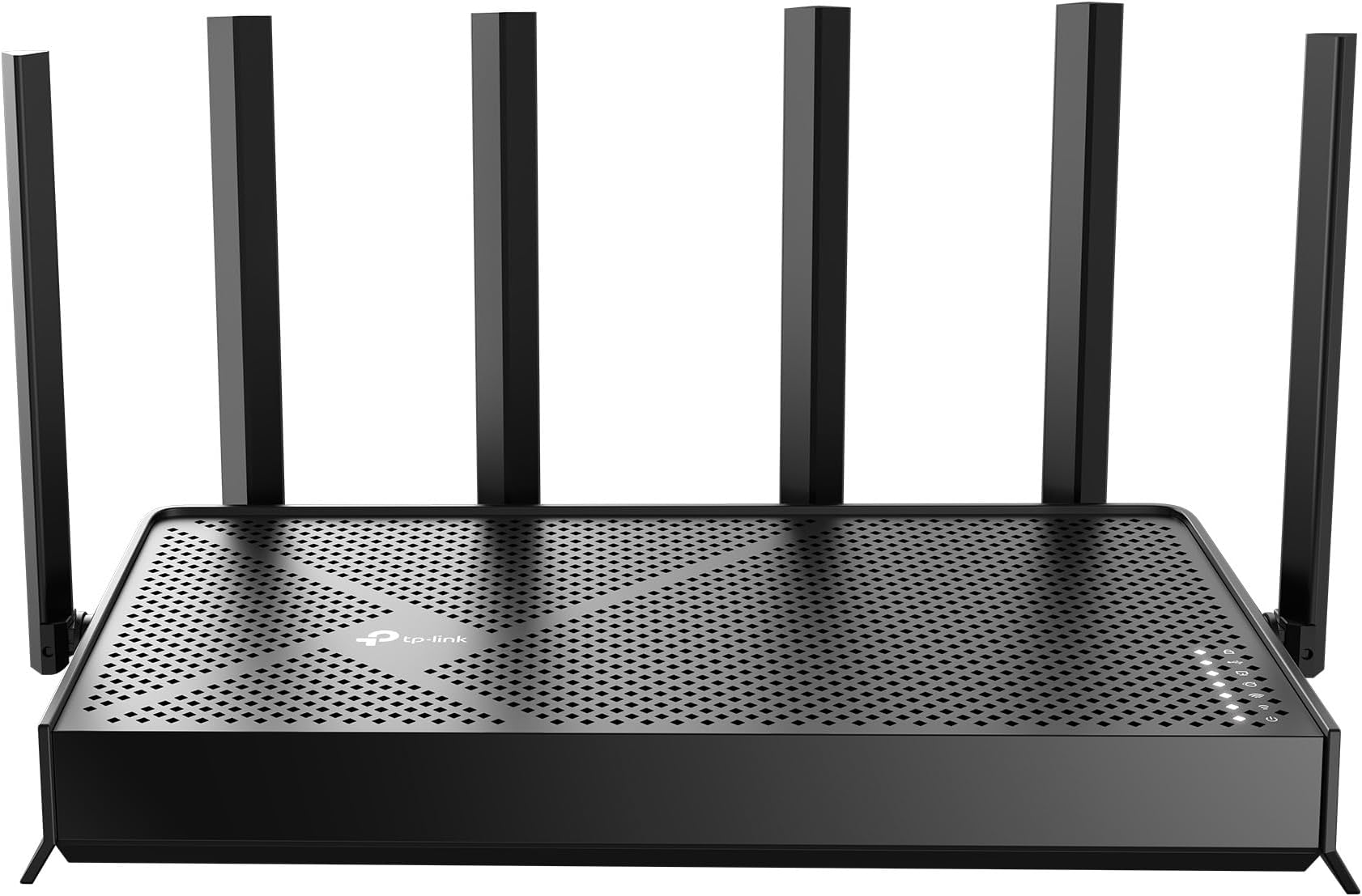
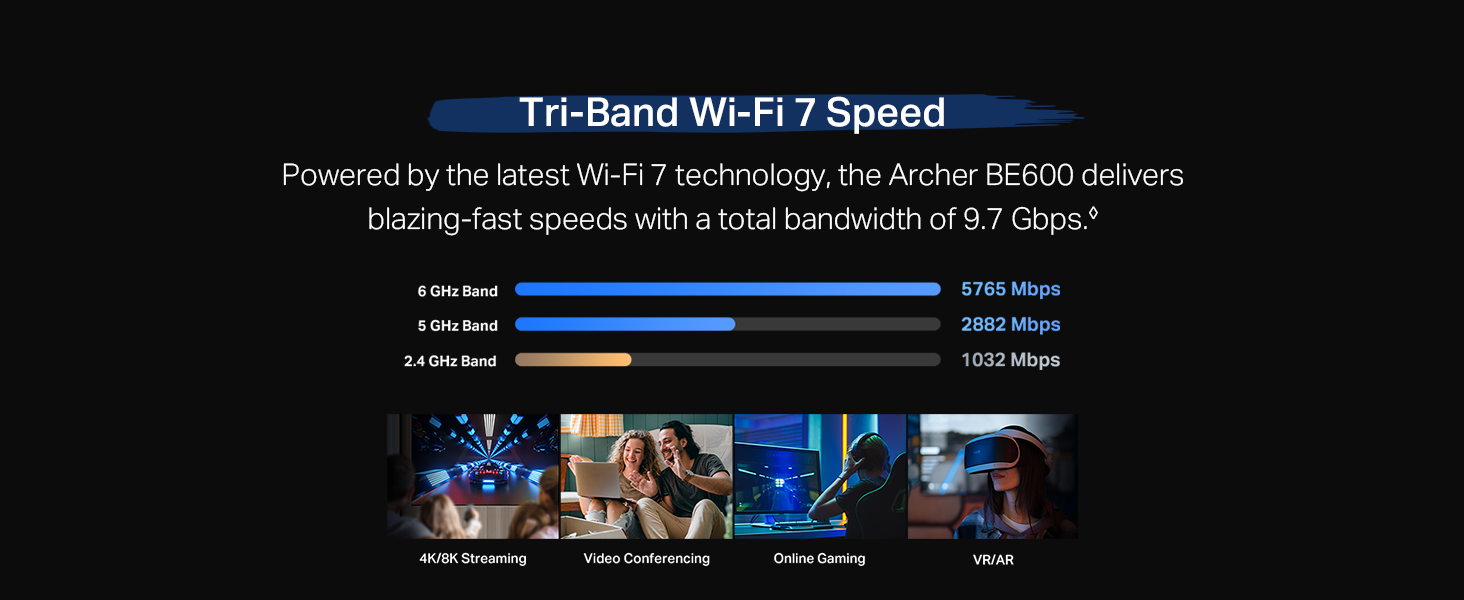
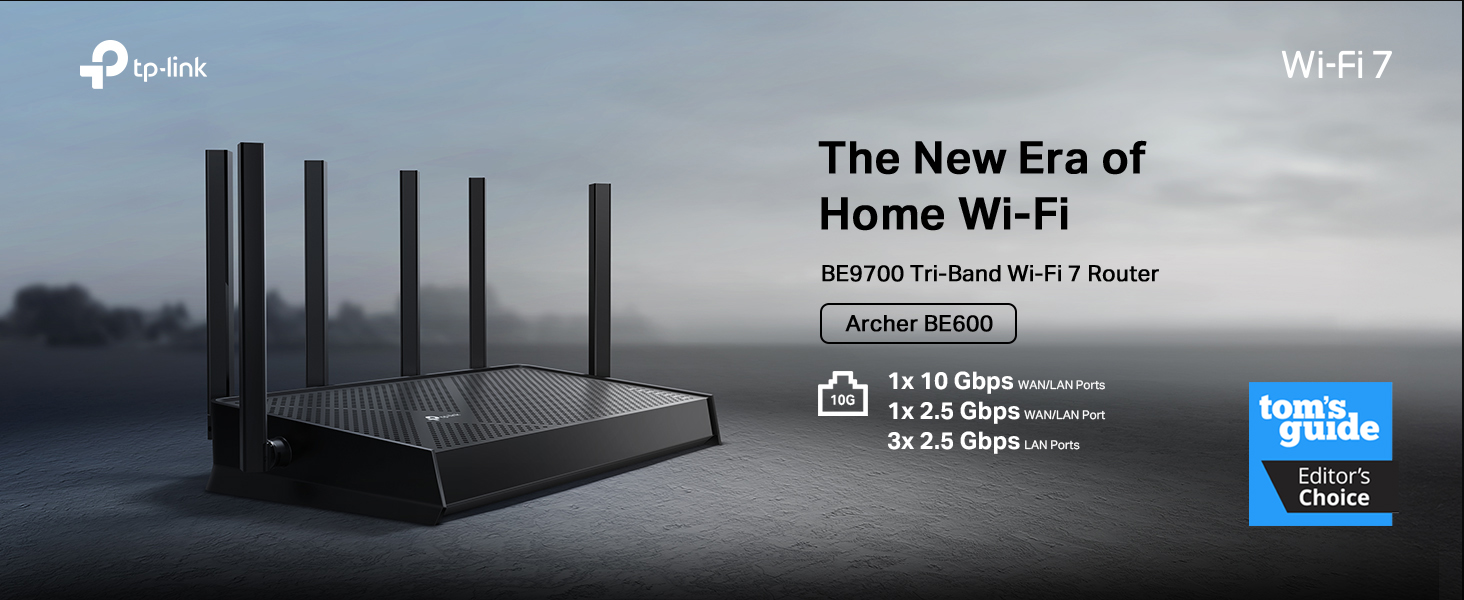
The TP-Link Archer BE600 is a cutting-edge Tri-Band WiFi 7 router delivering up to 9.7 Gbps total bandwidth across 6 GHz, 5 GHz, and 2.4 GHz bands. Designed for large homes, it covers up to 2,600 sq. ft. and supports 120 devices simultaneously. Equipped with a 10 Gbps WAN/LAN port and multiple 2.5 Gbps LAN ports, it ensures ultra-fast wired and wireless connectivity. Advanced security features via TP-Link HomeShield and WPA3 encryption safeguard your network, while easy setup through the Tether app and voice assistant compatibility make it a seamless upgrade for modern smart homes and demanding users.


| ASIN | B0F76PQ2T8 |
| Antenna Location | Gaming, Home |
| Antenna Type | Internal |
| Best Sellers Rank | #32 in Computers & Accessories ( See Top 100 in Computers & Accessories ) #2 in Computer Routers |
| Brand | TP-Link |
| Built-In Media | 1 x Power Adapter, 1 x Quick Installation Guide, 1 x RJ45 Ethernet Cable, 1 x Wi-Fi 7 Router Archer BE600 |
| Color | Black |
| Compatible Devices | Gaming Console, Personal Computer, Smart Television, Smartphone, Tablet |
| Connectivity Protocol | Wi-Fi, Ethernet, USB |
| Connectivity Range | 2600 Square Feet |
| Connectivity Technology | Ethernet, USB, Wi-Fi |
| Control Method | App, Remote, Voice |
| Controller Type | App Control, Voice Control |
| Coverage | 2600sqft |
| Customer Reviews | 4.2 out of 5 stars 431 Reviews |
| Data Transfer Rate | 9.7 Gigabits Per Second |
| Frequency | 6 GHz |
| Frequency Band Class | Tri-Band |
| Has Internet Connectivity | Yes |
| Has Security Updates | Yes |
| Is Modem Compatible | Yes |
| Item Weight | 1.7 Pounds |
| LAN Port Bandwidth | 10G/2.5G |
| Manufacturer | TP-Link |
| Maximum Upstream Data Transfer Rate | 5765 Megabits Per Second |
| Mfr Part Number | Archer BE600 |
| Model Name | Archer BE600 |
| Model Number | Archer BE600 |
| Number of Antennas | 6 |
| Number of Ports | 5 |
| Operating System | Windows |
| Other Special Features of the Product | Access Point Mode, Alexa Compatible, Parental Control, Private IOT Network, Support New 320Mhz channel in the 6Ghz |
| RAM Memory Installed | 1 GB |
| Router Firewall Security Level | True |
| Router Network Type | Tri-Band |
| Security Protocol | WPA3, WPS, WPS2 |
| Smart Home Compatibility | Smart Home Compatible |
| Special Feature | Access Point Mode, Alexa Compatible, Parental Control, Private IOT Network, Support New 320Mhz channel in the 6Ghz Special Feature Access Point Mode, Alexa Compatible, Parental Control, Private IOT Network, Support New 320Mhz channel in the 6Ghz See more |
| UPC | 840460603188 |
| Unit Count | 1.0 Count |
| Warranty Description | 2 Year Manufacturer |
| Wi-Fi Generation | Wi-Fi 7 |
| Wireless Communication Standard | 802.11.be, 802.11ac, 802.11ax, 802.11g, 802.11n |
| Wireless Compability | 802.11.be, 802.11ac, 802.11ax, 802.11g, 802.11n |
A**E
BE9700 is a Game-Changer for Home Networks!
I recently upgraded my home network with the TP-Link Tri-Band BE9700 WiFi 7 router, and I am absolutely thrilled with the results. This router deserves a solid 5/5 rating for its exceptional performance, ease of setup, and impressive speed improvements. Setting up the BE9700 was a breeze. The intuitive TP-Link tether app guided me through the process step-by-step, and I had my new network up and running in a matter of minutes. It seamlessly integrated with my existing modem, and I encountered no hitches or complications. The most noticeable improvement has been the incredible boost in speed. I replaced an older WiFi 5 router, and the difference is truly remarkable. Even with my current devices, which are only compatible with WiFi 6, I am routinely experiencing 2x to 3x faster speeds in the same locations throughout my house. Downloads are quicker, streaming is smoother, and online gaming is virtually lag-free. It's clear that the BE9700 is optimized to deliver superior performance even to older generation devices, making it a worthwhile upgrade even if you don't yet have WiFi 7 compatible clients. I haven't had the chance to test it with a true WiFi 7 client yet, but based on its current performance, I have no doubt that it will deliver even more impressive speeds and a truly next-generation wireless experience. The tri-band technology ensures that there's plenty of bandwidth for all my devices, preventing congestion and maintaining consistent, high-speed connections. If you're looking to future-proof your home network and experience a significant leap in wireless performance, the TP-Link Tri-Band BE9700 WiFi 7 router is an outstanding choice.
G**T
Great Modern Router (High Processing Power)
Yay. I love my new router. I have a lot of smarthome devices, and I host a home web/game server for work. I was very afraid that my port forwarding/dynamic DNS and smarthome would be a pain to migrate to a new router. I was wrong. I used the same network name and password as my old router, and all of my devices reconnected fine (except one chinese security camera which i fixed after). The range is as decent as my old Netgear Nighthawk R7000. The lower frequencies (2.4ghz) have higher range and are better for that. But for processing power of a router, this is it baby. This thing increased my network speed by ~100mbps down and also decreased my latency, pretty impressive. This thing will easily be able to handle all of my smart home devices, server needs and gaming/streaming needs. I think it was a worthy upgrade from my 13yr old router. Quick setup tip: make sure to power down your modem and router first, because your modem is expecting the previous routers MAC address, so you might have to call your ISP and have them send a reboot signal from their end to get your modem to accept the new router MAC address. Other than that, setup was a breeze. Dynamic DNS works well, port forwarding was easy, and there are SO many features I haven't even looked into yet. I also have a TP-LINK network switch, and the router and switch are playing nicely together. All and all, I had netgear routers for like 20 years and they were great, i'm pleased to say that TP-LINK is also great, time will tell though.
B**M
Completely Changed My Home Wi-Fi
This router changed the Wi-Fi performance in my whole house. Absolutely worth it. My house is older, and getting a strong, reliable signal throughout the place has been a pain. I had been fighting weak connections, inconsistent speeds, and the usual frustration that comes with trying to make modern internet work through an older structure. After setting up this TP-Link WiFi 7 router, the difference was immediate. Speeds are much better, the connection is more stable, and coverage across the house is noticeably improved. Devices connect cleanly, streaming and downloads are smoother, and the whole network feels faster and more reliable. It is one of those upgrades where you can tell right away that it was money well spent. Setup was straightforward, and the features are solid without making the router feel overly complicated. The 10G and 2.5G ports are also nice to have for future-proofing and wired devices. If you are tired of fighting bad Wi-Fi, especially in an older home, this is a serious upgrade. It changed the way my whole house connects, and I would buy it again without hesitation.
T**E
Extremely fast but has issues with connectivity
This is a pretty powerful router with some pros and cons. Pros: fastest router that I have had, both for wireless and direct connections I'm getting faster than 1 GB transfers. Was fairly easy to set up with lots of extra features including the choice of having a 2.4, 5 GHz and 6. Cons: Connectivity is not the best I've ever had. Things drop off and then back on and then drop off sporadically during the day. This could be for a few reasons though it seems to happen regardless of which network I use the slower to the fastest. I've managed to stabilize it a little bit better with firmware updates and organizing what's on the 2.4 and what's on the 5 GHz but even if things are close to it, there's still a lot of disconnect and reconnections which Rex havoc with some of my govee wireless switches and some devices. Changing channels made it a little better but still has consistency issues. Much better than what it was but it's still there. It could be a technical issue that I'm not aware of or settings cuz there's a lot and you can go pretty deep down the rabbit hole. Even though I'm pretty technically savvy there's still some things that I easily could have missed. My house is rather large but the inconsistency is not a distance issue. Final comment: A very fast relatively easy to set up router that if you are getting high bandwidth from your internet service provider or you want to transfer documents whether wired or wireless from one device to another, it has excellent speed. Downsides are it could be getting interference from multiple wireless networks in my area and multiple channels being used. Not really sure if that's it or if there's something particularly wrong with this device but when it's working and you have a solid connection it's the fastest router I've had and it's mostly consistent on 5 GHz, 2.4 seems to be sporadic.
G**I
TP-Link
The TP-Link Archer BE600 delivers excellent WiFi performance with fast speeds, strong coverage, and a stable connection throughout my home. Setup was simple using the TP-Link app, and the router handled multiple devices without any slowdowns.
M**E
Bad performance, awful app: avoid this product
I don't know how this is rated as one of, if not the top router of this year. Let's start with the app. It's trash. You have extremely limited options and basic services like various protections - that many other companies offer for free - are all behind paywall subscriptions. There's a constant log in and out whenever you exit for even a second and would often just not detect the router. Awful, infuriating at times. Now for the performance itself. I had constant slow downs from the wifi 7 band. To the point where things would just not load. Hardwired PlayStation would always be fine, but anything on the wifi would just lag and stop working occasionally. Speed and range were often worse than my Asus router, so I went back to that. Would never recommend this product. I don't know if I'd ever go back to TP Link because of their awful app ecosystem.
C**K
Best Router I have used
My ISP keeps telling me that the TP-Link router is not working well. But I have been monitoring the router and my ISP modem. My router is not only working but it has been working beyond my expectations. It has very clear and extensive control panel which makes me feel in control of my environment. I run a homelab and the TP-Link BE9700 has performed everything I have thrown at it effortlessly. It is a keeper
L**R
Great router at a competitive price.
The router worked well in myapplication, and when I needed technical support, they were very helpful. I put my two network drives on the router with the addition of a powered USB3 expander from TP-LINK.
M**B
Good quality, little issue with having third party.
It is good quality, and wifi 6 can reach as far as 25 meters inside concrete building. drawbacks for me, i have to control it through a third party, and multiple of subscription options. It realy did not feel private at all.
T**S
Great wifi7 router at a great price - note US plug
Good signal with optional IoT network, well made, good value. Easy to use. Integrates with TPlink app which works well. Highly recommended for WiFi 7 on a budget. Note comes with US plug, so needs a UK plug separately
Trustpilot
2 months ago
2 weeks ago