🦶 Step up your game with hands-free control that keeps you ahead of the curve!
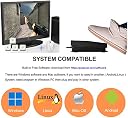
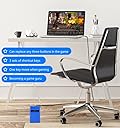
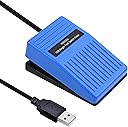
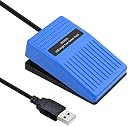
The iKKEGOL Upgraded 2023 Digital Optical USB Foot Pedal is a single programmable foot switch featuring a durable 1.9m USB cable and optical sensor for quiet, precise input. Compatible with Windows, Mac, Linux, and DOS, it supports custom key mapping for keyboard, mouse, multimedia, and gaming functions. Ideal for professionals seeking hands-free control in gaming, transcription, streaming, and productivity, it offers plug-and-play ease with free software for quick setup and versatile use.
| ASIN | B0BWTRBLNP |
| Amazon 売れ筋ランキング | パソコン・周辺機器 - 378,882位 ( パソコン・周辺機器の売れ筋ランキングを見る ) パソコン用キーボード - 6,760位 |
| カスタマーレビュー | 4.4 5つ星のうち4.4 (198) var dpAcrHasRegisteredArcLinkClickAction; P.when('A', 'ready').execute(function(A) { if (dpAcrHasRegisteredArcLinkClickAction !== true) { dpAcrHasRegisteredArcLinkClickAction = true; A.declarative( 'acrLink-click-metrics', 'click', { "allowLinkDefault": true }, function (event) { if (window.ue) { ue.count("acrLinkClickCount", (ue.count("acrLinkClickCount") || 0) + 1); } } ); } … |
| 商品モデル番号 | 10020C |
| 製品サイズ | 9.91 x 6.35 x 3.81 cm; 150 g |
K**R
Does not function as a Joystick. 'Game' menu is useless in Footpedal 7.4.4
The 'Game' option to use Joystick inputs does not work. It would have to come up as a HID-compliant game controller in Human Interface Devices as well. This image is from the Footpedal 7.4.4 software available on Ikkegol's website. The ElfKey software which also functions does not have this 'Game' menu. This is very disappointing as the ElfKey software does have an option to 'Hide in Tray' so it could easily run a virtual gamepad to facilitate this function. I am going to have difficulty reprogramming the internal microcontroller because the part number has been filed off the 16pin chip inside the pedal. It is possible to use Keyboard keys beyond F12 (such as F13 to F24) for programs such as Discord. It is NOT possible to use Joystick Button 1 in Teamspeak, Ventrillo or other chat software that supports Joystick inputs for push-to-speak. However while playing a Video Game this device can interfere with the amount of keys pressed at once during complicated maneuvers if also set to a keyboard and pressed down. There is a 'Key Press Limit' in most games and some operating systems. Windows 95 to 2000 has a 6 key press limit. XP removes this limit but many older games are still set to 6 keys at once. I am going to have to continue to use the Sewing Machine pedal I have wired into a 'USB Joystick Controller Board' (also available on Amazon, just use that as a search term) usually used for Arcade stick projects for the exact functionality I am looking for. It is a mouse with keyboard keys to device manager. Similar to a mouse with a number pad, 1 entry in Device Manager. It is not however a Mouse and Keyboard and Joystick device. I have a product like that and it puts 3 entries into Device Manager. For the lack of Controller support and filing off the chip info, 1 star. If/when ElfKey's tray icon also runs a Virtual Joystick (source code is very easy to find for that) and it would get 4 stars. Still get -1 for filing off chip info. If you find the device loud on press, an inch of foam tape above where the cord attaches will make it nearly silent.
G**.
Me llegó un artículo usado y dañado
Mal, me llegó un artículo ya usado y sin los aditamentos de adentro del pedal.
M**K
Smooth, Responsive, and Perfect for Workflow Efficiency
The iKKEGOL Upgraded 2023 Digital Optical USB Foot Pedal has been a great addition to my setup. It’s super responsive and works exactly as described. Setup was quick, and the included software made it easy to assign custom commands. The build quality feels solid, with a low profile and smooth action. It doesn’t slide around while in use, and it registers every press without lag or misfires. Whether you’re using it for transcription, push-to-talk, streaming commands, or productivity shortcuts, it performs reliably. If you're looking for a hands-free solution to speed up your workflow, this is a smart, affordable option that actually delivers.
D**N
Great product
I use this for push to talk in game. Works great and flawlessly. A cheap easy way to use less keys and keep fingers on keyboard where they need to be.
M**L
Works, but. . . .
Functions, but has a lot of issues. The spring is way too strong and the hinge makes an annoying creaking sound. There is a lot of travel before the switch activates. The switch is an optical beam interrupt and the flag starts about half an inch above it. This is designed the be stomped on while listening to loud music. Without and software , it is just a one button keyboard, so if you want to use other software, this thing just sends the letter "B".
Trustpilot
4 days ago
1 day ago