Desertcart purchases this item on your behalf and handles shipping, customs, and support to USA.
💾 Unlock limitless storage — because your data deserves the best!
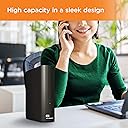
The WD 18TB Elements Desktop External Hard Drive offers a massive 18TB capacity with high-speed USB 3.0 connectivity (up to 5 Gbps) for rapid data transfers. Designed for effortless plug-and-play use with Windows PCs and compatible with Mac after reformatting, it features WD’s renowned durability and a sleek, compact design. Ideal for professionals needing reliable, expansive storage to keep their digital assets secure and accessible.


| ASIN | B08KTRBHP1 |
| Amazon 売れ筋ランキング | パソコン・周辺機器 - 223,373位 ( パソコン・周辺機器の売れ筋ランキングを見る ) 外付ハードディスクドライブ - 1,174位 |
| GTIN (Global Trade Identification Number) | 00718037878782 |
| HDD容量 | 18 TB |
| UPC | 718037878782 |
| おすすめ度 | 5つ星のうち4.3 674 レビュー |
| カラー | ブラック。 |
| デジタルストレージの容量の測定単位 | 18 TB |
| デジタルストレージ容量 | 18 TB |
| データ転送速度 | 5 ギガビット毎秒 |
| ハードウェアインターフェイス | USB |
| ハードウェアプラットフォーム | Mac, PC |
| ハードディスク 種類 | メカニカルハードデイスク |
| ハードディスクのフォームファクター | 3.5 インチ |
| ハードディスクインターフェイス | USB 2.0/3.0 |
| ハードディスクフォームファクタ | 3.5 インチ |
| フォームファクター | 3.5インチ |
| ブランド | ウエスタンデジタル(Western Digital) |
| ブランド名 | ウエスタンデジタル(Western Digital) |
| メーカー名 | Western Digital |
| メーカー型番 | WDBWLG0180HBK-NESN |
| モデル名 | WD Elements |
| 互換デバイス | PC。, ゲーム機, ノートパソコン |
| 互換性のあるゲーム機モデル | 任天堂スイッチ |
| 付属品総数 | 1 |
| 取り付けのタイプ | 外部ハードドライブ |
| 同梱商品 | USBケーブル, WD Elementsデスクトップハードドライブ。, クイックスタートガイド, クイックスタートガイド。, 電源アダプター, 電源アダプター。 |
| 品目の寸法(長さ x 幅x 厚さ) | 13.5長さ x 4.8幅 x 16.6厚み cm |
| 商品の用途 | ビジネス、パーソナル。 |
| 商品の追加説明1 | コンパクト。 |
| 商品の重量 | 2.65 ポンド |
| 商品タイプ名 | コンピューター周辺機器 |
| 商品外装素材 | プラスチック製。 |
| 型番 | WDBWLG0180HBK-NESN |
| 接続技術 | USB |
| 搭載済みキャッシュメモリサイズ | 18 不明な修飾子 |
| 書き込み速度 | 113.5 MB/s |
| 梱包タイプ | 標準パッケージ。 |
| 特徴 | コンパクト。 |
| 読み込み速度 | 113.5 メガバイト毎秒 |
| 通信・接続インターフェース | USB |
P**R
ウエスタンデジタルはもう買わない
どうせ直ぐ壊れるだろうら買い替えを考えています。
A**R
製品自体の梱包が汚い
製品の機能自体は問題ないのですが、 表面に貼ってある いわゆるペリペリの内側に 結構な量のダンボールのカスが挟まっていました。 アメリカ発送なのですが、向こうは これが普通なのでしょうか
M**N
My review after 9 months of use.
I bought the Western Digital Elements 18TB external hard drive about 9 months ago, and so far it's been a flawless experience. Installation was an absolute breeze: Plug in the USB 3.0 connector to your computer, plug in the power, and it should be instantly ready to go. No formatting or initialization necessary. It will automatically select the next drive letter for itself. It really could not be any easier. After 9 months, I've learned to live with a few small annoyances I've noticed. These are things that really don't bother me, but may bother others, so I'll mention them. 1. When it does its self-maintenance, or first spins up after being in sleep mode, it makes a bit of noise. It's not loud and it's not often. It's kind of a brief vibration noise, and from what I've read, all external hard drives make this noise. If this is bothersome, I suppose I would recommend disconnecting the drive between uses, but again, for me this has not been even slightly a bothersome noise, and I barely notice it anymore. 2. When I want to download something or access something from the drive, I have to wait about 20 seconds for the drive to start up and spin up to speed, which can be slightly annoying. I attempted to go into Windows (I am using Windows 11 by the way) settings and change it so that the drive never goes to sleep, but it goes to sleep in spite of changing that setting, so I'm thinking that something on the drive itself is putting it to sleep to preserve longevity. But other than those two things, I can't think of anything that might annoy someone. The drive still shows up as healthy. Every file I have accessed from the drive is still pristine, and all the games I have stored there still install just fine, so it is doing its job without any loss of data. Also data transfer speeds have been excellent, far better than I expected.
G**S
Western Digital 22TB Elements Desktop External Hard Drive Review
If you’re in search of reliable and expansive external storage solutions, look no further than the Western Digital 18TB Elements Desktop External Hard Drive. With its impressive capacity and dependable performance, this external hard drive is a game-changer for content creators, graphic designers, and video editors alike. I recently purchased the 18TB variant of this external hard drive, and I must say, I’m thoroughly impressed. Prior to making this investment, I had experienced the unfortunate demise of a competitor’s 12TB drive. Thankfully, I was able to retrieve all my data, but it was a stark reminder of the importance of choosing a reliable brand. Western Digital has proven itself to be just that – reliable. Unlike my previous experience with another brand that exhibited concerning cracking sounds, this Western Digital drive operates quietly and smoothly, a testament to its solid engineering and durability. What’s particularly appealing about Western Digital’s lineup is the wide range of capacities available, ranging from 4TB all the way up to a whopping 22TB. As a content creator with demanding storage needs, having access to such expansive capacities is essential for backing up my work and ensuring I never run out of space. Speaking of which, as a content creator, graphic designer, and video editor, storage space vanishes in the blink of an eye. That’s why having a high-capacity external hard drive like the Western Digital 18TB Elements Desktop External Hard Drive is an absolute necessity. It not only provides ample space for storing large media files and project backups but also offers peace of mind knowing that my valuable work is securely backed up. In fact, I’m so impressed with this external hard drive that I’m already considering upgrading to the 22TB model in the near future. After all, when it comes to safeguarding my creative assets, there’s no such thing as too much storage. In conclusion, if you’re a content creator, graphic designer, or video editor in need of reliable and spacious external storage, I highly recommend Western Digital’s Elements Desktop External Hard Drives. Trust me, it’ll make your life a whole lot easier and your workflow much more efficient.
M**L
رائع
ممتاز
B**B
WD is a Great Name in Hard Drives
I'm not going to say if WD is the hard drive of choice for all, but it's been my go-to for years now. I use MANY internal/external hard drives and I've had very good luck with most of them. While i can't say how long any hard drive will last because much of it depends on how you use and handle it. If you don't beat them up with dropping them or big temperature extremes I've had my WD hard drives last me for over 10 years. The internal drives tend to have a shorter life since they are subject to more intense use but even mine have lasted for well over 5 years or more of heavy use. I have in use many 14, 16, 18tb size WD drives including this one in operation. I disconnect my external drives when I'm not using them since it will likely help them to last longer I believe. The only WD external drives I had fail me were the 10tb, 12tb models so I would NOT recommend those sizes (failed very early on). Another thing I like about these drives is I store a LOT of music and most other external drives like Seagate cannot keep up with the music data flow without breaks in the song while listening. WD has absolutely no problem keeping the music stream flowing without interruptions. That alone is one of the best reasons to buy this brand external drive. They generally handle some abuse such as being knocked over the the desk (while NOT running). I don't know if it will remain undamaged if it falls over while running. So far I've never had that happen to find out. Considering how many external drives I have from WD (mybook, elements, etc) they are a very stable and reliable drives. You can't find a better price for the durability and quality you get in WD drives.
F**E
Garbage product. Garbage WD customer service.
Zero stars and add a sad and angry face in there. I bought this the end of ‘23 and never opened the box. Lots of life got in the way, so I just opened it. Transferred all of my work files and video files to it. Within a week it starts ticking and won’t connect to my computer. I lost all of those files. I contacted WD and they kept bouncing me around. I asked if I could replace it with another product. I was met with hesitance, confusion, and “your warranty is up in a few months” as if that would be a reason I would say, “I’m so sorry for inconveniencing you.” I honestly don’t care when support is outsourced but whoever was on the other end didn’t understand me or had a script they really loved. These individuals ended up saying it could only be a like to like product which I understand but this product is faulty. I don’t want to lose MORE FILES. I’m so disappointed in WD. I am sticking to other brands from here on out. I recommend not buying their products. Abandon ship if you have.
Trustpilot
2 weeks ago
5 days ago