🚀 Elevate your workday—literally and stylishly!
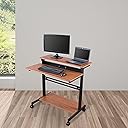
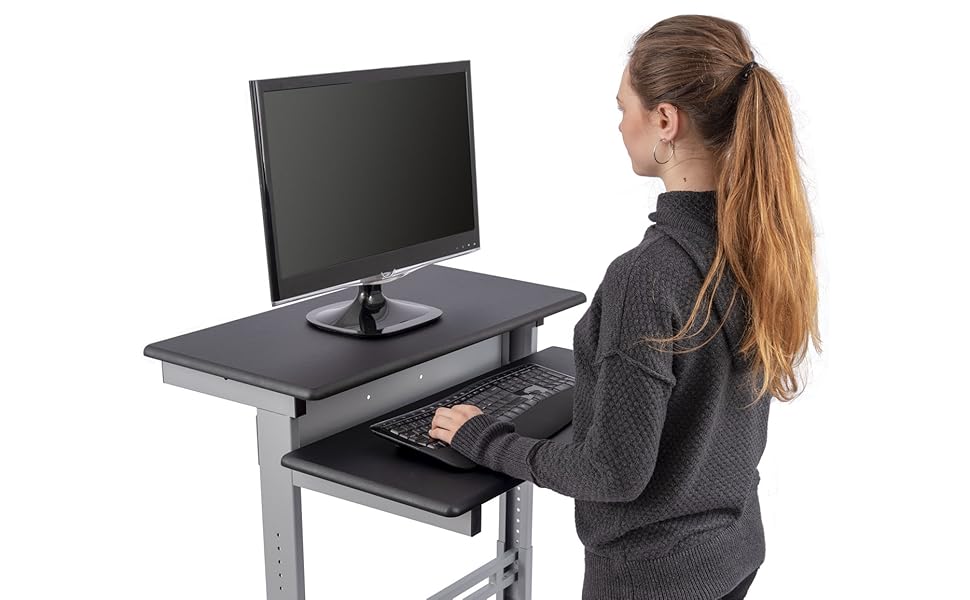
This modern, two-tier standing desk features a sturdy alloy steel frame with a teak engineered wood top, adjustable in precise 1-inch increments from 34.1" to 46.1" high. Equipped with smooth-rolling locking casters and a storage shelf, it supports up to 154 lbs and meets BIFMA safety standards. Designed for easy assembly and backed by a limited lifetime warranty, it’s the perfect ergonomic upgrade for dynamic professionals.


| Base | Alloy Steel |
| Top Material Type | Engineered Wood |
| Furniture Leg Material | Alloy Steel |
| Required Assembly | Yes |
| Maximum Weight Recommendation | 154 Pounds |
| Recommended Number of People for Assembly | 2 |
| Warranty Type | Limited |
| UL Listed | No |
| Mfg Warranty Type (i.e. Parts, Labor) | 5 Years |
| Shape | Rectangular |
| Desk Design | Computer Desk |
| Color | Black Frame/Teak Top |
| Style Name | Modern |
| Finish Types | Powder Coated |
| Furniture Finish | Black |
| Top Color | Black |
| Base Color | Black |
| Item Dimensions D x W x H | 28.8"D x 47.25"W x 46.1"H |
| Item Weight | 62 Pounds |
| Size | 40 Inches |
| Number Of Shelves | 2 |
| Tabletop Thickness | 1 Inches |
| Maximum Height | 46.1 Inches |
| Minimum Height | 34.1 Inches |
| Working Surface Diagonal Length | 53 Inches |
| Additional Features | Locking Brakes,CPU Storage,Adjustable Height |
| Mounting Type | Floor Mount |
| Base Type | T-Shape |
| Lifting Mechanism | Pins |
| Cabinet Configuration | Built-In |
| Is Customizable? | No |
| Is Electric | No |
S**.
Extremely convenient desk when you need extra space in a pinch.
It was super easy to assemble and of great quality. I love the rounded edges on the desk surfaces. The only slight negative is that it takes removing four threaded bolts to adjust the height.
S**N
Combine Desk and Treadmill for Walking Desk!
My son-in-law gave me the book, Eat Move Sleep by Tom Rath a while back and I finally got around to reading it. Now I am a nutritional vegans so eat no meat, fish, dairy or eggs so that is in line with the book's recommendations. I try to walk daily with my wife Nancy, but we often are too busy so just don't do it as often as we should. While Nancy is up and about most of the time I tend to sit in front of my workstations writing, blogging and doing remote IT support work.After reading this book I got inspired and excited about acquiring a walking desk/workstation for my office. I have limited space so didn't want something huge. Checking around I found that the prices for these were out of sight, from $900 to over $2,000. Way too expensive.I started doing some research and found that several folks had built their own setups. Some were very elaborate and I like simple. I found that if I combined two different systems to make my own personalized Walking Workstation I could save a bundle.I ordered the Confidence Power Plus Motorized Electric Treadmill Black ($199) and a 40" Black Shelves Mobile Ergonomic Stand Up Desk Computer Workstation from the stand Up Desk Store ($239). I was taking a gamble on being able to merge these two into a workable solution but thought I'd give it a try.The Stand Up Desk was pretty easy to put together and very sturdy/solid in construction. It is height adjustable which is a requirement for this!The Treadmill was a bit of a bigger challenge. It comes with a (really nice) safety bar and decent control panel. The safety bar is connected with two large bolts that allow you to detach it easily (have to take it off to fit under the standing desk). The control panel and wire was a bit more complex. I checked several reviews and saw how some others had done it. Not bad.I took off the motor cover on the front of the treadmill (4 screws) and the motor and control circuit board are easily accessible. There is a small 3-pronged connector on the motherboard that you need to GENTLY pull off. A pair of needle nose pliers is helpful. The plug is a female over the three board mounted pins with a male insert connected to the cable. If you pull off the assembly, no worries, just be careful to gently replace the male-to-pin connector.The treadmill comes with a control panel mounted on top of the safety bar, just unscrew the four screws holding it on and it removes easily. Leave the wire attached and set the unit back on the bar or on your standing desk. Next carefully thread the control wire back through the metal bars up to the top and pull it out.It is easy to re-plug the control wife back onto the base motherboard and replace the cover. I screwed in the rounded piece that would normally go around the safety bar and it sits on my desk like it belongs there. Now you can remove the metal safety bar and stick it in the garage; hoping that you might have use of it for something!I just place the treadmill up to the desk and mount my computer gear on the desk and you are off and walking while you work! It DOES take some getting used to so make sure the desk is adjusted. I had to extend it to almost the full height adjustment but it is stable and solid (I'm 5' 10”) If your are much over 6 foot, this desk may not work for you.
K**P
worst case, I lower the desk and sit (I ...
I work at a desk all day typically, and had read a while ago that even a daily run doesn't undo the harm from sitting all day; then hearing Dean Karnazes (a long distance runner) mention how important his standing desk is to him, I thought I would give it a try; worst case, I lower the desk and sit (I also purchased the "Boss B16245-BK Caressoft Medical/Drafting Stool with Back Cushion" and "Genuine Joe Anti-Fatigue Mat, Beveled Edge, 2 by 3-Feet, Black"). After the first week, I haven't been using the stool much (but it's height is perfect to work at this desk, with a little height range to spare); it a comfortable stool, but can roll out while your getting on it; and once you're on it, and want to pull yourself closer to the desk, the desk roll towards you. The pad is nice and I use it daily (typically in stocking feet).On the upper shelf, I have two, 22" monitors and my laptop in its docking station, along with a power strip behind the monitors. On the lower shelf, I have a full keyboard (with integrated number pad) and mouse/mouse pad, I'm only using a large rubber band to hold my laptop docking station and power strip to the upper shelf right now; nothing else is secured; it seems pretty stable, but if I want to move the desk over a bump (door threshold) I probably should somehow secure the monitors.I'm 6'-1" and I have the desk at it's full high position, which allows my elbows to be bent about 120 degrees (about the same as at my sitting desk) while using the keyboard. My dual monitors are at their highest position (using their own stands that come with the monitors), and the top of the monitors come to about my chin level. I first thought I would prefer the high shelf to be higher, but when sitting at my old desk, my monitors are at the same relative position, and in use it seems fine.It appears you can easily drill one more hole on the vertical inside support on each side and get 1" more surface height without sacrificing stability; I found I don't need to do that however, but taller people may want to.I type frantically at times and while I can get the dual monitors to shake a little, it's not districting for me. I have a long extension cord connected to my desk power strip (I didn't buy the one offered with the desk, choosing to use my own) which allows me to roll the desk around to different areas. The front two wheels lock (make sure you put the locking wheels on the front), but I don't need to lock them; the large, but hard plastic wheels slide on hard surfaces when locked anyway.Men's Health has articles on standing at your desk (stand-up desks), citing it as a "life-changing strategy," characterizing sitting as "the most unhealthy thing you do," and another article about one of their writers that tried standing for 30-days (everything but sleeping, driving, and using the bathroom), which is a fun read. It's too early to tell what affect it may have on me, but I'm very happy with it, and by the way, I'm glad I didn't go with a wider desk (this one is 32" wide), something I debated, as this desk can be moved easily and fits my equipment perfectly. This also gave me incentive to organize my home office.
Trustpilot
4 days ago
2 months ago