📂 Scan, Save, Share – Your Memories Await!
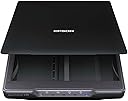
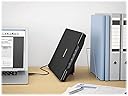
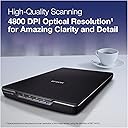
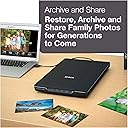
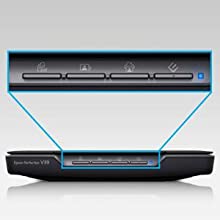
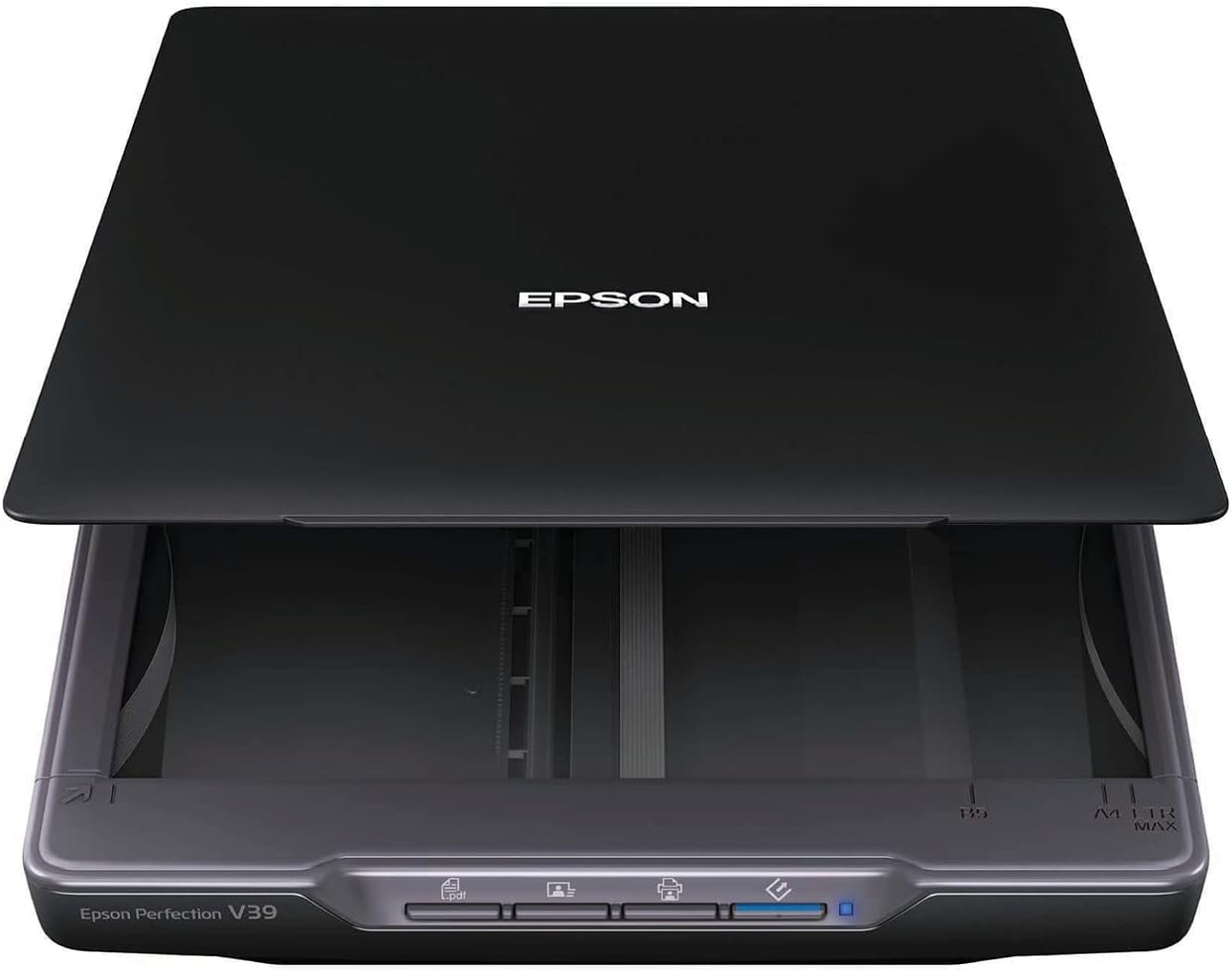
The Epson Perfection V39 is a high-quality color photo and document scanner that offers an impressive 4800 dpi optical resolution. It features easy-to-use buttons, a built-in kickstand for vertical placement, and the ability to scan directly to cloud services. With advanced restoration technology and versatile scanning capabilities, this scanner is perfect for preserving and sharing your most treasured memories.


| ASIN | B00SSXQ7Q2 |
| Best Sellers Rank | 176,754 in Computers & Accessories ( See Top 100 in Computers & Accessories ) 199 in Document Scanners |
| Brand | Epson |
| Brand Name | Epson |
| Color Depth | 16 bpp |
| Connectivity technology | USB |
| Customer Reviews | 4.1 out of 5 stars 4,286 Reviews |
| Global Trade Identification Number | 00010343916906 |
| Greyscale Depth | 16 bits per pixel (internal), 8 bits per pixel (external) |
| Item Dimensions D x W x H | 36.6D x 25.1W x 3.8H centimetres |
| Item Weight | 3.4 Pounds |
| Light Source Type | LED |
| Manufacturer | Epson |
| Media Type | Scanner-Photo |
| Minimum System Requirements | Windows 7 |
| Model Name | Perfection V39 |
| Model name | Perfection V39 |
| Network Connectivity Technology | USB |
| Optical Sensor Technology | CIS |
| Product dimensions | 36.6D x 25.1W x 3.8H centimetres |
| Resolution | 4800 |
| Scanner Type | Photo and Document |
| Scanner type | Photo and Document |
| Standard Sheet Capacity | 1 |
| UPC | 010343916906 001034391690 |
| Unit Count | 1.0 count |
| Wattage | 2.5 watts |
M**N
This is Amazing!
This is a terrific scanner. I don't want to worry about settings, glare etc - I just wanted to scan in the thousands of photos I've taken over the years so they're not locked away in an album. This is perfect! Simple to use & the quality is fantastic. The scanned photos look just like the original. No glare, loss of colour etc. And I don't even need to make sure the prints are lined up, it does everything. I can scan 4 pictures at once & it splits them up automatically. It's so fast I can only just keep up with the admin of giving the photos titles. I've only had it a few days & I've scanned in 8 albums! Life changing. Love it.
S**R
Great Unit.. Easy to use
What a great unit… So I have been trying to scan my photo’s in to the computer for quite some time and I just cannot find anything of a sensible price… I tried a negative scanner and it was pretty crap to be honest.. it could not cope it was fiddly and the final quality was crap.. So I tried this … OH MY WORD its amazing.. I just scanned one photo at a time to start and yep great… Then added three to the bed and it scanned each one individually at a touch of a button… no need to edit it just did it… The quality is great although I have not tried to print any …. But then why would I … I have the Original .. I have also scanned in some documents and this is pretty simple to do to. There is a few software packages with the install and they all worked well for me.. Great Unit Light and easy to transport.. Just one USB cable too so no extra power supply to lug around..
B**B
UNABLE TO REPORT FUNCTION, NO POWER CABLE RECEIVED
UNABLE TO CONNECT SCANNER TO POWER
A**R
Excellent product
It is quite noisy when scanning and the negative holders make a disconcerting crack when using them. I have also found scratches on the glass which must emanate from the holders, even though I am careful. Apart from that I am most impressed with this scanner and wonder how I ever managed without it !
N**K
Very disappointed
I had an Epson scanner for about 10 years and it eventually gave up the ghost but I decided to stay with Epson and bought this model. Oh dear! It worked for 2 weeks then gave up the ghost. It would scan 5 items and then stop working. I had to unplug it and plug it back in to get another 5 scans - and so forth! The noise was incredible. My old one gave a sort of humming noise - this one sounded like a piece of equipment on its last legs. And the quality of the scan was really poor - very blurry fonts. I certainly wouldn't buy another one and I am afraid Epson have now gone way down in my estimation. Not the best buy I have ever made
J**L
Easy to use clever piece of kit.
I bought this because I have a mass of archived material to scan in. It is quick, easy to set up and use, very high quality images and best of all for me - you can scan in docs as a pdf which is hugely time saving. Very pleased with it and would certainly recommend.
N**R
Tops marks
It's excellent, affordable and does a really good job!
R**K
Sound and simple
Works well and easy to use with good files manipulation. High resolution images take a long time.
M**L
bon produit
tres facile a brancher car un seul cable USB, pas de soucis de fonctionnement avec Mac, il le reconnait de suite, ( normal c'est du Mac ! ) logiciel tres simple a utiliser, toutefois 2 petits défauts : pas de bouton d'arret on dois débrancher l'USB, sinon il reste allumé en permanence, et bruyant en fonctionnement, mais pour le prix rien a redire
R**L
Es el producto que esperaba
Lo esperado
D**C
Working Great for Me
Despite all the bad reviews I took a chance.I wanted to scan mostly 4x6 photo prints to upload to an on-line site to make a photo book.Figured if it worked and lasted long enough to do 300 pictures, it would pay for itself compared to the cost of getting the scanning done outside.My level of computer savvy is I need a Dummies book to get anything done.So far I have done about 100 scans at 600-which is what the on-line site uses,on my windows 10 computer.Quick and easy to save and upload.I have experienced zero of any of the problems reported by others and am at a loss to understand some of the concerns. 1.Software.There was no disk included.Simple link to their web site.Download and install the software.Puts an icon on the desktop.Click on it and operate the unit.Works perfectly with my new windows 10 .Didn't try any of the, to me "fancy" alternate modes,like Professional or scan multiple pages to a single PDF or "stitching",so can't speak to any of that. I just set the resolution and get a nice JPEG digital image.Of course you can't do multiple scans at the highest resolution.Takes too much space on the hard drive.Seems to me some of the negative people may have unrealistically expected high end professional level performance,which you can only get from units at much higher price points. 2.Buttons.Don't get this concern.Didn't try them-why would you want to? Scan and save to my computer, so you have to turn it on.Also turns on the scanner.Easy to click on the icon.Used basic screen.Just click on "start scan". 3.Borders.The manual that downloads with the software tells you about the minimal edge reduction.Wasn't a problem for me.There are two marks on the lower right hand corner.I just put the photo down by the marks,less than 1/4 inch from the edges.Doesn't have to be exactly square or straight.Program scans it perfectly for me. 4.Smudges.People are amazing.Yes if you put your fingers on the glass that isn't good.Exactly like any other scanner.I just put the photo down and move it around by touching the photo. I use a soft plastic tooth pick to lift the photo up a bit off the glass, so I can remove it without touching the glass.Haven't had any problems, nor had to wipe the glass so far. 5.Noise.Another concern I don't get.Some people must have very tender ears.The first pass is about 5% louder than my Brother MFC-8660DW, 3 in 1 printer-copier-scanner.Then you get a thumbnail of the scan to decide if you like it.Then the second pass is the same sound as the Brother. All scanners make a noise,don't they? 6.Plug.I don't know the technical name but the mini USB end of the 4' cable that plugs into the unit is not exactly robust.The comments alerted me to a possible problem so I plugged it in and put a little duct tape around it and I leave it alone.Just use the other end which is a normal USB, to plug in and out of my desktop.Mostly I leave it plugged in all the time and it automatically turns on when I boot up my computer and off when I log out. 6.Time. It takes me 30 seconds to scan a 4x6 photo-from the time I click on start scan until the process is complete. 7.Saving.This is another concern I don't get.Probably because I am mostly clueless about computers.When a scan is complete a window pops up automatically, New Scanner under Pictures.The scan is placed there and saved by itself.I drag it to my desktop.The on-line site sees it there when I click on add photos.Drag and upload.Then I make a new folder in Pictures for that book, and drag it off the desktop into the folder.I am sure there are better ways but that works for me. 8.Lid. It was heavy enough for me to flatted slightly curled photos.The hinges are a light plastic so I try and be careful.It stands upright while I place another photo.The manual says it is removable to scan bigger items but I haven't tried anything except scanning photos as big as 8x11. Conclusion:I couldn't be happier so far.The unit does exactly what I hoped for at what I consider a bargain price.
M**.
A great scanner for photos.
Used it to scan all the family photos for up load to NAS, a stable and fast scanner.
C**H
Excellent
This is the third scanner that I own in more than 20 years. I use scanner a lot, since I digitize everything in my household, including receipts, manual, etc., etc.... I like this scanner very much. Here is why. a. It’s small, taking less space. b. It is light. c. It is VERY easy to open the cover to scan book. d. It is easy to use. Whether I scan photos or documents, it is EXACTLY the same step. Just loading different profile. f. It does not require a PDF (or another software) to start. g. It’s just one small standard USB cable. No separate power cable with transformer. h. It's not too expensive. h. Support is quick. I get a response in a day. They respond on Saturday. Some other company will not reply on Saturday. At this time, I can not comment about reliability and quality, although these criteria are VERY important to me. I have to use for at least one year to have an reasonable idea. May 14, 2019: One important thing that I forget to mention in my original submission. This product has a feature to allow me to scan legal document. It is done by software. You scan top of the page, then scan the bottom of the page. The software will merge them into one PDF file. This is great to me. I had lots of difficulties over the years with legal documents. Oct 08, 2025: ========== I am putting this comment in the hope of helping users who migrate from Windows 10 to Windows 11, or who just buy this scanner for Windows 11. Avoid my frustration. I have been using Epson Perfection V39 (not V39 II) many years. This is a very good product. In fact, it was so good that I bought a second unit after long time use. One of the extremely useful features is the ability to scan large documents, such as legal (or anything else). In Windows 10, it is called Scan-n-Stich, or ArcSoft Scan-n-Stich Deluxe. When migrating from Windows 10 to Windows 11, I correctly go to Epson official website. It says I should download V39_Combo_AM.exe, which is consistent with what I did in Windows 10. After installing, I cannot find the ArcSoft Scan-n-Stich Deluxe anywhere. After some research, I find that Epson replaces ArcSoft Scan-n-Stich with ScanSmart. ScanSmart is included in V39_Combo_AM.exe, but it does not work. It complains that Epson Scan 2 is missing. V39_Combo_AM.exe includes Epson Scan (i.e. Scan 1). I am frustrated. If ScanSmart requires Scan 2, why Epson includes Scan 1? Anyway, here is the steps that you can avoid the frustration: • Download V39_Combo_AM.exe. Install it. • Uninstall Epson Scan (implied Scan 1) • Disconnect the cable from the scanner to the PC • Download “Scanner Driver and Epson Scan 2 Utility v6.6.60.0 (or maybe higher) from Epson website. It is hidden in the Driver section. • Install Scan 2 and restart the PC After that, you should be OK. In summary: • This is a good scanner. I highly recommend; especially the feature of scanning oversize documents. • Uninstall Scan 1 and install Scan 2. • The feature Scan and Stich feature is in the utility named ScanSmart. My initial feel is ScanSmart is easier to use than ArchSoft Scan-n-Stich.
Trustpilot
3 weeks ago
1 month ago