Desertcart purchases this item on your behalf and handles shipping, customs, and support to USA.
🖥️ Triple your screen game, not your desk clutter!
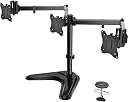
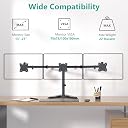
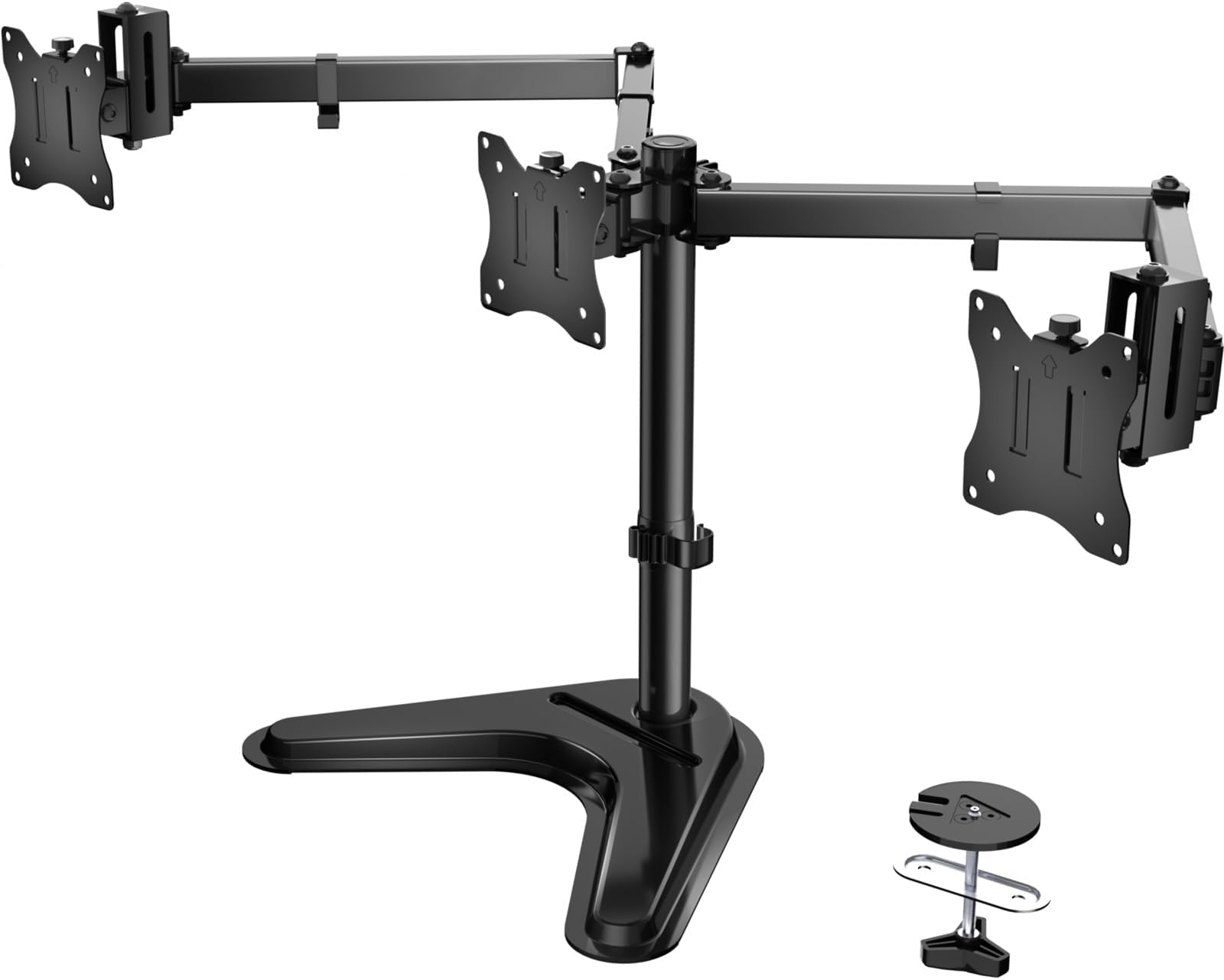
The WALI Freestanding Triple Monitor Stand is a robust, fully articulating desk mount designed for 13-27 inch monitors, supporting up to 22 lbs per arm. Featuring versatile mounting options, integrated cable management, and ergonomic adjustability, it transforms any workspace into a sleek, efficient multi-monitor command center favored by professionals seeking stability and style.


| ASIN | B0DY7WHP5Q |
| Best Sellers Rank | #543 in Computer Monitor Arms |
| Brand | WALI |
| Color | Black |
| Compatible Devices | Monitor |
| Customer Reviews | 4.5 out of 5 stars 1,072 Reviews |
| Enclosure Material | Metal |
| Item Highlight | Articulating 3 Monitor Desk Mount, Full Motion with Tilt, Swivel, Rotation, C-Clamp & Grommet Base, VESA 75/100mm (MF003N) |
| Manufacturer | WALI |
| Material | Metal |
| Maximum Tilt Angle | 90 degrees |
| Maximum-Supported Screen Size | 27 inches |
| Mfr Part Number | 1 |
| Minimum-Supported Screen Size | 13 inches |
| Model Number | 1 |
| Mounting Type | Tabletop Mount |
| Movement Type | Articulating |
| Number of Items | 1 |
| Number of Packs | 1 |
| UPC | 811278027077 |
| Unit Count | 3 Count |
| Warranty Description | 3 |
G**G
Super sturdy, base is pretty large but will probably outlive everything else I own
Super sturdy, type of thing you set up once and never have to think about again. I was a bit nervous since I have a giant 27" monitor but there's been no sag over the year or so I've had it up. (I was considering getting the dual monitor stand instead of single, and atp I'm sure this base would hold up any 2 monitors you throw at it). Also it comes with allen wrenches and a little allen wrench holder + cable management loop you can clip on the pole behind the monitor, so if you do need to adjust it then it takes like 30 seconds. If I had to find one downside, the triangle base is about 11.5"/29cm on the front "looking at your monitor" axis, so if your desk is against the wall like mine then the monitor will be 6.5" from the wall and the feet of the triangle stick out like 4" past that, and the base is too thick to put under a mousepad (slopes from 1-2.5cm). As long as you have the desk space (or can angle it at a 45 degree angle like I did), its perfect. Got a little too invested measuring stuff for this review but hope it helps somebody
J**N
sturdy and built to last
Solid build, not too heavy and very easy to assemble. I would recommend this brand to anyone and even purchase another one if I needed it. The design of how the monitor attaches to the base is easily removable by one screw - awesome feature. This allows for easy and quick removal and replacement as needed or leave it in place.
G**E
Great Monitor Stand
I bought a used iMac 27" that as missing its OEM stand. I wanted something inexpensive to solve the problem and this did the trick. It took me about 5 minutes to assemble and another 5 to mount the monitor and I did it all alone. The stand brings a wide selection of screws so I had everything I need it to get the monitor mounted. Great stand for the price!
C**N
Sturdy mount stand at a great price!
Purchased this for use with my Asus VZ239H-W 23” monitors thinking a free standing mount would provide more flexibility than a desk mount. Basically, my thinking was it’d be easier to reposition this stand on my 60” long desk if the need arose. That being said, the base took up way too much desk space for my liking and, because it’s already a heavy stand on its own, it was quite hard to reposition with 2 monitors attached. The bottom of the base has some small circular pads but isn’t enough to prevent scratches from occurring when dragging the heavy stand w/2 monitors across scratch-able surfaces. My original reason for choosing this over the desk mount version had suddenly gone awry and the desk space I’d free up with the desk mount version became all too appealing. So, I have since installed the desk mount version and can now enjoy a less cluttered desk. Although I returned this stand and replaced it with the desk mount version, I still recommend this free standing mount to those who can’t use/don’t want the desk mount version. Set up was simple and, as far as I could tell during the 48 hours I used it, it’s a solid stand for the price. Swiveling the arms and screen is easy. Tightening the hex bolt on the swivel that attaches to the bracket plate and determines the up/down angel of the monitor needs to be tightened really well but stays in place once tightened. There might be some concerns about stripping the hex bolt that’s used to secure the up/down angel of the swivel that attaches to the monitor as well as the hex bolt that secures the arms to the pole (which I managed to do when the setting on my electric screw driver to high) but rest easy knowing that replacing the bolts is as easy and cheap as stopping by your local hardware store and shelling out a couple dollars. One thing to keep in mind: adjusting the height can be a bit cumbersome, especially if you have heavy monitors, because the only thing holding the arms to the pole is a circular clamp that’s secured by a hex bolt. This means that adjusting the height requires you to either 1) take the monitors off, loosen the hex bolt, adjust the arms height, tighten the hex bolt, then reattach the monitors, OR 2) hold up the weight of the arms + monitors while loosening the hex bolt, adjust the arms height, then tighten the hex bolt. So, if you’ll need to adjust the height often then I’d highly suggest you consider a gas spring mount.
A**I
Depends on your monitor size and weight
Was easy to put together and mounted three 27 in LG monitors, the problem was it's stability was was the issue. I either needed to stabilize it by putting it up against a wall, or using some Alien tape (to hold down the base and prevent it from toppling over. Ended up keeping it since it got passed the return window, so just use the outside arms for two monitors or one center monitor. It has potential
K**R
Very strong
It works great I been using it for a year now
U**L
Easy way to make your monitor more ergonomic
I'm to the point where, any time a monitor doesnt have height adjustment built into it, I just throw one of these in the cart too. Start caring about ergonomics and posture as early as possible in life to save yourself a lot of back pain later on!
A**R
An absolute beast of hardware.
Very nice and sturdy dual monitor stand. All the connections and articulation points are tight, maybe too tight; had to use some real tools and not the allen wrenches included in the box to adjust. Very stable; I mounted a pair of 24 inch Acer monitors and the only way it would tip over is to push it over. Be prepared to spend some time getting it just right; there's a lot of moving parts and it's tricky to adjust one part without having to readjust everything else. Edit: Took the stand down and now using the original stands for the monitors. The base takes too much desk space and can't use a webcam with the dual monitor set-up. It sold on Craigslist pretty fast.
P**N
Good quality for the price
I took a stab at this product knowing that there might be a chance that it would fail. Surprise surprise! When it arrived it was well packed, instructions were simple enough and it was basically 90% built... There were more than enough hardware for all types of monitors and it holds my 2x24inch monitors without problem. As you can see from the photo my setup has a bit of an offset and the range of movemnts can accommodate different tastes. Would recommend you to buy this product!
L**S
Cumple su funcion
Es un poco complicado de instalar, trae muchas piezas pero funciona bien. Solo le he puesto un monitor pero todo bien hasta el momento
C**S
BUENA CALIDAD
Excelente soporte para monitores de laparoscopia que no están en torre.
J**A
cumple lo que ofrece
Es en verdad sólido y versátil a la par
E**.
Por el precio excelente producto buenos materiales
Vale la pena la espera de importación
Trustpilot
3 weeks ago
2 weeks ago