✨ Elevate your workspace with stunning 4K clarity and silky-smooth visuals!
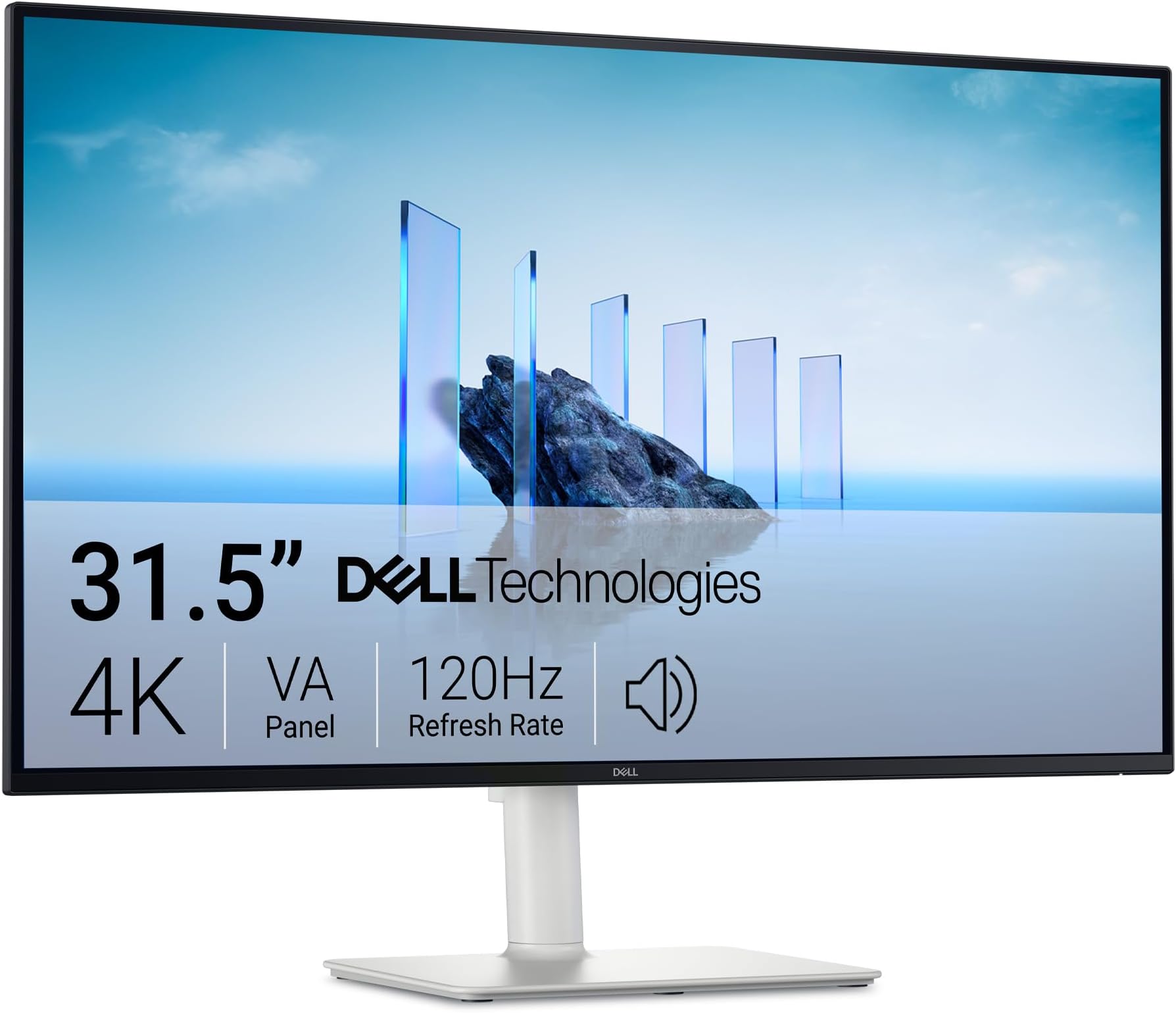
The Dell 32 Plus 4K Monitor S3225QS features a 31.5-inch VA panel with 3840x2160 resolution, delivering vivid colors through 99% sRGB and 95% DCI-P3 coverage. It supports up to 120Hz refresh rate with AMD FreeSync Premium for smooth, tear-free visuals, and includes ComfortView Plus technology to reduce blue light emissions for prolonged eye comfort. Its ultra-thin bezel design in ash white adds a sleek, professional aesthetic to any setup.


| ASIN | B0F1GD9YFN |
| Best Sellers Rank | #214 in Electronics ( See Top 100 in Electronics ) #9 in Computer Monitors |
| Brand | Dell |
| Color | Ash White |
| Customer Reviews | 4.5 4.5 out of 5 stars (1,405) |
| Date First Available | March 14, 2025 |
| Hard Drive | SSD |
| Item Dimensions LxWxH | 8.73 x 28.05 x 17.55 inches |
| Item Weight | 19.33 pounds |
| Item model number | S3225QS |
| Manufacturer | Dell |
| Max Screen Resolution | 3840 x 2160 Pixels |
| Product Dimensions | 8.73 x 28.05 x 17.55 inches |
| Screen Resolution | 3840x2160 |
| Series | Dell 32 Plus 4K Monitor - S3225QS |
| Standing screen display size | 32 Inches |
| Voltage | 240 Volts (AC) |
J**O
Title: Beautiful 4K 120Hz Monitor — Great Value Used
This is a beautiful monitor, and I’ll admit I’m a little biased. A 27-inch 4K display at 120Hz in that clean snow-white design just looks amazing on a desk. Performance is excellent — it runs smooth, looks sharp, and colors are great. I mainly use it as an upgrade for my YouTube channel, and it’s been perfect for editing and everyday use. I picked mine up used for about $230, which is an incredible deal for what you’re getting. If you can find one used through Amazon resale or retail returns, I’d definitely recommend going that route. Overall, great quality, great performance, and a solid price. I highly recommend this monitor.
J**K
Fantastic value.
I ADORE this monitor, and that I got it at an exceptional price - $600. Like all OLED monitors, the colors are brilliant, and the true blacks make the picture pop. Two features that are particularly useful for me are a huge plus, and not seen in other monitors are that are even more expensive. 1. Dolby Vision - this allows me to use the monitor as a high-quality TV with the best possible picture quality from my streaming services. I use this monitor as both a TV and as my computer monitor - I have a small space, and this is perfect for both.. 2. The built-in high quality audio. The built in speakers provide quality audio with an amazing simulation of spatial audio that is so good that it is spooky. While the bass could use more "punch," overall the quality is excellent and more than sufficient for most purposes. The stand is sturdy and provides full adjustment including significant height adjustment, tilt (side-to-side and forward and backward), and rotation. Overall, this is a perfect monitor my use at the lowest price-point for a 4k 32 inch OLED monitor.
W**S
Fantastic productivity monitor for those who can’t go back to 60hz.
After upgrading to a 360hz 1440p OLED and giving away my old 144hz 1440p IPS, I needed another monitor primarily productivity and programming as a CS student. But after trying other 27 inch 4k monitors with 60hz refresh rates, it didn’t feel like home. it just made everything feel slower and made me feel less productive. But this monitor ticks all my boxes, it reaches 350 nits brightness which is on par with my old monitor but with noticeably better contrast. You wouldn’t think 1000:1 to 1500:1 makes a difference if you own an OLED that can literally reach infinite:1 but yes, it makes a big difference. Colors look good to me when just eyeballing it next to my 2019 MacBook at a comparable brightness. The resolution at this size is fantastic text and every part of the UI is ultra crisp like my MacBook (honestly even more so, I think ClearType makes a big difference). Viewing angles are great. The matte coating does produce some grain which is noticable if you are in a dark room viewing full white screen within a foot away but it’s by far not the worse i’ve seen and with dark mode I legitimately cannot notice it and the reflection handling is pretty great. Now the refresh rate… wow. 4k on 27 inches with 120hz is just, stunning. Just feels like the way navigating a desktop is meant to feel. It honestly feels like a crime we use 60hz for literally anything, it makes everything just feel way more responsive. Response times are okay, absolutely fantastic for a productivity however for gaming with a mouse it wouldn’t be my first pick. It’s not my use case but I feel I should mention it. There is quite some noticable ghosting in games but I am coming from an OLED so I am probably particularly sensitive to noticing it. It’s FreeSync compatible which is just great but I would spend a bit more to get faster pixel response personally if you are going to ever play FPS games with keyboard and mouse on it. But if you are getting it for playing on a controller or console then you’ll probably be pretty happy and I would choose it over a another gaming focused monitor with 1000:1 contrast even with it’s relatively slower response time (it’ll be lightning fast compared to any LCD TV). People recommend getting and gaming on much slower VA MiniLED panels all the time so that’s worth mentioning. My only true complaint for my use case is there is a slight amount of vignetting on the right side of the panel which is only noticeable if I purposely move a light mode window to the edge and back again, watching it closely. I literally never notice it during actual work since I use dark mode but even if I used light mode I doubt it would bother me much if at all. No noticable flicker, IPS glow is very minimal with no noticable hotspots. Overall pretty great panel for the price and I couldn’t imagine wanting much more out of a productivity monitor.
B**O
Yes
As another reviewer noted, the cardboard used in the box has a terrible smell. They should obviously address that. The monitor itself I also agree with reviews regarding color shift. To me it's not terribly significant side to side, however you can see the screen get noticeably washed out when moving up/away from the screen. Viewing angles aren't the best but honestly this is a common occurrence. I don't know about the quality of this particular VA monitor, just that IPS monitors in general tend to and SHOULD have better viewing angles. I'm pleased with it overall but it's still something to consider. I think it gets bright enough, I was more concerned before I changed the color settings because next to an IPS monitor the white was more yellow. They're different panels though and the IPS monitor is smaller and lower resolution. I think the colors look good - great and the monitor itself gets bright enough unless you have a very bright environment where I could see 'potential' for issues. What really surprised me was the bump in clarity. I understand some monitors are sharper but having nothing similar to compare it to, I'm satisfied with the resolution and it absolutely blows away a 1080 monitor. The speakers are excellent. They're not a replacement for dedicated speakers but they can certainly be used as such. It's not necessarily the quality but the loudness. They get LOUD. The quality is also very good. They're approaching the sound quality of a good, large TV. The interface is operated via button on the back and slightly annoying but easy to use and functional. A prompt came up on the screen to download additional software to customize the display. I honestly didn't know a monitor does this, I'm assuming through Windows update. I haven't done that yet and I'm satisfied with the quality enough that I might not get around to it. Setup was easy enough although I found it odd that there was no instruction manual whatsoever in the box. Not mine at least. Light bleed around the edges is practically non existent (on this panel) and the colors and resolution are good. I haven't noticed any flickering or dead pixels. BTW the monitor is flipped in the manufacturer box and Amazon placed it front of the box side up, which is logical and they probably don't know it's upside down in the box, but so that means it constantly got dropped directly on the screen whenever it was set down. They also shipped it inside another box for whatever reason so the package was massive. I'll update this review if anything odd starts happening but as of now I'm satisfied with it and would recommend it. Pros: Resolution Speakers Display colors Design Size Cons/not the best: Huge Amazon box 🤔 Brightness Color shift Noxious packaging No instructions Price
A**9
رائعة وواضحة وسلسلة. كما في الوصف تماماً
N**E
I picked up the 27-inch 4K S2725QS, and honestly, it’s been a fantastic monitor. The IPS panel delivers stunning colours, bright, vivid, and razor-sharp, and the 120Hz refresh rate makes everything feel super smooth. I’m using it with my M1 MacBook Pro. A heads-up for other Mac users: the HDMI port won’t push 120Hz, so you’ll need a USB-C to DisplayPort cable (shout-out to Dell support team who pointed that out to me). I grabbed one for about $20, and now I’m getting the full 120Hz with no issues. Performance-wise, it’s crystal clear with zero ghosting, and the color accuracy looks great right out of the box. The ergonomic stand is a plus, you can swivel, tilt, or even rotate it vertically for coding, which is super handy. The design is clean and minimal, with slim bezels and a neat cable management clip on the back. It looks great on my desk. I’ve also hooked it up to my PS5, and games look crisp and fluid. Overall, it’s an excellent 4K monitor, sharp, minimal, and versatile. Couldn’t be happier with it.
P**A
Everything it advertising is true and is worth it!
M**D
Very good for office use - not so much for video editing or gaming. Very sharp and bright, no problem with office use. The bezels are almost invisible, and having 2 of them make it look like an extended monitor. Minimal Ghosting and color accuracy not the best, but it was never labeled as a pro monitor nor gaming one.
D**E
Great monitor but every time I start my computer it gives me a popup asking me to install useless software, so it gets 1 star.
Trustpilot
1 month ago
1 day ago