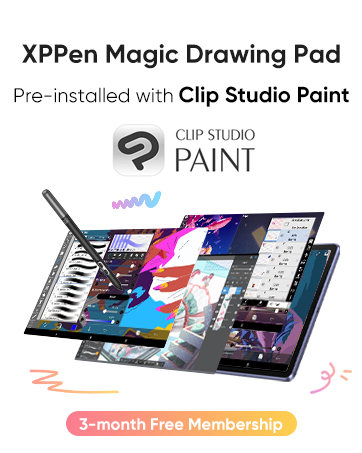
📝 Elevate your notes, ignite your creativity, and never miss a moment!
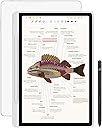
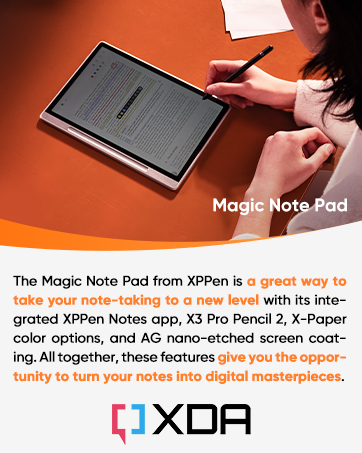
The XPPen 3-in-1 Magic Note Pad is a 10.95-inch Android 14 tablet designed for professionals and students who demand a premium note-taking experience. Featuring a 90Hz AG nano-etched LCD that mimics paper texture, a battery-free X3 Pro Pencil 2 with 16,384 pressure levels, and triple color modes, it offers smooth, precise writing and reading comfort. Its AI-powered native app converts handwriting to text, summarizes PDFs, and creates study flashcards, while TÜV-certified eye-care technology ensures minimal blue light and flicker. With 6GB RAM, 128GB storage, an 8000mAh battery, and remote meeting-ready hardware, it’s the ultimate productivity companion for on-the-go professionals and learners.


| ASIN | B0DX234NWP |
| Aspect Ratio | 16:9 |
| Battery Average Life | 4 Hours |
| Battery Capacity | 8000 Milliamp Hours |
| Battery Cell Type | Lithium Ion |
| Battery Power | 8000 Milliamp Hours |
| Best Sellers Rank | #14,624 in Electronics ( See Top 100 in Electronics ) #363 in Computer Tablets |
| Brand | XP-Pen |
| Built-In Media | X3 Pro Pencil 2 |
| CPU Model Number | MT8781 |
| Camera Description | Front |
| Cellular Technology | Wifi |
| Compatible Devices | Stylus |
| Connectivity Technology | Bluetooth, Wi-Fi |
| Customer Reviews | 4.2 out of 5 stars 226 Reviews |
| Display Refresh Rate in Hertz | 90 |
| Display Resolution Maximum | 1920*1200 |
| Display Type | LCD |
| Generation | 1st Generation |
| Graphics Description | Integrated |
| Hardware Interface | 802.11 b/g/n |
| Human-Interface Input | Touchscreen with Stylus Support |
| Item Dimensions L x W x Thickness | 10"L x 7"W x 0.2"Th |
| Item Weight | 300 Grams |
| Lithium-Battery Energy Content | 7800 Milliampere Hour (mAh) |
| Manufacturer | XP-PEN |
| Memory Storage Capacity | 128 GB |
| Model Name | Magic Note Pad |
| Model Number | B0dx234nwp |
| Model Year | 2025 |
| Native Resolution | 1920x1200 |
| Operating System | Android 14 |
| Other Special Features of the Product | Extra-Slim |
| Processor Brand | MediaTek |
| Processor Description | MediaTek MT8781 |
| RAM Memory Installed | 6 GB |
| Screen Size | 10.95 Inches |
| Specific Uses For Product | Note Taking, Remote Work, Writing |
| Video Capture Resolution | HD 720p |
| Warranty Description | 1 Year Warranty |
| Warranty Type | Limited |
| Wireless Compability | 802.11g |
| Wireless Technology | Wi-Fi |
W**Y
Perfect for Students – Feels Like Real Paper, Super Convenient!
As a student who takes tons of notes every day, I’ve tried several digital devices before, but the XPPen Magic Note Pad is by far the best one I’ve used. What initially sold me were the triple color modes (especially Light Color mode, which makes reading comics an absolute joy), but what blew me away was how well it works for note-taking in class. The writing experience is smooth with just the right amount of resistance—it feels like using a ballpoint pen on paper. And best of all? It’s silent. No annoying tapping noises during lectures! One of my favorite features is the ability to tap the locked screen and jump straight into the Notes app. It’s a small thing, but incredibly useful when you need to jot something down quickly. The pen doesn’t need charging either, which is another huge plus. There’s also a built-in audio recording feature, and the handwriting-to-text conversion is a game-changer. I’ve used it to turn class notes into typed-up assignments—no more retyping everything from scratch. If you’re a student or someone who takes extensive notes and reads frequently, I 100% recommend this device. It’s easy on the eyes, super responsive, and honestly just a joy to use.
E**!
Fantastic all-in-one tablet for creatives
Just going to start by saying, if you're looking for some sort of high-performance, crazy high resolution, multi-tasking behemoth... this isn't it. The XPPen Notebook is EXACTLY as the name implies. This is for note-taking, is excellent for drawing on, and can even double as a pretty decent ebook reader. Granted, it's not an e-ink display, but it does come pretty close thanks in large part to software and hardware enhancements designed to mimic e-ink. As someone who IS sensitive to flicker and can wind up with a gnarly headache if I read on a traditional LCD screen for too long... I'm extremely happy and surprised over how effective their implementation has been here. Along with the decent refresh rate and uniquely versatile screen, I REALLY appreciate the matte finish. Again, this is a clear indication that this tablet is NOT made for high-end gaming or even general video watching (not in the casual sense, anyway). The display is designed to cut down on glare. As a result, viewing angles aren't going to be the best, nor is the brightness which, while listed as 400 nits, is noticeably dimmer than my ACTUAL 400 nits Lenovo Yoga. However, it still gets bright enough for outdoor reading, scribbling, and drawing because that finish really does a remarkable job of cutting down on glare. Frankly speaking, despite its lower brightness rating, because of how effective that finish is, I can still read the screen just fine outside, even though I have to crank my S24 Ultra all the way up to get around the same level of legibility. Build quality is also great. Yes, it's got thicker than normal bezels, but again... that makes perfect sense for what it is. In fact, it makes this tablet easier to use for its intended purpose. The thicker metal side where the pen magnetically attaches is an excellent hand holding spot when reading or scribbling notes. Overall, this is a solid tablet that feels great in my larger-than-normal hands and doesn't feel so thin that I'd fear about bending it as I do with more "high-end" models out there. Seriously... I'm personal tired of razor-thin bezels for handheld devices, ESPECIALLY tablets. Now granted, regularly priced, this may come across as being on the high-end given the tablet's specs. But specs only tell a piece of the story. The XPPen Notebook is a device clearly intended for a very specific market and, when that context is taken into consideration, the price starts to make much more sense. This tablet is significantly more pleasant to write and draw on than any other Samsung or Lenovo tablet on the market. The hardware and software tech used to make it's screen easier to read absolutely makes a difference... And the pen! If you're unfamiliar wit XPPen, there's a reason why "pen" is so prominently featured in the brand's name. This company KNOWS how to make a stylus. Hands down it is the best stylus on the market in its intended price range for writing and drawing, as far as I'm concerned. Yes Wacom might be the overall more premium brand, BUT... and it's a big one... you REALLY have to pay for it. XPPen in general tends to be more accessible while compromising shockingly little. So, should you get this tablet? If you are an artist on the go, a college student looking for a more lightweight note-taking alternative over lugging around your laptop, or an avid reader looking for a bit more versatility... I would encourage you to strongly consider the Notebook. For my purposes (avid reader, frequent notetaker, amateur cartoonist), the XPPen checks off all the necessary boxes and then some. My ONLY complaint?... I wish there were other 3rd party compatible covers on the market. Then again, this is a fairly new product, so hopefully that will change soon enough.
T**X
Great hybrid Android tablet for drawing, notes and reading
In my opinion, the XPPen Magic Note Pad is a fantastic hybrid device that pulls in the features that I wanted and more that I didn’t know I wanted but truly appreciate. I was looking for a new tablet with a focus on drawing since current tablet is from 2015 and the battery life on it lasts about an hour, so it has to be constantly plugged in. I saw a review on YouTube for the Magic Note Pad that had just recently been released so I went ahead and purchased it since I thought the price was more than fair. The 3 screen modes weren’t something I was shopping for, but I’m really stoked to have it. The full color mode is good, and I use that for web browsing and lite gaming. The second mode is colored paper, which is a washed-out version of full color, and it is easier on the eyes for drawing and note taking. And the third mode is a black and white like e-paper mode that is great for reading kindle books without causing eye strain. The screen has a soft matte finish that makes drawing on it a lot better than drawing on smooth glass. The drawback of this finish is that the viewing angle is narrower, so you must be directly in front of the screen to see it clearly. Being as it’s not a large screen I only plan on using it solo. The pen has 16k pressure sensitivity and is battery-less. Paired with the matte finish on the screen the drawing and note taking experience is really good. I use Clip Studio and Artflow for drawing and I use Noteshelf 3 for notes, and with the how light this tablet is it’s easy to take this along and use anywhere. The only con I have with the device is that it is on an Android OS and there is only a lite version MS Word available, so you don’t have all the editing features as you would on the full blown version in Windows OS.
C**T
Better choice than Kindle scribe
Good color and options for different modes. Easier to use than the scribe with reasonable power on time. Still exploring its capability but so far the decision is keeping this instated of the kindle. Cover case allow storing the pen with the device is functional and nice to have, it very easy to carry around.
B**T
A decent little tablet, a sub-par writing device
This is a decent little device for the price but its advertised features didn't meet my expectations during testing. It's essentially an android tablet, with an etched glass writing surface and some customisations that give it a neutral colour or peusdo-greyscale appearance that mimics an e-ink display. However, it looks nothing like an e-ink display and its features are fairly average. I found the writing surface to be too slippery for everyday use as a writing device. It's definitely rougher than say an iPad or Samsung Galaxy tablet but not as rough as a reMarkable. It's slightly less rough than the Wacom MoveinkPad (which is also an Android tablet with an etched glass display). It's easily portable and quite light. It has the thickness of a typical android tablet; slightly thicker than the Samsung Galaxy Tab S8 Ultra. The other major downside was the lag. It has the pen drawing latency of a low-quality e-ink drawing tablet (i.e. first generation BOOX devices) but as this is an Android tablet, one is not getting the benefit of a faster refresh rate and an LCD/OLED/IPS display. Hence I don't see the appeal. All other Android features worked fine. There was little changed in the Android system to remove daily distractions common to normal tablets. The experience was therefore akin to a small formfactor Android tablet with a matte display and a pastel colour scheme. If you don't already own an Android tablet or iPad and really need a cheap solution to take digital notes, this might work fine for your needs. Otherwise I'd recommend using those tablets as you won't get the "distraction free natural writing experience" that one often forks out additional money for when they already own a tablet.
V**O
It's great
Well, all I can say is - it's genuinely great. The TCL's Nxtpaper display is quite great. The XPPen's well, pen, is incredible. The pen has no batteries. The tablet has a magnetic holder for it. It's comfortable to use. Great to write on. One downside is—it's not the brightest, and even with the Nxtpaper display, it still isn't quite bright enough for easy use in the sun. So NO, it is NOT an e-ink replacement. HOWEVER! due to the matte Nxtpaper display, it's a lot easier to use outdoors or even indoors since there's a lot less light glare from light sources, unlike normal glass-screen tablets. So overall, I like it a lot. Wait for a sale. Grab it if you see it on sale. Oh and on mine, the case it came with started breaking at the seam within a month... but XPPen's support is EXCEPTIONAL! THey sent me an upgraded case with 0 issues after seeing the pictures. +1 star for that. For a total of 4 - very usable great tablet and very snappy processor and 6GB of Memory. and 1 star to make it a truly great product for the exceptional customer service.
M**P
Overall a nice device, but the screen viewing angle makes it unusable as an note taking device.
Overall, it is a genuinely nice device, it feels premium, it responds well to touch and is snappy to use. I especially like the three different screen modes, the first mode is a standard Android color tablet, the light color mode reminds me of a color e-ink display while the third mode replicates a B&W e-ink tablet. Writing on the screen feels as good as many dedicated e-ink devices and while not the best it is perfectly usable. Unfortunately, there is one glaring issue which makes this tablet unusable for me. It is the screen viewing angle. If you are holding the tablet in your hand looking straight at the display it is a colorful, crisp display. But when your taking notes while the device is flat on your desk the screen is severely washed out unless you are looking straight down onto it which is not optimal. This is unfortunate as it is nice multipurpose device, especially when priced at $299 but I will be returning it.
P**L
Great for Notes, Coloring and Reading
I've been using this tablet for a couple of weeks and I absolutely love it. I specifically wanted a tablet that wasn't a small computer but did more than an e-ink and this tablet is exactly that. I mostly use it for school with note taking, reading and coloring being it's main uses. The native notes app is pretty easy to use after getting the free Pro subscription figured out. My only issue is I wish there was a way to get more tape patterns and stickers. I have my Gmail account attached and it makes it easy to access documents in my drive. I haven't tried uploading anything to my drive from the notes app so I'm not sure how easy or difficult it would be but I've had no issues so far downloading items from my drive to the notes app. I enjoy the different color settings and they definitely help with the strain on my eyes. The screen has a nice feel and it's small size makes coloring on the go really enjoyable. I'm also a huge fan of the fact the stylus/pen doesn't need to be charged. The tablet itself has a decent battery life. If you use it consistently all day you will have to charge it by the end of the day but if you use it sparingly it can go a day without a charge. If you want to be able to surf the web or check into online classes this is not the tablet for you. It is slow even on good wifi. It's an android tablet and I found it really easy to customize and I'm not a tech wiz. It's a lot of fun and has made school easier. I'd recommend it to anyone looking for a smaller tablet for writing, reading, drawing and/or coloring who doesn't need to get online often. *All pictures of the tablet are of it in Natural Color Mode*
Trustpilot
1 week ago
3 weeks ago