Buy anything from 5,000+ international stores. One checkout price. No surprise fees. Join 2M+ shoppers on Desertcart.
Desertcart purchases this item on your behalf and handles shipping, customs, and support to USA.
🚀 Elevate your home network to WiFi 7 speed and coverage — don’t get left buffering!
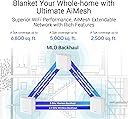
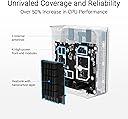
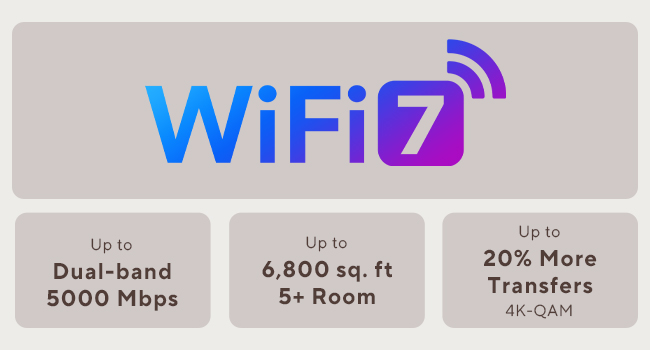
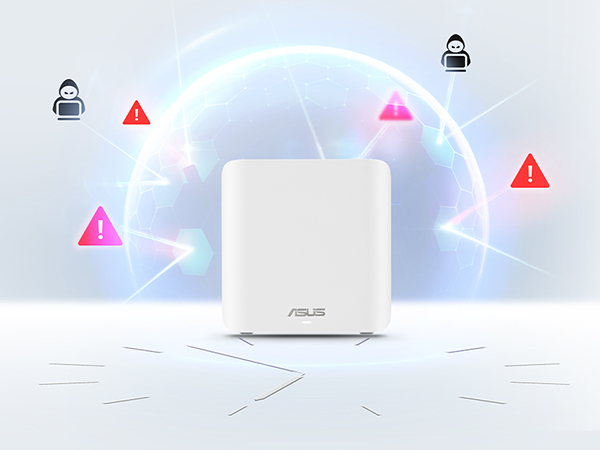
The ASUS ZenWiFi BD5 is a cutting-edge WiFi 7 mesh system delivering up to 5000 Mbps dual-band speeds and expansive 6800 sq.ft coverage via a 3-pack setup. Featuring dual 2.5G Ethernet ports, a quad-core 1.5 GHz CPU, and advanced security with AiProtection Pro and VPN, it’s designed for seamless, secure, and smart home connectivity. Ideal for professionals seeking future-proof, high-performance networking with easy app management and parental controls.


| ASIN | B0DHW9M7CB |
| Antenna Location | Business, Gaming, Home |
| Antenna Type | Internal |
| Best Sellers Rank | #13,479 in Electronics ( See Top 100 in Electronics ) #63 in Whole Home & Mesh Wi-Fi Systems |
| Brand | ASUS |
| Built-In Media | BD5 3 pack Router, Power adapter, Quick start guide, RJ45 cable, Warranty card |
| Color | WHITE |
| Compatible Devices | Personal Computer, Smart Television, Smart Thermostat, Smartphone, Tablet |
| Connectivity Protocol | Wi-Fi |
| Connectivity Range | 6800 Square Feet |
| Connectivity Technology | Power adapter, RJ45 Cable, Wi-Fi |
| Control Method | App, Touch |
| Controller Type | App Control, Push Button |
| Coverage | 6800 Square Feet |
| Customer Reviews | 3.6 out of 5 stars 112 Reviews |
| Data Transfer Rate | 2882 Megabits Per Second |
| Frequency | 5 GHz |
| Frequency Band Class | Dual-Band |
| Has Internet Connectivity | Yes |
| Has Security Updates | Yes |
| Is Modem Compatible | No |
| Item Dimensions L x W x H | 5.5"L x 2.8"W x 5.5"H |
| Item Weight | 1.2 Pounds |
| LAN Port Bandwidth | 2500 Mbps |
| Manufacturer | ASUS |
| Maximum Upstream Data Transfer Rate | 1441 Megabits Per Second |
| Mfr Part Number | BD5 (W-3-PK) |
| Model Name | BD5 (W-3-PK) |
| Model Number | BD5 (W-3-PK) |
| Number of Antennas | 4 |
| Number of Ports | 2 |
| Operating System | Mac, Windows |
| Other Special Features of the Product | AiProtection, VPN, WPS Security, Alexa Compatible, Network standard: WiFi 4 (802.11n), WiFi 5 (802.11ac), WiFi 6 (802.11ax), WiFi 7 (802.11be), IEEE 802.11a, IEEE 802.11b, IEEE 802.11g, IPv4, IPv6, Whole-Home Mesh, Wirelss Router, AiMesh Node, Access Point Mode |
| Router Firewall Security Level | High |
| Router Network Type | mesh |
| Security Protocol | AiProtection, VPN, WPS, Let's Encrypt, DNS-over-TLS, Security Scan, Firewall, WPA/WPA2/WPA3-Personal, WPA/WPA2-Enterprise |
| Smart Home Compatibility | Smart Home Compatible |
| Special Feature | AiProtection, VPN, WPS Security, Alexa Compatible, Network standard: WiFi 4 (802.11n), WiFi 5 (802.11ac), WiFi 6 (802.11ax), WiFi 7 (802.11be), IEEE 802.11a, IEEE 802.11b, IEEE 802.11g, IPv4, IPv6, Whole-Home Mesh, Wirelss Router, AiMesh Node, Access Point Mode Special Feature AiProtection, VPN, WPS Security, Alexa Compatible, Network standard: WiFi 4 (802.11n), WiFi 5 (802.11ac), WiFi 6 (802.11ax), WiFi 7 (802.11be), IEEE 802.11a, IEEE 802.11b, IEEE 802.11g, IPv4, IPv6, Whole-Home Mesh, Wirelss Router, AiMesh Node, Access Point Mode See more |
| UPC | 197105643826 197105627819 |
| Unit Count | 3.0 Count |
| Warranty Description | 3 year |
| Wi-Fi Generation | WiFi 7 |
| Wireless Communication Standard | 802.11.be, 802.11ac, 802.11ax, 802.11g, 802.11n |
| Wireless Compability | 802.11.be, 802.11ac, 802.11ax, 802.11g, 802.11n |
L**S
Great product seamless integration
I’ve encountered connectivity issues in various parts of my house, including dropping items from the network, even HomePods. To address this, I decided to purchase a ZenWiFi BD5 and expand my network upstairs. This was particularly beneficial since it seamlessly integrated with my existing ZenWiFi BT10 tri-band router. To optimize bandwidth on the wireless channels, I utilized an Ethernet backhaul. The BD5 features an IoT 2.4Ghz channel, similar to the BT10, allowing all my smart devices to connect to this channel. The setup was straightforward and resulted in a single, stable mesh network. Apart from a few startup hiccups, all my smart devices have been functioning flawlessly. Additionally, I now have consistent and fast internet speed throughout my house. I highly recommend ASUS products.
C**2
Seamless Setup. Mostly set it and forget it.
This set of 3 was delivered to me at the beginning of February 2026. I installed them the following weekend. Fairly seamless setup process. The first one gets connected to your modem/ONT right away. Each of the satellite nodes must be next to the primary node during initial setup. They connect wirelessly. After each one is set up, you can move it to where ever you need it, and use a wired backhaul if you have one. These things have worked like a charm. I was so pleased, that I bought 2 more to go in my other residence. The BD5’s only have two 2.5G RJ45 jacks on the back. So you’re going to need to add a switch to your setup if you don’t already have one.
M**.
Fast, modern mesh with a few caveats
I’ve been using the ASUS ZenWiFi BD5 (1-pack) for a small apartment setup, and overall it delivers strong, modern performance. WiFi 7 support and the dual-band design provide noticeably better stability and lower latency compared to my older WiFi 6 router. Speeds are excellent for streaming, video calls, and gaming, and coverage easily handles around 2,000–2,500 sq.ft as advertised in an open layout. The dual 2.5G ports are a big plus, especially if you have multi-gig internet or a fast NAS. Setup through the ASUS app was straightforward, and I appreciate that security features and parental controls are included without requiring a subscription. The Smart Home Master SSIDs are also a nice touch, making it easier to separate IoT devices from primary devices. On the downside, this is a single-pack unit, so it does not fully showcase the benefits of a true mesh system unless you add additional nodes later. Also, being dual-band, it does not have the extra backhaul flexibility you’d get with tri-band mesh systems, especially in more complex floor plans. Overall, it’s a solid choice if you want an affordable entry into WiFi 7 with strong performance, modern ports, and good software features. Just be aware that larger homes may still benefit from adding more nodes or stepping up to a tri-band model.
M**K
Amazingly good mesh access points
This is a really good mesh system, and a good value. With the 3 pack, it covers at least 4000 square feet, including through walls, with nearly full signal everywhere on the 2.4ghz network. It's easy to set up - just find the IP address and log in. There is an app, but it never forces you to use it. I am using a wired backhaul with gigabit fiber, and I get ~300mbit up and down over 2.4ghz and about 700mbit over 5ghz using wifi 6E (I don't have any wifi 7 devices yet). I get the full gigabit using the wired port. These do support connecting with each other wirelessly though, and with wifi7 and the ability to use double the channel width, I'd imagine they would do a pretty good job even without the backhaul; although I didn't test that. The web based management console is quite nice too. I was able to diagnose a long standing issue with my wired network using the built in diagnostics, which was an extra bonus. These can also be used as a router, and it has a lot of features like VPN, etc. in that mode, but I needed to use them as access points due to my ISP. If you are in the market for a router though, skip it and just get the 3 pack of these since it's cheaper and you get way more range. The only downside is that they only give you two Ethernet ports - one for backhaul and one for a single device. That's easily remedied by connecting a cheap 5 port switch to the device port though, and I'd rather do that than have to pay a higher price for each of these. These are night and day better than my old Linksys mesh access points (which were terrible in every way), and I am so glad I upgraded to these.
J**N
Good range, poor documentation, limited support for older devices
Setup was a bit rough. Initially I was unable to connect to the primary over HTTP. After resetting the unit, I was able to connect, but after following the instructions the secondary was trying to use wireless to connect to the primary, even though both were connected to the LAN via ethernet. The next day, I found the buried menu page with the switch to use ethernet backhaul. That should be the default behaviour if it's plugged in to ethernet and can reach the primary via the ethernet port. It should at the very least be easier to find. Maybe put it on the same menu page as "backhaul priority". But it's working pretty well now. Legacy (IoT) mode does not support all older devices. Specifically, Slim Devices Squeezebox 2/3 does not work at all. Squeezebox Radio needs the "community firmware" upgrade in order to connect reliably. It doesn't seem like there should be an issue, since both devices support WPA2 security, and the legacy mode of the ZenWiFi is supposed to support WPA2/WPA3.
T**S
Roaming Between Nodes Is Unreliable
I installed the ASUS ZenWiFi BD5 as a 3-node mesh system in my home, which is a two-story reinforced concrete construction. Unfortunately, the roaming between nodes has been unreliable and causes frequent connectivity problems. My setup is as follows: the main router is on the first floor, and I have two nodes on the second floor (office and master bedroom). The office node uses Ethernet backhaul, while the master bedroom node connects wirelessly. The main issue happens when moving between areas of the house. Devices do not transition smoothly between nodes. Instead, the connection often drops completely for several seconds before reconnecting. At times the device stays connected to a distant node even when a closer node is available, and other times it switches but loses internet access during the transition. I attempted several troubleshooting steps: - Adjusted Roaming Assistant thresholds - Disabled Airtime Fairness - Tested different node placements - Verified backhaul configuration - Updated firmware and rebooted the system Despite these changes, the mesh handoff remains inconsistent. In a home with reinforced concrete, reliable roaming is critical for a mesh system, and this setup has not performed as expected. While the hardware itself seems well built and the interface is easy to use, the roaming stability has been disappointing for a system marketed as a seamless mesh solution. Buyers with multi-floor concrete homes may want to consider this limitation before purchasing.
N**K
Great Purchase
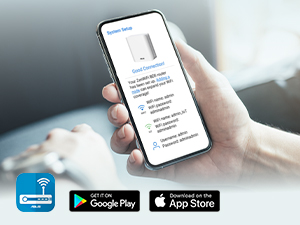
The ASUS WiFi router has been a great upgrade for my home network. Setup was quick and easy using the mobile app, and the connection has remained fast and stable throughout the house. Streaming, gaming, and video calls all run smoothly with minimal lag or interruptions. I also appreciate the strong signal range and built-in security features. Overall, this router delivers reliable performance, excellent speed, and solid value for anyone needing dependable home WiFi.
W**B
Asus needs to hire competent instruction writers
The units themselves are great. The setup instructions are horrible. We used AI to navigate our setup because the 3 separate instruction sheets were confusing and contradictory. After the setup was complete, we’ve been very happy with the BD5’s look, performance, and security.
Z**D
المنتج ممتاز
طلبت المنتج ويعمل بشكل ممتاز جدا ويغطي شبكة الواي فاي الى ثلاث غرف انصح شراءه
E**O
Recomendable 100%
Súper recomendable. Lo único es que necesité asesoría para poder quitar el doble NAT que me generaba por el tipo de servicio que uso en México. Pero incluso con el doble NAT las redes wi-fi se hicieron mucho más rápidas y al fin llegó a toda mi casa.
J**N
WiFi muy lento, con conexión inestable
Pésima experiencia con Asus ZenWiFi BD5. Velocidades WiFi muy bajas (peor que versiones anteriores), inestabilidad, problemas con mesh y puertos. Decepcionante tras años con Asus.
Trustpilot
3 days ago
5 days ago