Desertcart purchases this item on your behalf and handles shipping, customs, and support to USA.
🚀 Upgrade your network to pro-level 10Gbps speed and virtualization mastery!
The GLOTRENDS ST7315 10Gb SFP+ Network Card, powered by the Intel X520-DA1 controller, delivers enterprise-grade 10Gbps connectivity with PCIe 2.0 x4 interface. It supports advanced virtualization features like Intel VT-c and SR-IOV, unified networking protocols, and comprehensive remote boot options. Compatible with major OS platforms, this card is designed for professionals seeking high-throughput, low-latency, and scalable network performance in demanding environments.






| ASIN | B0DDGZFQSV |
| Best Sellers Rank | #120 in Internal Computer Networking Cards |
| Brand | GLOTRENDS |
| Built-In Media | GLOTRENDS ST7315 10Gb SFP+ Network Card with X520-DA1 Controller |
| Color | X520 |
| Compatible Devices | PC/Server |
| Compatible Operating System Family | Linux, Windows |
| Customer Reviews | 4.3 out of 5 stars 110 Reviews |
| Data Link Protocol | Ethernet |
| Data Transfer Rate | 10 gigabits_per_second |
| Hardware Interface | PCI Express x4 |
| Item Weight | 0.2 kg |
| Manufacturer | glotrends |
| Minimum Required Operating System Version | Windows 7 |
| Model Number | ST7315 |
| Number of Items | 1 |
| Unit Count | 1 Count |
| Warranty Description | 30 Day Warranty Against Manufacturer Defects |
V**N
GOOD CARD but MAY NEED BIOS tweak
good card and amazing price, however my linux SERVER (TRUENAS SCALE) was not able to load the network driver for this card until i enabled SR-IOV feature in my BIOS. At least on my configuration that seemed to be required even though I am not doing virtualization with this NIC.
O**N
Works.
Works, both on Windows and Linux. The NIC chipset was instantly recognized on Debian (Proxmox), Ubuntu and on windows. Had to purchase an SFP-RJ45 plug, that added to the price. So, if you don't need fiber, you better buy a NIC card with an RJ45. That will save you money, space on the back and maybe some small complications.
T**Y
Good value
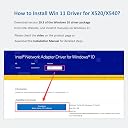
Works great once drivers are installed in Windows 11.
J**R
Doesn't work in Windows 11. Instructions are useless.
Doesn't work in Windows 11. I have downloaded drivers from Intel and from the manufacturer. I have followed the instructions. When I pick the folder instructed by the manufacturer, there is NO X520/X540 device to select in the list. I would share a screenshot, but that would require DOZENS of screenshots, as the driver selection when using "Have Disk" in device manager only shows a few devices at a time in the little selection window - and it can't be resized. I reached back out to the manufacturer for further assistance and have received nothing. Glad some of you have gotten yours to work, but mine doesn't work at all.
B**.
sometimes hangs system during boot
Installed in recent Dell desktop with Windows. When NIC has link, system will hang during boot. Disconnecting link until Windows boots it is ok. Found that after disabling "SecureBoot" in UEFI/BIOS, it did not hang during boot.
S**H
Buy a more reputable brand.
Not recognised by my Linux server at all. Tried several computers. Not a driver issue, definite hardware failure.
E**O
Ottimo prodotto, ma attenzione su Windows 11
Funziona molto bene ed è una delle poche schede SFP+ compatibili PCIE x4 disponibili a buon prezzo. Utilizzata con i transceiver 10GBASE-SR SFP+ della HPE/Finisar, non ho riscontrato problemi. Su Windows 11 non è Plug&Play, è necessario installare i driver dal CD incluso nella confezione oppure da internet cercando "Intel® Ethernet Adapter Complete Driver Pack". Per le versioni precedenti si può anche utilizzare "Intel PROSet Adapter Configuration Utility" (Su Windows 11 è deprecato). Una nota importante: essendo concepito per i server (appare infatti come Ethernet Server Adapter X520-1) può dare problemi con PC configurati con la modalità Sleep S0 (verificabile con powercfg /a), in quanto la scheda si spegne ma non si riaccende automaticamente all'uscita dallo sleep/ibernazione. Quindi o si cambia la power config, le impostazioni del BIOS o in alternativa un task schedulato con devcon.exe per fare lo "Scan for hardware changes" senza passare dal Device Manager.
U**K
vmware esxi
Cheaply priced and works well. I'll add that this worked out of the box with ESXi 7.0.3 running on a Dell 7070 desktop plug into a unifi dream machine.
B**N
Fonctionne très bien sous Windows 11 et Linux
Installation on ne peut plus simple, fonctionne en plug&play sous Linux (testé avec Ubuntu 24.04, Mint 22.1 et Proxmox 8.4). Pour Windows 11, simplement taper "intel-ethernet-adapter-complete-driver-pack" dans un moteur de recherche pour trouver le zip sur le site officiel d'Intel qui contient tous les drivers Windows et faire l'installation du driver. J'en ai pris 2 et j'ai obtenu 9,9 Gbps sur 10 entre un W11 et un Linux Mint sous Iperf3 (en MTU 9K, sinon 9,49 en MTU standard). J'apprécie particulièrement le fait que ça ne prenne qu'un port 4x.
Y**F
ونيدوز 11
لم يعمل مع ونيدوز 11 . لأن الدرايف اللي وصل معه نسخة قديمة ولم أجد في موقع الشركة اي تحديث له
Trustpilot
2 weeks ago
3 weeks ago