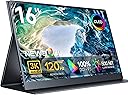
🚀 Elevate your workspace anywhere with true 4K brilliance!
The Newsoul 15.6" 4K QLED Portable Monitor offers a professional-grade UHD 3840x2400 resolution with 100% AdobeRGB color accuracy and 600 nits brightness. Its CNC aluminum all-metal design ensures durability for travel, while the ultra-slim, lightweight form factor and borderless display make it the perfect second screen for laptops, MacBooks, PCs, and gaming consoles. Equipped with USB-C, HDMI, HDR, FreeSync, built-in speakers, and VESA mount compatibility, it’s engineered for productivity and vibrant entertainment on the go.


| ASIN | B0DHR73D1H |
| Adaptive Sync | FreeSync |
| Additional Features | Blue Light Filter, Built-In Speakers, Eye Care, Flicker-Free, Frameless |
| Aspect Ratio | 16:10 |
| Best Sellers Rank | #164,002 in Electronics ( See Top 100 in Electronics ) #3,509 in Computer Monitors |
| Brand | Newsoul |
| Brightness | 500 Candela |
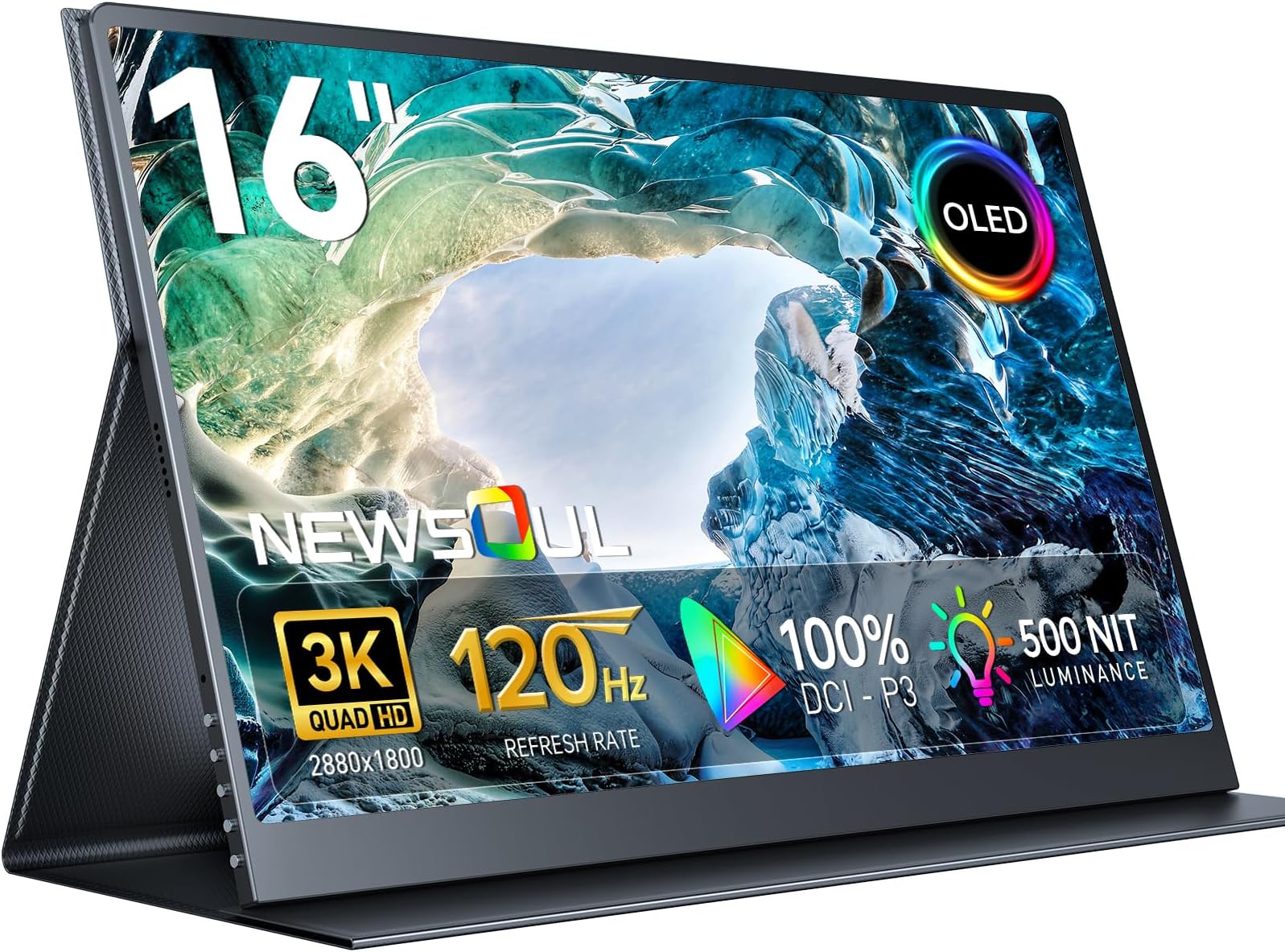
| Built-In Media | 1 * 16" 3K OLED Portable Monitor, 1 * Mini HDMI Cable 4K, 1 * PD 30W Power Charger, 1 * Smart Cover, 2 * Type C to Type C Cable |
| Color | black |
| Color Gamut | 100 |
| Compatible Devices | Desktop |
| Connectivity Technology | HDMI, USB |
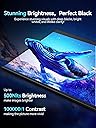
| Contrast Ratio | 100000:1 |
| Customer Reviews | 4.4 out of 5 stars 103 Reviews |
| Display Resolution Maximum | 2880 x 1800 Pixels |
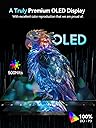
| Display Technology | OLED |
| Display Type | OLED |
| Hardware Connectivity | USB, mini HDMI |
| Has Color Screen | Yes |
| Image Contrast Ratio | 100000:1 |
| Item Dimensions D x W x H | 0.27"D x 13"W x 9"H |
| Manufacturer | NEWSOUL |
| Model Name | M160B04 |
| Model Number | M160B04 |
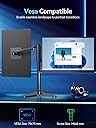
| Mounting Type | Desk Mount |
| Native Resolution | 2880x1800 |
| Number of Component Outputs | 3 |
| Picture Quality Enhancement Technology | 8-bit + FRC, OLED |
| Pixel Pitch | 0.141 |
| Refresh Rate | 120 Hz |
| Resolution | 3K 2880x1800 |
| Response Time | 0.1 Milliseconds |
| Screen Finish | Glossy |
| Screen Size | 16 Inches |
| Screen Surface Description | Glossy |
| Shape | Rectangular |
| Specific Uses For Product | Business, Entertainment, Gaming |
| Total Number of HDMI Ports | 1 |
| Total Thunderbolt Ports | 2 |
| Total USB 3.0 Ports | 2 |
| Total Usb Ports | 2 |
| Viewing Angle | 178 Degrees |
| Warranty Description | 1 Year Manufacturer |
| Warranty Type | 1 Year Manufacturer Warranty |
E**S
Colors really pop with this OLED monitor
I'm really happy with how this monitor turned out. I was a little worried it wouldn't be bright enough given that it's OLED. However, you can see from the pictures below that the colors really pop and are very bright when compared to my laptop LCD screen. The resolution is so high, I had to set my magnification to 150%. The text is incredibly crisp and looks noticeably better than my LCD screen, which arguably is a lower resolution. I took a picture of a black box and spread it across both screens so you can see how much better the OLED renders blacks. I'm using this on an older laptop with a Thunderbolt 3 connection on Fedora Linux and everything worked fine. I was pleasantly surprised that they packaged two Thunderbolt cables and a mini HDMI cable along with a PD 3.0 power supply. Everything you could possibly need comes inside the box. The OSD has plenty of options to configure the monitor and even includes HDR if you want to use that. The monitor magnetically attaches to the case and gives you several different viewing angles. Everything folds up nicely and is really easy to slip in my backpack for travel. I've been using this for a few weeks, and it's worked well across two different computers, both on Linux. Another nice feature is there are built-in speakers, which were automatically detected when I used the Thunderbolt cable. Everything has been great so far.
N**R
The Best Portable 3K OLED
Great monitor overall—excellent colors, perfect blacks, and a clean picture. The 2880x1800 resolution is a bit odd though. On weaker machines, it doesn’t scale cleanly down to 1200p like 4K does to 1080p. If you need to ease the load, keep it at native resolution and use DLSS or FSR (Performance mode) instead of lowering the resolution. Running it at 1200p still looks fine, just a little soft. For regular desktop use or word processing, it works great. Thanks to OLED's per-pixel lighting, it's nice to drop the brightness or use a warmer background color at night and not have a glaring backlight keeping you up. The brightness indoors goes beyond what I'd suspect most people would need. I keep my screen between 30–50% brightness; 100% exceeds my needs. I’m running mine through my laptop’s DP-Alt USB-C port. It pulls more power than a 1080p IPS at higher brightness, but nothing extreme. It comes with an adapter and cables, though I use a 45W USB-C charger I already had with no issues. Just check your port speeds; mine only does 10Gbps, which limits it to 2880x1800 @ 100Hz instead of the rated 120Hz. That’s a laptop bottleneck, not the monitor’s fault. Compared to a 144Hz 1080p IPS, the trade-off is worth it. Picture quality and contrast crush it. I’d still prefer 16:9 over 16:10, but this one’s been great otherwise. The speakers are better than most in this range, the design feels more solid, and the glossy screen is easy to clean. It’s reasonably light, durable, and well-priced for what you get.
A**A
Fantastic screen and excellent service
The Newsoul 3k OLED portable monitor is an excellent display and product. Screen Quality: A prime example of OLED technology. Saturated colors and perfect blacks. Completely blows any IPS display out of the water. This screen gets plenty bright, although, the glossy coating means you should keep this indoor. Use this monitor in SDR. HDR content is best suited for displays that can reach brightness far in excess of the advertised 500 nits. If you are worried about color performance, you cannot beat infinite contrast and saturation of OLED. Stick with SDR. The display is very sharp with a PPI (pixels per inch) of 212 — higher than a 27" 4K monitor (163 PPI) and just shy of the MacBook Air's 224 PPI. As with most portable monitors, VRR (Variable Refresh Rate) or FreeSync is not supported. To avoid screen tearing, lock your framerate to a supported refresh rate (60Hz, 100Hz, or 120Hz). Onto Connectivity and Usage: No need to mess with settings, just plug in the video USB-C and power cable. Colors look great out of the box but if you want to adjust the RGB or sharpness, that is available in OSD. Mini-HDMI port works fine, but doesn’t offer enough bandwidth for 120Hz at native resolution. To unlock the monitor’s full resolution and refresh, (2880x1800 at 120Hz), use a USB-C cable. Also, connect a power cable. Value for money: A great deal at 250 dollars. The 4k OLED portable monitors go for more than 400 dollars or even as high as 700 dollars. The 4k OLED portable monitors also are only 60 Hz, similar to the 1080p ones. So you get both a high resolution and higher refresh for less money with this product. My Takeaway Initially, I experienced a screen issue, but Newsoul’s customer support resolved it quickly and professionally. That, combined with the excellent product quality, made this a positive experience.
S**R
The best portable screen I've used so far!
I have only had this screen for about a week or so. But, I am VERY impressed with the quality of the image! Because it is OLED, there is no "bleeding" of light into the image from the back panel. The image is just beautiful! I've run my Raspberry Pi5 Retrocade system on it, PS5 Pro, and Xbox Series X and it just looks fantastic! The buttons on the side take a little getting used to. But, once you remember the layout, there's no problems. Speakers a better than average, but not amazing. It would have been nice to have a 3.5mm audio jack on it. But, you can use USB speakers on it. My only beef: In low power mode, it has yet to automatically power itself on when I slap a signal to it. I have had to manually turn it back on each time. But, that's more of an annoyance than a actual problem and I can live with it. I have owned a couple of these portable screens over the years and, so far, this is my favorite one! You won't regret the purchase!
L**S
Bright and beautiful OLED without burn-in!
Excellent OLED monitor for the price and portability. It can be used with a single Thunderbolt (or other DP Alt mode USB-C) cable with a brightness cap at 15%, but I have rarely had to go above that for my needs since the display is already quite bright. An AC power adapter is included if you prefer the power stability or have to use HDMI instead. It's not mentioned anywhere in the product description for some reason, but the monitor also is a touchscreen. From what I've gathered, I think that these are touch-capable Samsung OLED panels, making them very high quality. I was able to achieve the advertised 2880x1800 at 120 Hz across Windows, Mac, Android (Samsung DeX) and Linux. By far, Mac required the most tinkering for comfortable use. Note that this IS a 16:10 display rather than a 16:9 display, so some fullscreen media will not use up all of the vertical real estate on the screen. Still, everything looks great on this monitor, from watching TV to reading to playing video games. Originally, I was hesitant to get an OLED monitor because of the fear of burn-in, but it has been about 8 months and I have yet to experience even a hint of burn-in. As the description states, it is indeed VESA compatible--I have it mounted to a monitor arm--though you will have to get smaller screws than usual (M4 x 4mm). Still, the included folio case isn't bad, though the nature of a folio case limits the angle at which you can tilt it. NEWSOUL customer support was extremely helpful and responsive when I needed a replacement AC power adapter due to a coil whine I was hearing when the monitor was turned off, so I highly recommend reaching out to them if you have issues with your monitor or any of the accessories.
M**N
Monitor on Macbook & PS5
The monitor is very good. It comes with 2 type-c, 1 mini hdmi, 1 plug head, and 4 vesa screws. The screws provided are the right ones to mount the monitor to a monitor arm, so this is very helpful. The monitor also comes with a cover that can be used to hold the monitor and it is of good quality. The thickness of the monitor is slim and you could just slip it right in your bag, no problem. For connectivity, you will have to connect a type-c for power and hdmi for display. i was also able to connect with only type-c directly to my macbook, so this eliminates the amount of wires used. This also holds true for PS5. Connect your PS5 to a power supply as usual and connect a type-c from the PS5 directly to the monitor and you can use it as it is. However, this is not a recommended way because I’m afrad this will overload the type-c hole of the monitor and short-circuit. Maybe it could happen if the monitor is used this way for a very long period of time (like 24 hour non-stop maybe). I have tried the monitor with my macbook pro (2016) and a PS5, and it works very well with both of them. For the macbook, there is no problem whatsoever. Very smooth and the screen is VERY VERY GORGEOUS. As for the PS5, the output is very nice and it enables the 120hz output, and this runs very smoothly. You can adjust the brightness and volume as usual. Overall, this is a very good portable monitor and I really recommend other people to get it, especially if you are in need of a portable monitor to be used as a side for a laptop and a monitor for gaming.
S**N
BUYER BEWARE.
UPDATE: after owning this monitor, I'm also experiencing the black flicker every few minutes. I've tried multiple cables (including the ones that came with it) as well as multiple power adapters (including the one that came with it). It changed nothing and my screen is still flickering. DO NOT BUY Honestly fantastic quality of a portable display. The picture looks fantastic, the resolution is great, and the refresh rate is perfect for gaming. I'm using it as a portable display for my Legion Go and it looks awesome. The power draw is a bit big, but you CAN drive it with a portable handheld, you just need to drop the brightness down a bit (I set mine to 70%). If you want it max brightness, you'll have to plug it into the wall most likely. I don't mind running it a little less than max if that means I can use it with just one cable out of the handheld to the display. I'm not sure about durability, as the display is glass, and the quality of glass isn't stated. I'm sure if you dropped it or hit the front of it, it would shatter so make sure you have some kind of protection for it during travel, and be a bit careful lugging it around. The HDR is also hit or miss, I just leave it off as it seems to produce an extremely oversaturated result, you can find video examples online. For the price it's worth it and actually mind boggling to get a portable 120hz OLED for around $250 bucks.
L**.
This monitor is exactly what it claims to be and more (it’s a touch screen too???)
This monitor boasts a 2880x1800 resolution at 120Hz, on a beautiful OLED panel. It makes for great response times, and beautiful popping colors (along with perfect inky blacks you can expect with any OLED display). As for some details about how this monitor works: First, it needs 30W of power supplied over a USB-C cable to run. If you are using a laptop with this: keep in mind that, I don’t think most laptops will output 30W over a USB-C connection. So, expect to need a separate USB-C power adapter to power the monitor. You may find results however by plugging your laptop’s 30W+ USB-C charger into the monitor, then plugging the monitor into your laptop. It should charge your laptop, but it most likely will not do so at the rate your laptop’s charger does. This might just simplify your setup, however, so give it a try. Oh, and connecting over USB-C means a USB signal for something like, touch screen input data (yes, this monitor is a touch screen!) can be carried over the same USB-C cable which is carrying the DisplayPort video signal. If you are using with a desktop, you can use cables like these (Amazon listing: https://a.co/d/jl2VraU) to take a DisplayPort output, USB-A connection for touch functionality, and/or USB-C power, and “combine" all of that into a single USB-C connection. This allows you to plug in a single cable to power the monitor, supply the DisplayPort video signal, as well as enable touch. It’s a complicated and niche kind of cable, however — so don’t expect there to be zero hiccups depending on the cable you get. You can also use HDMI to mini HDMI, and a separate USB-C cable for power. You also can use DisplayPort this way, however you need to be careful in what kind of DisplayPort to USB-C cable you get if you are using a desktop with a full-sized DisplayPort output. Many DisplayPort/USB-C cables can only go in one direction. You’ll need a bidirectional USB-C to DisplayPort cable, or at least one that goes from a DisplayPort output (full size) to a USB-C input on the monitor’s side of things. Another note: I always try to use this monitor with a DisplayPort signal over HDMI since I’ve had trouble getting 120Hz at the full 2880x1800 resolution over HDMI. When using HDMI, it seems to cap out at 2880x1800 at 100Hz. Changing the refresh rate up to 120Hz will change the resolution down to 2560x1600. DisplayPort on the other hand, I’ve always been able to get 2880x1800 at the full 120Hz refresh rate with no issue. I hope this was informative, and ultimately supports your decision in buying the monitor. I recommend it!!
A**R
Amazing product and customer service!!!
Product was damaged but seller was nice to replace it, this is an amazing product and seller has good customer service, so i do recommend this product!
X**S
Great Portable OLED Experience, with a few nuances
Great screen quality, with the added benefit of portability. You can't go wrong with OLED, however a few issues do exist with this product: The OSD settings reset when not plugged in, which is the most annoying bit, and then there is your usual OLED burn-in stress, and this does not come with any OLED care features built into it.
Trustpilot
3 days ago
2 months ago