


⌨️ Elevate your game with style, sound, and unstoppable power!
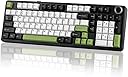
The EPOMAKER X AULA F99 PRO is a premium wireless mechanical keyboard featuring a compact 96% layout, tri-mode connectivity (Bluetooth 5.0, 2.4GHz, Type-C), and an impressive 8000mAh battery for extended use. Its hot-swappable PCB supports easy switch customization, while five layers of sound-dampening materials and a gasket structure ensure a smooth, quiet typing experience. Fully RGB backlit and customizable via AULA Driver software, it’s designed for gamers and professionals seeking performance, style, and versatility in one sleek package.


| ASIN | B0DHRGNKC2 |
| Additional Features | 5 Layer of Sound-Improving Materials, 96% Compact Layout, Flex-Cut PCB and PC Plate, Gasket Structure, Programmable Keys |
| Antenna Location | Business, Education, Everyday Use, Gaming, Multimedia, Personal, Programming, Student, Video Editing |
| Best Sellers Rank | #2,379 in Videogames ( See Top 100 in Videogames ) #172 in PC Gaming Keyboards |
| Brand | EPOMAKER |
| Built-In Media | Extra Mechanical Switch, Keyboard Cable, Keycap Puller, USB Cable, User Manual |
| Button Quantity | 99 |
| Color | Black&White&Green |
| Compatible Devices | Gaming Console, Laptop, PC, Smartphone, Tablet |
| Compatible Operating System Family | Windows |
| Compatible devices | Gaming Console, Laptop, PC, Smartphone, Tablet |
| Connectivity Technology | USB-C |
| Connectivity technology | USB-C |
| Customer Reviews | 4.6 out of 5 stars 802 Reviews |
| Enclosure Material | Plastic |
| Hand Orientation | Ambidextrous |
| Item Dimensions L x W x H | 99.1L x 14.7W x 3.3H centimeters |
| Keyboard Backlighting Color Support | RGB |
| Keyboard Description | Gaming |
| Keyboard Layout | QWERTY |
| Keyboard description | Gaming |
| Manufacturer | EPOMAKER |
| Model Number | F99 PRO |
| Number of Items | 1 |
| Number of Keys | 99 |
| Power Source | Battery Powered |
| Recommended uses for product | Business, Education, Everyday Use, Gaming, Multimedia, Personal, Programming, Student, Video Editing |
| Special features | 5 Layer of Sound-Improving Materials, 96% Compact Layout, Flex-Cut PCB and PC Plate, Gasket Structure, Programmable Keys Special features 5 Layer of Sound-Improving Materials, 96% Compact Layout, Flex-Cut PCB and PC Plate, Gasket Structure, Programmable Keys See more |
| Style Name | Classic |
| Switch Type | Linear |
| Theme | Modern |
| Unit Count | 1 Count |
| Warranty Description | 1 Year Warranty |
E**N
Details
Awesome keyboard. Works perfectly for me. Sound of keys are crisp
K**E
Beyond Expectations. Worth buying!!!
Been in my list for a while because I was having second thoughts whether I should buy or not. I thought it won't be worth it for the price compared to well known brands. But glad I did! RGB lights are amazing!! You can switch the light effects, speed, and brightness in your favour. Keyboard sound? WOW! Just WOW! Creamyyyyy! Very satisfying! Also loved that the "0" in numpad is not the same size as others. (not an issue but depends on what you're used to.) Weight is a little heavier than average keyboards but really not an issue. It keeps it in it's place and prevents it from being moved. (especially if you have cats. 😂) If you're thinking that you might have a hard time seeing the letters / numbers / characters in the keyboard, don't worry I had the same thought before I bought them. I can assure you that you'll be able to see them clearly. So far I haven't encountered any issues after using for a day. I'll see how it goes after few months of use and will definitely get back on this review for an update.
A**R
Love this Keyboard
This is easily the best keyboard I've ever used. From the satisfying sound to the perfect key cap height, key travel and actuation force. Typing this review with this keyboard is a breeze. Also has very tasteful rgb and the key cap legends face towards me making them very clear. I thought it would be hard to read them since they were not on top like other keyboards I've used in the past but they are surprisingly easier to see in this orientation. I say all this after coming from a way overpriced Logitech G915 TKL. Also hadn't realised how much I missed having a numpad
S**M
Nice-little more customizable
Very good keyboard love the feeling But if it was more customizable for example the fn keys it would’ve been 5 stars. Really good keyboard
S**Y
Buttery smooth, sounds so good
Love the keyboard and the built in functions, the software's a little janky but I'm glad it has such an extensive software at all! Great keyboard, I took a risk with the switches (I usually get tactile switches) and it was so worth it. StarArrow switches, Black+Grey+White spec of the F99 Pro
S**R
Gaming and office work
Perfect! It's good for gaming and office work! Battery is great! Been using for a week for 3 to 4 hours but still did not charge it
M**D
Typing sounds
Amazing keyboard
A**4
Phenomenal sound and feel for the price!
I got the Black Gradient side-printed keycaps version of this keyboard, which comes with Leobog Nimbus V3 linear ultra-light switches. The specifications for these switches can be readily found on the manufacturer’s (Leobog) website. I opted for this variant of the keyboard as opposed to the regular white/blue and black/green models, as those both come with Leobog StarArrow (otherwise called Star, Star Vector, or Seiya) linear switches. The specifications for this particular switch are hard to find online, but if you pick the Black/Green variant on Amazon and scroll down to the description pictures/additional information, the main specifications of the StarArrow switch are available there along with those of the Nimbus V3. Not sure why this detail only appears for the Black/Green variant and not the others. I believe the Blue Gradient side-printed keycaps variant also comes with the Nimbus V3 switches, but I have not been able to find this variant on Amazon UAE. After listening to some sound test comparisons between both variants, I found that I preferred the sound of the Nimbus V3s more. The StarArrow switches require more force to actuate and bottom out than the Nimbus V3s and may be preferable for those who prefer "average" weighted switches as opposed to ultra-light switches like the Nimbus V3. They also both sound a bit different, and I would highly recommend listening to some sound tests and comparisons before choosing between the colors and variants. I received the keyboard in a day, well-packaged and sealed. It came with the keyboard wrapped neatly and with a plastic dust cover on top, user manuals, a warranty leaflet, a keycap/switch puller, a USB-C to A cable, and 4 spare Nimbus V3 switches. Unfortunately, I noticed that one of the plastic pins on one of the spare switches had broken off at some point and was loose in the small plastic bag these spares come in. However, it is not strictly necessary for attachment to or stability on the keyboard, so it's not a big deal. The keyboard has tri-mode connectivity (2.4 GHz with a dongle, wired USB-C, and Bluetooth 5.0), and I am currently using it across my phone, TV, and laptop via Bluetooth. It works perfectly, and it's very easy to switch between devices. Up to 3 devices can be stored at a time in Bluetooth mode. The dongle has a small recessed hole to sit in beside the mode switch, and it is magnetic, so it snaps into place and is unlikely to get lost. The keyboard feels nice and hefty. The RGB gets quite bright too and looks very impressive, at least in the side-printed keycaps variant, as it shines through the legends. The knob feels satisfying and softly clicks as you turn it. However, it doesn't feel as premium as the rest of the keyboard in terms of materials. This is a very minor detail, and at this price, it's more than most other keyboards offer. This knob can either control the volume or the RGB brightness (but is not programmable past these two preset functions), and it clicks down to adjust some settings of the keyboard. One minor gripe is the brightness seems to default back to a medium setting randomly upon switching modes or changing the RGB preset you are on, so make sure to dial up the brightness to the highest setting using the knob after you are on your preferred preset. Refer to the included manual for all the details regarding these functions, along with the keyboard shortcuts and combinations that help to control everything from RGB to Fn key layers (including access to the few missing navigation keys, as this is a 96% layout keyboard). The keyboard feels amazing to type on. Not only are the switches buttery smooth—some of the smoothest I have ever tested—but they also have a very satisfying bottom-out, which is necessary for ultra-light switches to feel good. It is not too loud, and I would best describe the sound as creamy as opposed to thocky, with practically no high-pitched clicking, which I personally find quite irritating. At this price point, there are very few other fully assembled keyboards that sound and feel this good. Definitely refer to sound tests for these switches, as I found that the sound is similar to those videos after having used it, albeit a bit quieter. The only real con I would like to point out is the software (Windows only). It gets detected as malware by Windows Security, but I can confirm that both versions of the driver on Aula's and Epomaker's websites are exactly the same and are virus-free according to VirusTotal and Malwarebytes, which I use regularly. The software can be quite buggy and sometimes error out if any changes are pushed via the 2.4 GHz dongle mode, so I would recommend connecting it to your computer via USB and setting the mode switch to USB-C, which makes the software work without any errors. The software is laid out in a cluttered way, but it can do most things you'd require from this kind of software if you are willing to put in the time to understand the UI. I was a little disappointed that I was not able to set any 2-color gradients across any of the RGB modes in the software, and you can only choose between a single color or an RGB rainbow. Other than that, there are plenty of presets for RGB motion and effects, so there are definitely no problems in terms of variety there. Overall, I would rate this keyboard very highly, with only minor nitpicks. At its core, it does everything really well and only really has clutter and confusing UI issues in the Aula software, which most people won't use anyway and is definitely workable if you're willing to put in some time to understand the interface. The keyboard goes for AED 333 as of when I got it (all variants are the same price), but I got the keyboard for about AED 180 after applying a coupon and discounts. It really is impossible to beat at this low of a price and has a full recommendation from me, and even at its original price, it is a good deal. You won't be dissatisfied with your purchase, although at that original price, there are other good options that are slightly cheaper, such as the Royal Kludge RK100 and RK96, which are just as good and have tactile switch options (which the F99 Pro doesn't).
B**I
Awesome
It honestly feels great. The sound is good, and it feels premium. It doesn’t feel like they cheaped out on material. It has been reliable so far and no latency in wireless mode either. The side-printed keycaps are not hard to read at all if the backlight is on. If the backlight is off it can have some difficulties but nothing that people couldn’t get used to. I can highly recommend it.
J**P
One of the best wireless keyboards I’ve ever used
I bought the EPOMAKER x AULA F99 Pro specifically for work, while keeping my AULA F75 Pro exclusively for gaming. Since I’ve had such an incredible experience with the F75 Pro, I had very high expectations for the F99 Pro, and it absolutely delivered. The typing experience is exceptional. Every key press feels smooth, consistent, and satisfying, making long workdays much more enjoyable. The larger layout is perfect for productivity, providing all the keys I need without sacrificing comfort. Whether I’m typing emails, writing documents, or spending hours at my desk, this keyboard has been a pleasure to use. The wireless connectivity has been flawless, with a stable connection and excellent battery life. The build quality is outstanding as well. It feels solid, premium, and far more expensive than its price would suggest. Everything from the keycaps to the overall construction reflects the attention to detail that AULA and EPOMAKER have put into this keyboard. After using both the F75 Pro and now the F99 Pro, I honestly believe these are among the best keyboards available in their price range, and even compared to many significantly more expensive options. I genuinely can’t find a negative point to mention. It looks fantastic, feels amazing to type on, and performs flawlessly every single day. If you’re looking for a premium wireless mechanical keyboard for productivity or everyday use, I couldn’t recommend the EPOMAKER x AULA F99 Pro more highly. It’s an outstanding keyboard in every aspect.
J**E
Great thocky keyboard!
I love this keyboard. I spent a long time thinking I had to buy the big name brands for gaming, but I just wanted a super clacky keyboard. I got exactly what I wanted. The switches are nice and thocky, and the backlight is super cute, the keyboard is heavy and durable. This was worth the money, sounds great, works great, holds up to gaming.
C**N
Een genot om mee te werken.
Een hele goede mechanische toetsenbord. Een genot om mee te werken.
B**E
Tres beau et prise en main agréable
Qualité et solidité ont l'air eu rendez-vous
Trustpilot
1 month ago
2 months ago