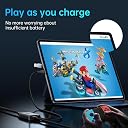
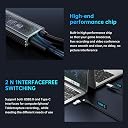
Desertcart purchases this item on your behalf and handles shipping, customs, and support to USA.
🎮 Capture Every Frame, Charge Every Game — Stream Like a Pro!
The XIIXMASK MS2130 Video Capture Card leverages a cutting-edge USB 3.0 interface and the MS2131 chip to deliver ultra-low latency 1080p60 HD video capture from HDMI sources. It supports 100W Power Delivery fast charging, ensuring your gaming consoles or tablets stay powered during extended streaming or recording sessions. Compatible with major platforms including Switch, Xbox, PS4/5, and PC, this plug-and-play device integrates seamlessly with popular streaming software, making it an essential tool for professional and aspiring content creators alike.


| ASIN | B0DF6KC6Y8 |
| AV Output | HDMI |
| Antenna Location | Video Recording |
| Best Sellers Rank | #104,673 in Computers ( See Top 100 in Computers ) #79 in External TV Tuners & Video Capture Cards |
| Brand | XIIXMASK |
| Built-In Media | [Capture Card, NO: Cables, NO: Remote, NO: Software CD/DVD, NO: Manual, NO: Batteries] |
| Compatible Devices | Laptop, Tablet, PlayStation 4, PlayStation 5, Nintendo Switch, Camera, TV Box |
| Customer Reviews | 4.2 out of 5 stars 471 Reviews |
| Hardware Interface | USB |
| Hardware interface | USB |
| Item Weight | 0.04 Kilograms |
| Manufacturer | MICROWARE |
| Mfr Part Number | MS2130 |
| Minimum System Requirements | [PARTLY] |
| Model Name | MS2130 |
| Model Number | MS2130 |
| Operating System | Multiple Operating Systems |
| Operating system | Multiple Operating Systems |
| Other Special Features of the Product | 100W PD Fast Charging |
| Platform | Linux |
| Recommended uses for product | Video Recording |
| Special features | 100W PD Fast Charging |
| Tuner Type | DVB-T2 |
| UPC | 757611381744 |
| Unit Count | 1 Count |
| Video Capture Resolution | 1080p, 1440P@30Hz |
| Video capture resolution | 1080p , 1440P@30Hz |
S**E
NO LATENCY finaly
i bought another one from ugreen cause i think ugreen is better but this one is way better. iam not an expert but it works great on my ipad 5th gen and my quest 3. no latency than i can notice and th inclusion of the usb c port on it makes it greath for charging your ipad at the same time
A**O
Fácil de usar para streaming - Muy recomendable
Esta capturadora XIIXMASK es perfecta para grabar o transmitir video de consolas o cámaras vía HDMI directamente a la PC por USB 3.0. Soporta entrada 4K y salida estable en 1080p a 60Hz, con baja latencia, y su función PD de 100W permite alimentar el dispositivo fuente mientras capturas. Ventajas Plug & play sin drivers: Se reconoce al instante en software como OBS Studio, ideal para streamers principiantes o youtubers que quieren empezar rápido. Calidad y fluidez: Graba en Full HD 1080p a 60fps con poco retraso, compatible con PS5, Xbox o PC, y pasa audio sin problemas. Puerto PD de 100W: Mantiene la consola o portátil alimentado durante sesiones largas, evitando cortes de batería. Desventajas No graba en 4K real (solo entrada passthrough), la salida máxima es 1080p, lo que limita para ultra alta definición. Puede requerir ajustes en OBS para optimizar FPS según tu PC, y en cables largos ocasionalmente hay interferencia menor. En general, por su precio asequible, simplicidad y rendimiento sólido para streaming o grabaciones básicas, es una opción excelente. ¡Vale la pena!
B**U
Funziona alla grande con Fire Stick e OBS – comodissima!
Ho acquistato questa scheda di acquisizione HDMI della XIIXMASK principalmente per una cosa: collegare la mia Amazon Fire Stick al PC e usarla tramite OBS Studio. E posso dire che ha fatto esattamente quello che volevo, e pure meglio del previsto. Facilissima da configurare L’ho collegata a una porta USB 3.0 del PC, ho connesso la Fire Stick all’ingresso HDMI, e in pochi secondi OBS Studio ha riconosciuto il segnale video e audio. Niente driver, niente sbattimenti. Veramente plug & play. Usare il telecomando come se fossi sulla TV Quello che mi ha fatto dire “wow” è la possibilità di controllare la Fire Stick normalmente col suo telecomando, senza dovermi loggare da browser su Prime Video, Netflix o altri servizi. Tutto gira fluido, il segnale è stabile e la qualità a 1080p 60fps è perfetta per vedere contenuti in streaming. Compatibilità ampia e versatile Anche se il mio uso principale è con la Fire Stick, questa scheda è compatibile con tantissimi dispositivi – console, fotocamere, visori VR, Switch – e supporta anche la ricarica rapida PD da 100W, utile per tablet o telefoni. Non mi serve ora, ma è un bel plus. In sintesi: ✅ Subito riconosciuta da OBS Studio ✅ Funziona perfettamente con Fire Stick (comando remoto incluso) ✅ Qualità 1080p fluida, bassa latenza ✅ Nessun software da installare ❌ Output massimo 1080p, ma è chiaro fin dall’inizio Se cercate una soluzione economica ma efficace per acquisire segnale HDMI su PC, specialmente per godervi i contenuti streaming senza complicazioni, questa fa proprio al caso vostro. Stra-consigliata.
S**A
Good product but falsely advertised
The capture card itself is fine, but is falsely advertised with power delivery, which this seller's models lack.
G**K
Inexpensive option to more expensive capture cards!
After receiving this about 2 weeks ago, I can confidently say that this is a perfectly inexpensive alternative to a capture card like Elgato. At first I had bought a secondhand Elgato HD60, and it wasn’t working for me for whatever reason, lots of hoops to jump through for my PC to even identify it. So, this product was a second option for me. Works perfectly! The setup is so easy, it was a relief to see my Switch screen appear up on OBS compared to the hassle I had previously with the Elgato. I don’t think it could’ve been any easier honestly. The video quality is amazing, not perfect but that is more likely the Switch itself. Nothing to be done about that, but seeing it close-up on a monitor VS a TV probably points out the Switch’s quality flaws more. Nothing to do with the capture card itself lol. No lag whatsoever if you follow the instructions! One issue, and quite an unimportant one for this price, is that the audio does begin to lag behind the video at around the 40 minute - 1 hour mark. Nothing major, but pausing the game and closing + opening OBS again solves it quickly. Not a big deal to me, but could be to others! I am also unsure if it does this WITHOUT my method to share the game audio on Discord too (seen below), so this may not affect it if you are using the instructions included in the box. Note: If you are planning to stream on Discord like I am, there is a roundabout way to have people on the other end hear the game audio too. Firstly, ignore the instructions on the paper included in this product. Specifically the instructions regarding the audio options when adding a new video capture source. Leave it on default. Next, add an audio capture input(? I think it’s called that) and make sure it is this capture card. Go into your PC settings -> System -> Sounds, scroll to the bottom to the Appvolume and device preferences. Mute the capture device but leave OBS unmuted! It should now be playing audio for whoever is on the other end of your screenshare on Discord :) Remember to close OBS and reopen it when the audio starts lagging too!
Trustpilot
2 weeks ago
2 weeks ago