Desertcart purchases this item on your behalf and handles shipping, customs, and support to USA.
🔥 Dominate the leaderboard with MSI’s carbon-fiber beast!
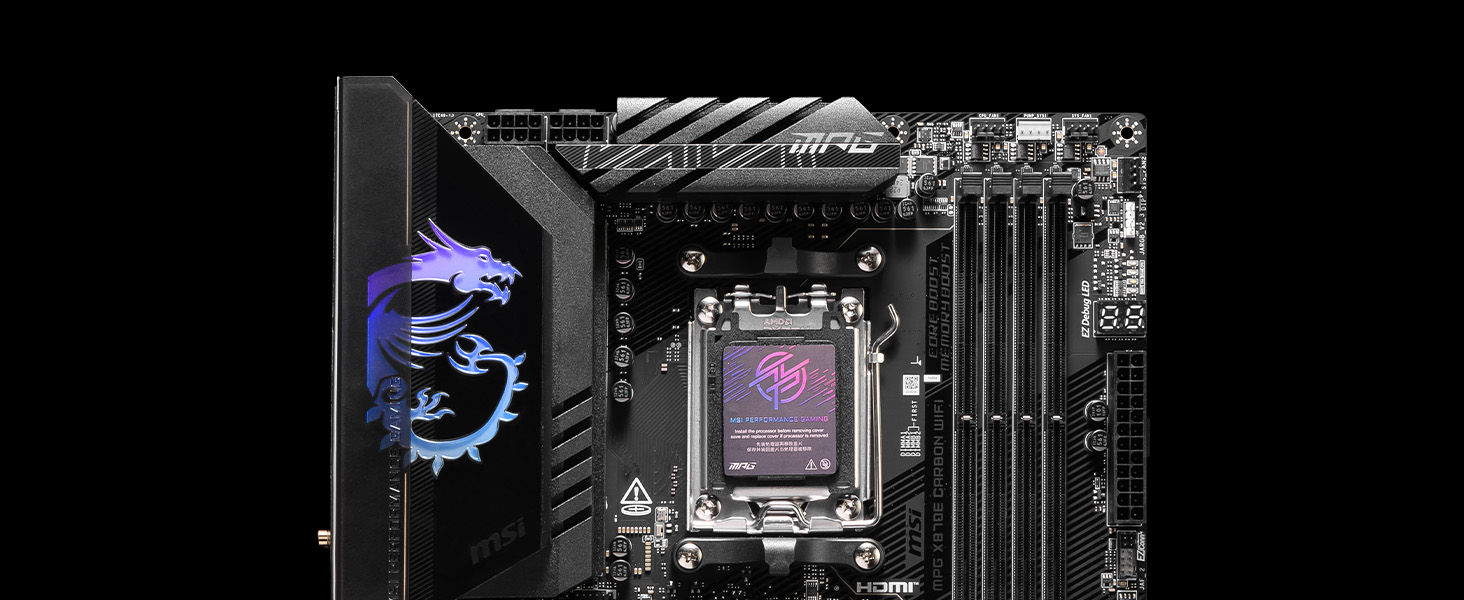
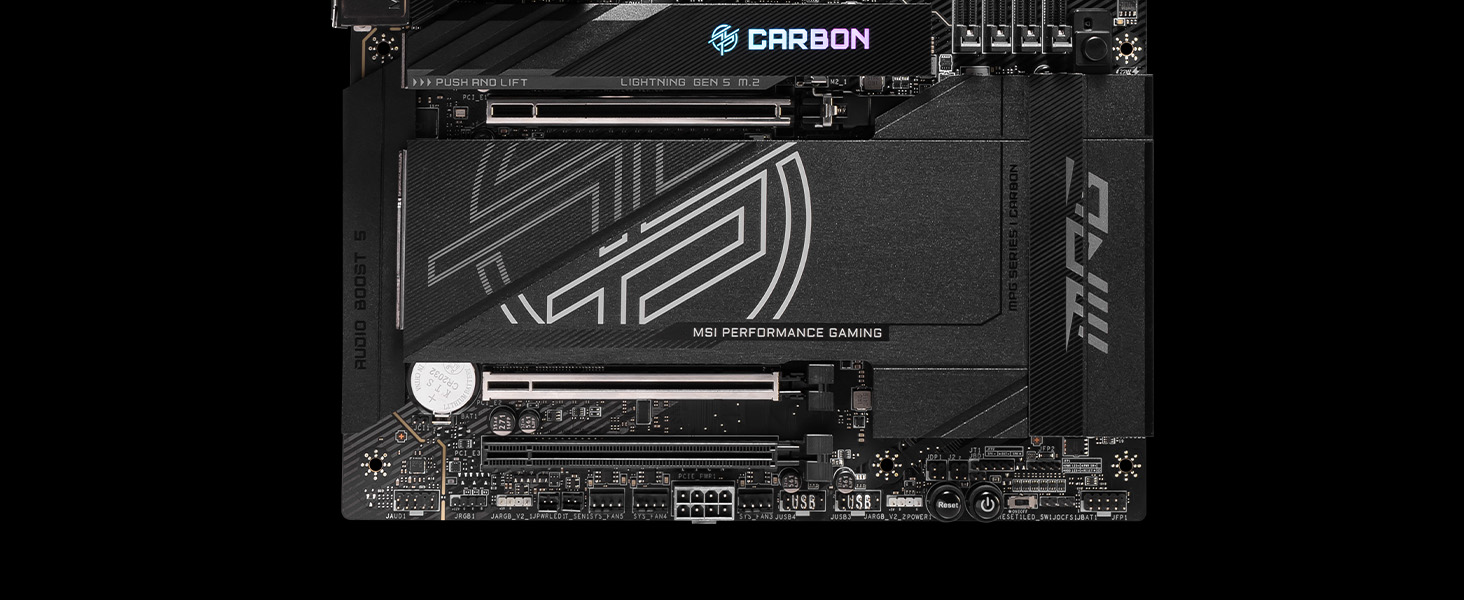
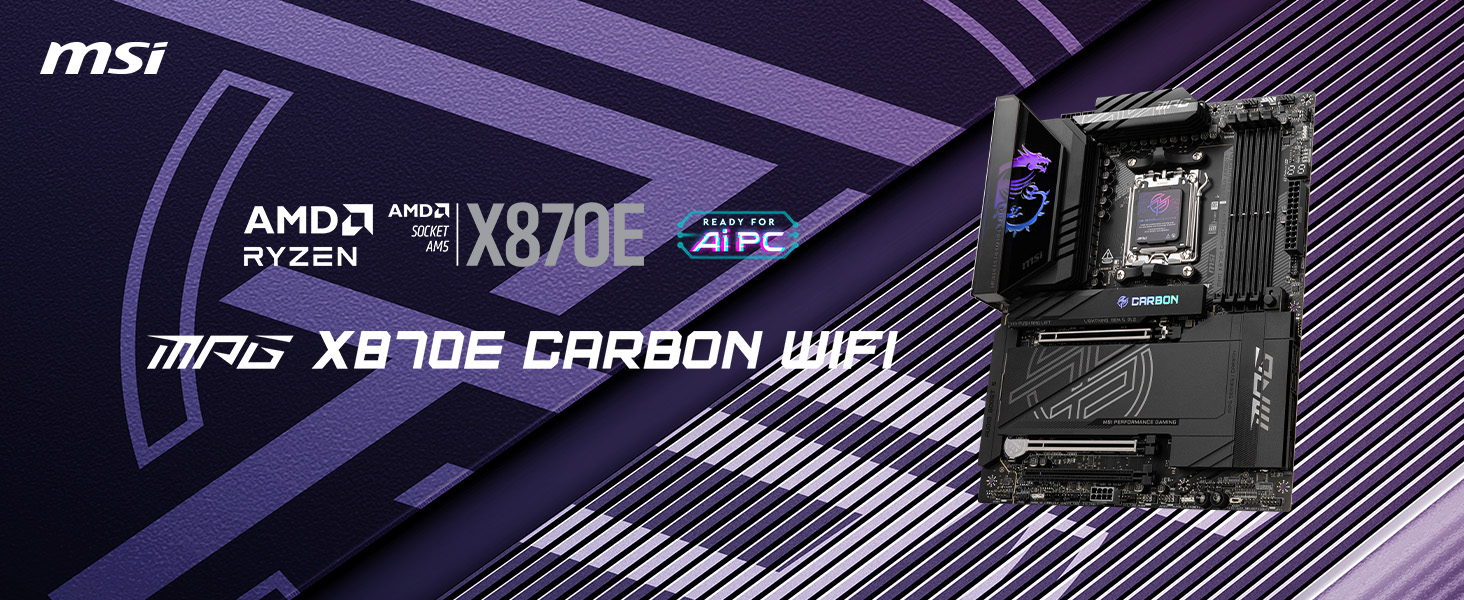
The MSI MPG X870E Carbon WiFi motherboard is a cutting-edge AM5 platform designed for AMD Ryzen 7000/8000/9000 series processors. It features DDR5 memory support up to 256GB at 7800 MHz, PCIe 5.0 Gen5 slots for ultra-high-speed data transfer, advanced thermal solutions for sustained performance, and next-gen connectivity including Wi-Fi 7, Bluetooth 5.4, and dual 5Gbps LAN ports. With customizable RGB lighting and user-friendly expansion features, it’s engineered for gamers and professionals who demand top-tier performance and style.


| ASIN | B0DG3QW9TJ |
| Best Sellers Rank | #11 in Computer Motherboards |
| Brand | msi |
| CPU Socket | Socket AM5 |
| Chipset Family | AMD X870 |
| Chipset Type | AMD X870 |
| Compatible Devices | Personal Computer |
| Compatible Processors | AMD Ryzen 9000/8000/7000 Series Processors |
| Customer Reviews | 4.4 out of 5 stars 362 Reviews |
| Global Trade Identification Number | 00824142382219 |
| Graphics Card Interface | PCI Express |
| Item Dimensions L x W x H | 13.6"L x 3"W x 10.7"H |
| Item Weight | 2.49 kg |
| Main Power Connector Type | 24-Pin |
| Manufacturer | MSI |
| Memory Clock Speed | 7800 MHz |
| Memory Slots Available | 4 |
| Memory Storage Capacity | 256 GB |
| Mfr Part Number | MPG X870E CARBON WIFI |
| Model Name | X870ECARBONWIFI7 |
| Model Number | MPG X870E CARBON WIFI |
| Number of Ethernet Ports | 2 |
| Number of Items | 1 |
| Number of Ports | 13 |
| Platform | Windows 11 |
| Processor Socket | Socket AM5 |
| RAM Memory Technology | DDR5 |
| Ram Memory Maximum Size | 256 GB |
| System Bus Standard Supported | PCIe 5.0 |
| Total Number of HDMI Ports | 1 |
| Total PCIe Ports | 3 |
| Total SATA Ports | 4 |
| Total Usb Ports | 13 |
| UPC | 824142382219 |
| Warranty Description | 3 Years |
C**T
MSI MPG X870E Carbon WiFi Review – Powerhouse for Next-Gen Builds
MSI MPG X870E Carbon WiFi Review – Powerhouse for Next-Gen Builds The MSI MPG X870E Carbon WiFi is a standout AM5 motherboard that’s designed for enthusiasts and gamers looking to future-proof their setups. Built on the cutting-edge AMD X870E chipset, this board is packed with next-gen features, excellent build quality, and robust performance tuning options that make it one of the best high-end boards in 2025. Design & Build Quality The X870E Carbon WiFi sports MSI’s signature carbon fiber aesthetic with sleek RGB accents, giving it a premium and aggressive look. The reinforced full-metal backplate and extended heatsinks not only add durability but also help with thermal efficiency. It looks stunning inside any tempered glass case, especially when paired with other RGB components. Chipset & Compatibility At its core, the board supports AMD Ryzen 8000 series processors (Zen 5 architecture) on the AM5 socket, with full backward compatibility for Ryzen 7000 series. It supports DDR5 memory up to 8000+ MHz (OC), enabling blazing-fast multitasking, gaming, and creative workloads. Connectivity & Expansion This is where the X870E Carbon shines: • PCIe 5.0 support for both GPU and M.2 SSD slots. • 4x M.2 slots, with 2 supporting PCIe Gen 5 speeds — perfect for ultra-fast storage setups. • USB4 and 20Gbps USB 3.2 Gen 2x2 ports for lightning-fast peripheral transfers. • Integrated WiFi 7 and 2.5G LAN offer top-tier networking for both gamers and professionals. BIOS & Overclocking MSI’s BIOS is well-structured and user-friendly, with intuitive overclocking features and memory tuning options. Whether you’re a beginner or an advanced tweaker, you’ll find the tools you need for stable performance tuning. Cooling & Power Delivery With a 19+2 phase VRM design and massive heatsinks, the board can handle high-performance CPUs with ease. VRM temperatures remain stable even under stress. There’s also excellent fan and AIO pump support via multiple PWM headers and MSI’s FROZR AI Cooling. Software & Extras MSI includes helpful utilities like: • MSI Center for system monitoring and tuning. • Mystic Light for RGB control. • Click BIOS 5 for seamless firmware updates and settings. Pros: • Future-proof with PCIe 5.0, DDR5, USB4, and WiFi 7 • High-end VRM and thermal design • Excellent connectivity and I/O options • Sleek, premium aesthetics Cons: • Premium pricing (though justified for the features) • May be overkill for mid-tier users ⸻ Verdict: The MSI MPG X870E Carbon WiFi is a powerhouse AM5 motherboard tailor-made for high-end gaming rigs, productivity builds, and overclocking enthusiasts. With bleeding-edge support for next-gen components, robust thermal solutions, and unmatched connectivity, it’s one of the best X870E boards on the market in 2025. Rating: 9.5/10
Z**R
Very nice high-end motherboard, with a few caveats (Spoiler: It's the LAN)
I've never owned a motherboard this nice. This thing is very nice, it has lots of features which have saved my bacon more than once so far in three months of ownership. I find that it has plenty of USB support, plenty of filtering for smooth power delivery to my GPU and CPU, and the RGB is tastefully unique. I appreciate MSI's model for the wifi adapters, even if they're a bit cheesy. It's easy to install and setup the BIOS, though nothing particularly exciting there for me. The standout things I really enjoy here are the EZ code display (which doubles as a temp display), the sheer number of USB ports, the premium layout, and the wicked heatsinks. I don't think it's worth the price, though. For one, we're still talking about a board with limited Gen 5 PCIe support. Yes, that's on AMD to open it up a bit, but that doesn't change the fact you're missing out on a whole NVMe port if you want to run your GPU at x16. And forget about dual GPU with x16 either. For two, the USB4 support is lackluster. For three, MSI software is still a hot mess. The AI features are a joke, the RGB software is trash, and MSI doesn't let OpenRGB easily interface with its stuff. I let MSI Center start with Windows and then close it first thing. Worst offender? The LAN ports are trash. You get a 5 Gbps port and a 2.5 Gbps port. Sure, that'd be fine... if this were a budget board. But for a top-of-the-line board, you really couldn't even get 2x10Gbps? That's such a cheesy place to cheap out on what should be an enthusiast or high-end gaming board. It's not even the speed as much as it is the principle of it all.
B**N
Reliable & Powerful Motherboard for High-End Builds
I purchased the MSI Carbon WiFi X870E for my new gaming PC build, and I’m thoroughly impressed with its performance. The motherboard supports the latest AMD Ryzen processors and offers excellent features like WiFi 6E, which provides fast and stable wireless connectivity; perfect for gaming and streaming. The build quality is premium, with a sleek design and robust heatsinks that keep temperatures down, even during all day gaming sessions. One of my favorite aspects is the easy BIOS interface, which made overclocking a breeze, and the PCIe 5.0 support ensures future-proofing for next-gen GPUs and SSDs. Overall, this motherboard exceeds my expectations for performance and features. If you’re looking for a reliable and feature-packed option for a modern AMD build, the MSI Carbon WiFi X870E is the best choice!
P**.
Good 500ish motherboard
Aside from the constant BIOS updates, avg 1-2/mo, and initial BIOS setup that can be rather tedious to do properly; the setup was very straightforward with no initial boot issues. I haven't found any nonfunctional ports or malfunctioning in 3 months of use; albeit I haven't tested every feature. It has a good quality PCB, with some real heft to it. It doesn't flex under its own weight or with a hefty heatsink and GPU; motherboard mounted vertically. Thermals and VRMS are slightly warm, but stable under load and stress tests; which is all that really matters. The #1 M.2 slot heatsink keeps temps on a Samsung 9100pro below 55c according to Samsung Magician, even under prolonged use; and may do better if your CPU is water cooled, since I think some of that heat is being generated by other components. G-SKill cas30-6000 32x2 1.4v kit on MSI's QVL ran at advertised speeds on stock voltage printed on the DIMMS. They posted on first boot without issues, passed a 30 minute Prime95 stress test. On kits over 96gb, maximum frequency drops on most kits, and 4x kits are generally not recommended as they usually perform worse with most desktop CPUs in most non-productivity tasks. 64 seems like plenty to me, currently; and haven't seen utilization over 55% in any case. CPU is a 9950x3D running at OEM specs. It posted just fine but had some issues on early BIOS releases. Core utilization could have been better but is greatly improved with the current release. CPU speed is limited by my air-cooling setup to some degree (Noctua D15 G2) but does reach boost to 5725mhz on performance cores when heavy workloads are limited to 1-3 cores. Lighting looks okay, but LEDs are not binned properly as custom color schemes are hard to match and need individual settings. They don't hold the settings after a cold boot and require a background process to run in order to keep what you set; otherwise, they revert to the rainbow loop. It would be better if it were addressed in BIOS instead, at least for ease of use and efficient use of system resources. There have been no system stability issues that couldn't be attributed to Windows 11 or other software flaws, that I've found. With one exception- AMD Hybrid Graphics don't play well with older NVidia cards like a 3090. It messed the fan controller for the graphics card, linking fan speed to the CPU which caused the GPU to overheat. I couldn't use it. I'm unsure if it is caused by the motherboard, CPU or graphics; however. Sound quality is very good from the stereo/mix and TOSLINK fiber connections but lacks separate channels that my last MSI motherboard had. This may require a separate external audio processor if your sound equipment requires it. It sounds very good, but not high-end production quality on pro grade headphones (Beyerdynamic). Most people will probably think it's better than anything on most consumer devices with good equipment. No pops, hisses or noticeable distortion. No connection issues either. Not bad for under $500 if you can get it for that price and find it in stock. If you are coming from an x670 gen board, it's probably not worth upgrading yet unless you absolutely need something like pcie-5.0; and probably makes better sense to wait for the next gen. I didn't like the placement of the SATA connectors at all. Graphics card blocked access to them completely and needs cables to be connected before installing the graphics. It seems like they are an afterthought. I loved the new PCIE clip design. Very easy to use. M.2 is a bit wonky depending on the size of the card 2280 size was fine in the M1 slot. The locking mechanism is difficult to figure out, and instructions are lacking a good explanation. I had to youtube it. The packaging has a lot less waste inside than previous motherboards; and was secure inside, arriving in excellent condition. There wasn't a pile of junk leftover, which was a nice change. Setup for reference- 9950x3D cooled by Noctua D15-G2 LBC model / Arctic MX-6 G-Skill Neo Cas 30 - 6000 1.4v Samsung 9100pro 4TB m.2 Corsair HX 1200i (2025) Lian-Li Lancool 216 Noctua 3000rpm Industrial fans for exhaust. (not a quiet setup) Reused a 3090 from my last build.
A**C
High quality && premium price
I loved this motherboard easy to add/remove m.2, Msi products are solid excellent build quality, and robust performance.
D**O
Not really worth it, avoid if possible...
If i could give zero stars... What a piece of crap mobo. Buy something else. Thankfully i'm a developer and the core stuff it does is good but paying as much as i did I'm certain any other mobo from ASUS, and others would do as well without the issues. Posting a few time on MSI support forum, no help at all. As mentioned the core performance after having to buy replacement components i'm back to where this board should have been out of the box. The 5Gbps network connection at best gave about 1.2Gbps or the 5Gbps expected and up would do about 4.1Gps. The 3rd party card i purchased i'll get 5.1/5.3Gbps, strange up is faster, not complaining about that 😉. Audio, i have a number of CD's still and wanted to rip them. Absolutely abysmal each ripped track sounds like my cereal "Snap Crackle && Pop!" Ya i user Exact Audio Copy, worked perfectly with my old system and if i put the CD/DVD in my old box still allows copying perfectly... Not on this Mobo. Again asking on support, no joy... And the other real annoyance at times there seems to be abnormal pauses and shuddering... Too bad, i've has many MSI mobo but this one really gets me to thinking purchase any other mobo that is not MSI for ever releasing/selling something this bad, especially this isn't a low end board price-wise, but functionality, really is the bottom tier... OUCH!
T**W
x870e Carbon, high quality & RGB at a premium price.
This motherboard has everything you could probably need in an AM5 board. Its priced quite a bit higher than the next step down, the x870e tomahawk. You are paying about a $200 premium for RGB and styling which makes it a bit of a hard sell unless you really like the look. Quality: MSI always has really good quality and this is no different. Stability: After the latest bios update, it has been as stable as can be. It handles DDR5 CL30 6000 ram fine with expo enabled. Installation: Super easy to add/remove m.2 drives due to the toolless design, however the top m.2 with the RGB connection is a bit finnicky to get aligned correctly.
K**O
3 stars
Update 10/07: Amazon service was gracious enough to allow me to return after 30 days. I placed another order, and after a few hours of use I have seen no single issue I mentioned below, so I believe it was just a defective unit. Update 08/31: I updated BIOS to the latest 7E49v1A63. I think it's finally fully functional. I switched to CSM once just to see if the Wi-Fi is fixed, and it did seem to work. I tried overclocking and undervolting with PBO Scalar, Curve Optimizer. So far so good. I'm giving it 3 stars now. --- Verdict: this board is a disaster. I bought this together with a 9950X3D to give my old PC some new blood. I never thought it would take me so long to get it fully functional. I only replaced the motherboard, CPU and memory. Things like hard drives and graphics card are the same. And I didn't even reinstall the OS. Right after I logged into Windows I noticed I had no network. I don't know what wireless module is used on this board, but of course my first guess was the driver. Now to the fun part. When I plugged in the bundled USB stick, nothing happened, so I was stuck in a dead loop. Without USB, I can't install the driver. Without the driver, I can't get network. Without network, I can't fix either the USB or the wireless. Later I decided to take a rest by playing some offline games, and I started to experience more weird issues, such as system restarting on its own, graphical glitches in the BIOS system, power still on after shutting down, Blue Screen of Death. Even my keyboard and mouse refuse to work sometimes. I also have another USB stick that is imaged with CachyOS Linux. It won't boot properly. At the GRUB menu, it either says "Need to load kernel first", or it pauses for a few seconds and goes back to the menu. Only memtest runs fine. I have been using the same USB stick for both installation and recovery with my old motherboard and CPU without any issue. After 3 hours of struggle, I turned on my MacBook to reformat it into one single exFAT partition and put some drivers there. Somehow Windows was able to recognize this USB stick and I was able to install the drivers. After that all problems were gone... at least till now, which is one day. Now even the bundled USB opens correctly. It has two partitions, it seems, with one CDROM like partition containing all the drivers. I would expect a motherboard to be at least minimally functional after first install, to the point where at least Windows drivers could get it up and running, albeit suboptimally. Maybe I had bad luck. Maybe it is an excellent board. To me, it's not so far. Update 08/09: Another serious issue -- I reflashed my USB stick to recover my Linux boot entries, and I'm still not able to boot into the USB. I was getting the exact same error as before. Then I tried switching from UEFI to CSM, and rebooted into Windows by accident. Guess what? Wireless stopped working AGAIN, with a different error: STATUS_DEVICE_POWER_FAILURE. There are posts on Reddit about the exact same issue. I tried what they said, clearing CMOS, keeping power unplugged for 30sec, everything. No dice. Another word about BIOS system: even though I'm not a native English speaker, I have found so many grammar mistakes in the text. I thought maybe the native language was Simplified/Traditional Chinese, and switched to both Chinese, only to find about 1/3 text in Chinese. Oh, and I forgot to mention the very "informative" warning I got after I first switched to CSM.
E**.
Great premium feature-rich motherboard for AMD Ryzen 7000 and 9000 processors
What is your favorite aspect of the product and how did it improve your user experience? The MSI X870E Carbon WiFi’s new high-resolution BIOS interface, fan control settings, and overclocking capabilities are standout features. Navigating the BIOS is intuitive, and the detailed fan controls allowed me to fine-tune cooling with ease. The robust overclocking options added a noticeable boost to performance, elevating my overall user experience. Why did you choose this product over another? I needed a motherboard that offered dual PCIe 5.0 slots and support for up to 256GB of RAM, and the MSI X870E Carbon WiFi checked both boxes. Its advanced specifications ensured future-proofing, making it the ideal choice over other options on the market. Does the product fulfill your needs? Does it deliver beyond your expectations? This being my first MSI board, I’m thoroughly impressed. It delivers everything I was looking for in a premium motherboard, from performance to features, meeting my needs and exceeding expectations with its quality and reliability. What do you feel are the strengths and weaknesses of the product? The board’s layout is excellent, and the setup process was seamless—it just works. The intuitive design makes navigating and configuring settings straightforward. The only minor drawback is that, when tuning memory, it doesn’t automatically revert to a safe mode after a couple of failed POSTs. Other brands like ASUS and Gigabyte implement this feature, which saves the hassle of resetting the CMOS. Nonetheless, this is a small critique in an otherwise fantastic product.
J**.
Potente
Una chulada de tarjeta madre, muy recomendada, la compré con descuento y no decepciona, tiene muchas funcionalidades que no sabía que necesitaba jaja además de que el rgb se ve muy bien, la compré para una 9950x3D y una 5080 (que aún no llega) y de momento va de maravilla.
M**E
Placa mãe MSI MPG X870E Carbon
Placa-mãe excelente, sem ressalvas. Extremamente completa, oferece tudo o que você precisa e ainda mais. Muito robusta, com construção de alto nível, além de ser linda.
I**Z
Excelente Motherboard
Excelente Motherboard de alta gama con todo para una PC de alto desempeño y con muchas opciónes extras.
L**O
Usbs estranhamente desconectam.
A placa é boa, construção excelente, mas usar 3 ssds no dissipador só com coolers ligados o tempo todo.
Trustpilot
2 days ago
2 weeks ago