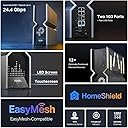
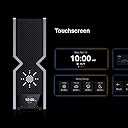
Edit. Got a FW update last week. Started having nightly outages. Now its losing it's datex time and logs and reboot and won't connect to my modem. Direct connecting to my modem works fine. Eventually we had to roll back FW versions and install FW in a specific order to restore functionality. I wanted to write a decently detailed review as I haven't seen very many on this product because of availability. My review after about 2-3 weeks of using this. Short Version: although expensive, this is an excellent router that performs extremely well, especially if you want a simple setup that can handle tons of endpoints/devices. Context of 'why' I chose this device: While I work in technology, sometimes I want things to just 'work', so my previous Wi-Fi solution was a Google Nest setup with two pods (mesh network). Initially it wasn't bad, until I started adding more devices to my network. I decided to try out this device, despite not having many reviews, and some being low. I found that mesh at least from Google was clunky and I had odd issues like duplicate IP assignments which caused a ton of issues (it assigned a pod and a printer the same IP which took a bit to figure out). For these reasons I wanted to go back to someone who's been in the game for longer and was willing to pay a premium for a well spec'd router, even if I can't use the wifi 7 capabilities. MU-MIMO was a must, and I wanted the ability to add mesh, but not need it (hopefully). I also wanted 10 GB ports, a sleek modern look, and plenty of ports available (something I missed when I left TP-Link for Google Nest Wifi). This checked all those boxes. Setup: Pretty easy. Just be sure to update the firmware if it is not up to date. I wanted to avoid any early issues so I setup my network after I did a full update on the router. My house is about 1900 square feet. For comparison Google really struggled with consistency over 40 devices. It'd go very slow after about 1-2 days of being 'online' and I'd have to reboot my pods. I have 45-55 devices on my network at any given time. ~6 of them are wired, the rest are wireless (primarily 2.4 IOT devices). Performance: I'm comparing apples to oranges a bit, as Google Nest Wi-Fi doesn't have as good of specifications. My house is roughly a square with the family room/kitchen/master bedroom/office making up the four corners. The office and family room are opposite corners of the house. My router is located in my 'family' room', with the kitchen being closest, then dining room, then master bedroom, then guest bedroom, then office. This should help you paint a picture of what my setup looks like. Here's a quick chart I did (I tested each location 3 times and took the best performing one). TP-Link had slightly better uploads as well and on average, had 2-5 MS better latency, but not enough to complicate the chart: Download Speeds Google TP-Link Office - Cell Phone 101 515 Office - Work Computer (Wired) 924 936 Office Gaming Computer (Wired) 879 944 Guest Room - Cell phone 106 756 Master Bedroom - Cell Phone 102 507 Dining Room - Cell Phone 132 732 Kitchen - Cell Phone 113 936 Family Room - Cell Phone 108 934 Family Room - Cell Phone (6G) NA 949 Even on the wired systems, there was a pretty big improvement. FWIW: I have comcast service that's 1200 down and 40 up. Features: I like the IOT subnets, though, I am not sure if I'd call it a subnet. while it's a different network, it seems to be assigned the same IP as others on your 'main' network. I need to do more testing to see how this works. I also like the device isolation feature. It has VPN Client/server built in and as usual, TP-Link offers dynamic DNS which is great. It has just enough features for me to be exactly what I need and not much more. Google Wifi lacked in features. I also missed being able to hit my router with an IP address to manage it. It's nice to have an app, but I enjoy being able to use either (in this case, the tether app or use a PC to manage. Stability: I haven't had any issues since I got it setup. It's been stable. I'll add more as I continue to tinker and learn more, but I'd say if you are on the fence, pull the trigger.