Desertcart purchases this item on your behalf and handles shipping, customs, and support to USA.
๐ Elevate your network game with Festa FR365 โ where speed meets smart business connectivity!
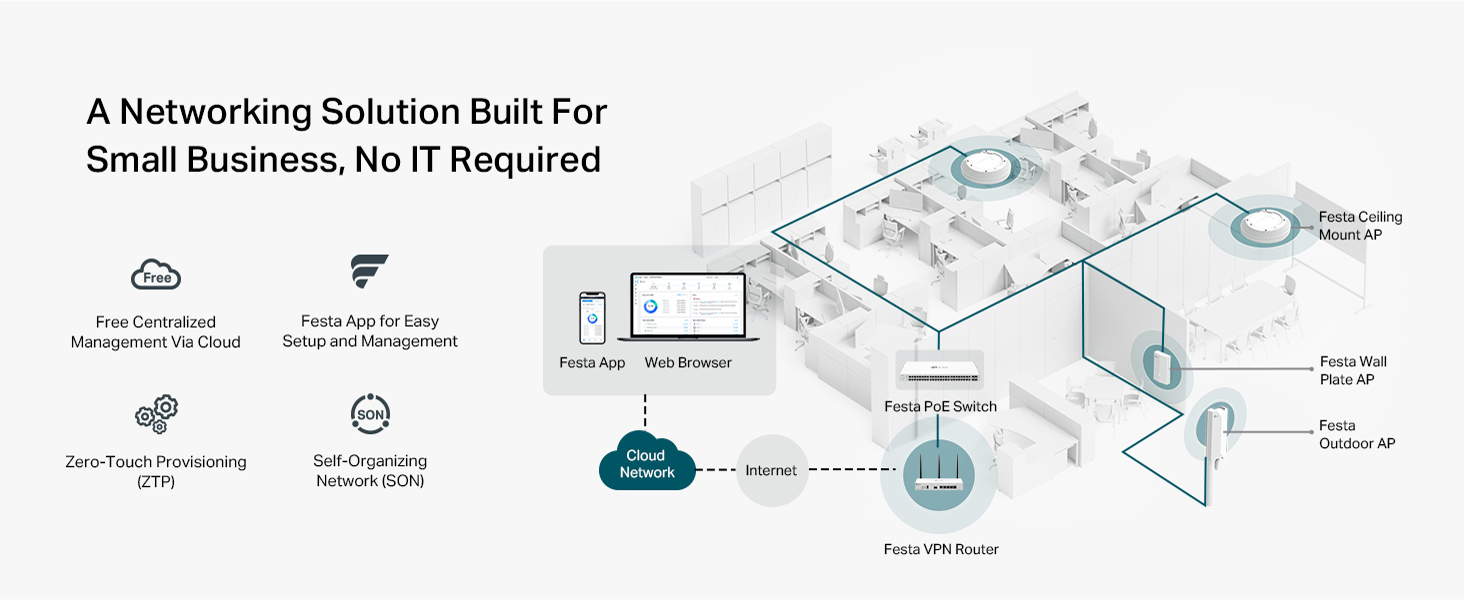
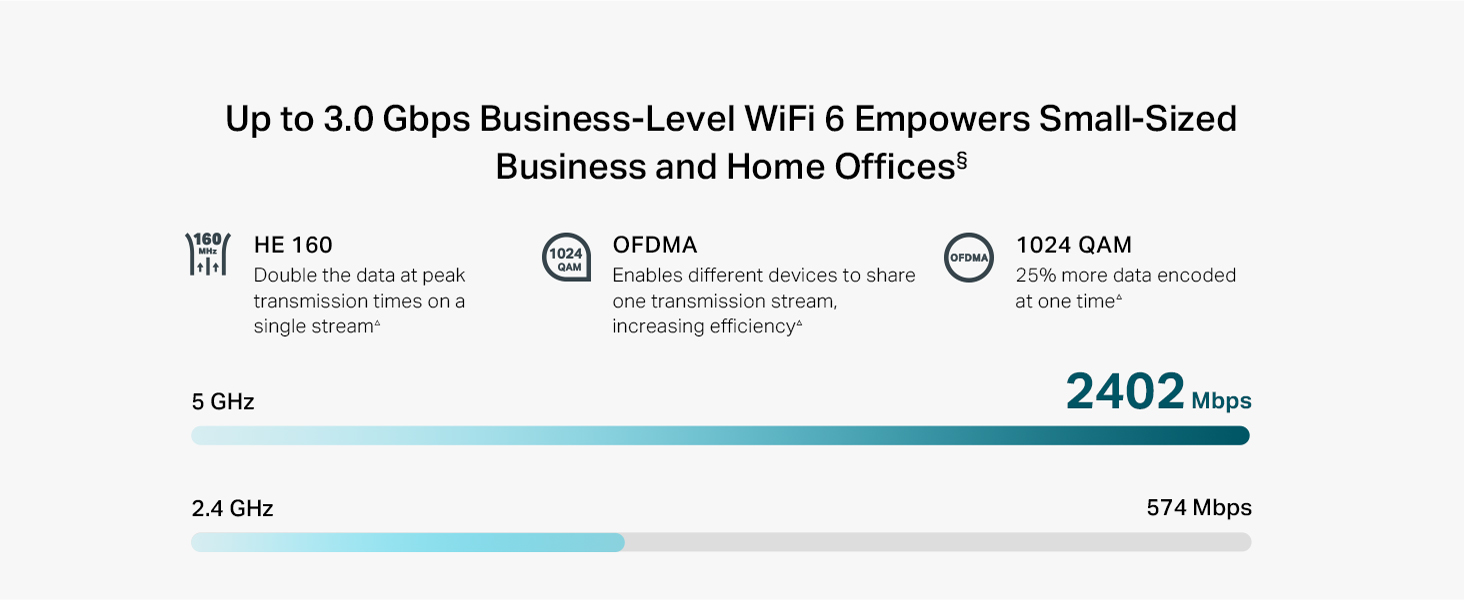
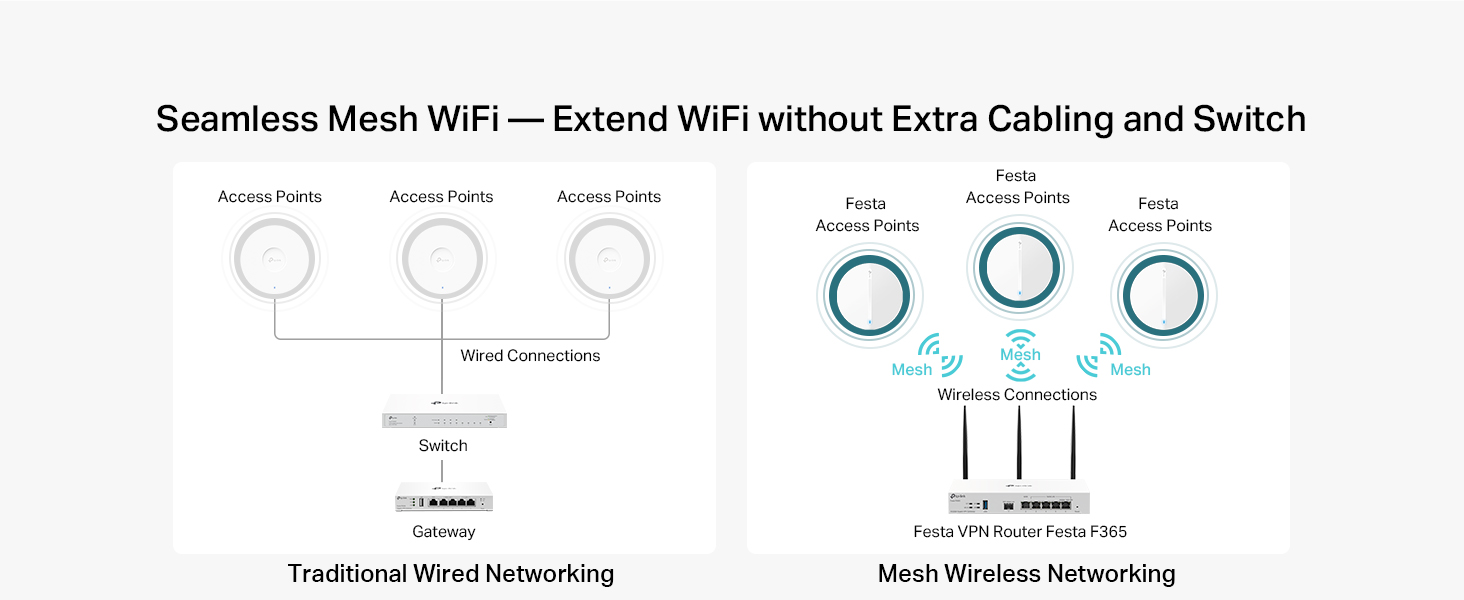
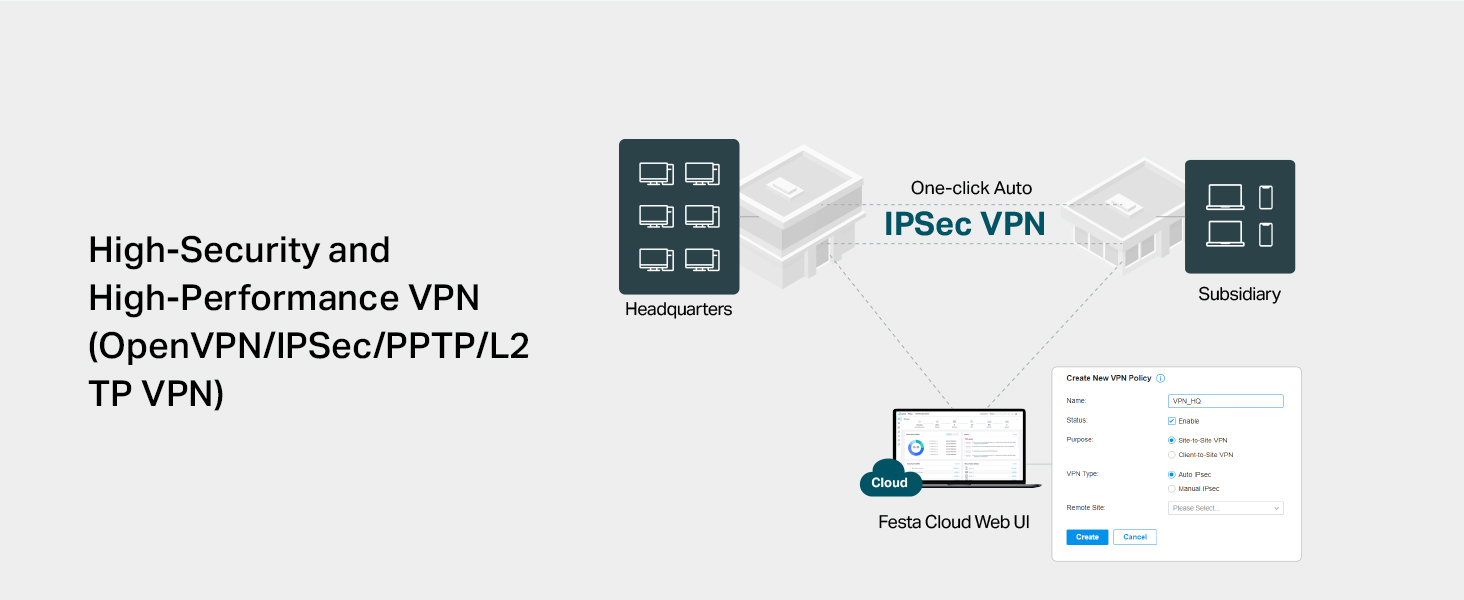
The TP-Link Festa FR365 is a WiFi 6 AX3000 router designed for small businesses and advanced home users. It features six gigabit ports including an SFP and USB 3.0 WAN for versatile multi-line load balancing, delivering combined speeds up to 3 Gbps. Integrated with Festaโs Self-Organizing Network and free cloud management, it offers easy setup, mesh networking, and robust VPN support for secure, seamless connectivity. Ideal for professionals demanding reliable, high-speed internet with centralized control and business-grade security.


| ASIN | B0D8M44Q91 |
| Antenna Location | Business, Home |
| Antenna Type | Fixed |
| Best Sellers Rank | #164,212 in Computers ( See Top 100 in Computers ) #1,911 in Routers |
| Brand | TP-Link |
| Built-In Media | Festa FR365 (including 3 detachable Wi-Fi Antennas), Power Adapter, Quick Installation Guide, Silicone Feet |
| Color | White |
| Compatible Devices | Personal Computer, Security Camera, Smart Television, Smartphone, Tablet |
| Compatible devices | Personal Computer, Security Camera, Smart Television, Smartphone, Tablet |
| Connectivity Protocol | Wi-Fi, Ethernet, USB, Optical Fiber, VPN |
| Connectivity Technology | Ethernet, Optical Fiber Port, USB |
| Control Method | Remote |
| Controller Type | App Control |
| Coverage | Wireless: 2402 Mbps (5 GHz) and 574 Mbps (2.4 GHz) |
| Customer Reviews | 3.2 out of 5 stars 30 Reviews |
| Data Transfer Rate | 3000 Megabits Per Second |
| EU Spare Part Availability Duration | 3 Years |
| Frequency | 5 GHz |
| Frequency Band Class | Dual-Band |
| Frequency band class | Dual-Band |
| Has Internet Connectivity | Yes |
| Is Modem Compatible | Yes |
| Item Weight | 1.06 kg |
| LAN Port Bandwidth | Gigabit |
| Manufacturer | TP-Link |
| Maximum Upstream Data Transfer Rate | 2402 Megabits Per Second |
| Mfr Part Number | Festa FR365 |
| Model Name | Festa AX3000 Wi-Fi 6 Gigabit VPN Router |
| Model Number | Festa FR365 |
| Model name | Festa AX3000 Wi-Fi 6 Gigabit VPN Router |
| Number of Antennas | 3 |
| Number of Ports | 5 |
| Operating System | TP-Link Proprietary OS |
| Other Special Features of the Product | Beamforming, Guest Mode, Internet Security, Remote Access |
| Router Firewall Security Level | Advanced |
| Router Network Type | hybrid |
| Security Protocol | WPA-PSK/Enterpriese |
| Special features | Beamforming , Guest Mode , Internet Security, Remote Access |
| UPC | 810142821421 |
| Unit Count | 1 Count |
| Wi-Fi Generation | WiFi 6 |
| Wireless Compability | 802.11ac, 802.11ax, 802.11b, 802.11g, 802.11n |
| Wireless communication standard | 802.11ac, 802.11ax, 802.11b, 802.11g, 802.11n |
A**S
no funciona el provisionamiento
no funciona el provisionamiento, se queda como confingurando y nunca termina de configurar
T**P
Great performance when using the WAN load balacing feature
I've had Xfinity home internet service for years. It's really the only option where I live in Florida. Hurricane Milton knocked out internet service for a few days. With my work, I really need internet access all the time. So, I purchased StarLink service as a backup provider. I original purchased the TP-Link Festa FR205, but the download/upload internet performance was really bad especially when I added my own wireless network router to the configuration. Anyway, I returned that and purchased the FR365 AX3000. Night and day difference! The FR365 AX3000 rocks! Great performance! I use the WAN load balancing feature (without enabling Application Optimized Routing) and the thruput is fantastic. Native Xfinity provides around 250Mbps and Starlink provides between 50-150Mbps. When used with WAN load balancing, I lose about 10-20%. The FR205 was totally horrible. I could only get about 50-75Mbps. I used client side VPN (SurfShark) and that reduced the thruput about 50%. That is acceptable to me. I haven't tried the embedded VPN option on the FR365 AX3000. When I do, hopefully I can update this review. I also replaced my aging mesh network with the Wireless LAN capability in the FR365 AX3000. This product has a longer range than my old mesh network. So, its a win-win. I hope my experience helps you with make a knowledgeable decision with your use case.
P**E
Garbage -- Impossible to Use
Out of the box, the FR365 has almost no features. To use even the most basic of networking functions, such as a firewall, you have to register to use the Festa Cloud site, where you will need to figure out the differences between a controller, a site, and a device. Then you get to hope like hell that when you get everything apparently set up correctly, the "Festa Controller" and the router itself will cooperate. They won't. Each will attempt to override the other's settings, and once one of them "grabs" the right to handle configuration, the other will be locked out. Either you will be told via the Festa Controller that your device has been "preconfigured", so you have to manage it thru the device's own web interface, or your device's web interface will tell you that you cannot log into the device itself because it is being managed by the Festa Controller (which you won't be able to log back into). The device's own web interface offers almost no controls: you can create WiFi networks and set up DHCP, and that's about it, which belies TP-Link's claim that you can use it as a standalone device without having to use the Festa Controller interface. Without even having a firewall to configure, or being able to give your own names to the clients in your DHCP list? Hard to believe that the Asus RT-AX55 that I thought I was upgrading from actually offers more local features, but without the Festa Controller interface, the Festa FR365 is really nothing more than an access point. I thought I was buying a router. Wrong. Even trying to back all the way out won't work. The Festa Controller and the device's web interface each tell you that you need to delete a setting from the other, and the Festa Controller site will tell you, at the drop of a hat, that you need to do a hard reset of the router to be able to proceed. Wiping everything from the Controller will take you quite a while because a site, a controller, and a device will all tell you that you need to delete a setting from one of the others first. Once you've finally managed it, and tried as carefully as possible to configure the device using the enclosed leaflet, you're just back where you started. After having re-entered all of my network settings over and over again, about nine or ten times over the past several hours, I am a very tired man. Back to Amazon it goes, and the Asus RT-AX55 goes back into service as I continue my search for the next step up
J**N
TP-LINK Online Support was Fast and Effective
I purchased the TP-AX3000 Fest FR365 because I need VPN for a business to Cloud connection for a new cloud application implementation. I setup a new account for the cloud management which was easy and put in the Serial Number of the new AX3000, but I was initially unable to get it Imported into the TP-link management cloud. I tried the online chat for support and once I got past the AI question and asked to chat with a real human, I got connected to Edemer. I typed what we were seeing with the AX3000 being imported, but not connected. Edemer pointed me to the step where I needed to enable the device to be cloud managed. That step did not exist on the quick start guide, but it was in the user manual. I connected to the Web UI on the AX3000 directly and checked the setting to enable management from the TP-Link Cloud. I then needed to FORGET the device and re-import it. Within 5 minutes is was imported properly and manageable from the TP-Link Cloud management portal. The online support chat experience was quick and efficient and Edemer pointed me to the correct solution. The problem was fixed with 5-10 minutes after already spending 2-3 hours trying to get it to import on my own. The product itself seems good. I configured a few port forwards already and will be working on the VPN in the future. The port forwards even have the ability to limit the external source addresses using the port forward, so that is a helpful security feature. Thanks again Edemer for your help on the online support chat.
K**W
Poor quality control and inadequate instructions
Purchased FR205 and was unable to connect to router via internet. Returned. Ordered better model FR365 and same problem. More than two hours on the phone with two different TP agents and still unable to connect to router. Festa App and TP Cloud controller work very easily, but neither of any use if they cannot connect to router which consistently shows "offline". Techs had no solution other than to tell me that the unit I received was defective.
Trustpilot
4 days ago
1 month ago