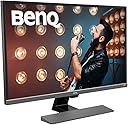
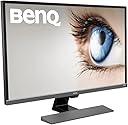
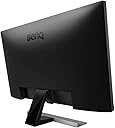
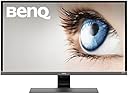
✨ Elevate your workspace with 4K brilliance and eye-friendly innovation!
The BenQ EW3270U is a 32-inch 4K UHD monitor featuring HDR support, P3 wide color gamut, and Brightness Intelligence Plus technology that automatically adjusts brightness and color temperature based on ambient light. Equipped with eye-care features like low blue light and flicker-free technology, it ensures comfortable long-term use. Multiple connectivity options including USB-C, HDMI 2.0, and DisplayPort 1.4 make it a versatile choice for professionals seeking stunning visuals and ergonomic design.


| 3d technology | active |
| ASIN | B07BBRLTRH |
| Adaptive Sync | FreeSync |
| Aspect Ratio | 16:9 |
| Aspect ratio | 16:9 |
| Best Sellers Rank | 59,504 in Computers & Accessories ( See Top 100 in Computers & Accessories ) 1,043 in Monitors |
| Box Contents | 1* Monitor & power lead |
| Brand | BenQ |
| Brand Name | BenQ |
| Colour | Metallic Grey |
| Compatible Devices | Laptop, Desktop, Gaming Console |
| Contrast Ratio | High Dynamic Range |
| Customer Reviews | 4.4 out of 5 stars 3,628 Reviews |
| Display Technology | LCD Display with LED backlight |
| Display Type | Vertical alignment(VA) |
| Global Trade Identification Number | 04718755072666 |
| Hardware Connectivity | HDMI |
| Has Color Screen | Yes |
| Image Brightness | Adjustable, with a default around 250 nits |
| Image contrast ratio | High Dynamic Range |
| Is Electric | Yes |
| Item Dimensions D x W x H | 21D x 73W x 52H centimetres |
| Item Type Name | BenQ EL2780U 27.9-Inch LED UHD TN Monitor |
| Item Weight | 7.5 Kilograms |
| Manufacturer | BenQ |
| Maximum Display Resolution | 3840 x 2160 Pixels |
| Model Name | EW3270U |
| Model Number | EW3270U |
| Mounting Type | Wall Mount |
| Native Resolution | 3840x2160 |
| Network Connectivity Technology | HDMI |
| Picture Quality Enhancement Technology | HDR10 |
| Power Consumption Size | 76 Watts |
| Processor Count | 4 |
| Product Features | Adaptive Sync, High Dynamic Range |
| Product Warranty | 2 year manufacturer |
| Refresh Rate | 60 Hz |
| Resolution | 4K UHD 2160p |
| Response Time | 4 Milliseconds |
| Screen Finish Type | Flat |
| Screen Size | 32 Inches |
| Screen size | 32 Inches |
| Screen surface description | Flat |
| Series Number | 3270 |
| Shape | Rectangular |
| Specific Uses For Product | multifunctional |
| Total HDMI Port | 2 |
| Total USB 3.0 Ports | 1 |
| Total USB Ports | 1 |
| Total Video Out Ports | 4 |
| UPC | 740617276107 |
| Unit Count | 1.0 count |
| Viewing Angle | 178 Degrees |
| Voltage | 76 Volts |
| Warranty Type | Full Warranty |
J**T
Great Value For Money
I've been a fan of BenQ monitors for over a decade now and decided it was time for an upgrade from a Full-HD EW2750ZL as I now have the PC horsepower to pull 4K at 60FPS or above in many games. The games where I can't manage this still look great rendered at 2K or 3K then GPU upscaled to 4K with Radeon Image Sharpening on an AMD RX Vega 56. This monitor's FreeSync feature works perfectly for ironing out the occasional dip below 60FPS (as low as 40FPS) without any stutters. Input lag is stated in many independent reviews as being around 10 milliseconds. I have no way of confirming this but am inclined to believe it as there's no apparent lag even in fast-paced games. This equates to well under one frame at 60Hz, so I can't imagine anyone having a problem with it. The panel's 3000:1 static contrast ratio and DCI-P3 colour gamut leads to much deeper blacks than any TN or IPS panel as well as colours that pop nicely. If it pops too much for anyone's liking, they can always rein it in by either selecting the monitor's sRGB picture mode or dialling back the saturation. There is a slight glow in the lower left-hand corner on mine, but it's standard practice for me to install sufficiently bright bias lighting behind a monitor to give the impression that blacks are actually black. Under these conditions, it's barely perceptible. I can certainly happily live with it. Movies look fantastic! My movie archive is always played back via Media Player Classic - Black Edition with the aid of madVR precision rendering and this monitor blows my similarly priced Toshiba TV away in terms of overall clarity and perceived image depth, especially with the room lights out. I've very little to add really except to say that if you're familiar with the pros and cons of a VA panel (actually MVA in this instance) then this monitor is unlikely to give you any unpleasant surprises. There are better monitors around dedicated to specific tasks for a similar price, but this is an excellent all-rounder.
M**Y
Excellent Budget 4K UHD monitor for gaming consoles.
Owning a Xbox One X, getting a decent 4K UHD screen that has a low input lag (time lag between console image transmission to actual screen display) is essential. Especially if one plays any kind of game with very fast moving images, that also requires fast reactions. One need only look at your 4K UHD TV options to know that the best ones cost a fortune compared to the cost of a Xbox One X (or PS4 Pro). Moreoever, the budget TVs are not without their significant caveats. Namely, significant input lag and low native frame rates of 50Hz. This is where this adequately sized and reasonably priced BenQ monitor comes in. Being a 32 inch, 4K UHD monitor, which is natively 60Hz, with an excellent input lag of just 1ms, this has performed excellently for gaming, and for 4K movies alike. It produces crisp and clear images at 4K resolution, and it's HDR function showcases a wider variety of contrast. However, it's HDR function has limited options to adjust while in HDR mode; which is arguably not that significant if you received a model with the latest firmware. There are essentially a high brightness and low brightness setting for this, and generally speaking, I would recommend the low brightness setting, as the high brightness setting tends to display reds/orange colours a bit too brightly. The other limitation are its internal speakers, which one should never use; the speakers are terrible. This is easily mitigated by picking up a set of external speakers, such as simple £20 Logitech speakers that will phenomenally improve your sound experience, or better yet, a soundbar with a remote control to allow you to change the volume as necessary from your own seat. One could also connect this to a surround sound system, but a bigger and better TV would be suggested for that. Having connected this monitor to my Xbox One X, and using the console as my all in one media device (as it was originally designed to be), I can say that this is easily the best value for money 4K UHD screen that functions not only as a 4K TV for me, but as an excellent monitor for gaming and 4K movies. I would absolutely recommend this as the best value budget choice, for anyone with a 4K gaming console, needing a reasonably priced screen to fully utilise the capabilities of their console, without burning a hole in your wallet.
P**R
Decent monitor, but detailed configuration is required in Windows PC.
This is a decent 4K monitor. However, it requires a few tweaks. DisplayPort 1.4 Cable is a must. Without it, you will not be able to set the output to the highest possible standard. Let me tell you all the steps you need to take (Windows 10 with GTX 1080Ti): Windows Settings -> Display: set Windows HD Colour - Play HDR games and apps to ON. With this, your desktop and apps & games will support HDR output. Games without HDR support will still work on fullscreen in normal preset (SDR) mode - choose and set your preset while in the game so it will be set permanently for this non-HDR mode. I'll tell more about it later NVIDIA Control Panel -> Change resolution: Apply the following settings: Desktop colour depth: 32bit Output colour depth: 10 bpc Output colour format: RGB Output dynamic range: Full This is very important. Without it, the output dynamic range will be limited (RGB 17-255) and there will be no real black colour. Everything will be washed out as I presented in two pictures - two are perfectly black monitor with Full output dynamic range and manual SDR adjustment, and other 3 pictures are Limited RGB range and no preset done - image is awful. Also, make sure that you have Displayport cable version 1.4 (32Gbps), ONLY THIS ONE is able to display 4K 60 Hz 10bpc HDR image. This cable is not included, you need to purchase it. I got one from Amazon for £13, not cheap. Benq only adds USB C, HDMI and Mini DisplayPort cables. SDR preset: choose User Mode and set the following: Brightness -> 68 Contrast -> 48 Gamma -> 3 Color Temperature -> User Define -> R 100, G 96, B 100 Please see great Tom's Hardware review to see more details. Summary: Overall, this is a great 32" monitor and works perfectly for me with 125% interface size setting. Image is great, I am no expert, I don't do any photo editing, so this one works just fine, for multimedia HDR content and for normal work in SDR mode. Enjoy :)
C**S
Long-term review
Purchased 8 months, it was the best I could afford and I crossed my fingers and hoped it would be okay. I work in 3D animation for VR, and when my old monitor suddenly died in the middle of a project, at the time even £300 was a stretch and I certainly couldn't afford a high-end professional monitor. I'm very pleased to say that the monitor was factory calibrated well and after disabling every alt option, like hdr, what I got was an excellent monitor. Pros: Colour accuracy for srgb applications, sharpness, very little light bleed, comfortable to look at hours on end and bonus - looks very smart on my desk. Has speakers. Cons: Speakers are token - but occasionally useful. Usb connection for data only and doesn't provide power. Viewing angle fairly narrow, but easily fills field of vision at normal working distance. Particularly for the money, heartily recommended, just remember to switch off any optional processing.
M**N
Very nice for gaming and photos
Only recently have I looked into 4k monitors both as a gamer, drone flyer and photographer. I bought a Benq 28" last year and that is very good. In an attempt to move away from a multi monitor desk and actually tidy things up a bit for my main gaming computer I treated myself to this. It's a big beast, but looks great. I have a attached to a gaming laptop happy to run at 4k and push many games through at that level. I can't say it's improved my gaming in any way but it certainly has made things look very nice. Its a fairly clean design that looks nice on my desk, I have a second PC plugged in as well and the menu controls are easy and simple. As a photographer I find that the colour reproduction is excellent, contrast, brightness and set up all very good and easy. Connectivity is also good with DP, HDMI, USB-C all available. Nice to see VESA compatible mounting holes on the rear as well. The biggest surprise is that the speakers are actually OK, they aren't amazing but compared to most TV/Monitor built in's they are certainly good enough to use. There is a minor niggle which is worth noting, the base is well weighted, sturdy and keeps everything stable. BUT no height adjustment, which is a shame. this is a big piece of tech and to appreciate it fully you want to be sat right to use it for whatever purpose you have. I'm tall, 6'4" so standing this on an average desk means I am looking down into it slightly, luckily I have both a monitor stand with adjustable legs, which works fine, if not I do have a monitor arm hiding some place. In all honesty for a 32" 4k gaming monitor costing under £300 this is not a deal breaker and to be 100% honest with you, this is the ONLY issue I can find. For gaming its a big improvement from all the HD monitors I have and compared to the 28" it's a nicer cleaner design and that extra size makes a big difference to the experience, more immersive. For gaming, photo editing, 4k video editing and just about every other use for my computer this has moved the goal posts for me. Very impressed with the image quality and the build quality.
M**E
it is a good monitor for working from home
This is a great monitor for good productivity. The screen is satisfying and reading is accurate even if you have bad eyesight as I do. I do recommend. A few negatives that did not bother me: sound coming from the monitor is not that good; it is not height adjustable. The positives is the good resolution and size which is perfect for programming, having several windows open and multitasking. I have done extensive research and tried several monitors before getting this one. This one was the best in terms of outcomes. All in all this type of equipment with better specs and size is not cheap, so this monitor is not "cheap" but it is seems to be reasonably priced for the specs in my opinion. It would be nice height adjustable, better sound, able to rotate the monitor. I am no expert in color and image quality of monitors but in terms of resolution is good. You will have good quality image of text presented in the screen
C**S
Good, but viewing angle...
This is my first BenQ monitor, and on the whole I'm pretty pleased with it - I got it primarily for Xbox 1 gaming, with some Netflix and Amazon Prime viewing. It's also used for a bit of photo editing with Lightroom, plugging a MacBook Pro into it with USB C, which works great. For gaming, it seems pretty responsive, and it's razor sharp though the Xbox. It replaced a 5 or 6 year old Ilyama, which definitely had a bit of lag/smearing on fast moving stuff. Diamond pickaxe action in Minecraft, for example, had a bit of colour blur which was quite distracting, but there's no sign of this at all with the BenQ. Rapid camera movement in Destiny or Halo for example is smooth and jitter free. It's HDR implementation (an impression of, rather than actual HDR10 I believe, as it doesn't have high enough contrast ratio) is nice, but let down by the viewing angle - it does have a wide viewing angle, but the blacks dissolve into grey unless you're directly in front of it. I'm sitting about 4 feet from it, and the centre's pretty good, but left and right are just not as dark. Moving your head over brings the black back. I'm a fan of sci fi stuff which is often fairly dark, and it really lets it down. Having said that, everything else is really good - colours rich, bright and punchy when needed, highlights are clean and shadows, if you're in the right spot in front of it, dark but detailed. The Expanse, Star Trek Discovery and Lost in Space for example, are all just awesome in 4K. (there's no visible pixels... you can see film grain...!) BenQ's ambient light sensor thing isn't something I was over excited about, however it's surprisingly subtle but effective, controlling colour temperature and brightness in response to your room conditions. I haven't used the supplied stand, my screen's on a wall (standard VESA 100 mount) but it's pretty solid looking and quite nicely finished. A last point for USB C MacBook Pro users, is that it has a profile to match the MacBooks display, which it does well. So on the whole, yes, pretty good - if you're unfortunate enough to have giant spreadsheets to look at, I imagine it would be spectacularly helpful. For gaming, with its quick response rate, yes; good. For movies, meh, reasonable - a super detailed picture, but for me, let down by the lack of deep blacks away from a dead centre viewing angle.
F**O
Great for PC gaming and Xbox Series X
I was VERY hesitant about getting this monitor (EW3270U), because I knew what VA panels could look like and from certain reviews, but I’m really glad I did. It seems BenQ have worked hard to sort issues out with this monitor from when it was released a year or two ago. I upgraded from an IPS 4K 28” ASUS monitor, mostly for the HDR and larger screen. It’s been worth it. The HDR isn’t true HDR but it definitely does a good job. If your Xbox game or PS game supports HDR content it turns it on automatically when starting the game up. There’s a difference between the monitor emulating the HDR and it switching itself on when it detects an HDR signal, so bear that in mind. I’ve had no issues with poor viewing angles, any dead pixels, cloudiness etc and if I had to guess looking at the monitor for the first time, would say it looks like an IPS panel, although it’s not. In terms of my set up: I have my Xbox Series X plugged into one of the two HDMI ports, my work laptop plugged into the other HDMI port, and my gaming laptop plugged in via DisplayPort to USBC. I then have a speaker system plugged in via the aux port. It all works great. For the Xbox owners out there who have the Series X or are planing on getting one, this monitor ticks all the boxes besides gaming at 4K 120hz and Dolby vision. It’s a 60hz monitor, but plays really nicely. There aren’t many, if any monitors out at the moment that can run games at 4K 120hz otherwise I would have gotten that! This is worth a buy until you can get your hands on one of them.
M**R
ممتااااااااازه
كل حاجه فيها فعلا جميله ماعدا ودي أنا شاري وعارف بيها إنه الإضاءة مش أعلى حاجه، لكن لو غرفة عادية الإضاءة زي الفل
D**.
Gestion du son nulle
Le menu qui s'affiche en appuyant sur les boutons de l'écran est archaïque, la manière de diminuer le son n'est pas pratique et le son en lui-même est très mauvais. La restauration de l'affichage après mise en veille est lente. L'accès aux prises (HDMI, USB, ...) n'est pas pratique car on ne voit pas les fiches. La protection transparente devant l'écran est trop souple. Les couleurs par défaut sont beaucoup plus vivent que sur mon IMac (sauf en mode sRGB). Fonctionne sans problème avec mon Mac mini M2. Bon rapport qualité/prix comparé à un écran Mac. Tous les câbles sont fournis et produit bien emballé.
H**O
Póki co nie mogę się nacieszyć
Przesiadłem się z wieloletniego full HD też Benq, z którego byłem zadowolony, ale jednak 4K to inna bajka - nie wyobrażam sobie powrotu już . Co do jakości obrazu to ja póki co jestem bardzo zadowolony - po zwykłej 'kalibracji' na trybie nawet standardowym z plansz testowych (bez urządzeń zewnętrznych) i przede wszystkim ustawieniu odpowiedniego wsp. gamma i wyglądu czcionek w windowsach to przejście z poprzedniego Benq,to jak przesiadka z fiata do merca lub wyżej (za te pieniądze, bo nie wątpię iż są lepsze monitory). Co do panelu VA to u mnie kolory na moje oko (foto amatora) są poprawne, podświetlenie równomierne, czarny nie jest 'oledowy', ale drobne podświetlenie widać jedynie przy prawie zupełnie ciemnym otoczeniu. Przy oświetleniu dziennym czy za monitorem w nocy nie widać nic, czego nie mogę powiedzieć o kiedyś nabytym monitorze IPS. Co do zmian kolorów na rantach - jak się bliżej przyjrzeć i ruszać głową to faktycznie jest to zauważalne jak to na VA, ale dla mnie osobiście nie jest to wielki problem, przynajmniej mniej dokuczliwy jak słaby kontrast i 'srebrzenie' na IPS. Oled tutaj byłby pewnie ideałem, ale niestety ceny 4K dla 32 cali to na razie kosmos ;-). Jak wspominałem zajmuję się amatorsko fotografią i tutaj jest przepaść jakościowa do poprzedniego - poczynając od wielkości obszaru roboczego, poprzez gęstość ppi (co ma znaczenie też przy powiększeniach) czy jakość, przejścia tonalne etc... Obróbka stała się znacznie, znacznie przyjemniejsza i dokładniejsza. Dokumenty czy strony web wyglądają świetnie - wreszcie brak pixeli :-). Filmy czy seriale też nie narzekam - przy treściach 1080p skalowanie jest ok (przyznam, że stary tv lg robi to lepiej), przy 4K i dobrym materiale obraz jest już bez zarzutu i po prostu cieszy oko. Jest mnóstwo opcji i trybów (w tym HDR), ale dla mnie najlepszy jest standardowy po lekkiej kalibracji i czasami załączam filtr światła niebieskiego. Myślę, że za te pieniądze (ok. 1400zł) to całkiem fajny wybór.
N**M
Best 4k monitor in this price range
Coming from someone who has never used or worked on a big monitor before, I can tell you I’m blown away by the sheer size of it. It’s huge! Well, not as big as TVs of course but considering you only seat 3 feet away from the monitor, makes this thing look much bigger than a TV. Now on to pros and cons : Pros: 1: 32 inch screen real estate is underrated. You could work on 3 different tasks at once. It makes your productivity go brrr 2: The screen is beautiful. It’s 4k. You wouldn’t appreciate it if you stream 1080p movies or play games in 1080p on it, so try playing a 4K movie and see for yourself. The colors are accurate and sharp even from up close. It’s a VA panel so the viewing angles are limited but how often do you look at a monitor from weird angles anyway? 3: It’s bright, almost too bright. You could even work in sunlight, no problem. HDR is on point but trust me you don’t need it. The colors are pretty dynamic. It’s a blessing for content creators and video editors. There’s also a cinema HDR mode. It does what it implies, gives the colors more life. 4: A+ connectivity. It comes with a type c port! You could directly connect your thunderbolt devices without the need to use a HDMI cable. Or you could stick a type c hub in it and et voilà you’re set. No cable cluttering on the desk. I hooked up my iPad to the type c port in the monitor with the type c cable provided in the box and it worked great. It also charges your device while hooked up. Besides that, it comes with a DisplayPort 1.4 and 2 HDMI 2.0. 5: The stand that comes in the box is sturdy and heavy so you know it’s not built cheap. It supports the weight of the monitor very well. No cost saving there. Now on to cons: There aren’t many but some nitty gritty stuffs that may annoy you. 1: Speakers are…meh. Better use a pair of earphones. 2: The stand provided in the box only lets you bend the monitor up or down an inch. Buy a good monitor arm for height adjustment if you aren’t comfortable with it. 3: The settings menu is well laid out but it takes some time getting used to. Most of the time you’d be pressing the wrong buttons. It should have come with a remote or something. 4: More screen real estate comes with its own problems. You need a bigger desk. 5: The brightness control is kinda useless. It doesn’t get too dim so your eyes will be bleeding if you work at night. Oh and this isn’t a con per se, it’s just…expensive. Best in the budget of 30k I’d say but there are cheaper options which aren’t far off. Also, do note that there’s no HDMI cable in the box. Benq saved a hefty 400rs there. Oh my, how will they survive if they provided a cable.. In conclusion - For media consumption and home/office use, this is it. If you are a hardcore gamer, it might not be it. The refresh rate is capped at 60hz so look elsewhere.
م**ي
شاشة كبيرة ودقة 4k حقيقية
الحجم كبير ومناسب للمونتاج والدقة رائعة واللون ولا أروع وجاء مع الشاشة جميع الكوابل التي تحتاجها استخدمتها لعدة أيام واستطيع القول أنها تستحق كل ريال دفع فيها ولن تجد هذه المواصفات بماركة معروفة بهذا السعر أبدا استخدمها مع ماك ميني M2 وتعرف عليها بمجرد إيصال السلك الملاحظة فقط صوتها بالنسبة لمن جرب سماعات اي ماك 2015 سيكون ضعيفا ولكنه مسموع ويفي بالغرض للمستخدم العادي أما المهتم بالألعاب واستماع الأغاني فيحتاج لسماعة خارجية لم أجرب جميع المزايا حتى الان وعند حصول شيء سأبلغكم فورا
Trustpilot
5 days ago
1 day ago