Desertcart purchases this item on your behalf and handles shipping, customs, and support to USA.
🌟 Unlock Every Movie Night with Megatek’s Region-Free Powerhouse!
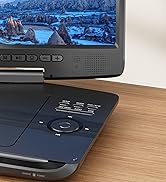
The MEGATEK DP-260M55HD is a compact, region-free DVD player featuring 1080P upscaling, universal DVD format support, and a USB port compatible with drives up to 128GB. Its durable metal casing enhances reliability and cooling, while included HDMI and RCA cables plus a responsive remote make setup and control effortless. Perfect for professionals seeking a sleek, versatile home entertainment upgrade that plays virtually any disc worldwide.


| ASIN | B07PNMTP1Y |
| Analog Video Format | NTSC, PAL |
| Audio Output Mode | Surround, Stereo |
| Best Sellers Rank | #33,978 in Electronics ( See Top 100 in Electronics ) #18 in DVD Players |
| Brand | MEGATEK |
| Built-In Media | DVD Player, HDMI Cable, Instruction Manual, RCA Cable, Remote Control |
| Color | Black |
| Compatible Devices | TVs, smart TVs, projectors, home stereo systems, home theater systems, AV receivers, Television |
| Connectivity Technology | HDMI, USB |
| Connectivity technology | HDMI , USB |
| Connector Type | HDMI, USB 2.0 |
| Connector type | HDMI , USB 2.0 |
| Controller Type | Remote Control |
| Customer Reviews | 4.3 out of 5 stars 19,377 Reviews |
| File Format | JPEG |
| Item Dimensions L x W x H | 25.9L x 19.8W x 3.8H centimeters |
| Item Type Name | DVD Player |
| Item Weight | 2.25 Pounds |
| Manufacturer | Megatek Electronics |
| Media Type | CD, DVD, VCD |
| Media type | CD, DVD, VCD |
| Mfr Part Number | DP-260M55HD |
| Model Name | DP-260M55HD |
| Model Number | DP-260M55HD |
| Number of Channels | 2 |
| Other Special Features of the Product | HDMI output, USB input |
| Power Consumption | 6 Watts |
| Resolution | 1920x1080 |
| Special features | HDMI output, USB input |
| Supported Audio Format | MP3, WMA, HDCD |
| Surround Sound Channel Configuration | 5.1 |
| Total Number of HDMI Ports | 1 |
| UPC | 612592582248 |
| Unit Count | 1 Count |
| Video Encoding | MPEG-2 |
| Video Output Resolution | 1920x1080 Pixels |
C**9
Bad multi region DVD player
It only worked for few DVD’s and then the door stuck and does not open. It’s a waste of money.
M**S
Buenísimo
Para la nostalgia y sigue funcionando
A**N
Wrong plug type. Only works in the US.
I bought this unit from an Australian seller who drop shipped it from the USA so it has a US style plug which is useless for Australian power outlets. Back it goes. Why do sellers do this? It's just incompetent.
P**R
Funciona perfeitamente
Funciona perfeitamente, até o momento já testei para as regiões 1, 4 e All. Faz o upscalling para até 1080p, passando por 480p e 720p. Também pode copiar o DVD para um pen drive como funcionalidade adicional. Até o momento, valendo muito a pena para assistir a DVDs antigos difíceis de achar em streaming.
C**H
Decent Product
Ok, to be fair I just plugged everything in and it’s now playing my favourite CD. Tested and works with my USB drive too. So far, so good 🙂 For SGD100 it is doing its job decently, and it is able to do the same in one year’s time I would have gotten my money’s worth 😅 Go for it 👍👍👍
N**S
Works fine but there's a catch
I set up an out-of-use (HDMI-capable) TV in my exercise room and wanted a DVD player to go with it. I figured I would buy this one for my main TV and move my cheapie DVD player from there to this new setup. But the feature that allows DVDs to be played where you left off was attractive. I don't finish a DVD before I finish exercising, so I decided to use this player in the exercise room. BTW, that feature works well and is VERY handy. The picture is good as is the audio. I also was able to play an out-of-zone DVD with no trouble. For the price asked, it seems good value for all the features. I haven't linked the TV and DVD remotes so can't say about the ease of this. But it all setup easily, except... [UPDATE Aug 23, 2020: Even though my old cheapie player still works, it does not have HDMI, upscaling, multi-zone, or last play memory, so I bought a second one of these Megatek players for my main TV setup. The one described below with the 4:3 problem is hooked up to an inexpensive Insignia TV. I now have more experience playing the other one, which is hooked up to an expensive and more recent LG OLED TV. With this setup, I CAN get 4:3 playback using HDMI. I have to go into the LG's setup menu and select 4:3, but it all works. BTW, the picture does look good (relatively speaking since this is older material I'm looking at). So as I suspected, it seems that the TV in use DOES come into play regarding 4:3 playback using HDMI. The catch seems to be not with this DVD player, but the TV in use with it. It is impossible to know what the situation will be with your TV's interaction with this DVD player until you try it. I never had this problem with my old player and the Insignia TV because I could only use component. When I swapped in this Megatek player I assumed the problem previously described below was with the player. My apologies to Megatek. I'll go 5 stars.] Many of the DVDs I play on this set are of older material. Specifically, they are in 4:3 (old TV) format. I have found that if you only hook up HDMI and play back using HDMI, the 4:3 source material will be stretched left and right. Personally, I do not like this effect. I have thoroughly gone through the setup menus of both this player and my TV and cannot override this. The workaround is to hook the DVD player to the TV with component cables. (Possibly the single-cable 'Video' output/input would work, too, but that really is poor quality, even for this older material.) When you insert a 4:3 DVD you can go to SETUP > GENERAL > TV DISPLAY >and set to 16:9, and this should now display 4:3 format discs in the center of the screen (i.e. no stretching). But, this only works with component cabling, not HDMI. (If you do use component cabling, make sure to go SETUP > VIDEO > COMPONENT > and set to YUV, or you will get nothing through those component cables.) It is possible that your TV will display 4:3 normally (depending on the TV and the settings). Component cabling doesn't allow for the same video quality as HDMI. But source material old enough to be in 4:3 is likely to NOT be in high-def. So, this isn't a big problem. And you can still hook up using HDMI cable as well, and toggle back and forth with your TV remote. It isn't an elegant solution, but works well enough. Luckily I still had some decent quality video and audio cables to do this extra hookup.
Trustpilot
3 days ago
2 weeks ago