Desertcart purchases this item on your behalf and handles shipping, customs, and support to USA.
๐ฏ Dominate your desk with KOORUIโs pro-grade 27" QHD gaming powerhouse!
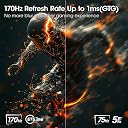
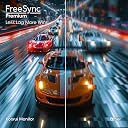
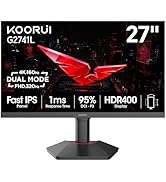
The KOORUI 27" QHD IPS Gaming Monitor delivers professional-grade visuals with a 2560x1440 resolution and HDR400 support. Its 170Hz overclockable refresh rate combined with a 1ms response time ensures ultra-smooth, tear-free gameplay via FreeSync Premium and G-Sync compatibility. Designed for ergonomic comfort, it features tilt, swivel, pivot, and height adjustments, plus versatile connectivity with 2 HDMI 2.0 ports and 1 DisplayPort 1.4. Backed by a 3-year warranty and lifetime support, itโs a premium choice for gamers and professionals seeking immersive, responsive displays.


| ASIN | B0C1GLNRXB |
| Adaptive Sync | FreeSync Premium |
| Additional Features | Adaptive Sync, Blue Light Filter, Height Adjustment, Pivot Adjustment, Tilt Adjustment |
| Aspect Ratio | 16:9 |
| Aspect ratio | 16:9 |
| Brand | KOORUI |
| Brightness | m2 |
| Color | Black |
| Color Gamut | 99 |
| Compatible Devices | Camera, Desktop, Gaming Console, Laptop, Smartphone |
| Connectivity Technology | DisplayPort, HDMI |
| Contrast Ratio | 1000:1 |
| Customer Reviews | 4.4 out of 5 stars 366 Reviews |
| Display Resolution Maximum | 2560 x 1440 |
| Display Technology | LED |
| Display Type | LED |
| Hardware Connectivity | 3.5mm Audio, DisplayPort, HDMI |
| Has Color Screen | Yes |
| Image contrast ratio | 1000:1 |
| Is Electric | Yes |
| Item Dimensions D x W x H | 8.4D x 61.3W x 36.1H centimeters |
| Item Weight | 16.62 Hundredths Pounds |
| Manufacturer | KOORUI |
| Model Name | MY 27E3Q US9 |
| Model Number | 27E3Q |
| Mounting Type | Wall Mount |
| Native Resolution | 2560x1440 |
| Number of Component Outputs | 3 |
| Picture Quality Enhancement Technology | HDR400 |
| Pixel Pitch | 0.233 |
| Processor Count | 1 |
| Refresh Rate | 170 Hz |
| Resolution | QHD Wide 1440p |
| Response Time | 1 Milliseconds |
| Screen Finish | Flat |
| Screen Size | 27 Inches |
| Screen size | 27 Inches |
| Screen surface description | Flat |
| Shape | Flat |
| Specific Uses For Product | Gaming, Photo Video Editing, Working |
| Total Number of HDMI Ports | 1 |
| Total USB 2.0 Ports | 2 |
| Total USB 3.0 Ports | 2 |
| Total Usb Ports | 2 |
| Unit Count | 1.0 Count |
| Viewing Angle | 90 Degrees |
H**D
I can't believe it and no this is not a fake review.
I returned both MSI G272qpf and Dell G274D, and keeping this. This monitor is amazing!! It even has a the mode Freesync Premium that you can enable in the menu (THIS IS A BIG BONUS). Dell and this one is very comparable but I preferred this 27E3Q + hence the sale price at $259 this is a steal! MSI on the otherhand has terrible black smearing and motion blur. Also blury and washed af 27E3Q I tested with UFO's tools and no dead pixel on arrival. My only complaint is that it has a tiny bit of IPS glow since it's an IPS. Colours are accurate. Super sharp. All blacks and greys are very spot on. I'm blown away honestly. I give it 9/10. For price, quality, and features. I'm in shock how good this monitor is.
K**M
27E3Q YES, YOU SHOULD BUY IT
I ordered a monitor from Sceptre and received the wrong model. This led me to make a somewhat angry purchase but man did it pay off. Jumping the gun on a 1440p IPS display was so worth it. I am pleased, satisfied, and left wanting nothing more. Pros and cons below. PROS: - Really bright display. This is such a game changer when you constantly deal with dim gaming displays. Typically on a budget monitor you get 250cd/m2 but here you get 400cd/m2!!! The brightness is perfect for gaming, day to day use, brightly lit rooms, etc. - Super Colorful Display: The colors on this screen pop like I've never seen. Everything is perfectly saturated. Nothing seems out of the ordinary. Everything you watch, read, play, will be enjoyed thoroughly guaranteed. - Whites are actually WHITE: As you can see in one of the images I attached, My other monitor (HP 25x) provides yellowish whites while the 27E3Q provides a very natural and expected white. - Not a single dead pixel on my unit! - No annoying branding. One simple and almost invisible "KOORUI" in the center of the frame on the bottom. No extended pieces of plastic either. Just a rectangular unit as you would expect. Unlike the HP 25x which has an annoying chunk of plastic that extends out. This is more nitpicky obviously but it still counts! - OSD (On Screen Display) is very easy to use. Its quick, to the point, no frills or gimmicks, and easy to read. - Really nice stand! Although I used my own dual monitor mount, the stand is high quality, heavy duty, with tons of adjustability. (Rotate, side to side, height) CONS: - From the research I've done, if you leave the overdrive off you won't have a problem but, with it turned on you do experience some ghosting I believe. Haven't tested it myself but this is what I've heard. Not worried about it, I leave it off and thoroughly enjoy gaming. - In all honesty, the only possible thing I can think of (and this is a real nitpick imo) is the edges of the display border. They could be a HAIR thinner. My HP 25x has a slightly thinner border (not the bezel/plastic frame). This monitor would have benefited greatly from a thinner border but I wouldn't worry about it. With all of the benefits (AFFORDABILITY) a border shouldn't even be close to a deal breaker. Overall, amazing monitor. I will be purchasing another one soon!
I**N
Price=quality
Excellent, excellent, excellent. No problems. I recommend it.
D**A
Pretty good monitor with some minor issues
The 1440p resolution and 170Hz is very nice. FreeSync Premium works well on my RTX 3060 laptop with G-Sync compatible. I can manage 1440p, 170Hz, HDR, 8-bit with dithering, and FreeSync all at once through a USB-C hub. The HDR is... not great! It's really overblown compared to my iPhone. Even calibrating it in Windows, it's still subpar. There's some pretty noticeable backlight bleed near the bottom right, and viewing angles are pretty bleh when the screen is dark. Kinda expected more from an IPS. Even sitting close can make the poor viewing angles visible. Edit: I've been getting an issue when waking from sleep, where sometimes the monitor goes down to 144Hz or 120Hz. I have to go back into the display settings and set it back to 170Hz. Occasionally, anything higher than 120Hz or rarely, 60Hz, will not be options, and I need to unplug the hub containing the monitor cable and plug it back in for the higher refresh rates to work. It's pretty annoying, and I don't know if it's the monitor, the included DP cable, or the hub I'm using.
A**R
Can't beat the price to performance!
This monitor is excellent, colour is better than expected and is excellent for gaming and running 3d apps like blender.
Trustpilot
3 weeks ago
1 month ago