Desertcart purchases this item on your behalf and handles shipping, customs, and support to USA.
🖥️ Elevate your workspace, dominate your day.
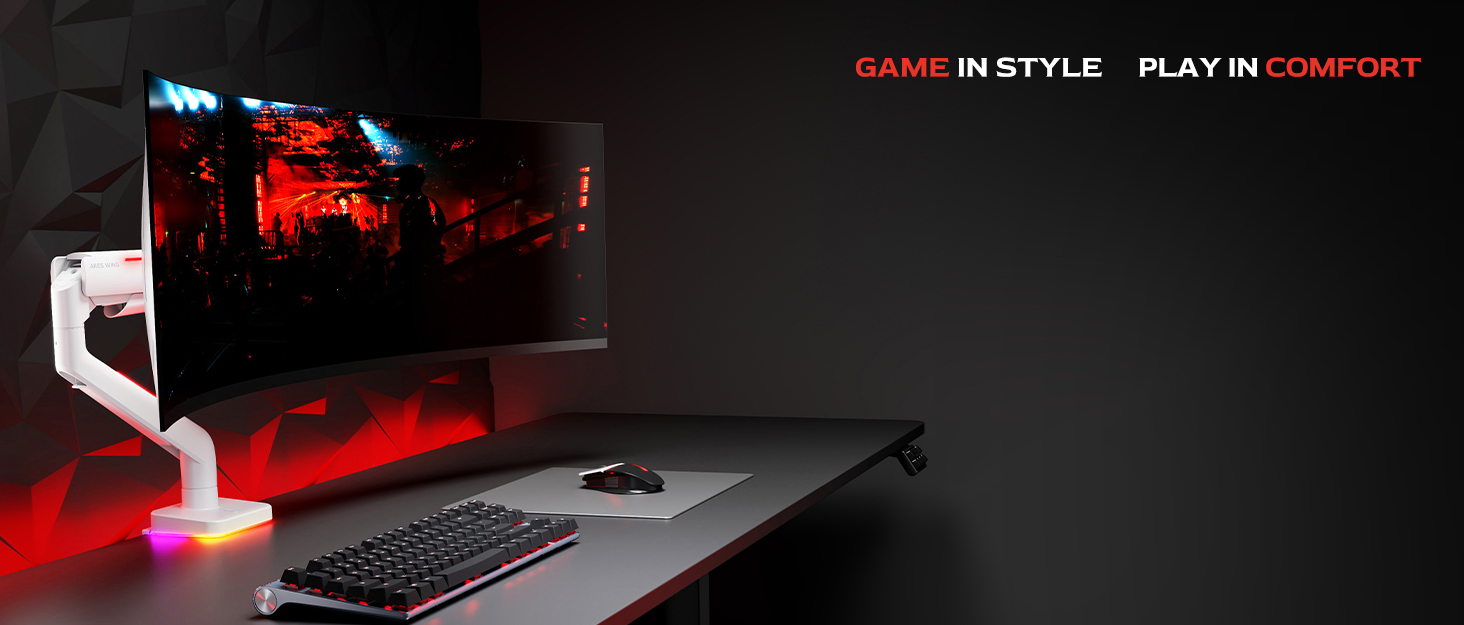
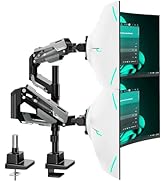
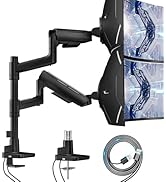
The ARES WING Dual Monitor Arm is a heavy-duty, versatile mounting solution designed for professional and gaming setups. It supports dual monitors up to 49 inches and 44 lbs each, including ultrawide curved screens. Featuring industrial-grade gas springs for smooth, stable adjustments, it offers extensive tilt, swivel, rotation, and height flexibility. Enhanced with built-in USB-C and USB-A charging ports, it streamlines your desk setup. Easy to install with multiple mounting options and backed by expert support, it transforms your workspace into a sleek, ergonomic command center.


| Asin | B0D2KH4V8H |
| Best Sellers Rank | #60 in Computer Monitor Arms |
| Brand | ARES WING |
| Color | Black with USB |
| Compatible Devices | Monitor |
| Customer Reviews | 4.3 4.3 out of 5 stars (585) 4.3 out of 5 stars |
| Enclosure Material | Aluminum |
| Eu Spare Part Availability Duration | 3 Years |
| Manufacturer | ARES WING |
| Maximum Supported Screen Size | 49 Inches |
| Maximum Tilt Angle | 50 Degrees |
| Minimum Supported Screen Size | 17 Inches |
| Model Number | GDT1004UCP-2BK |
| Mounting Type | Tabletop Mount |
| Movement Type | Rotate, Swivel, Tilt |
| Unit Count | 1.0 Count |
User
A solid monitor mount for big ultra wide displays
This new dual monitor has been a awesome upgrade to my workspace. It's taken my two Lenovo 45" monitors and stacked them with unlimited adjustment options like tilt and extending forward.The build quality is very solid and sturdy, holding both monitors securely without any wobble, even when adjusting the height or angle. Installation was pretty easy to follow and took about 30 minutes to put together. The additions of the cable-management system and built-in USB extension in the base is a nice touch.Overall, it’s a well-designed, reliable stand that significantly improves comfort, productivity, and desk space. I would recommend this to others.
User
Great with Apple Displays - Surprisingly amazing quality
I ordered a bunch of arms to set my Apple Displays up how I wanted them. I'm a graphics professional and these monitors are basically my main tools for work year in and year out, so I care a LOT how they are set up and where they are set up and ultimately what's holding them. I was tired of stands on my desk so I wanted to run some arms.I tried HumanScale, Ergotron, Knoll, etc - I set them all up and, for me, (quite surprisingly) these relatively cheap arms were the winners. I'm pretty snobish about my gear and I wish the more bougie brands were the winner, but I can't deny how grea these are. They were the most solid / no wobble vs the other options. They also look the best vs the others. No branding, subtle smiley face adjustment indicators, white VESA covers and a small but safe base. Ergotron had an ugly VESA plate and ugly clamp, HS arms were kind of bulky and too terminator-metallic (and sheesh the price). These are the cleanest looking, most solid arms out of the many that I tried.They do, in fact, tilt forward. You apply a light amount of pressure and then tighten them forward, works great. My top Studio Display is tilted forward. The cord management on these arms also SMOKED the $415 Ergotron options, way cleaner.My only semi-gripe (and someone else posted it about this arm) is that you *do* have to take the whole thing down to move it around on your desk. I see this as kind of a non-issue long term through because once my monitors are up its usually a LONG time before they need to be moved (rearranging my office or moving or something, I usually don't just move the arm around all the time. Also if you are doing it via grommet that's how it's going to work out anyway). It's a small pain in the beginning when you are setting up. Lastly, the set screws on the arms are chrome and if they were white, that'd be a nice touch to blend them into the arms better. Super small nit pick though. I'd buy these again any day.
User
Best value, strong, easy assembly, worth the price. The strongest mounts for dual 49"G9 Samsung oled
Did my research and watched the Manufacturer's product videos along with some youtube video reviews and installation tips and tricks videos. My install involved two Samsung G9 oled monitors from Prime WITHOUT the television hub. These monitors are being used for stock trading and I am not a gamer.The assembly and quality of the aluminum shafts, parts, and spring arms was excellent. Take your time and watch some of the videos. Follow the directions and look for the mounting backplate arrows that show you were to point it towards the top of the monitor. Be careful screwing the VESA Samsung included adapters into the back of the monitor hole area. The small tool kit with necessary allen wrenches was helpful. My set up required the base clamped unit to be mounted about six inches to the right of the desk centerline so that when the arms are mounted and monitors attached they will center up property on the desk line due to swing arm offsets.Make sure you attach the monitor mounting plates with the arrow pointing to the top of the monitor.Latching onto the arms is simple but do them slowly and make sure you backout the tension allen wrench screws at least three turns counterclockwise so the arm will not drop when the 28 lbs. monitor is secured to the arm which lists a max weight per arm of 44 lbs. so these are way under the load limit.You'll love the results and when properly adjusted these oled G9 monitors are perfectly suited for this type of installation.
User
Great stand, smooth motion, probably not worth the extra for usb
Overall, it’s really well made. Assembly was relatively easy and the pivot on the arms is very smooth. I find myself moving my monitors much more often than I used to because it’s easier to do so than my old mount.There’s some flexibility in how high you mount the monitor arms as well, which is nice.Cable management is easy and solid, but not outstanding. If you have multiple video cables going into your monitors it could get a little cramped, but it’s easy to work with which is great.The USB part is a bit disappointing since it’s not a hub in the base, it’s really just 2 USB extension cables that have to be plugged back into your machine, so you do lose 2 ports instead of one if you want to use that.That’s really the only knock. I wish I could give it 4.5 stars because it’s such a minor thing. Very happy so far.
User
Great and solid for my two 34" ultra wide dell monitors.
Build quality is great. Assembly was easy, and I'd order this again if I needed a second one day.
User
Total waste of money
Dont waste your money on this garbage. Hooked up a Samsung Odyssey G91 and a smaller Acer 34" monitor to this contraption and a few things to note.1. It will not loosen up to adjust for screen height. adjustment screws are completely frozen in the arm.2. Once connected and COMPLETELY tightened down the tilt function for both monitors, will droop forward with the weight of either monitor. Even with those set screws COMPLETELY tight.3. Extremely bulky and would not compress enought to put one monitor over the other without pushing the complete setup to the middle of the desk. If you have a Executive type desk this might work or even a reception style desk.If I had not fully commited to this installation, (with drilling a hole in my pristine desk) I would have returned this. This is totally just my opinion, but I would look for something different if you are in the market for a large format double screen mount and have a standard home width computer desk or gaming desk.Not a simple install. cable management takes me back to 1990. A total waste of money for me.Also, glad I saved the original stands for these monitors as this will be going into the garbage and I will be rearranging desk space to fit them side by side.
User
Excellent monitor arm
Excellent quality. Works solid!
User
just go for it
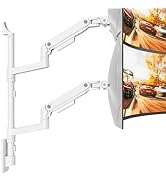
Honestly, wish I’d bought this months ago. My two monitors were taking up so much desk space, and I was constantly straining my neck trying to find a comfortable angle. Decided to try this ARES WING dual monitor arm, and it has transformed my setup.The white finish is sleek and doesn't look cheap at all. Once mounted, the whole setup feels solid.What I love most is how smoothly it moves. After long workdays, I like to lean back in my chair, and being able to adjust the arms to find the perfect viewing distance and angle has been a lifesaver.Plus, stacking my monitors has freed up so much desk space. Everything looks clean and tidy now.If you're on the fence about getting a stacked monitor mount, just go for it.
User
Monitor arm
So far good
User
Secret Labs should learn from ARES
20 December 2025: I am writing this immediately after setting everything up, so there is a possibility that this review may change and I will indicate if I ever make an edit to this, but I am thrilled. First paragraph is the story, second is the performance comparison, the third is the TL;DR for anyone in a hurryI have set the "ARES WING Dual Monitor Arm for Ultrawide Heavy Duty..." on my Secretlab MAGNUS Pro XL desk. I initially purchased one of the Secretlab (SL) single monitor arms to test out the feeling between monitor stand vs arm; now, without talking trash, the SL arm failed miserably. To add insult to injury I had to spend more than half the cost of the price of the SL arm to return it to the company because they do not cover return shipping fees. On the SL arm, I was supposed to be able to trust it to hold my monitor (Optix MPG321QRF QD) as it only weighs 16lbs (15.43lbs exactly) and the max weight on the SL arm is stated as 17lbs.Forgive my lengthy comparison between my experiences with the arms. I'm an educator and a nerd, so this one is for the people with the same level of OCD and anxiety as myself. SL ARM - In terms of the translational motion (that's the x, y, and z): motion along x (left to right), y (up and down), and z (backward and forward) felt jerky while repositioning the monitor. ARES - feels nearly fluid and and easily controlled. That's strike one for SL and plus for ARES. SL ARM - In terms of pitch (tilting up or down about the x axis) and yaw (swiveling left or right about the y axis): these were, at best, adequate, but weak; it holds, yet feels under supported and prone to drift under load. There was considerable force needed to change the pitch regardless of adjustments made to the screws and for a monitor that has very little to grab onto, this is, yet another strike. ARES - Sturdy and controlled, plus for ARES. SL ARM - In terms of the roll (tilting the monitor about the z axis): the display rolls off to either side and does not stay squared. the SL could not reliably hold a level horizon. ARES - No difficulties. That's three strikes for SL and three pluses for ARES.TL;DR: Mounted this to my MAGNUS Pro XL, it's sturdy, motion of the arms is fluid and stable, holds my screens without issue.
User
Worth the Price, Perfect Dual Monitor Arm!
I've been hunting for a good dual-arm monitor mount for a while, and after looking at a few different options on Amazon, I decided to go with this one. It's definitely a bit more expensive, but honestly, the quality makes it totally worth it.At first, I was a little worried the installation would be a hassle, but it turned out to be super easy. The instructions were clear, and there's even a QR code that links to an installation video, which made everything even smoother.The arms are solid and stable—no wobble at all. My monitors are nice and secure, and the setup has been perfect for my work. Plus, it's saved me a ton of desk space, which is a big win. All in all, I'm really happy with this purchase!
User
Worth every $
Super simple to set up. Great product feels super sturdy. Definitely recommend!
User
Good heavy duty monitor arm
It works well and can hold up my 34" inch monitor, the difficulty was getting to stack on top of the other
Trustpilot
2 months ago
1 month ago