Buy anything from 5,000+ international stores. One checkout price. No surprise fees. Join 2M+ shoppers on Desertcart.
Desertcart purchases this item on your behalf and handles shipping, customs, and support to USA.
๐ Elevate Your Space with ProHD Security โ Because You Deserve to See It All
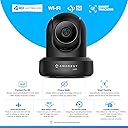
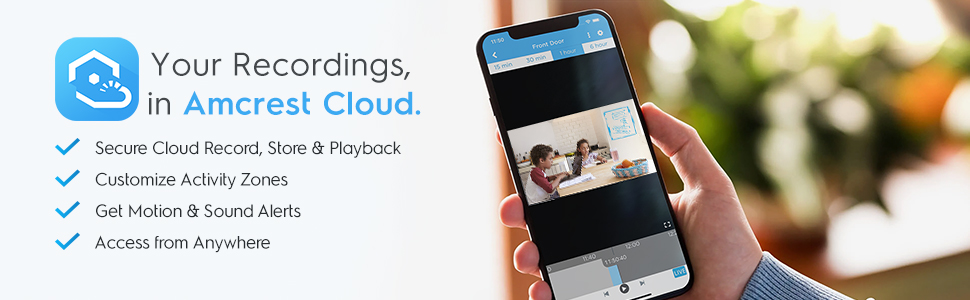
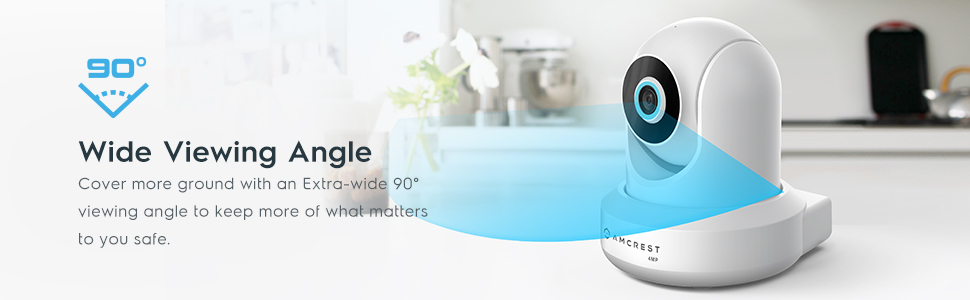
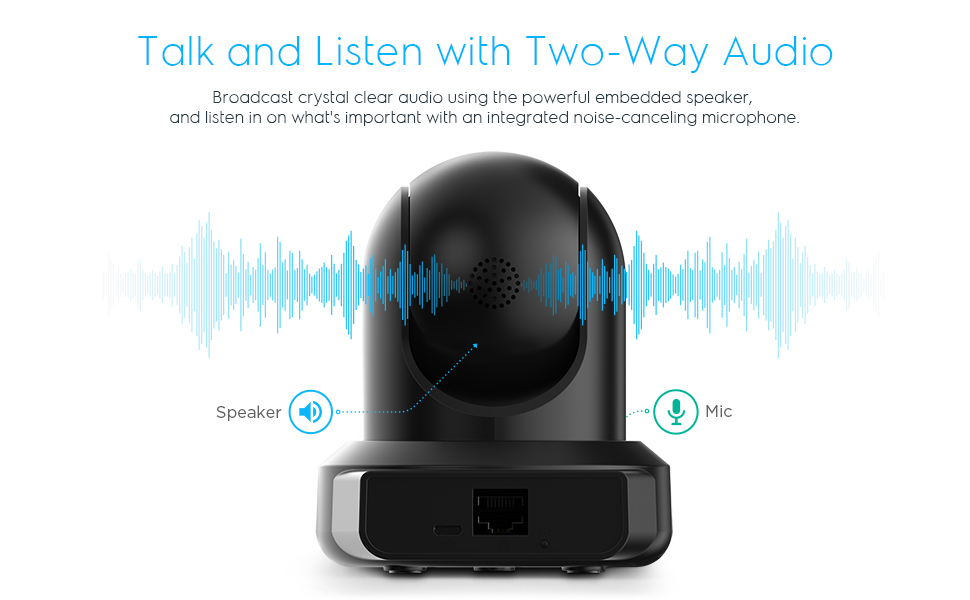
The Amcrest 4MP ProHD Indoor WiFi Security Camera delivers professional-grade 4MP video at 30fps with a super-wide 90ยฐ field of view and remote pan/tilt control. Equipped with advanced low-light CMOS sensors and IR LEDs, it offers night vision up to 32 feet. Featuring two-way audio, motion alerts, and versatile storage options including secure cloud backup, MicroSD, and NAS compatibility, it integrates seamlessly with Alexa and major browsers. Designed for reliable indoor surveillance with encrypted WiFi and continuous firmware updates, itโs a robust solution for modern smart homes and offices.


| ASIN | B095XCGKTF |
| Alert Type | Motion Only |
| Antenna Location | Indoor Security, Outdoor Security |
| Are Batteries Required | No |
| Best Sellers Rank | #27,344 in Electronics ( See Top 100 in Electronics ) #346 in Dome Surveillance Cameras |
| Brand | Amcrest |
| Built-In Media | 1 x 5V Power Supply, 1 x Ethernet Cable, 1 x Mounting Bracket |
| Color | Black |
| Compatible Devices | Smartphone, Tablet, Laptop, Desktop |
| Connectivity Protocol | Wi-Fi |
| Connectivity Technology | Wireless |
| Control Method | App |
| Controller Type | Amazon Alexa, Apple Homekit |
| Customer Reviews | 4.0 4.0 out of 5 stars (1,817) |
| Effective Still Resolution | 4 MP |
| Enclosure Material | Plastic |
| Form Factor | Dome |
| Frame Rate | 30 fps |
| Global Trade Identification Number | 00850011990018 |
| Indoor Outdoor Usage | Indoor |
| Item Dimensions | 10.2 x 10.2 x 12.7 centimeters |
| Item Weight | 454 g |
| Light Source | Infrared |
| Manufacturer | Amcrest |
| Model Number | IP4M-1041B |
| Mount Type | Protruding |
| Night Vision | Night Color |
| Night Vision Range | 32 Feet |
| Number of Channels | 1 |
| Number of IR LEDs | 1 |
| Number of Items | 1 |
| Other Special Features of the Product | Pan & Tilt ,2 Way Audio,Night Vision,Frame Rate,Motion Tracking,Built-in Microphone,Built-In Speakers,Night Vision |
| Photo Sensor Resolution | 4 MP |
| Photo Sensor Technology | CMOS |
| Power Source | Corded Electric |
| Room Type | Office |
| Specific Uses For Product | Surveillance |
| UPC | 850011990018 |
| Unit Count | 1 Count |
| Upper Temperature Rating | 45 Degrees Celsius |
| Video Capture Format | MPEG H |
| Video Capture Resolution | 1080p, 720p |
| Viewing Angle | 90 Degrees |
| Voltage | 5 Volts |
| Waterproof Rating | IP4M 1041B |
| Wattage | 7.5 watts |
| Wireless Technology | Wi-Fi |
| Zoom Type | Digital Zoom |
A**R
I previously purchased another brand advertised as an indoor/outdoor camera, but had multiple issues after setup and wasnโt able to get reliable support from the manufacturer. My wife has been pushing me to get a replacement and since Iโve had positive experiences with other Amcrest products I own, I decided to give this one a shot. I was hesitant at first because the overall rating isnโt great (4* at the time of my review), but I am so glad I decided to get this one. This review will probably get a bit lengthily, so Iโll add a tldr at the end if you want to skip to it. Before I break everything down READ THIS IF YOU PLAN TO USE WIFI: You will need the included Ethernet cable and your router before you can connect to WiFi. Had I read the instructions before I started setting this camera up, I would have saved time by not installing it in the wall first, rooms away from my router. I read dozens of reviews before making this purchase, and one consistent complaint was the lack of instructions. I canโt say that I agree with most users here; I found the instructions very thorough in terms of actually turning the camera on and setting it up for the first time. I connected via WiFi, but there are detailed instructions for mobile and Ethernet as well. The back of the quick start guide also has links to alternative access methods and physical installation guides. Is absolutely every manual for each setup/installation method included in the box? No, but links to everything are provided in the Quick Start Guide and weโre all ordering this from a computer or mobile device anyway, so why not save the paper and use the links? But I digressโฆ First off, everything came packaged nicely and was well organized. This isnโt something that will necessarily increase my rating, but would definitely count against it if I received a box with a jumbled mess. I found the physical installation itself to be very straight forward, but as mentioned, there is a link in the included guide to help with setup if needed. I ultimately installed the camera on my wall, as you can see in the picture, but there are also rubber feet on the bottom if you just want to set it on a different surface in your home. Note that this device cannot be set up level on vaulted ceilings without purchasing a separate bracket or mounting plate due to the angle of the ceiling. If you have flat ceilings, or choose to install on the wall like I did, it will install just fine with the included hardware. The included USB to micro SD cable is very long and had no problem reaching my wall outlet from the mounting position just under my ceiling, so that was also a plus. I mounted the camera before I connected it to WiFi, which was a mistake, but it was easy to unscrew from the bracket and take into my office where my router is to connect with the included Ethernet cable. The Quick Start Guide does a great job of walking you through the steps to get the camera connected, and once I had the app downloaded and entered my WiFi credentials, I was able to bring the camera back into my living room and operate it with no problems. When it comes to using the camera and app, I recommend going through the tutorial that pops up when you first log in. If you skipped it by mistake (like I did), you can access it again from the main menu. There are A LOT of features, and even after going through the tutorial and playing around with them, itโs easy to get lost or forget what function is โhiddenโ behind another icon menu. That said, all the functions and features seem to work exactly as they should. I did find the tracking feature a bit quirky at first, but this was my fault and not an inherent issue with the device. When I first tried tracking with the camera, it kept wanting to pan up to my ceiling fan (which was on at the time). Even when waving to the camera and walking around, it would start to follow me, then immediately go back to the fan. As soon as I turned the blades off, it tracked me perfectly. Thereโs also an option to set the tracking sensitivity, but the standard settings worked well once the fan was off, so I didnโt play around with them. Another thing I really like is HD mode. I attached pictures to my review of Standard Definition โSDโ and High Definition โHD.โ I only pictured a small section of the room the camera captured for privacy reasons, but there is still a big difference. Accessing, operating, and recoding the camera from the phone app works really well, even if the menu options themselves are a bit clunky. The privacy mode is also nice to have when itโs just my wife and I at home and we donโt want to feel like weโre being watched or recorded. I did not test desktop access because I donโt plan to use it. If thereโs one negative I could give the device itself, itโs that itโs pretty big and conspicuous. I didnโt purchase this to be a hidden camera or anything, but it would be nice if it was a bit smaller, or was at least all white and didnโt have the black โAmcrestโ logo printed across the front. tldr; I am very impressed with this camera, both from a function standpoint and the price point. Having mobile access and control, as well as the ability to record, were must haves for me, and this device delivers. The camera could be a bit more discreet, and navigating the app can be a bit unintuitive in some instances, but this thing is packed with features and everything works exactly as advertised. Overall, this was a great purchase for an indoor security camera.
S**R
The overwhelmingly best feature of the Amcrest 4MP ProHD Indoor WiFi Camera is the ability to set-up and use it over a LAN without 3rd party intervention. The Ethernet port and HTTP access allow the user to fully access and control the camera without depending on the Cloud, third-party services, or even Internet access (so long as HTTP access is available through a local router). Many cameras now require an external account to allow set up, maintenance, and/or access for their product; and I have been burned by that paradigm when the third-party goes out of business, no longer supports the appliance, or starts charging $$$ for its use. The 4MP ProHD checks all of the boxes for my purposes with a clear image, strong night vision that sees the entire room, motion detection with advanced features (region definition, sensitivity control, etc.), and multiple storage options (card, FTP, NAS). The camera has a depth of options that allow users to customize it for their needs, like independent Ethernet and WIFI definition (I have them each on different subnets), static IP, and user-defined port assignments for HTTP, RTSP, and HTTPS. For all of the many positives, the technology appears to have some limits of which the prospective user should be aware. First, it appears that the camera should be set to allow DHCP address assignment until after the SMTP server is set up. The camera would not initially connect to any SMTP server (I tried four, each from a different provider) when a static address was assigned. However, once the SMTP server info is entered, tested, and saved under DHCP, the IP address can be set to a static value; and email subsequently works fine. Second, it appears that the camera is only compatible with the NFS NAS protocol. (No SMB, for example.) Finally, I have not yet been able to connect with my FTP or NFS NAS servers using the camera. My servers are running on Linux (Ubuntu). I suspect that the Amcrest 4MP ProHD camera is built on an architecture that is (somehow) incompatible with the Linux permission structure (but I don't know this for sure). I can work around this limitation because the RTSP access appears to work just fine. Despite these issues, the quality, features, price, and, most especially, the ability for direct and independent control make this the best camera on the market for my purposes.
A**R
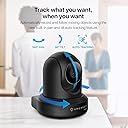
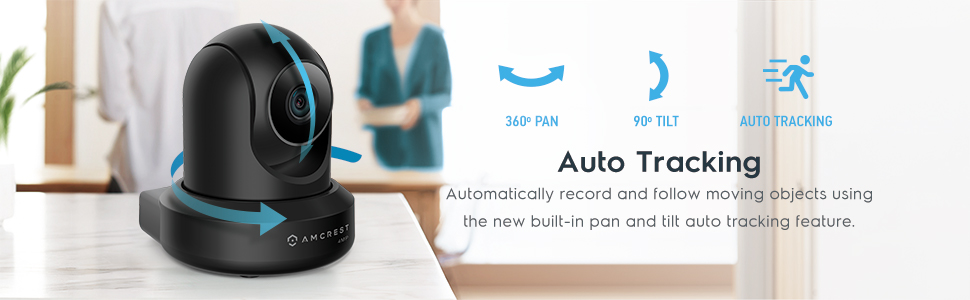
Review of the Amcrest IP4M-1041W Decent value for not a lot of money and Blue Iris support I've had the older version of these cameras for almost 3 years now and have used them in spots where mounting a regular camera would be problematic and they have worked well enough for me. This camera will be used in my kids playroom to keep an eye on them when we're not down there with them. Unfortunately, this camera is NOT able to be used with the Amcrest Smart Home app which is a shame as (although not perfect) it is much nicer to use than the Amcrest View Pro app(maybe this will change in the future?). I set this up via the Amcrest View Pro app, but am not a huge fan of the UI in the app or the quirky issues it faces. The app works, but it's far from great. Instead I use Blue Iris and for anyone who doesn't know, Blue Iris is a video camera software that supports most types of cameras. It is what I use for my home and it allows most types of cameras to be added via ONVIF. For $59.99(price at time of writing this), this is a decent little camera for security or to use as a baby/kid monitor, but honestly the ASH-21 might be a better choice for some people as it has the newer Smart Home app you can use. If you use it with a separate software like I do then the app doesn't really matter and if you can pick it up on sale then it may be a more solid option. It's still good for anyone that wants to be able to keep their video storage locally and not rely on the cloud as it has an SD card slot. However, it also offers cloud storage too so you have a choice either way. It can be wireless or wired which is nice for an easy install and portability or for someone that can plug it into their network to keep WIFI traffic reduced. Night time visibility is also pretty good, same as most other indoor cameras with night vision so no problems there. It has an auto tracking feature which is pretty cool in theory, but I think I will turn it off as it needs a little work software wise. It tends to jump around a lot to center a subject even when they're still in frame and I don't see much (if any) adjustment you can make and it doesn't self center when the motion stops. I've seen cameras like the Yi Home cameras that do this very well in comparison. I think auto-tracking is kind of gimmicky at this point anyways for lower end cameras and ends up being a nuisance instead of a good tool. It's better most of the time to get the camera far enough away to capture the entire area you need or have two angles. In the end, it is a solid camera and my other two have lasted without issue for over 3 years so I can't complain.
R**N
May not be a problem if you rely on cloud storage, but I'm not a cloud storage guy and prefer to keep any footage recorded locally on the sdcard. The camera fails to save video recordings if your ISP has an outage. This means the camera is still on, but if you internet goes down, no recordings locally to the sdcard. I have custom rules in my firewall that allow the camera out only ntp protocol to set the time. It cannot go anywhere else. Time and remotely viewing live footage over my network appliance's built in VPN capability are the only reason it has any wan connection. Support is less than helpful with illogical answer such as: "Since it's a wifi camera, it requires wifi to record, even to the sdcard." The camera also supports and ethernet connection, so using their same logic, it's an "ethernet camera" and requires an ethernet connection to work. In reality, it's an internet camera, and requires an internet connection to even do what a camera is supposed to do: record. I have other outdoor ptz cameras that record back to an NVR. They also have an sdcard option and will record to the sdcard regardless of "internet". I picked this camera up as an easy option for keeping an eye on my dog that stays inside my house while I'm at work. If something happens while I'm gone and the internet goes down, I have no recording of it, lol. Off to find a camera that, well, records.
@**H
I purchased this Amcrest 1080p PTZ (digital zoom on this specific model) for my 3d Printing and Lasering room. I installed this camera inside my self-built Atomstack laser enclosure to monitor projects while in other rooms. The package arrived quickly and was packaged in safe condition to ensure no damage would occur during transit. Setting the camera up is extremely easy depending on the type of setup you perform. The app "Amcrest" is available on iOS, Android, PC or Mac. I chose to initially set mine up within the iOS app. You can set this up completely wirelessly (wifi setup), by dedicated IP (IP setup), or via POE ("power over ethernet"). Although this is not actually a POE camera, if you are using an ethernet cable but do not desire to setup the IP as a dedicated address, you can still choose this setup option for dynamic IP addresses. This is the method I chose. Setting it up within the app was as simple as scanning the tiny QR code on the back of the camera (make sure you are aware of this before mounting the camera in a difficult location), and setting a new username and password. Ensure that you change the default username and password from "admin"/"admin". If recognized on your network, the camera will appear immediately within the app. This specific Amcrest camera came with a 16gb microSD card, however I saw nothing mentioned about it when purchasing it. When you record video footage, a timelapse, or take photos, it can be stored to the microSD, a NAS on your network (or a SSD/HDD on your network), or to the Amcrest cloud. Each Amcrest camera comes with 30 days free of Amcrest cloud. I chose to not utilize this as I don't like subscription services. I like the ability to pand and tilt the camera and the Amcrest app has several options to tailor the image to my likings. Specifically I like the options to flip the image horizontally or vertically and adjust the colors. There are also options to change the image quality from SD to HD if desired (for limiting bandwidth on slower connections). I chose to set it to the highest possible settings. For this camera that is 2560x1440p @ 8192 kbps (8bit). This is a little strange (but beneficial) since this camera is listed as a "1080p" camera. Overall I think this is an excellent camera with numerous options and at a great value. I would definitely recommend this to others.
Trustpilot
2 months ago
1 month ago