Desertcart purchases this item on your behalf and handles shipping, customs, and support to USA.
⌨️ Elevate your iPad game — work smarter, anywhere! 🚀
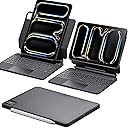
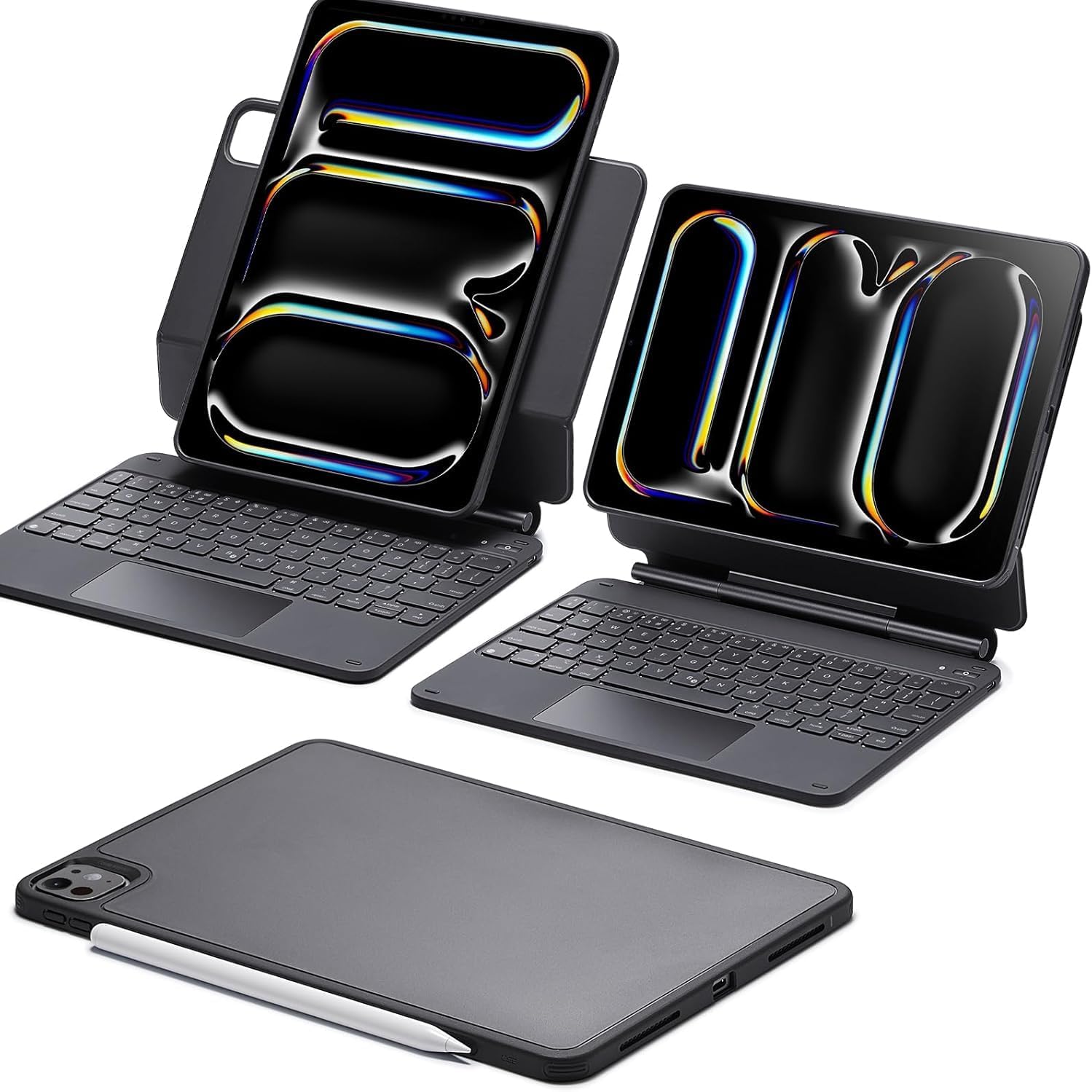
The ESR iPad Pro 11 Inch Case with Keyboard is a versatile, magnetic keyboard case designed exclusively for the 2024/2025 iPad Pro 11" (M5/M4). Featuring a tactile 64-key layout, an ultra-sensitive multi-touch trackpad, and multiple ergonomic viewing modes, it transforms your iPad into a portable productivity machine. With Bluetooth and USB-C connectivity, detachable magnetic stand, and durable ABS construction, it offers a premium typing experience and flexible usage for professionals on the go.


| ASIN | B0CSYXJHTH |
| Antenna Location | Business, Education, Everyday Use, Personal, Student |
| Best Sellers Rank | 5,504 in Computers & Accessories ( See Top 100 in Computers & Accessories ) 70 in Tablet Keyboards |
| Box Contents | 1x ESR iPad Case with Keyboard, 1x USB C Cable, User Manual |
| Brand | ESR |
| Brand Name | ESR |
| Button Quantity | 64 |
| Colour | Black |
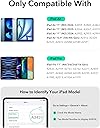
| Compatible Devices | Model: A2836, A2837, A3006, A3357, A3358, A3359, iPad Pro 11" (M5/M4, 2025/2024) |
| Compatible Operating System Family | iPadOS |
| Compatible Tablet Computer Models | Apple iPad Pro 11-Inch (M4), Apple iPad Pro 11-inch (M5) |
| Compatible devices | Model: A2836, A2837, A3006, A3357, A3358, A3359, iPad Pro 11" (M5/M4, 2025/2024) |
| Connectivity Technology | Bluetooth, USB-C |
| Connectivity technology | Bluetooth, USB-C |
| Country of Origin | China |
| Customer Reviews | 4.3 out of 5 stars 371 Reviews |
| Enclosure Material | Plastic |
| Generation | 5 |
| Hand Orientation | Ambidextrous |
| Item Weight | 1.08 Kilograms |
| Keyboard Description | Multi Functional |
| Keyboard Layout | QWERTY |
| Keyboard Plate Material | ABS |
| Keyboard description | Multi Functional |
| Language | English |
| Manufacturer | ESR |
| Minimum Required Operating System Version | iPadOS 13 |
| Model Name | iPad Pro 11" |
| Model Number | ESR for iPad Pro 11 Inch Case Keyboard |
| Number of Keys | 64 |
| Power Source | Battery Powered |
| Product Features | Ergonomic, Magnetic Stand, Multiple View Modes, Extended Ultra-Sensitive Multi-Touch Trackpad |
| Product Warranty | 1 Year Warranty Against Manufacturer Defects |
| Recommended uses for product | Business, Education, Everyday Use, Personal, Student |
| Series Number | 4 |
| Special feature | Ergonomic, Magnetic Stand, Multiple View Modes, Extended Ultra-Sensitive Multi-Touch Trackpad |
| Style Name | Modern |
| Switch Type | Tactile |
| Theme | Solid |
| Unit Count | 1.0 count |
B**E
Fantastic keyboard
I've started using this today, arrived last night. It's really heavy in comparison to the iPad, easily twice the iPad's weight. Makes the iPad feel more like a laptop which is fine for when the keyboard is attached. Being able to remove it and still have a case attached is genius. Great move ESR... Keyboard is decent, more key travel than the last Magic Keyboard I used but I like this, it feels like you are actually typing, the Magic Keyboard just feels weird when typing due to the minimal key travel. Setup is really simple, no video required. It connects via Bluetooth and works as described. Gestures work really nicely which making switching in between MacBook and iPad a breeze, same gestures and operation. This is exactly what I wanted, I can't recommend this keyboard enough, if you can get past the weight then it's a fantastic alternative to the Magic Keyboard from Apple, cheaper too. Another great product from ESR. Update: After 2 months use, the hinge is starting to feel really tight, the whole stand falls over backwards of the iPad is lifted all the way up. It’s becoming more of a nuisance than anything else now.
G**U
ESR iPad Pro 13-inch Keyboard Case Review | Great Value Alternative to Magic Keyboard
I’ve been using the ESR keyboard case with my iPad Pro 13-inch (M5) and for the price, the quality is genuinely impressive. The keyboard works well, feels solid, and the big win for me is the separate magnetic case, which means you can detach the keyboard and still use the iPad standalone with proper protection. The only real downside is the trackpad — it’s not on the same level as Apple’s Magic Keyboard in terms of precision or feel. That said, considering the price difference, it’s a compromise I can absolutely live with. If you’re looking for a good-quality, budget-friendly keyboard case for the iPad Pro 13-inch (M5), this is definitely worth considering.
M**I
Excellent Keyboard Case.
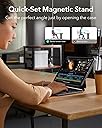
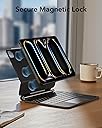
This ESR keyboard case has completely transformed how I use my iPad Pro. The magnetic stand is very strong and makes setup quick and easy, while still feeling secure during everyday use. The Easy Set system is simple and intuitive, so switching between modes takes just seconds. The keyboard itself is comfortable to type on, with good key spacing and a nice, responsive feel. It’s great for emails, documents, and longer typing sessions. The trackpad is also very smooth and accurate, making it feel much more like using a laptop. One of my favourite features is the flexibility. The portrait and raised modes are genuinely useful for reading, browsing, and video calls. The removable case is another big plus, as it gives good protection when you want to use the iPad without the keyboard attached. Build quality feels premium, and everything fits perfectly. It offers excellent protection without making the iPad feel overly bulky. Overall, this is a high-quality, well-designed keyboard case that offers fantastic value for money. Highly recommended for anyone who wants to get more productivity out of their iPad Pro.
F**C
I love this keyboard. For my purposes, it’s quite a bit superior to the Apple Magic offering
I have a big birthday coming up soon, so my wife asked what I’d like as a present. I went into the local Apple shop and tried out the Magic keyboard for my iPad Air 6 tablet, and it felt absolutely wonderful - nice keyboard, large trackpad, and the tilt on the screen was just about right. However, I use a lot of apps that will only work in portrait mode (for some reason, Smart home apps seem to rarely get ported to landscape). When I run these apps on a landscape mode tablet, the app screen resizes to occupy the height of the screen and I finish up with a window that is about 1/2 the size of a “normal” app, which isn’t acceptable (I can’t actually read the text on them). The other problem I had with the apple offering was the tilt overhang. I’m very much a “hunt and peck” typist, and the overhang meant that I was very uncomfortable, having to adopt an unnatural pose with my fingers in order to use the keyboard, which gave me cramps after an hour of trying it. This ESR keyboard addresses both those issues. Being able to detach and pivot the iPad casing means that I get a full size app window with the iPad displaying in portrait mode. Being able to detach and shift the casing upwards by either 2 or 4 inches means that I don’t have the issues with unnatural hand poses or the cramps arising therefrom. The three downsides to the keyboard are 1) Bluetooth connection, which means that if you leave it untouched for about 90 seconds, you have to touch the keyboard or touchpad to wake it up before you can start typing again (no biggie, 90 seconds is quite a long time, and re-establishing the connection takes fractions of a second) 2) charging the keyboard is not done via Apple’s “Magic connector”, which means you have to top up the keyboard battery occasionally. That shouldn’t happen often, since I have been using the keyboard all day today, and the battery level has dropped by just 4% (from 91 to 87). Any problem arising from the external topup need (e.g unavailability of mains power outlet) is mitigated by the fact that a) the device shows up in the iPad’s “battery level” widget, so putting that onto your home screen means that you always know if you’re about to run out, and b) on the one occassion that my charge was running down while I was out and about, I used a 15cm USB-C to USB-C cable to plug my keyboard into my iPad, and the keyboard was topped up from the iPad (it drained the iPad battery a bit faster than usual, but not unacceptably so) c) the trackpad is very sensitive and inadvertently touching it can re-position the cursor within a document without you realising it has done so, potentially resulting in paragraphs of text being typed in the wrong place in your document. Going to Settings , General, Trackpad & Mouse, and unsetting the “Tap to click” switch meant that wasn’t a problem at all. I actually prefer a definitive press on the trackpad rather than a just a tap to click somewhere, so that works out quite nicely for me. After identifying the workarounds and spending a week using the keyboard “in anger”, I’m absolutely convinced that this is the best keyboard for me, irrespective of price. The keys feel nice, the backlighting is perfect, the trackpad works well, and the flexibility of iPad positioning and orientation is absolutely spot on. Highly recommended.
S**E
Excellent & elegant protection. Excellent typing. Excellent feel. Heavy feeling.
Perfect for my use: Excellent typing experience for me, with big keys, which are quite, and have a satisfying click and travel. Also very useful three level backlight adjustments. Excellent built and feel. Solid magnets and most importantly a very good flexible case for the ipad for use without the keyboard cover. Pen charging and attachment supported without sacrificing protection. The closest thing to an Apple touchpad I have ever used (not even the fancy Dell xps trackpads come close) Open angle is just enough to have a comfortable typing experience. I found myself pushing for more, however at that stage I wouldn’t have been able to use the keyboard comfortably. Very good auto sleep and quick wake from sleep functions. Most importantly and this is a big win over the Apple magic keyboard, is that it doesn’t wobble when you interact with the iPad as an iPad ie touching the screen and tapping away. It is hefty, and that may be a problem for some people, but any other option wouldn’t really offer any protection to the iPad aluminium frame, and it has the same dimensions as the Apple magic keyboard when fitted although a tad thicker. So in summary it is heavy but it would still be a small profile to carry around.
D**D
Good keyboard case but incompatible with other rebound 360 cases
Overall a nice product, but doesn’t appear to be compatible with other ‘Rebound 360 series’ products. The overall quality of the product is quite similar to the official Apple one. Soft touch palm rest and outer texture. Keys are a bit more plastic-y though. The trackpad feels fine, moves a fair bit when clicked but is a satisfying click. When used on my lap, you can feel the keyboard deck flex a little, but given it’s a third party case and its price range it’s somewhat expected. The iPad is held almost identically to the official keyboard case, but instead of connecting through the pins on the rear, this is entirely Bluetooth connected so you’ll need to keep this in mind if you don’t charge it. The bumper case it comes with looks very different to the keyboard case. The bumper is transparent edged plastic so looks a bit strange when closed up (to me). My main use case for this was that I already have an ESR case which is a similar setup to this. A bumper case for the iPad then a folio case that it magnetises into. I can snap it out and just use the iPad or pop it in and have it stand in a myriad of ways. Given this product is also a ‘360 series’ case, I assumed the bumper case would be interchangeable, so if I needed the keyboard for a deep-dive admin session I could just pull it out the folio and snap it to the keyboard, but unfortunately it is not in anyway compatible. The magnets appear to be in totally different places, which is quite annoying given the naming convention. Even if I use the bumper from this case on my folio, nothing lines up or takes hold. A shame really as this would have been an amazing combo for switching between personal and professional workloads.
T**N
Excellent for the price!
This keyboard is excellent—it not only serves as a keyboard but also comes with a protective case that magnetically attaches to the keyboard itself. While this adds some extra weight and thickness, it allows you to remove the iPad while still keeping it protected. Plus, you can position the iPad vertically, which is great for tasks like writing a Word document, as it gives you more screen space in portrait mode. The backlit keys are a great touch, especially for typing in low-light conditions. They also add a nice visual appeal, though it’s worth noting that leaving them on will drain the battery a bit faster. The keyboard feels fantastic to type on, with a nice, responsive click. The only minor downside is that the keys feel a little close together for me, but considering the keyboard’s size and the iPad's width, it’s understandable. Setup is a breeze, and the keyboard wakes the iPad when a key is pressed, so you don’t need to press the power button separately. It also has a sleep feature when you close it, which makes storing it away super easy. It connects to the iPad via Bluetooth, which means it requires separate charging from Apple’s keyboard. My only complaint is that I also own the ESR 360 case for my iPad, which I use when I don't need the keyboard (like when I'm in bed). The problem is that the magnets in both cases are positioned differently, so the folio’s protective case won’t magnetize to the keyboard. This means I have to switch the iPad between two cases whenever I want to alternate. A simple fix would be to use the non-protective versions of both the folio and keyboard, which would make switching between the two much easier.
C**Y
KEYS STOP WORKING WITHIN A FEW WEEKS
It’s a good keyboard and everything about it is perfect with the design, compatibility and battery life BUT this is the second one I’ve bought now that’s broken. The keys on it just randomly stop working. I’ve only had this new one for about 2 weeks and already like 6 letters don’t work. Not worth the money. So disappointed.
Trustpilot
2 days ago
1 month ago