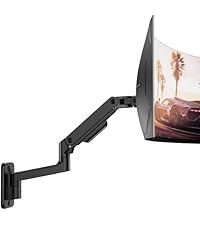
Desertcart purchases this item on your behalf and handles shipping, customs, and support to USA.
๐ฅ๏ธ Elevate your ultrawide game with style and strength โ RGB vibes included!
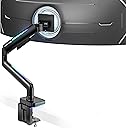
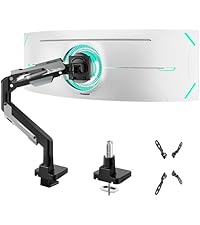
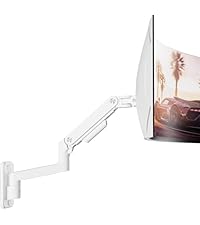
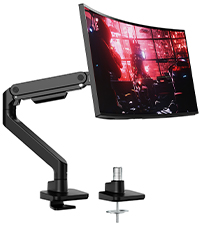
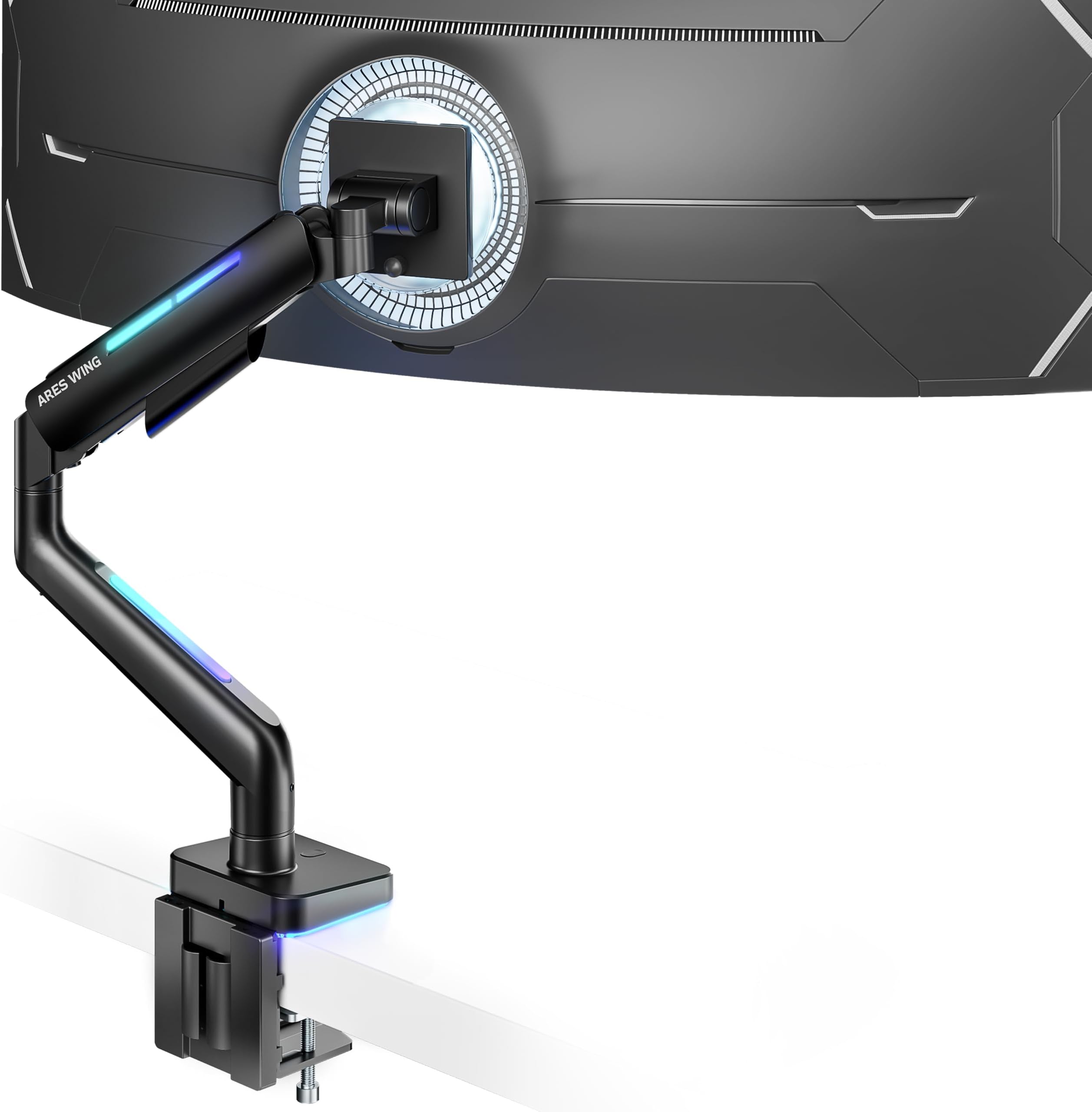
The ARES WING Ultrawide Monitor Arm supports 17-49 inch monitors up to 44 lbs with robust iron and aluminum construction. Featuring 360ยฐ rotation, extensive tilt and swivel, and 18-inch height adjustment, it offers ergonomic comfort. Its 20-mode RGB lighting lets you customize your workspace ambiance. Easy to install with C-clamp or grommet mounts, it includes a gas spring tested for durability and a 3-year warranty, making it ideal for heavy ultrawide screens and professional setups.


| ASIN | B0DP3YYH6R |
| Best Sellers Rank | #711 in Computer Monitor Arms |
| Brand | ARES WING |
| Color | Black |
| Compatible Devices | Monitor |
| Customer Reviews | 4.2 out of 5 stars 284 Reviews |
| Enclosure Material | Metal |
| Manufacturer | ARES WING |
| Material | Metal |
| Maximum Tilt Angle | 50 Degrees |
| Maximum-Supported Screen Size | 49 Inches |
| Minimum-Supported Screen Size | 17 Inches |
| Model Number | GDT1003LBKV1 |
| Mounting Type | Ceiling Mount |
| Movement Type | Rotate |
| Warranty Description | 3 year manufacturer |
T**R
Rock-solid monitor arm, perfect for ultrawide screens
This monitor arm is extremely well built and easily handles a large, heavy ultrawide monitor without sagging or drifting. The materials feel premium, the joints are tight but smooth, and once positioned it stays exactly where you set it. Installation was straightforward, and the cable management is well thought out, keeping the desk looking clean. Height, tilt, and rotation adjustments are smooth and precise, making it easy to dial in an ergonomic setup. The RGB lighting is subtle and tasteful rather than over-the-top, which is a nice touch. If youโre running a larger or higher-end monitor and want a sturdy, premium arm, this is absolutely worth it.
N**Y
Very nice arm for all monitors
I ordered this based on the recommended arm on the page of my recent 49; inch monitor purchase. I just received the monitor so I am just setting it all up finally. The arm is nice and hefty and says it will hold up to 44lbs/20kgs so that's a start. The leds are nice and bright and patterns are cool but standard. The first issue I had however is that the lip of my desk is to shallow to have the cross piece contact the desk fully so I was worried about the weight distribution but went ahead anyway. Ultimately I had to add a piece of wood to extend the contact area under the desk as well as a wood shim on the back edge. I highly recommend you measure how much surface area is available but this goes for any arm I imagine. Once mounted securely, it was time to add the monitor which was relatively easy for the size I have (49") and weight of 38lbs. Here is where the only issue I truly had came up and why I am returning this unit. It will not hold the monitor up and is currently resting on the desk. I tried to adjust it as far as the screw will allow and it will not stay put. I also even noticed that it would not hold the monitor level after adjusting that screw. I like this stand and would keep and use it with a lighter and smaller monitor for sure but it definitely does not work with at 35lbs. ***Updated*** I want to first apologize to Aries as I should have reached out first or tbh RTFM ;) They responded right away and sent a video and guides that I should have checked before but rushed to get set up which is on me. Once done, this arm is rock solid and I really do like it enough that I will be using it for some contract jobs solutions. As mentioned however check the amount of contact area for where it will be attached as that can be a point of failure for stability. Granted I am used to Ergotron and a few others and its the same across the board but I did have to use a different Allen wrench than the one supplied to get enough torque to get the proper tension set. Thank you for reaching back out and i would absolutely recommend this to anyone.
R**L
Excellent mount as long as the monitor isn't close to the maximum weight.
I was hoping for better but should have understood the price level vs. quality. First and foremost, I think it's a good monitor arm. It does hold the weight of my monitor and I can move it around... sort of. And I LOVE the lighting on it. But, that's where the good ends. The mount says "screen up to 44lbs," and that seems to be true for the arm itself. However, the tilting head mechanism... not so much. My screen now sits tilting down, which not looks strange while on my desk, but also makes looking at it uneasy, as it is an ultrawide curved monitor. The monitor without base is supposed to be 38lbs, so I had expected there to be no issue, but that is simply not the case, and now I find myself having to use the monitor arm that came with the monitor and set it on my desk in the traditional manner. So, a quick recap... Pros: It can physically hold up the weight of my massive monitor, which is 38lbs. It can move around, albeit very carefully, and I don't know if I'd ever extend it out toward me. The lighting looks great. Easy to assemble. Minimal footprint. It has a very sleek look to it. Cons: The tilting mechanism (where the monitor attaches to the mount) is too weak to sustain being upright. Even after really wrenching down on the screw to tighten the tilting mechanism, it still allows the monitor to droop or tilt forward. This is the reason for the 4 out of 5 stars, with all else being as advertised.
H**R
Decently priced
Feels like plastic, but it's decent. The monitor arm is pretty short for better or for worse but the arm is sturdy enough for my ~14 LBS LG 34GP83A-B ultrawide monitor. Unsure if it will hold a ~20 LBS 49 inch ultrawide but hopefully I'll be able to edit this review. The mount is stable in the middle, but going towards the edge have wobble, which makes sense since there's no support on the edges (probably the short arm is helping minimize the wobble). Just like any other monitor arm, it supports height, tilt, and swivel as well as the ability to have your monitor in portrait if you desire. Assembling the monitor arm was pretty simple; took me around 10 minutes and if you're unsure on how to assemble it there's a picture manual. The cable management is left to be desired in my opinion as the covers are flimsy and the weight of the cables pulling down will loosen the covers. RGB is powered by a USB-A cable which I'm pretty sure is soldered onto the monitor arm base. Turned on the RGB lights by holding down the button on the base and pressing the button once will change modes. The RGB is at most a 7/10, there was a mode I liked which is solid red. Overall, I will not know it's value until I have my 49 inch ultrawide monitor to see if it will hold steady and not wobble a lot. Edit: Bought the G9 OLED from Best Buy since I did not want to indefinitely wait for Samsung to give me a delivery date. This arm can support the G9 OLED, but I had to tighten all the screws so it would not fall down or sag. However, the edges do wobble a lot but it could just be physics. Overall this monitor arm is worth the price.
E**Y
Underwhelmed.
I ordered this specific monitor arm for several reasons. The first reason was that it would arrive the next day. The product didn't arrive the next day for some non-specific logistical error. Somehow I managed to catch the delivery driver and was told that it didn't make it on the delivery truck, even though the shipment tracker said otherwise. Seven or so days later, it arrives! Secondly, It isn't that solid of a monitor arm. I had to think outside the box to install it. I first tried installing it using the clamps provided by Ares. I don't know but the part labeled B in the instructions bent while tightening the large bolts. The bolts dug through the plate into the underside of my desk, leaving holes. The alternative Grommet installation worked, but now I'm stuck with a hole in my desk. The plates underneath the arms you use to hide cables both broke and now I'm using zip-ties to keep my cords and cables from dangling off the arm. The base is stable due to the grommet, but the arm is wobbly and will wiggle at the joints. The lights work at least, and are kind of cute. Dealing with customer service over the delivery was a nightmare, I felt disrespected enough to cancel my Prime Membership after talking with several agents. In my opinion, seeking a replacement or refund would not be worth the headache it would give me. Thanks for reading.
A**Y
Phenomenal. LED-less option would rock.
This item is absolutely awesome! Ok real talk the setup can be fiddle, you need adapters for different monitors, the LEDs in the arm (I didnt even realize they were in there, just grabbed a heavy duty arm for a 37" curved samsung screen) can be bright or distracting. But aside from minimal grumbles (I just dont use the lights) this thing is a BEAST. Holds the screen perfectly, moves with a single finger, swivels any way you like (IT WILL NOT GO 360 HOWEVER so do NOT attempt to helicopter) and generally does an amazing job keeping the cords out of the way and my screen exactly where I want it.
M**B
Great mount
Mount is very sturdy and easy to put together. I bought this mount to hold a 34 inch curved monitor. It comes with various mounting options that fit perfectly to my monitor and desk. The quality is quite good in my opinion and the rgb is a great touch. Easy to tilt and adjust to the position you prefer. Compares well to the high end mounts found online. I would recommend this versatile mount
S**N
It works with LG ultrawide monitor
So after purchasing the mount I was informed by my girlfriend that the reviews stated that it wouldn't holdup my LG ultra wide monitor so I waited and upon opening the box I found the issues 1 it uses the circle vesa mount that comes with the monitor it is not included โช๏ธโช๏ธ no big deal I ordered mount and had it delivered next day so I got it installed and mounted to the desk and like reviews stated it wouldn't holdup the monitor , here's where they got it wrong though with the included Allen wrench you can adjust the lift tension to now support the monitor ( 49 inch lg ultrawide monitor with adjustment almost maxed tookit back just a little so i could still move it up/down freely)..... besides the mount not being included I have 0 complaints build quality is very nice andits very sturdy
B**A
Highly recommended !!!! used for Alienware 32 gamer curvo 4k qd-oled - aw3225qf
I recently purchased the ARES WING Monitor Desk Mount, and I have been thoroughly impressed with its performance and build quality. This mount has exceeded my expectations in terms of both functionality and ease of use. 1. Sturdy and Durable Construction The mount features a robust build designed to support monitors ranging from 43.2 cm to 124.9 cm (17 to 49 inches), which makes it an excellent choice for large or ultra-wide monitors. It can hold up to 20 kg, which is plenty of weight capacity for most monitors on the market. The materials used are solid and premium, providing a strong and reliable hold for even heavier monitors. 2. Gas Spring Technology for Smooth Adjustments One of the standout features of the ARES WING mount is the gas spring mechanism. The arm is incredibly smooth and easy to adjust, whether youโre moving the monitor up and down, tilting it, or rotating it. The gas spring system ensures that you can effortlessly adjust the monitor to your ideal position with just one hand. This feature is particularly useful for those who need to quickly change their setup, whether for work, gaming, or media consumption. 3. Perfect for Curved and Ultra-Wide Monitors The ARES WING is particularly well-suited for curved and ultra-wide monitors, which can sometimes be tricky to mount due to their size and weight. This mount provides excellent support and stability, preventing any wobbling or sagging, even for large 49-inch ultra-wide monitors. The arm design allows for a full range of motion, giving you complete flexibility in how you position your monitor for comfort. 4. Easy to Install and Adjust Installation was straightforward and quick. The clamp base is easy to attach to most desks, and the instructions were clear. Once installed, adjusting the monitor height and tilt is simple, with the gas spring providing an effortless movement range. The cable management system is also a nice touch, helping to keep your workspace clean and organized by hiding cables behind the arm. 5. Versatile and Ergonomic With the ability to adjust not only the height but also the tilt and rotation, this mount ensures that you can achieve an ergonomic setup tailored to your needs. Whether you're standing, sitting, or simply looking to fine-tune the angle for your optimal viewing position, the ARES WING delivers a highly customizable experience. 6. Space-Saving Design The single-arm design is perfect for freeing up desk space. It keeps your monitor elevated and off the desk, creating a more minimalist and organized work environment. This is especially useful for small desks or for those who prefer to maintain a tidy and clutter-free workspace. Conclusion: The ARES WING Monitor Desk Mount is an excellent investment for anyone looking to improve their workspace setup. Its sturdy construction, ease of adjustment, and compatibility with curved and ultra-wide monitors make it a standout choice. Whether you're working, gaming, or just watching movies, this mount will undoubtedly enhance your experience by providing a smooth, customizable, and ergonomic viewing solution. Highly recommended!
S**E
arm
I give this arm a 10/10. From my experience it was flawless in every way. Would highly recommend! really well built. holds the monitor verry well
G**.
LED Lighting requires a longer hold to activate
Mount is sturdy and easy to assemble - initially thought LED RGB did not work but it just needed the switch to be held longer instructions indicate 2 seconds - its more like 8 to 10 seconds. Using with a 34โ MSI curved monitor.
J**S
Good arm for the G9
This arm does in fact support the G9. Everyone saying that it doesn't, clearly didn't read the instructions to adjust the tension of the arm spring. Also, there are a few people saying the LED lighting doesn't work. You have to long press the button to turn the LED lighting on/off. Plug the USB cable into the computer to have the lights turn on/off with the computer. The lighting will remember the last mode it was on and resume that mode after 2 seconds. Only 4 stars for the simple fact that the wire isn't white. I have a white desk with a white monitor arm and a white Display Port cable. The black USB cable stands out and is hardwired to the arm. I am resolving this by wrapping up the black wire and tucking it in and using a white USB extension cable. Could also go with a white cable sleeve.
F**E
Great arm for a G9
Sturdy and can hold a G9
Trustpilot
1 month ago
1 month ago