Desertcart purchases this item on your behalf and handles shipping, customs, and support to USA.
๐จ๏ธ Elevate your home office game with smart, vibrant printing that keeps you ahead of the curve!
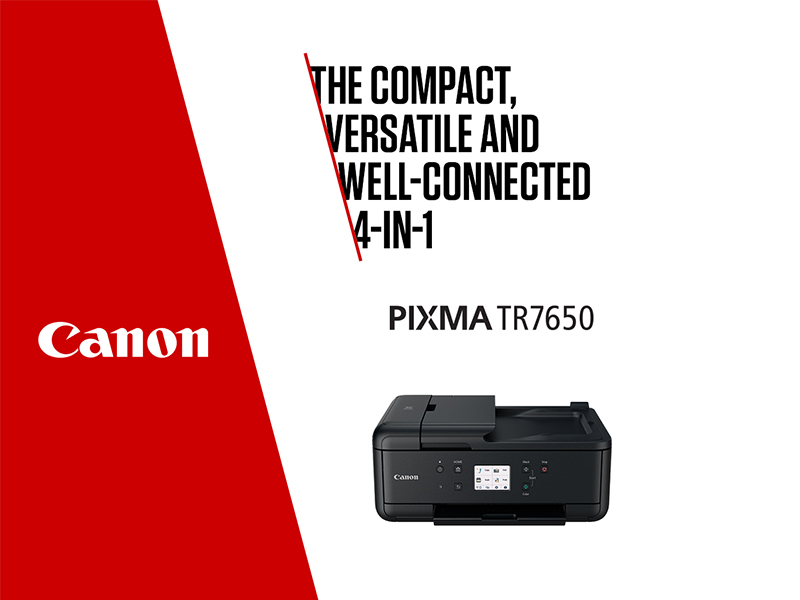
The Canon PIXMA TR7650 is a compact all-in-one inkjet printer designed for home office professionals. It features wireless and cloud connectivity, a 20-sheet auto document feeder, automatic duplex printing, and a 5-ink system for high-quality, borderless A4 prints. With a user-friendly 3.0โ touchscreen and compatibility with major mobile printing standards, it streamlines printing, scanning, copying, and faxing in one sleek device.

| Additional Printer Functions | All In One |
| Asin | B0CZP5SVG3 |
| B W Pages Per Minute | 15 ppm |
| Best Sellers Rank | 35,933 in Computers & Accessories (See Top 100 in Computers & Accessories) 93 in All-In-One Printers |
| Box Contents | Manuals, PIXMA TR7650 Printer, Power Cord, Setup Ink Cartridges |
| Brand Name | Canon |
| Color Depth | 24 bpp |
| Color Pages Per Minute | 10 ppm |
| Colour | black |
| Compatible Cartridge | PGI-580PGBK (Pigment Black), CLI-581BK (Black), CLI-581C (Cyan), CLI-581M, (Magenta), CLI-581Y (Yellow); XL & XXL Available |
| Compatible Devices | Laptops, PC, Smartphones, Tablets |
| Control Method | App, Touch |
| Controller Type | Android, Apple Airprint |
| Customer Reviews | 4.2 4.2 out of 5 stars (43) 4.2 out of 5 stars |
| Display Type | LCD |
| Dual Sided Printing | Yes |
| Duplex | Automatic |
| Hardware Interface | USB 2.0 |
| Ink Colour | Black |
| Item Dimensions D X W X H | 35D x 43.8W x 19H centimetres |
| Item Type Name | Inkjet Printer |
| Item Weight | 7.9 Kilograms |
| Manufacturer | Canon |
| Maximum Copies Per Run | 99 |
| Maximum Copy Resolution Black And White | 4800 x 1200 dots_per_inch |
| Maximum Copy Resolution Color | 4800 x 1200 dots_per_inch |
| Maximum Print Resolution Black And White | 4800 dots_per_inch |
| Maximum Print Resolution Color | 4800 x 1200 |
| Maximum Sheet Capacity | 200 |
| Maximum Supported Paper Size | A4 |
| Model Name | PIXMA TR7650 |
| Model Number | PIXMA TR7650 |
| Model Series | PIXMA |
| Network Connectivity Technology | USB, Wi-Fi |
| Number Of Trays | 1 |
| Other Special Features Of The Product | Auto Document Feeder, Auto-Duplex, Borderless Printing, Display Screen, Email Print |
| Output Sheet Capacity | 100 |
| Paper Size | 21 Centimetres |
| Print Media | Paper (plain) |
| Printer Output Type | Colour |
| Printer Resolution Horizontal In Black And White | 12256 Centimeters |
| Printer Type | Inkjet |
| Product Warranty | 2 Year Manufacturer |
| Resolution | 4800 x 1200 |
| Scanner Type | ADF |
| Specific Uses For Product | Enterprise, Home, Office |
| Total Usb 2 0 Ports | 1 |
| Total Usb Ports | 1 |
| Unit Count | 1.0 count |
| Warranty Type | limited warranty |
User
Easy to set up and use, reliable and fast.
A great replacement for my old canon printer, that uses the same inks and with no real learning curve. Photos and documents are good quality. Seems reliable, easy to set up and prints faster than my old printer.
User
Great product
Great product & Customer Service on all points from order to delivery
User
Canon Pixma TR7650 Printer
It's a sturdy-looking and feeling machine, very similar to a Canon printer we had a few years ago, which did absolutely sterling service. If this one's as good for the same length of time, it will see me out!A few new worthwhile features which the previous one didn't have (eg auto switch off).The paper input "trays" seem a little less easy to line up, but that's probably just a question of getting used to it.So far, well pleased with speed and quality of the output.
User
Canon PIXMA TR7650 wireless printer
Had had a Canon printer for a number of years & needed to replace it.Made some enquiries & found this one used the cartridges of my old one.Reasonable price, next day delivery.Not technically oriented however with a little assistance was able to connect to my laptop & phone. Good quality printing & functions similar to previous printer.
User
Flimsy. Complicated to setup. No USB cable!
I finally decided to retire my 10 year old Canon Pixma PG6250 due to increasingly frequent error message about a door being open that wasn't.I decided to replace it with the nearest equivilent that I could find, as error message aside, the PG had been a good printer.Upon opening the box it immediately became apparent this was a whole different species. Whereas the PG was made from sturdy Glossy plastic, this one was made out of very thin matt finish plastic, which immediatly looked dirty and dusty.First job was to remove the transit tape, which, in contrast to the printer itself, was first class, tough and sticky, so sticky that most of the panels it was attached to deformed alarmingly whilst trying to remove it, in fact the paper tray disintegrated and needed to be reassembled.Next job was to install the ink cartridges, this went as expected, no problems there.Next, print head alignment, again no problems.OK, time to connect it to my computer., that took 2 hours!The "Easy Wireless Setup" didnt work, the "Easy Wireless Setup Troubleshooter" didnt work, none of the online help worked.Eventually I went back to basics.I connected it ot my network manually using the password ("WPA" didn't work, obviously) ok, at least it was on the network. Now to connect it to the PC.I downloaded the drivers from the website and installed them.Next went to the "Software" page where i spotted the "WiFi Connection Assistant", yippee I thought! It Didn't work !I thought whilst I was there I'd download all the relevant software, turns out half of the stuff on the page isn't compatible with W11. It's basically just a page of apps to help you consume ink, should you get it working.Eventually I admitted defeat and went back to the box to get the USB lead and plug it into my PC, guess what? No USB cable. They did thoughtfully include what looks like an old telephone cable, little use for connecting a printer to a computer though.Fortunately I still had the USB cable from the PG which has the weird almost square plug on one end.Plugged it in and success, the computer spotted my printer instantly. Ran the "WiFi connection assistant" again, and it, somewhat ironically, worked.OK time to test it, obviously the old "Solution Menu" doesnt work any more, so I uninstalled it and downloaded that new "Quick Menu". Yep! Didn't work! apparently its not compatible with this model, every other Canon model, but not this one.I noticed on the box, there was a photo of a mobile, so I thought I'd install the app and control it via that! That worked.I then noticed that the app was also available for windows, so I installed that, amazingly, that worked tooBizzarely the "Canon Print" app does not appear on the software download page for the printer, even though lots of stuff that no longer works does, and when you go to the app download page it says explicitely"Apps & FunctionsOn this tab, you can view the available Apps and functions that are compatible with your product.There are no compatible Apps available for this product"Really?As you can guess from this review, this will be my last Canon printer.
User
Excellent print quality. Slow to start up and connect.
This is a replacement for a Canon TR7550 which decided it no longer wanted to operate. The two are very similar with the same features and ink cartridges, except the 7650 is not as easy to use....it automatically switches itself off, so you have to turn it back on to use it, not always practical...plus it takes about 30 seconds to receive the print instruction when you first send one. I believe there is a way to override the auto switch off, but I have not sought that yet.It is also quite complicated to set up and connect to devices, particularly to mobile phones, though no problem with a PC or laptop.Print quality is excellent, especially for photos on photo paper. Speed of printing after the first print is quite rapid, so no issues there. Scan quality is good and the auto duplex is a must for me.The reasons I have only given 3 stars are the difficulties in printing from mobile devices, and the speed in which it reacts to the first print instruction. Had I not got loads of spare inks for my old printer I would probably have bought an ink tank printer.
User
New Printer
My husband said itโs excellent and no problems. So recommended
User
Early days
Seams to be good, easy setup, usb, Ethernet, wireless connectivity. Colours good, black and white print good. Ink cartridge life not yet assessed. Scanner excellent.
Trustpilot
5 days ago
2 months ago