Desertcart purchases this item on your behalf and handles shipping, customs, and support to USA.
🖥️ Elevate your workspace with clarity and style — don’t just see it, experience it!
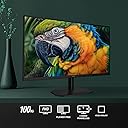
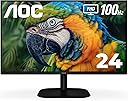
The AOC 24B2H2 is a sleek 24-inch frameless IPS monitor offering Full HD 1920x1080 resolution with a fast 100Hz refresh rate and 106% sRGB color coverage. Designed for professionals and gamers alike, it features eye-care technologies like Low Blue Light and Flicker-Free, versatile HDMI and VGA connectivity, and VESA compatibility for flexible mounting. Perfect for boosting productivity and immersive entertainment in any home or office setup.


| ASIN | B0C8ZJP65J |
| Adaptive Sync | G-Sync Compatible |
| Additional Features | Flicker-Free, Frameless, Lightweight, Tilt Adjustment |
| Aspect Ratio | 16:9 |
| Aspect ratio | 16:9 |
| Best Sellers Rank | #36,579 in Computers ( See Top 100 in Computers ) #1,089 in Computer Monitors |
| Brand | AOC |
| Brightness | 250 candela_per_square_meter |
| Color | Black |
| Color Gamut | 106.0 |
| Compatible Devices | Laptops, Desktops, Gaming Consoles |
| Connectivity Technology | HDMI, VGA |
| Contrast Ratio | 2000:1 |
| Customer Reviews | 4.6 out of 5 stars 522 Reviews |
| Display Resolution Maximum | 1920 x 1080 Pixels |
| Display Technology | LED |
| Display Type | LED |
| Hardware Connectivity | HDMI |
| Has Color Screen | Yes |
| Image contrast ratio | 2000:1 |
| Included Components | HDMI Cable, Monitor, Power Cord, User Manual |
| Item Dimensions D x W x H | 20.2D x 54W x 41.6H centimeters |
| Manufacturer | TPV Technology |
| Model Name | 24B2H2 |
| Model Number | 24B2H2 |
| Mounting Type | VESA Mount |
| Native Resolution | 1920x1080 |
| Number of Component Outputs | 2 |
| Picture Quality Enhancement Technology | IPS panel |
| Power Consumption | 36 Watts |
| Refresh Rate | 100 Hz |
| Resolution | FHD 1080p |
| Response Time | 8 Milliseconds |
| Screen Finish | Glossy |
| Screen Size | 23.8 Inches |
| Screen size | 23.8 Inches |
| Screen surface description | Glossy |
| Shape | Rectangular |
| Specific Uses For Product | Business, Desktop, Gaming |
| Total Number of HDMI Ports | 1 |
| UPC | 685417732586 |
| Viewing Angle | 100 Degrees |
I**N
Good quality for office work
Simple, not expensive, and very good for office work!
F**Y
AOC does it again. Great monitor
This is my second AOC monitor. This monitor is high quality and does everything the specs say. I will buy AOC again when I’m due for an upgrade.
K**Y
A Stunning Monitor at an Unbeatable Price!
The AOC 24B2H2 24” Frameless IPS Monitor has exceeded my expectations in every way. The frameless design is sleek and modern, making it perfect for a clean, minimalistic setup. It also looks fantastic in a multi-monitor configuration thanks to the ultra-thin bezels. The IPS panel delivers vibrant colors and wide viewing angles, making everything from office work to casual gaming a joy. With Full HD resolution, text and images are sharp and clear. The 75Hz refresh rate is a nice bonus at this price point, offering smoother performance for everyday tasks and light gaming. It’s also very easy on the eyes with its Flicker-Free and Low Blue Light features, which I’ve really appreciated during long hours of use. Setting it up was a breeze, and the build quality feels solid and reliable. If you’re looking for an affordable, stylish, and high-performing monitor, the AOC 24B2H2 is a fantastic choice. Highly recommended!
R**.
AOC 24B2H2 24" Monitor & HOMEWORX HW250STB HDTV Tuner Make the Perfect Team!!!
My 15 year old LG M237WD 23" Flatron Monitor/HDTV finally died on me leaving me in a strange new world where you can no longer find a new, low-cost Monitor/HDTV with a built-in antenna input and tuner. Today you need a monitor with 2 HDMI inputs and a separate HDTV tuner with antenna input to do the job. The question today is which ones do the best job at the lowest price? After extensive online research, I decided on the AOC 24B2H2 24" LCD Monitor and the Mediasonic HOMEWORX HW250STB Convertor Box/Tuner. In short, I am extremely happy with the choices I've made. Before you make your decisions, I highly recommend you download and read the online user manuals available by searching for them online. In particular, you need the online AOC user manual to properly describe and utilize the the 5 tiny buttons on the bottom edge of the screen used to power on and access monitor settings. The paper guide included with the AOC monitor does NOT describe how how to use these buttons. The HOMEWORX manual omits fully describing how to prepare for, record, and playback TV programs on a USB flash drive. If you are computer savvy, formatting, recording, playback and deletion of TV programs is easy to figure out. If not savvy, you may need to ask HOMEWORX for help. The AOC monitor is very easy to set up. You just need to insert the neck at the bottom of the screen into the base. The screen can be tilted from 20° up to -5° down. You plug in your 1 or 2 HDMI cables from the HOMEWORX tuner and your computer, the power cord, and your speaker or earphone 3.5mm connector cable, and you're done! The HDMI button under the bottom screen edge allows you to easily switch between the tuner and your computer. Audio is automatically switched between devices with the HDMI button. On Windows 10, a 24B2H2 Intel(R) Display Audio interface is automatically installed by the AOC monitor and becomes the Default Playback Device. I have an audio cable running from my computer to my speakers in addition to the HDMI cable. If needed, I can switch the Default Playback Device back to Realtek High Definition Audio to enable me to record audio using Audacity software, which I use to record stock market Earnings Webcasts. (Note: Audacity requires a wire connection between the Realtek audio output and input to enable recording audio off the Internet.) The AOC display itself is excellent, strong clean colors and high definition. The screen is matted, NOT glossy as incorrectly listed by Amazon. The HOMEWORX tuner has a handy easy to use large remote control along with manual control bottons on the tuner itself. In addition to the HDMI port, it also has RCA jacks and can act as a HDTV converter box for an old analog TV or as audio output for a stereo amplifier. It has a USB-A port for a USB flash drive or other form of storage drive. When not turned on, the HOMEWORX digital display acts as a clock showing the time of day. Signal reception by the HOMEWORX is excellent. This has the best reception of any HDTV tuner I've used so far, and I receive stations I could not receive before so long as the weather and temperature inversions permit. AOC 24B2H2, 27B2H2 LCD Monitor User Manual https://mmd-aoc2.oss-cn-hongkong.aliyuncs.com/Products/Monitors/B%20Line/B2/24B2H2/24B2H2_manual.pdf Mediasonic HOMEWORX HW250STB User Manual https://www.teklib.com/library/mediasonic-homeworx-hw250stb-user-manual/
D**E
Pretty good monitor, but potentially misleading advertising.
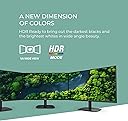
Opinion after 1 week of use -- PROS: - Very good price for the quality - Great color gamut - Good refresh rate (100hz) - Good form factor (thin bezels, fairly light, easy to put together and move around.) - Decent resolution (1080p is enough for most daily tasks, but 1440p may be more preferable for gaming, and 4K for movies/video.) - Has not had any connectivity issues (yet). - Not ugly MAIN CON: Despite being advertised as an "HDR-Ready" display with an "HDR mode", it *DOES NOT SUPPORT HDR!!!* The "HDR Mode" just saturates the display colors and increases the contrast to fake an "hdr look", but actual HDR video signals are *not* supported for any computer. If you are looking for an HDR monitor, this is not one of them. LG makes several perfectly good *actual* HDR monitors. MINOR GRIPES: - Cannot move vertical stand up and down like some monitors, only one height. Not a huge issue if you have a wall/desk mount (which this monitor does support). - 100hz is kind of a weird framerate that falls in between more common 60/144/240hz displays, so it may be a little jarring. - Obviously this isn't a high-DPI monitor. If you use a Windows laptop, your desktop icons and UI will be scaled up to fit it. If you want the ui scale to be the same as your laptop display, look for a 1440p or 4K monitor, as Windows does not support sub-100% display scaling. All in all, despite a sprinkle of just-barely-false advertising, this is a pretty good general-purpose monitor. I highly recommend it.
Trustpilot
2 months ago
2 months ago