



🔥 Power Meets Precision: Game, Create, Conquer 🖤
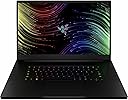
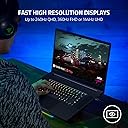
The Razer Blade 17 Gaming Laptop is a powerhouse built for professionals and gamers alike, featuring a 12th Gen Intel Core i9 14-core processor, NVIDIA GeForce RTX 3070 Ti GPU, and a stunning 17.3-inch 4K UHD 144Hz display. With 32GB DDR5 RAM, 1TB PCIe SSD, advanced vapor chamber cooling, and comprehensive connectivity options including Thunderbolt 4 and HDMI 2.1, it delivers ultra-smooth visuals, lightning-fast performance, and future-ready versatility in a sleek, portable chassis running Windows 11.


| ASIN | B0B443GX48 |
| Audio Output Type | Speakers |
| Audio features | [INCOMPLETE] 8 speaker array, THX® Spatial Audio |
| Automatic Backup Software Included | Windows 11 |
| Available M2 Slot Count | 1 |
| Available Memory Slots | 4 |
| Battery Cell Type | Lithium Ion |
| Biometric Security Feature | Face Recognition |
| Bluetooth Version | 5.2 |
| Bluetooth support? | Yes |
| Box Contents | Laptop |
| Brand | Razer |
| Brand Name | Razer |
| CPU L3 Cache | 24 MB |
| CPU Model Generation | 12th Gen |
| CPU Model Number | i9-12900H |
| CPU Model Speed Maximum | 5 GHz |
| CPU model | Intel Core i9 |
| Camera Description | Front |
| Chipset Type | Intel 700 series |
| Colour | Black |
| Compatible Devices | [Devices with compatible ports and wireless standards] |
| Customer Reviews | 4.1 out of 5 stars 97 Reviews |
| Display Maximum Resolution | 3840 x 2160 |
| Display Refresh Rate in Hertz | 144 |
| Display Technology | OLED |
| Display Type | OLED |
| Form Factor | Laptop |
| Graphics Card Ram | 8 GB |
| Graphics Coprocessor | NVIDIA GeForce RTX 2070 |
| Graphics Description | RTX 3070 Ti |
| Graphics Ram Type | GDDR6 |
| Hard Disk Description | SSD |
| Hard disk size | 1 TB |
| Hard-Drive Size | 1 TB |
| Hardware Interface | Ethernet, HDMI, Media Card, Thunderbolt, USB, USB Type C |
| Human Interface Types | Touch Pad |
| Item Dimensions L x W x Thickness | 39.5L x 2W x 26Th centimetres |
| Item Type Name | Laptop |
| Item Weight | 6.06 Pounds |
| Keyboard Description | Gaming |
| Keyboard Layout | QWERTY |
| Lithium Battery Energy Content | 70.5 Watt Hours |
| Manufacturer | Razer |
| Manufacturer Part Number | RZ09-0423QEF3-R3U1 |
| Maximum Display Resolution | 3840x2160 Pixels |
| Memory Speed | 4800 MHz |
| Memory Storage Capacity | 1 TB |
| Microphone Form Factor | Integrated Array |
| Model Name | Blade |
| Model Number | RZ09-0423QEF3-R3U1 |
| Model Year | 2021 |
| Model name | Blade |
| Native Resolution | 3840x2160 |
| Network Connectivity Technology | Bluetooth, USB, Wi-Fi |
| Notebook Pointing Device Description | Precision glass touchpad |
| Number Of Cells | 4 |
| Number of Items | 1 |
| Number of Ports | 9 |
| Operating System Family | Windows |
| Operating Systems | Windows 11 Home |
| Other Special Features of the Product | Chroma RGB, SD Card Reader, Thunderbolt 4, Windows 11 |
| Power Device | USB Power Delivery |
| Processor Brand | Intel |
| Processor Count | 14 |
| Processor Series | Intel Core i9 |
| Processor Speed | 5 GHz |
| RAM Memory Installed | 16 GB |
| RAM Memory Slot Total Count | 2 |
| RAM Memory Technology | DDR5 |
| RAM Size | 32 GB |
| RAM Type | DDR5 RAM |
| RAM memory installed size | 16 GB |
| Ram Memory Maximum Size | 32 GB |
| Resolution | 4K |
| Screen Bezel Thickness | 6 mm |
| Screen Size | 17.3 Inches |
| Screen size | 17.3 Inches |
| Series Number | 1 |
| Specific Uses For Product | Business, Gaming, Personal |
| Total HDMI Port | 1 |
| Total Thunderbolt Ports | 2 |
| Total USB Ports | 3 |
| Touchpad Feature | True |
| UPC | 840272904503 |
| Video Output | HDMI 2.1, Thunderbolt 4 USB-C (2 ports) |
| Video Processor | NVIDIA |
| Voltage | 230 Volts |
| Webcam Capability | Yes |
| Wireless Compability | Bluetooth |
| Wireless Technology Type | Bluetooth |
J**E
Powerhouse of a laptop (4k 3080ti reviewed)
So I debated for months about what laptop to get to replace my trusty surface book 2. I simply could not find something that hit all the points that it had but I narrowed my search down to the razer 17 (4k 3080ti), the MSI z17 (3080ti), and the Gigabyte AERO 17 (3080ti). The MSI and Gigabyte had the downside of only being 90w and 105w gpus respectively. The MSI brought touch screen that I desperately wanted but lost out because it only ran at 1440p and I did not want to step down in resolution. So that left the Gigabyte in the running and it is significantly less expensive but lost out because they dropped all the ports off the laptop like some fruity company I know of. So we had the winner of the Razer from the selection. I also knew that I would be upgrading the unit right out of the gate as the storage and ram would need to be bumped up to better cover my software needs. So I booted the laptop to make sure that everything was working and then popped the cover off to swap the ram for a 64GB kit from Kingston (KF548S38IBK2-64) and a 4TB ssd from sabrent. The cover had a bit of a learning curve as you needed to slide it to the front of the laptop to get it to lift off but otherwise was easy to get into. I was disappointed to find a tamper seal on the boot ssd but it did not say warranty void so I will not dock it too hard here. I had some difficulty with the OS clone so I did a clean install from the recovery media from razers webpage (only accessible after you register the laptop). Everything came up and worked no problems when working from the recovery media (I do not recommend a truly clean windows install as there is no page to pull razers software and drivers from). The laptop is a joy to work with as it has tons of power ontap and after the upgrades the ability to replace my desktop in a pinch. CPU The new i9 cores are shockingly fast and chew through both lightly and heavily threaded workloads and under the right conditions outpace my old 1950x threadripper. An older cpu to be sure but it still blows my mind that a laptop could keep pace with a hedt processor. GPU Where this laptop really sets itself apart is in the gpu department where its higher power limit lets it stretch its legs pushing some titles in 4k at decent settings. I have also given it a shake at 8k but found that the vram buffer is on the very edge of working even in older titles. An example would be skyrim working at stock maxed settings but running out of memory once I enabled an enb. Thermals/Noise Experiments aside the laptop will get very loud if you select anything other then the quiet mode. The laptop keeps thermals under control though so I can't knock it much here. Battery Expect to be married to the power cord for almost any task as the system sucks down power at an alarming rate. I think some of this is a combo of the high refresh rate screen and the fact that the dedicated gpu is not really disabled in optimus mode but just in a low power state. Do note that the power brick gets quite warm under normal loads and downright hot under stress loads. I strongly recommend keeping it well ventilated and off cloth surfaces. Screen The screen was a pleasant surprise for me as it was brighter than the reviews I read lead me to believe. Note it is not a photon cannon but it meets or exceeds the outgoing surface book 2. One thing that I wish it had here was an HDR rated panel. I would give up the high refresh rate for that in a heartbeat but I know that I am in the minority here. Colors are good and I feel that I can edit content on it without having to worry about being terribly inaccurate. Keyboard I have to give this a meh rating as it is just so so at best. The keys are mushy and the layout is somehow off a bit for me. I am guessing that I will get used to it but off the bat I find I am getting more errors than normal when typing. The chroma colors are fantastic though and I was able to setup a matching color scheme to my desktop. The colors are bright and vivid so A+ there. Trackpad This one surprised me as everyone raves about this track pad but I found the surface book despite its smaller size was better. It has a wedge click that misses my input frequently and its palm rejection is mediocre as I frequently would have the cursor move while I was trying to type. Port selection This was a selling point for me and it does not disappoint. The usb A ports are plentiful and the thunderbolt ports are fast. The 2.5G Ethernet is a nice touch though I can't test this as my network is 1G or 10G with no ability to run the interim steps (I will update this if I get a different switch.). The HDMI is 2.1 so you get the full bandwidth to run all the way up to 8k 60hz. Wifi runs the new 6e standard and with a supported network pulls nearly gigabit speeds. Finally the sd card slot is on point reading at my cards rated speeds. Build quality Exceptional fit and finish here. Everything is sturdy and I was not found wanting here coming from the exceptional surface book. Final thoughts I love this laptop for everything it is capable of doing. It is not a true workstation replacement but no laptop will be able to reach hedt levels. Where this laptop shines is in that space in-between where I can't haul my workstation but still need to edit a video or stitch some images together. I can render a h265 video without proxies on this and with the ram upgrade I can stitch raw files together with confidence. Also it can game and game well but don't expect miracles here as while it has the 3080ti name it is still a notebook gpu so it struggles at 4k in newer titles. The deep vram buffer is a massive boon for work but don't expect to make much use of it in games. If you are looking for a gaming laptop I would look at the 1440p units as it is a more obtainable resolution. For the "creative" that games on occasion I think you will be hard pressed to find a better laptop that combines all of these specs in this form factor.
G**R
Has a known motherboard fault causing BSOD crashes
After 1 year it developed a well-known fault with the WIFi network card, leading to frequent BSOD with error code: SYSTEM_THREAD_EXCEPTION_NOT_HANDLED (0x7E) What failed: Netwaw10.sys I am also unable to add any new WiFi passwords because the system crashedswith BSOD every time I enter a new WiFi password. Despite it being a recognised fault with these computers even before I purchased mine, Razer offered the following "solution": "€99.00 is required prior to sending your Razer Blade to our Repair Center. Razer will cover the shipping expenses by providing a prepaid shipping label. Kindly note that the diagnostic fee is non-refundable." "Following the diagnostic assessment, our Repair Center Team will provide you with a detailed quotation via email, outlining the necessary repairs and associated labor charges (€120.00). You will then have the option to proceed with the repair process at your discretion. For this instance, the suspected faulty parts are the motherboard and it is price approximately around €1,388.05." I will continue to use the Razer 17 until it dies, but I will definitely not be buying another Razer.
M**V
Lifespan is exactly 2 years from date of purchase.
1 star This is one of the worst laptop ownership experiences I have ever had. I bought this Razer Blade as a premium device, expecting premium reliability. Instead, it lasted exactly 2 years and then failed with a serious motherboard problem. Not 4 or 5 years. Not even 3. Exactly 2 years. For a laptop in this price category, that is completely unacceptable. I had the device checked by an independent repair company, and their conclusion was that the motherboard has a major fault and needs replacement. That alone is bad enough, but what makes this truly outrageous is Razer’s response. Razer wanted practically the price of a new laptop to replace the motherboard. At that point, what exactly is the customer paying for? A very expensive machine that survives just long enough to fall outside warranty, and then becomes economically irrational to repair? This is not the level of durability anyone should expect from a so-called premium brand. When you pay this much, you expect solid engineering, long-term reliability, and reasonable support if something goes wrong. Instead, I got a catastrophic hardware failure after exactly 2 years and a repair quote so high that buying another laptop would make more sense. A motherboard failure like this is not some minor inconvenience. It makes the machine effectively useless. And when the official solution is priced at almost the cost of replacing the entire product, it says a lot about the product quality and about the company’s attitude toward customers after the sale. The design may look nice, and the specifications may look impressive on paper, but none of that matters if the laptop dies after 2 years and the manufacturer’s answer is essentially: pay almost the price of a new one. I absolutely cannot recommend this laptop and Razer as company. Based on my experience, this is an overpriced product with poor long-term reliability and shockingly poor repair economics.
T**E
Owned for nearly a year. Amazing laptop.
It still runs great after a year as most laptops should. Runs all games at max settings without any loss of FPS for example Overwatch, max settings, 120+fps, same with WoW, Cyberpunk i think on high runs 60fps. I've even had WoW in the background in a city, booted up and played a bunch of Overwatch and forgot i'd had WoW in the background for the past hour and didn't notice any drop in performance. 2nd, and last part so i can keep this short, is the fan is extremely quiet. My old laptop the fan was so loud you'd have to use headphones to hear anything. This one really is a whisper even when its hot. Only thing i'd improve is it's a little annoying if i leave it unplugged with the lid closed, or if im traveling with it and dont shut it down, after about 5 or 6 hours the battery will be empty. Even with lid closed, sleep active, etc. This battery dies quickly if its unplugged and in sleep mode. Aside from that, amazing rig. [edit] update, same laptop, a year later, still going strong. zero issues.
I**C
Good, but could be better
I'm glad i was able to get this laptop used and discounted since it was out of stock pretty much everywhere (3080 Ti 16GB Vram laptop is much better than a 4070 with 8GB Vram). However, the laptop runs hot like my previous HP envy did, and while I don't game everyday to truly wear out the system I think it should last another 4yrs. I'll update my review if anything changes, but so far it's able to run palworld max settings at 60fps, and higher with DLSS or reduced shadows. Note, if you have one of these you're going to want it at an incline for more air, temps dropped by about 10c when I did so. You also don't want to put the power brick on the carpet as it got super hot to the touch when I did so, I'm assuming that's why some other reviews claimed their brick broke.
Trustpilot
4 days ago
2 weeks ago