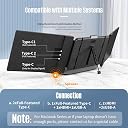
🚀 Triple your screen, triple your hustle — work smarter, anywhere!
The ALLVIA 14" Laptop Screen Extender is a portable, plug-and-play triple monitor setup compatible with Windows, Mac, ChromeOS, and Linux. Featuring a 1920x1080 IPS display with HDR, 300 nits brightness, and 72% NTSC color gamut, it delivers sharp, vibrant visuals. Designed for professionals on the move, it includes adjustable stands, dual speakers, and multiple connectivity options (Type-C, HDMI, USB-A). This lightweight, travel-ready extender boosts multitasking efficiency by up to 300%, backed by a 1-year support guarantee.


| ASIN | B0CY896H5G |
| Adaptive Sync | G-Sync Compatible |
| Additional Features | Portable |
| Aspect Ratio | 16:9 |
| Best Sellers Rank | #45,971 in Electronics ( See Top 100 in Electronics ) #1,209 in Computer Monitors |
| Brand | ALLVIA |
| Brightness | 300 nits |
| Color | 14" Triple |
| Color Gamut | 72 |
| Compatible Devices | Windows, ChromeOS, Linux, Full-Featured Type-C phones |
| Connectivity Technology | HDMI |
| Contrast Ratio | 1000:1 |
| Customer Reviews | 4.1 out of 5 stars 988 Reviews |
| Display Resolution Maximum | 1920 x 1080 |
| Display Technology | IPS |
| Display Type | LCD |
| Hardware Connectivity | HDMI, USB |
| Image Contrast Ratio | 1000:1 |
| Included Components | 14'' Triple Screen Extender *1, Screen Travel bag *1, Type-C to A cable *2, Type-C to C cable *2, Type-C to HDMI cable *1 |
| Item Dimensions D x W x H | 1.5"D x 14"W x 8.2"H |
| Item Weight | 2.72 kg |
| Manufacturer | ALLVIA |
| Model Name | S2 |
| Model Number | S2 |
| Mounting Type | Desk Mount |
| Native Resolution | 1920x1080 |
| Number of Component Outputs | 1 |
| Picture Quality Enhancement Technology | HDR |
| Pixel Pitch | 0.28 |
| Refresh Rate | 60 hertz |
| Resolution | FHD 1080p |
| Response Time | 2 milliseconds |
| Screen Finish | Glossy |
| Screen Size | 14 inches |
| Screen Surface Description | Glossy |
| Shape | rectangular prism |
| Specific Uses For Product | [INF] Inferred: Portability, productivity, and multitasking in various settings |
| Total Number of HDMI Ports | 1 |
| Total Usb Ports | 1 |
| Viewing Angle | 180 degrees |
| Warranty Type | 1 Year Manufacturer Warranty |
V**N
Perfect solution for anyone who works on the go and needs multiple monitors
These are the real-deal - well-built with excellent picture quality, capable of clamping onto a wide range of laptop screens, and highly portable via the included carrying case which packs them down to about the size of a 14" laptop. They are a perfect solution for those who prefer to use external monitors and enjoy working remotely from different locations. The speakers are an upgrade from my laptop's built-in speakers. Remember that each monitor will require its own USB or HDMI port to receive A/V signal from the laptop and to supply the monitor with power. While a laptop may suffice as the power source if it has a powerful enough battery, that was not the case for me--the monitors only work via my laptop's USB-C ports and with my laptop connected to its charger. I was not able to get the monitors working via the included USB-C to USB-A cables, but this is not a problem as I prefer to use my laptop's USB-A ports for a keyboard and mouse, leaving the laptop's two USB-C ports open for these monitors. If you have a USB port shortage, plan on incorporating a small USB port splitter into your portable setup. Alternatively, you can use your laptop's HDMI port, but keep in mind each monitor would require one HDMI port, and that in this configuration the monitors require external power via a USB-C charger. Overall, these are a great value for the money when you compare them to the cost of an external monitor which would not offer the portability benefits of this system. Any points I have mentioned about USB ports are only to inform prospective buyers and not take anything away from this excellent product as all products in this category would present similar challenges.
A**R
New Travel Must
I travel a great deal for work, and I have been looking for a monitor system that I can use on-the-go. I have used some single-screen portable monitors before, but was looking to upgrade to a more robust system so that I could do some of the more intense work that I do at home (with my 2-monitor desktop setup) on the go. This little triple monitor was the perfect answer to my problem. It's pretty small when folded up and not very heavy, which makes traveling with it a breeze. I've easily been able to pack it in my backpack alongside my laptop. It has a bit of weight to it, but significantly less than I expected given that it's a dual screen with a back-brace. The back-brace is also very sturdy, and easily adjustable. No concerns about stability. In addition, even if you don't have your laptop plugged in, it's less power-hungry than I expected -- it certainly drains battery, but it's fairly efficient for its size. The picture quality is 1080p, which is plenty for my office work. I haven't had any issues with brightness or glare while I'm on the go, which has been a big plus for me, as a lot of portable monitors I've tried for some reason do not have very strong backlighting. Heads up that the software that runs the 3-monitor display system (at least on Mac) takes a second to set up the first time you use the monitor, but it's very straightforward after that initial setup and plays nicely with my Mac's native UI. It launches automatically when you connect the monitor as well, so you don't even have to think about it after the first time you set it up. Overall, it's been a great addition to my travel arsenal. I've been looking for something like this for a while, and it really fits the bill.
S**S
A Game-Changer for Productivity: ALLVIA 14" Laptop Screen Extender
As someone who's always looking to boost productivity, I can confidently say the ALLVIA 14" Laptop Screen Extender is a game-changer. This portable monitor has revolutionized my workflow, offering a seamless multi-screen setup wherever I go. The visual quality is outstanding. With 1080P Full HD resolution and 300 nits brightness, everything looks crisp and clear, even in well-lit rooms. The 72% NTSC color gamut and 1000:1 contrast ratio deliver vibrant, lifelike colors and sharp images. HDR technology takes it a step further, providing an immersive viewing experience that's easy on the eyes, thanks to anti-vertigo and low blue light features. What really sets this extender apart is its versatility and thoughtful design. The adjustable kickstand and stretchable fixing frame ensure a stable attachment to laptops ranging from 13" to 17". The 0-180° rotation allows for perfect angle adjustment, and the all-in-one button for multiple functions is a convenient touch. Connectivity is a breeze with Plug-and-Play support for Type-C, HDMI, and USB-A, making it compatible with both Windows and Mac systems. The dual speakers are a nice bonus, enhancing the overall experience. Portability is another strong point. The included storage bag means I can take this productivity booster anywhere, turning any space into an efficient workstation. In conclusion, the ALLVIA Laptop Screen Extender is an excellent investment for anyone looking to enhance their productivity and viewing experience. Its combination of superior visuals, smart design, and portability make it a must-have accessory for professionals and multitaskers alike. Highly recommended!
M**A
Great products and serves a need!
The product works perfectly as an extended monitor which is why I give it 5 stars. I have a 15in HP Laptop monitor. Pros: 1. The screen quality is better than expected, I was impressed with the clarity and resolution. 2. Overall functionality exceeds expectations as it does provide the "multi-monitor" experience and is very convenient to connect and use. 3. Great for travel - I used this while working during my vacation with family. 4. I am able to use this device daily and not just while traveling, as it provides 3 screens for me to multi-task and be more productive and efficient. 5. Although quite pricey, well worth the value, functionality and time savings. Cons: 1. The clips to attach to the device is quite challenging and needs some rework, but not a deal breaker
P**.
Game-Changing Portable Monitor for Productivity Enthusiasts
As someone who constantly juggles multiple tasks, the ALLVIA 14" Laptop Screen Extender has been a revelation for my workflow. This sleek, portable monitor has transformed my laptop into a powerful triple-screen setup, boosting my productivity to new heights. The 1080P Full HD IPS display delivers crisp, vibrant visuals that match seamlessly with my laptop's screen. Colors pop, and the wide viewing angles ensure clear visibility from any position. Whether I'm coding, designing, or managing spreadsheets, the extra screen real estate is a godsend. Compatibility is a strong suit for this extender. It works flawlessly with my 15" laptop, and I've tested it successfully with friends' devices ranging from 13" to 17". The plug-and-play setup couldn't be simpler - no drivers needed, just connect and you're ready to go. Portability is where this monitor truly shines. It's incredibly thin and lightweight, slipping easily into my laptop bag without adding noticeable bulk. The sturdy build quality gives me confidence in its durability during travel. The ALLVIA team clearly thought about user experience. The intuitive on-screen controls make adjusting brightness and other settings a breeze. The anti-glare coating is a nice touch, reducing eye strain during long work sessions. For professionals, students, or anyone looking to supercharge their productivity, this portable monitor is a must-have. It's transformed how I work both at home and on the go. The ALLVIA Laptop Screen Extender has earned every bit of its 5-star rating, and I couldn't recommend it more highly.
T**E
GREAT! 1 screen works on macbook air, 2 work on macbook pro - detailed read.
I honestly really like it. I own a 13-inch MacBook Air with an M2 Chip 2022. It only works with one screen, which is fine with me. My man's MacBook Pro (i think he has the 2019-2020 series) and both screens worked for him. to me, the screen itself feels extremely sturdy and thick. it's not just some flimsy thin thing. The resolution is good (though I wish the brightness could be brighter, cause I like the screen beaming at me), and it's pretty seamless. It doesn't lag, it doesn't look funny. I looks like a regular screen (for those non fenatics for resolution), I think in a gaming sense it would operate just fine but I only utilize it for work. It does auto turn off if not in use, for I think 1 minute - not sure, it always does it when my mac does it. I do not attach it to my macbook air's screen. I found that it was heavy for the screen, so what I did was prop the screen with the leg on the back (works fine, nothing good nor bad to say, it does it's standing job) and open my mac screen to the leverage that I like and the attachment is kind of squeeze between its stand and the screen. - I honestly don't think that there should be something on your screens, especially newer macs since they're so thin. I have not utilized its audio (nor do I intend do, cause I don't need it). The setting adjustments on the screen are meh. They are a little hard to use, but I'm not gonna be using it every second - I got it to the settings that I liked and haven't touched it since I bought it. Stowage is nice, I feel like the screens are protected, and it comes with it's own case bag. it sturdy and isn't a piece of cloth, there's some structural integrity to it, it's over all nice and great with the price you're paying for. I don't utilize it since I just have the screen up all the time, and when I am traveling, it's in its case. - you do have to take it out all the way and go through it like a laptop at TSA. I guess, as long as you're handling it with care and not thrashing it around, you're fine. It only fits the screens and the wiring, not the mac itself. I do not think it would be cushioned enough for a mac to survive lol. The wiring is pretty good for me, even when I was trying to set up the two screens. It's at good length and I didn't have an issue with it, nor did I feel like I was getting wrapped up with the amount of length or stuff I have to plug in. Overall, do I think it's worth the price? Yes, it's for more convenient for me to have than a monitor, since I travel for work and I'm usually either at HQ or at home. The monitor is like four easy steps to set up and doesn't take up that much space. I only gave it four stars cause I'm not being beamed by the light of the screen. In my opinion, it has the same resolution look to it as a dell monitor you'd see at public libraries - the older version once probably released early 2010 or something. BATTERY WISE: It does drain your battery fast - I expected it to happen since it's pulling energy from the mac. I keep mine charged, but if I dont - I have a solid hour, or maybe less depending on how many programs I have pulled up ( i usually have 10 tabs open plus msoffice. I've noticed that even if I have my mac is off (screen off), it will still drain it. So if you're not using it at all, and you are not charging, just detach the wire from the mac. I think it would be healthy in general to detach or unplug when not in use for your battery life's sake. Hope that helps and sorry for the long read, I would want to know all the possible details if I bought something as expensive. oh and i dont know about anywhere else, but I had to meet my amazon driver for it to be properly released to me cause he needed a code. - I don't remember how it was packaged, but it came safe and not damaged...so take that as you want.
J**N
Additional Purchase Needed For Mac
After ordering a few triple monitors to test out, this one has been my favorite. The screens are better quality and crisper, the product feels more premium, and it easily it fits the Macbook 13" M2 with no problem, which the other two did not. I am disappointed though, since both screens require being plugged in, and you need to purchase two additional items to make the setup work for the Macbook M2 (USB-C Hub & the special cable for Mac mentioned) which cost around $50 for the two. My budget was under $300, but there may be a better solution outside of that budget where drivers or better hardware is used. If this came with a single connection for power and the monitors, and did not require any additional hardware, this would most likely be a 5-star review. As it stands, only 3-stars, but again, a good product that beats the other two units I tested in my price range.
N**E
Easy and quick solution
I had been looking to replace some of my bulky monitors for a while but hadn’t quite made a decision as to what I wanted yet. Then one of my monitors completely stopped working and the other one cracked, so guess it was time to make a decision. I decided to go with a laptop extender because 1. I run a lot of data modules and having multiple monitors is extremely efficient 2. I wanted to find something portable as I do travel a lot for work and having the extra screens is a Godsend, especially since I am not always guaranteed to have extra monitors where I go 3. I wanted to downsize from my two very bulky monitors that took up over half of my desk space so I had more room to work on other things without having to move around too much. I purchased these hoping they would do at least some of what I had mentioned, and to my surprise they did ease all of the above. Getting them all connected was relatively easy, took me about 15mins once I read through everything. I will say these monitors feel delicate, but not too flimsy like they would break in one use. Like with all computer equipment, I wouldn’t be too rough with these. Connecting them together took the longest because I couldn’t find the correct HDMI cable connection, but it was just hidden under some things in the box. My laptop had one USB C, one USB A, and one HDMI connection each, so the fact that this product came with two of every connection was fantastic. If you have two USB C connections on your computer, you can just use the two USB C cords it comes with. Otherwise like me, you’ll have to first connect the USB C to the laptop and extender, then the USB A to the laptop and extender, then finally the HDMI to the laptop and extender. Once I did that and changed the settings on my laptop for multiple screens, it was up and running in no time. So far I am pleased with this product.
J**S
Total waste of money!
Received it, tried to install it, never worked for me, it comes with so many cable but seems that none are the correct one for my set up. so total waste of money, couldn't return it, because too much time had past before I got around to trying it.
R**S
Muy buenos monitores
Muy buen producto, me sirve a la perfección
A**O
ótima imagem
Muito bom!
A**R
Excelente opción para mejorar productividad
Muy buen producto que ayuda en la productividad en la oficina al tener varias aplicaciones abiertas al mismo tiempo
O**R
Segunda pantalla no funciona
Es bueno pero la segunda pantalla no funciona
Trustpilot
2 weeks ago
4 days ago