Buy anything from 5,000+ international stores. One checkout price. No surprise fees. Join 2M+ shoppers on Desertcart.
Desertcart purchases this item on your behalf and handles shipping, customs, and support to USA.
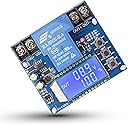
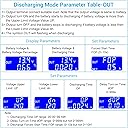
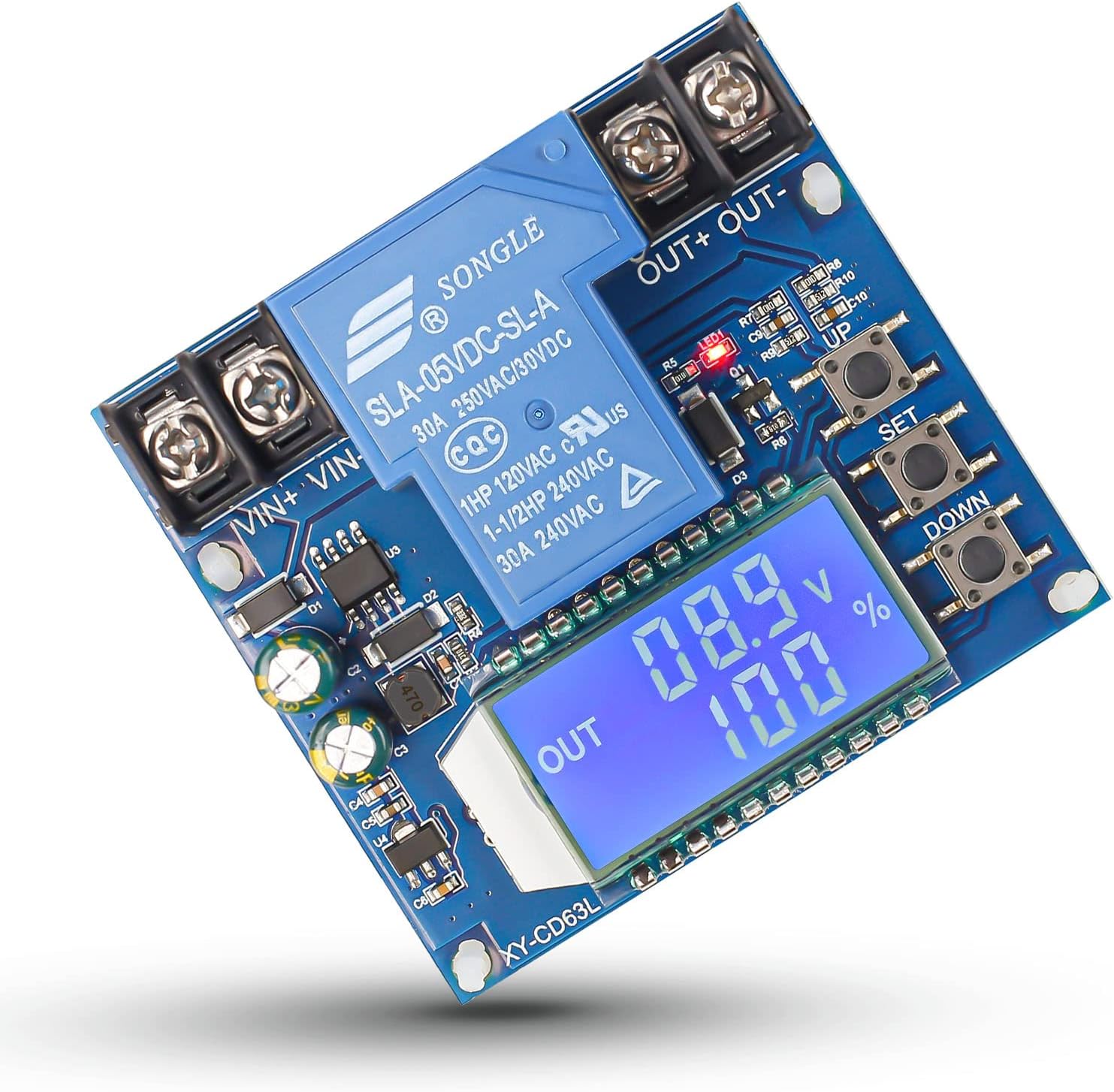
FUNCTION: charge/discharge mode Charge/discharge time control Delay turn-on(0-999 seconds) Force start time(0-10 seconds) KEY FUNCTION: UP button: short press to switch to display percentage and time, long press for 5 seconds to switch modes, charging mode: IN, discharging mode: OUT SET button: short press to view the currently set parameters; long press the SET button to set the parameter UP: Voltage upper limit dn: Voltage lower limit OP: conduction time dOP: delayed conduction time (0-999 seconds) FOP in discharge mode: forced start time (0-10 seconds) DOWN button: Short press to turn off/on the relay (emergency stop function), after the LCD display is OFF, the relay is disconnected. Review: best buy - best buy but poor packaging Review: arrived on time and works. - not using as didn't order right item for what I was trying to do. put in stock, may use in camper.


| ASIN | B09ZTHRD3G |
| Brand | IS |
| Brand Name | IS |
| Country of Origin | USA |
| Current Rating | 30 Amps |
| Customer Reviews | 4.2 out of 5 stars 112 Reviews |
| Included Components | Non |
| Item Weight | 0.05 Kilograms |
| Manufacturer | Icstation |
| Minimum Frequency | 50 Hz |
| Model Number | GY20476 |
| Mounting Type | Rack Mount |
| Part Number | GY20476 |
| Power Source | Battery Powered |
| Power Source Type | Battery Powered |
| Specification Met | FCC, UL |
| Unit Count | 1.0 Count |
J**E
best buy
best buy but poor packaging
R**E
arrived on time and works.
not using as didn't order right item for what I was trying to do. put in stock, may use in camper.
R**.
Read and understand the setup instructions
This little device works great! I’m convinced a few of the lower star reviews were from a lack of understanding. There is another review with the translated setup manual and if you follow that this little guy works exactly as intended. Had it wired, setup and running within 10 minutes. Using it to protect a pair of Milwaukee batteries on my kids power wheels. Works like a charm!
M**R
Instructions in English...
Instructions in English: 🔘 Button Functions UP Button Short press: Switch between percentage display and time. Long press (5 seconds): Toggle between charging mode (IN) and discharging mode (OUT). SET Button Short press: View current parameter settings. Long press: Enter parameter setting mode. Set the following: UP: Upper voltage limit dn: Lower voltage limit OP: Conduction time dOP: Delay conduction time (0–999 seconds) FOP: Forced conduction time (discharge mode only, 0–10 seconds) DOWN Button Short press: Toggle relay on/off (emergency stop). When disabled, the LCD displays “OFF” and the relay is disconnected. Long press: Set LCD backlight mode: L-P: Backlight always on ON: Backlight auto-off after 5–10 minutes (press any key to wake it up) 🔋 Mode Descriptions Charging Mode (IN) When battery voltage ≤ dn (lower limit), the relay turns on and charging begins. When battery voltage ≥ UP (upper limit), the relay turns off, ending the charge. While charging, the relay is on and "IN" flashes. Discharging Mode (OUT) When battery voltage ≥ UP, the relay turns on and discharging begins. When battery voltage ≤ dn, the relay turns off, ending the discharge. While discharging, the relay is on and "OUT" flashes. ⚠️ Note: This device is a simple voltage controller. It uses a relay to switch output on or off. It does not regulate voltage or current—only on/off switching. ⚙️ Parameter Settings Enter Setting Mode: Long press the SET button. Navigate Parameters: Press SET to switch between parameters. Adjust Values: Use UP or DOWN to set values (short and long presses supported). Save & Exit: Long press SET again. 3.1 ⏱ Charge/Discharge Time Control If OP (conduction time) ≠ 0: Timing begins when the relay activates. Once OP time is reached, relay disconnects automatically. If voltage conditions are invalid during timing (< dn in charge mode or > UP in discharge), the device displays H:ER to signal a configuration error. Press any button to stop flashing. If time control is off (OP = 0), the total charge/discharge duration is still recorded and shown during time display mode. This resets upon exit or the next cycle start. 3.2 ⚠️ Auto Parameter Check If dn ≥ UP, the device will display ERR and not operate. 3.3 ⏲ Delay Function (dOP) Delay time between a completed cycle and the next relay activation (0–999 seconds). 3.4 🔄 Forced Relay Conduction (FOP) In discharge mode, when conditions are met, the relay forces ON for 0–10 seconds, allowing for voltage re-checking. Useful when test loads cause a false low-voltage reading at the start of discharge.
N**K
A must for drill battery power wheel upgrade
Used this on my son’s power wheel conversion. Wanted to make sure that I didn’t kill my Milwaukee batteries when using them in his quad. Set up can be a little tricky at first. But just read through the description and you’ll get it. Once set up you never have to mess with it again.
Trustpilot
2 weeks ago
1 month ago